I have some Inovelli dimmer switches, which have a little button on the top right. I have some rules that change default brightness level of those dimmers throughout the day.
When I click the little button, I want the dimmers to ignore the default brightness and use 100% brightness.
So far I have been making a rule for each switch to do this, which is tiresome and brittle.
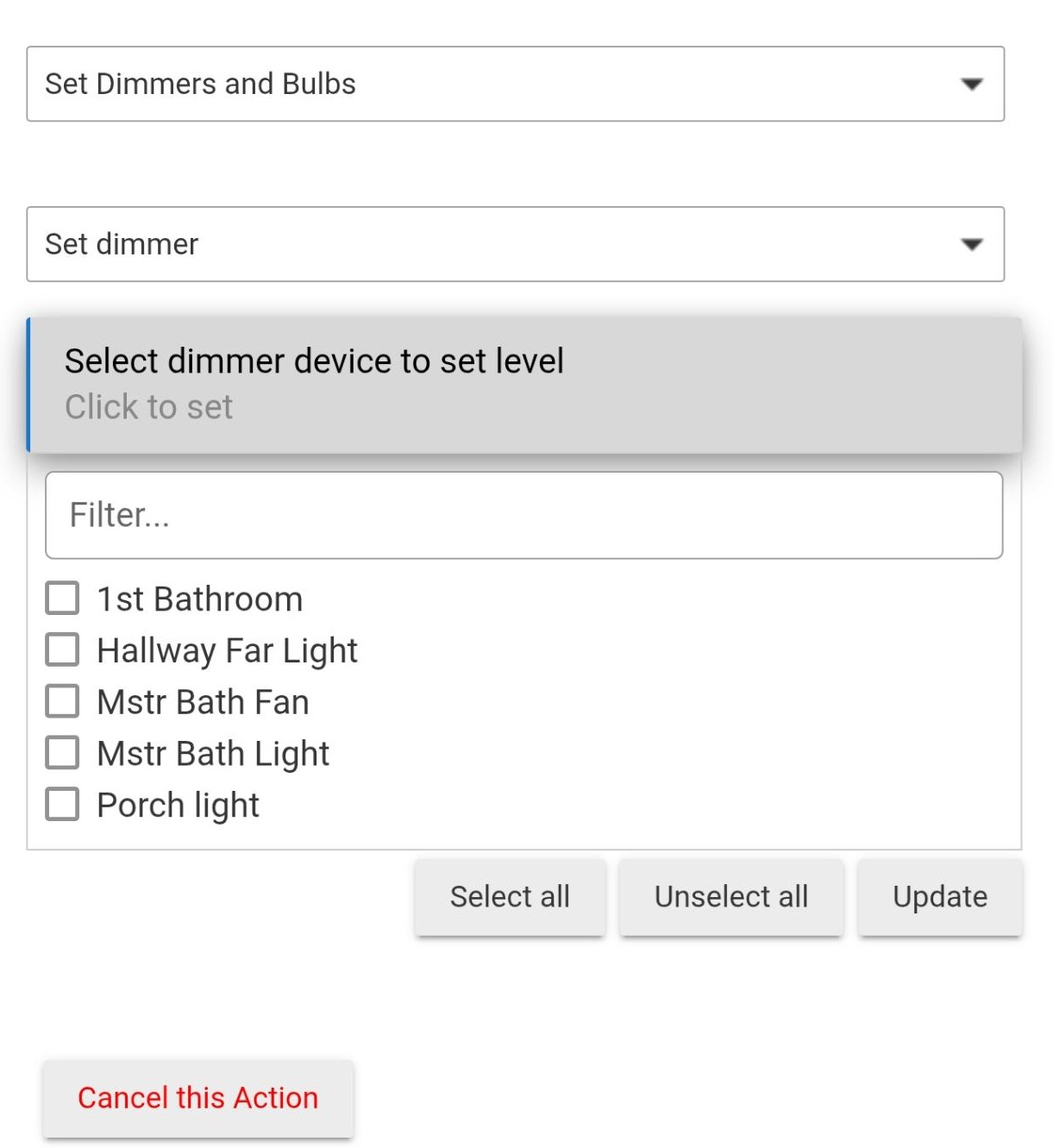
Is there a way in the rule machine to set brightness on a variable device? It is not in the dropdown.
I'm a bit confused on what you're trying to do: are you trying to set the value of a hub variable, or are you trying to use a variable as the brightness value in a Rule Machine action like you might do later in your screenshot? Both are possible. But setting a hub variable is under Set Variable, Mode or File, Run Custom Action, not Set Dimmers and Bulbs (although you technically might see it there if you made a connector of a matching type, but in Rule Machine, there's no reason not to jist working with the variable directly).
Currently I have 6 separate rules that say "when small-btn is pressed on device X, turn LEVEL to 100 on device X". Except X must be statically re-defined in each rule. I would like 1 rule that uses a variable device
Let me see if I understand.
You have 6 buttons.
You have 6 rules, one for each button.
If button X is pushed, then set device X to 100%.
You want a single rule....
If button X (any of the 6 buttons) is pushed, then set device (1-6) to 100%.
In webcore, I would use a CASE statement. But I'm not sure that would be any more streamlined than 6 rules. RM does not have a CASE statement.
I might even use Basic Rule and 6 rules.
I suppose you could have logic that would assign a device name to a global variable when that particular device changes state (button is pushed). But I think having 6 rules would be as effective.
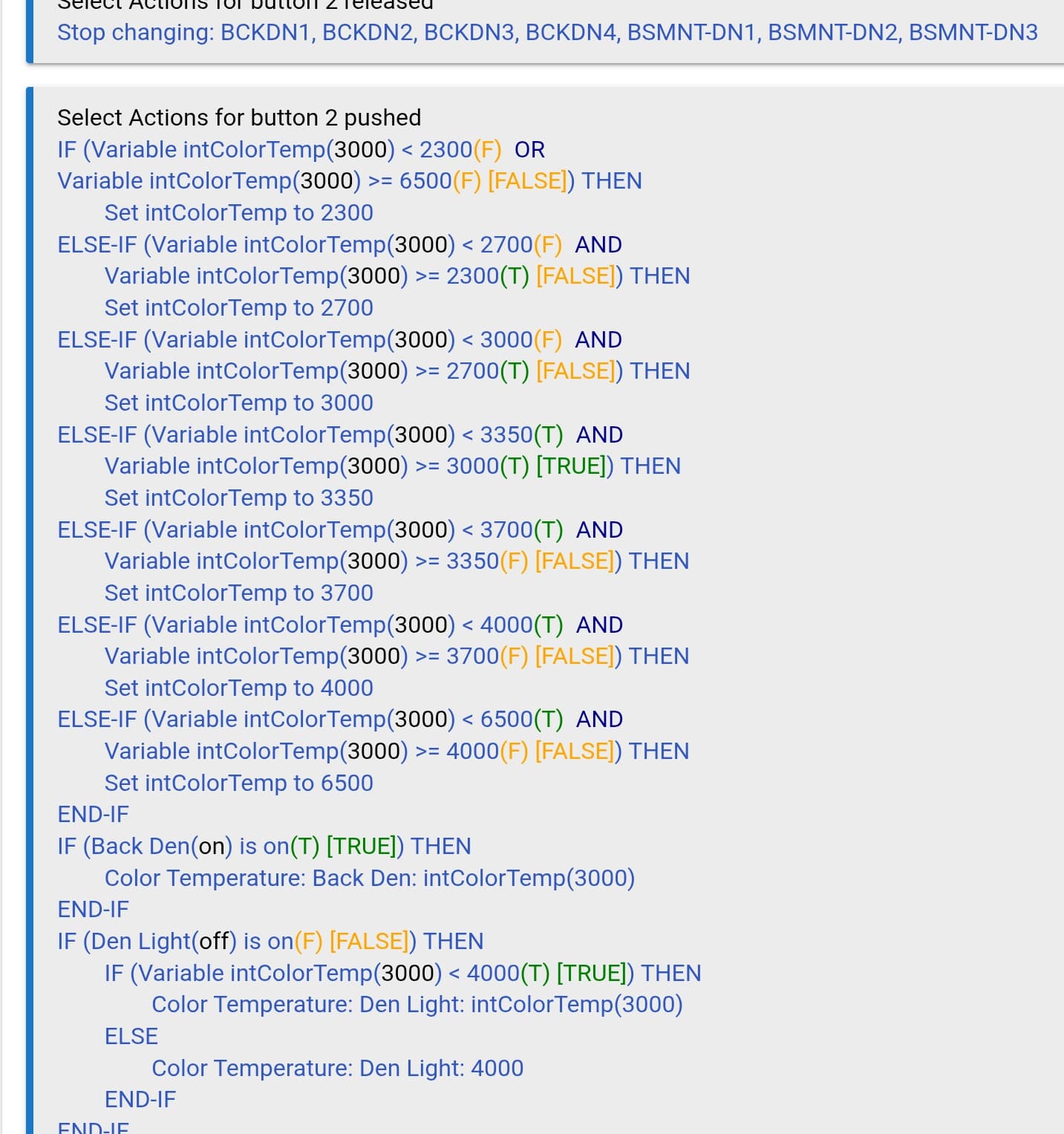
I do this in Legacy RM. Should be able to do something similar in the current version.
Depending on the current color temp, a press of the button increases (or decreases if the other button is pressed) the variable "intcolortemp" in steps.
Once the variable is set, I adjust the light to the variable color temp value. This should work for dim levels as well.
(The last two If/then blocks cause it to only adjust the lights that are on. One of the lights is limited to 4000. So, if the variable is > 4000, it sets it to 4000).
The only thing I can think of for one rule is to trigger off any button pushed with a set of cascading if/then's
Trigger button1, button2, button3,...... any pushed
Actions
Set VarWhichButton = %device%
If VarWhichButton = {button1 device name} then dim device1 100%
if VarWhichButton = {button2 device name} then dim device2 100%
if VarWhichButton = {button3 device name} then dim device3 100%
Of course, if you ever rename your devices or want to add new ones, you have to edit this.
...
I agree being able to use the device name as a variable would be very useful for me too for almost this exact scenario. I have about 15-20 of the Inovelli red dimmers. Similar to user2773 except I use the 1 pushed (i.e. “on” button) for 100% on all of them. I had to do that as I use the little button (#7 pushed) to set the lights to their lowest value, and then, if I pushed #1 it did nothing as the light was already on.
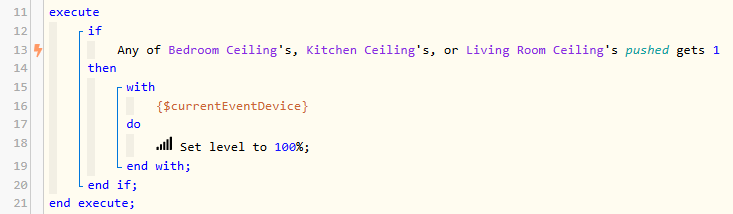
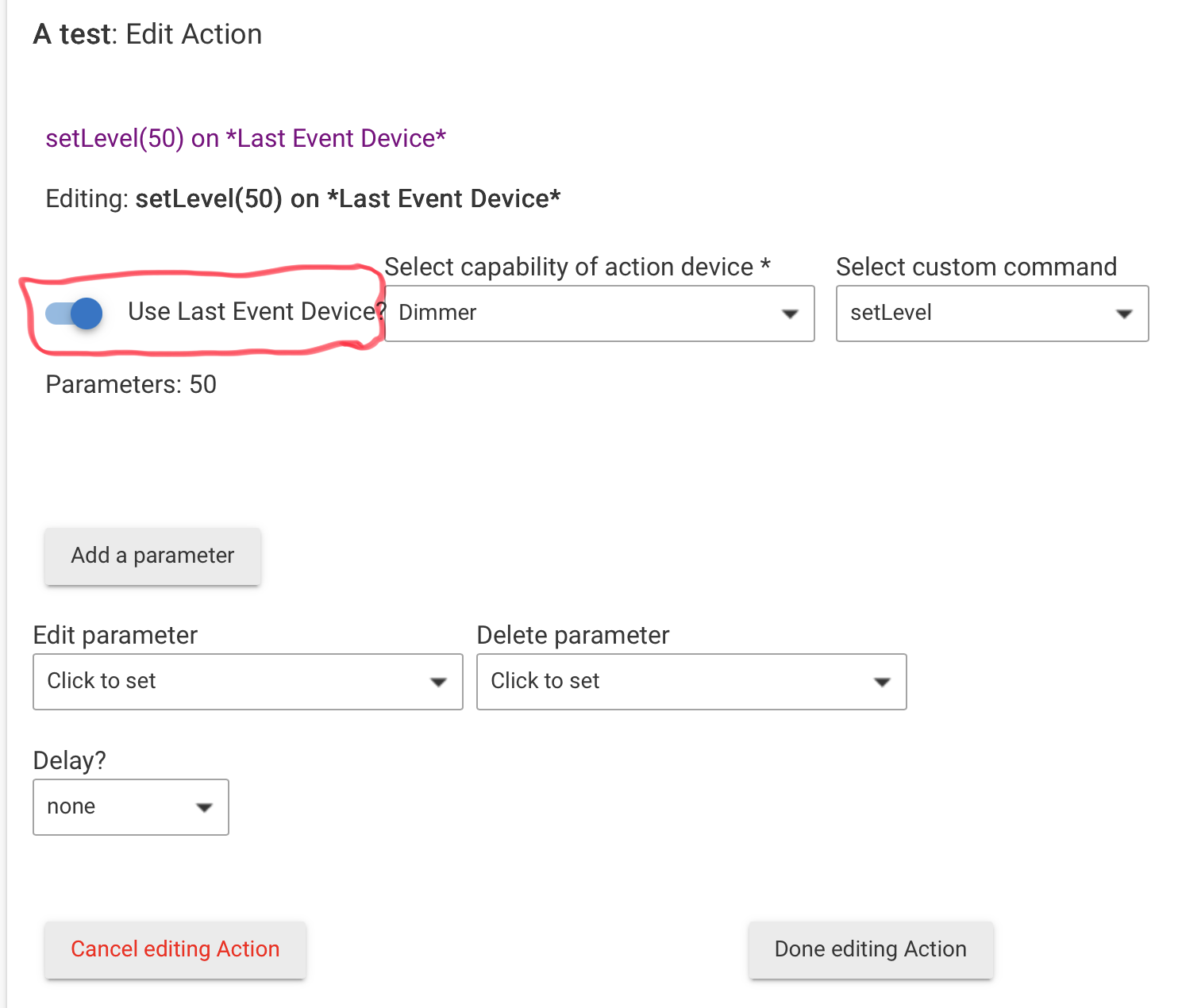
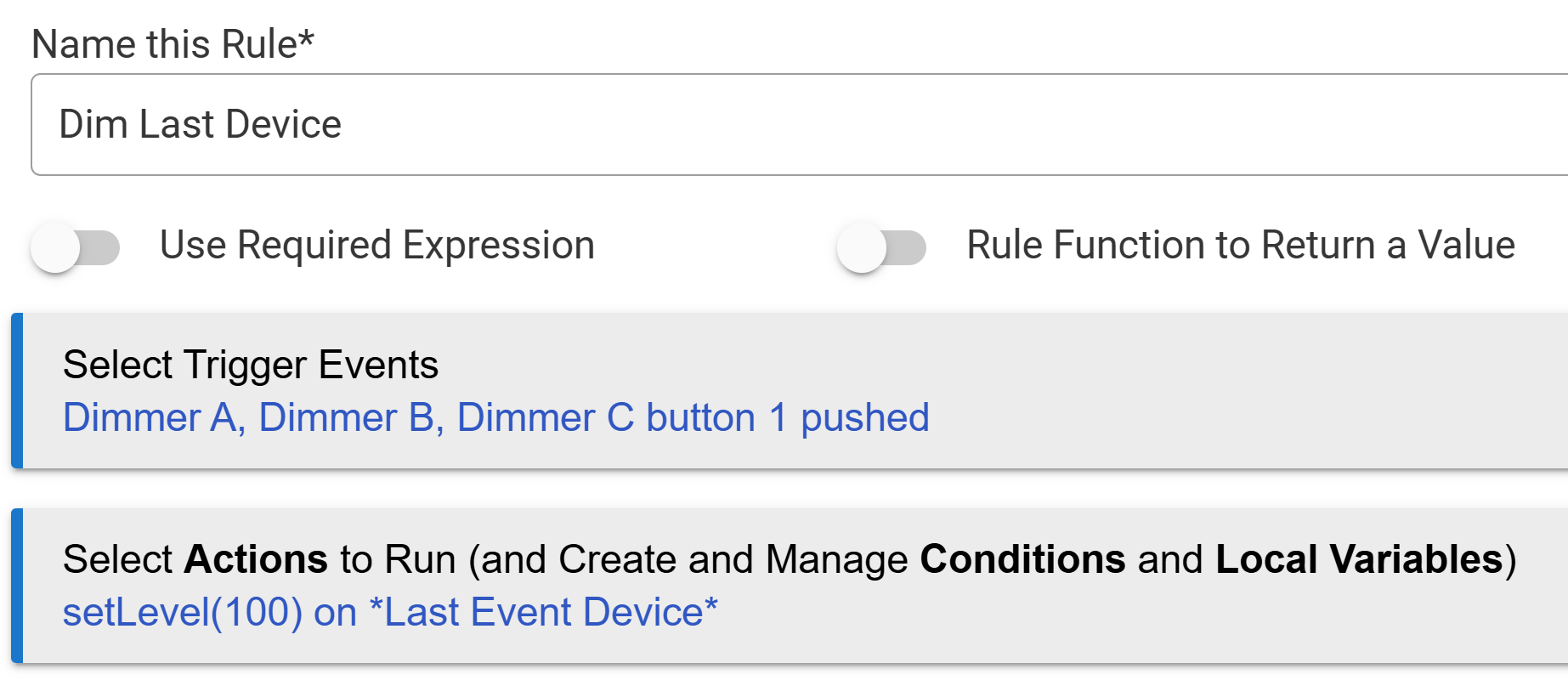
So we would add all the devices to the list of devices that would fire the rule. Then
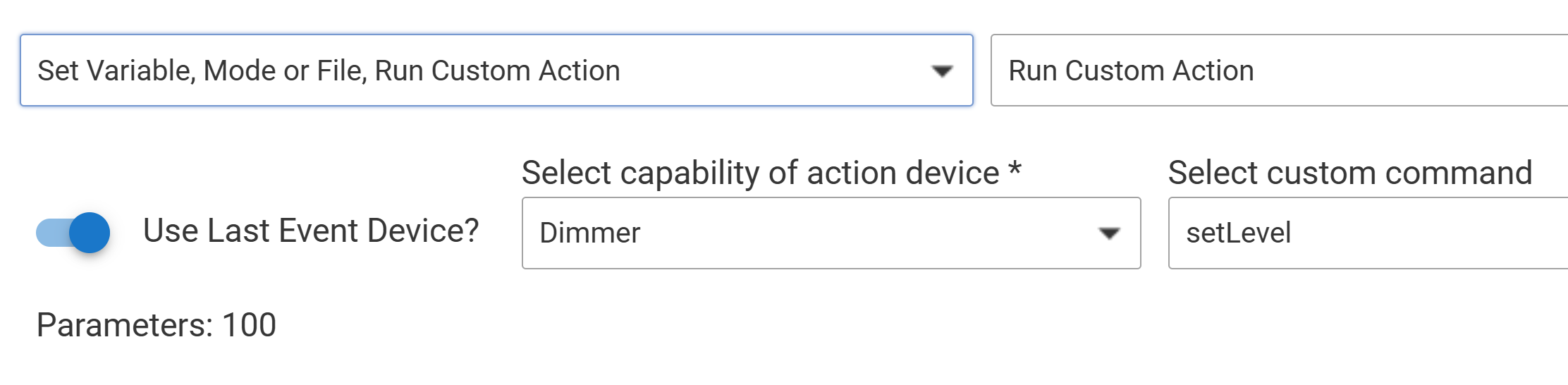
Important caveat: This technique only works if the trigger/target devices' driver(s) offer both the buttonPushed (attribute) and the setLevel (command). So, for example, if you attempted this same rule using devices assigned the Virtual Button (no dimming) or Virtual Dimmer (no button) driver, RM would be unable to complete the Run Custom Action, due to a feature missing from each.
I fear such nuances of RM's "hidden-yet-powerful gems" (like Use Last Event Device and Run Custom Action) keep even seasoned rule-makers from finding them or using them to their full potential.
In the RM5.1 you can set a local variable to %device%
and then use that variable in an IF THEN statement with a series of ELSE IF statements.
For an unknown design reason you can't use a built-in variable in conditional statements.
A well-used work-around is to first assign the value of whichever %event% var you need, to a local rule variable. Then make comparisons against that saved value. This is a good practice for other reasons, not least of which is the %var% values may change quickly.