Because there is no bulk delete option, I'm having to delete a lot of device one at a time and scrolling to the bottom of each device page is a pain.
Please move 'Remove Device' to the top of the screen next to the other controls:
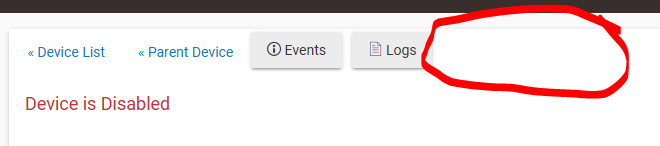
Because there is no bulk delete option, I'm having to delete a lot of device one at a time and scrolling to the bottom of each device page is a pain.
Please move 'Remove Device' to the top of the screen next to the other controls:
I believe the reason for where it is currently is as a safe guard layer. You have to really want to delete it. I can't imagine many people are doing large scale deletes.
Press CTRL-END to shoot to the bottom. Could even map that to a mouse button if you have a fancy mouse.
Even more useful, IMHO, would be the ability to mark and mass delete rules.
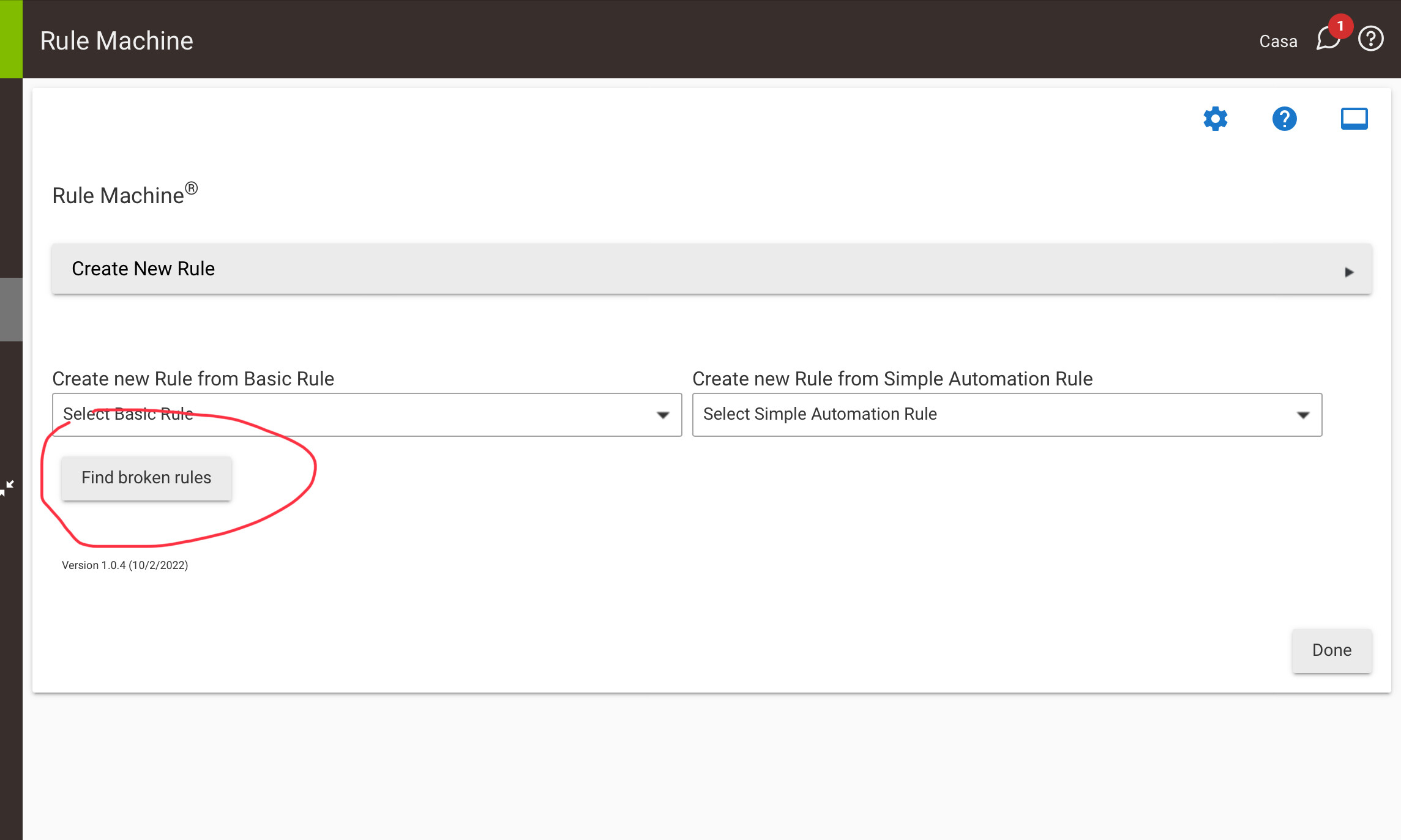
And I have to say two of my favorite utilities in recent memory are "find broken rules" and "Swap Devices". Especially swap devices - saves me hours and hours. 
Yes, but there’s already an additional prompt if you click Remove Device.
Hubitat administration is not for the faint of heart (normal people). We don’t need TWO safeguards, IMO.
It's probably at the bottom so you can't miss the "In Use by" section and not delete devices which are still in use by various apps (which potentially can make your day less than pleasant).
I would also point out that if it's a z-wave device you should do an exclusion not a force remove.
Good point but this info could be presented in the confirmation dialogue.
Where can I find these utilities?
Pffft! Where do I find the 'Fix Find broken rules' button?!?

Just joking of course. Not sure what constitutes a broken rule but I don't trust my big dumb self has everything working 
This topic was automatically closed 30 days after the last reply. New replies are no longer allowed.
Download the Hubitat app