So I have a device (1390generic z-wave thermostat) showing up in ONLY in my logs with an error; however, i have no such device installed nor showing in the z=wave details page. I believe this may be a leftover as i have one ct-101 thermostat installed which is using a custom driver by tmaster, that original did use the generic z-wave thermostat driver.. Since there is no such node showing I cannot get rid of it. I was hoping it would purge itself out after a few days but it has not.. Suggestions?
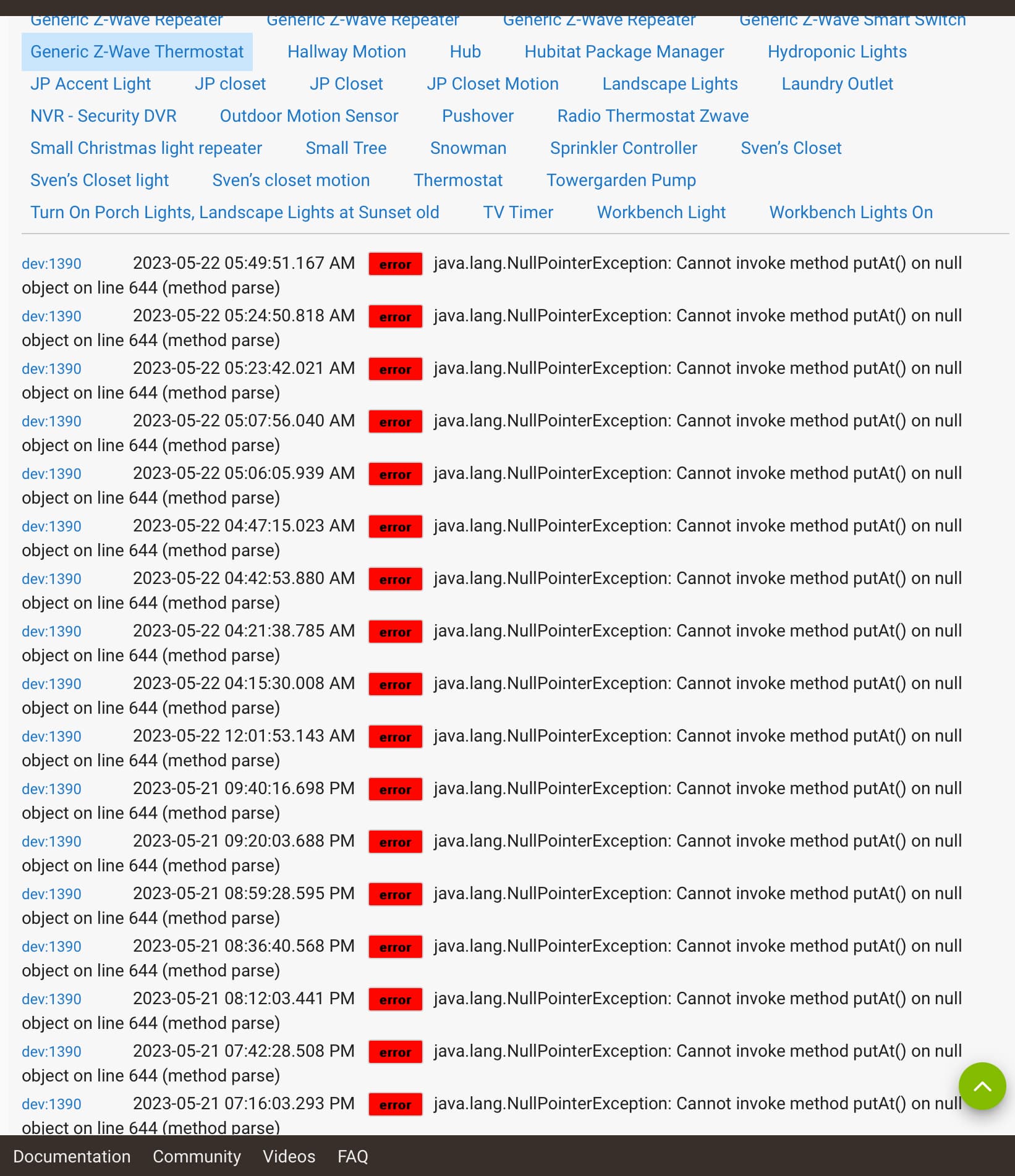
If you click on the word “Error”, which device does it take you to?
1 Like
Thanks for that hint! So the “error” takes me to device “12” which is “Thermostat”. Something seems wonky with the device id’s? I imagine I should remove and re-join it to Hubitat?
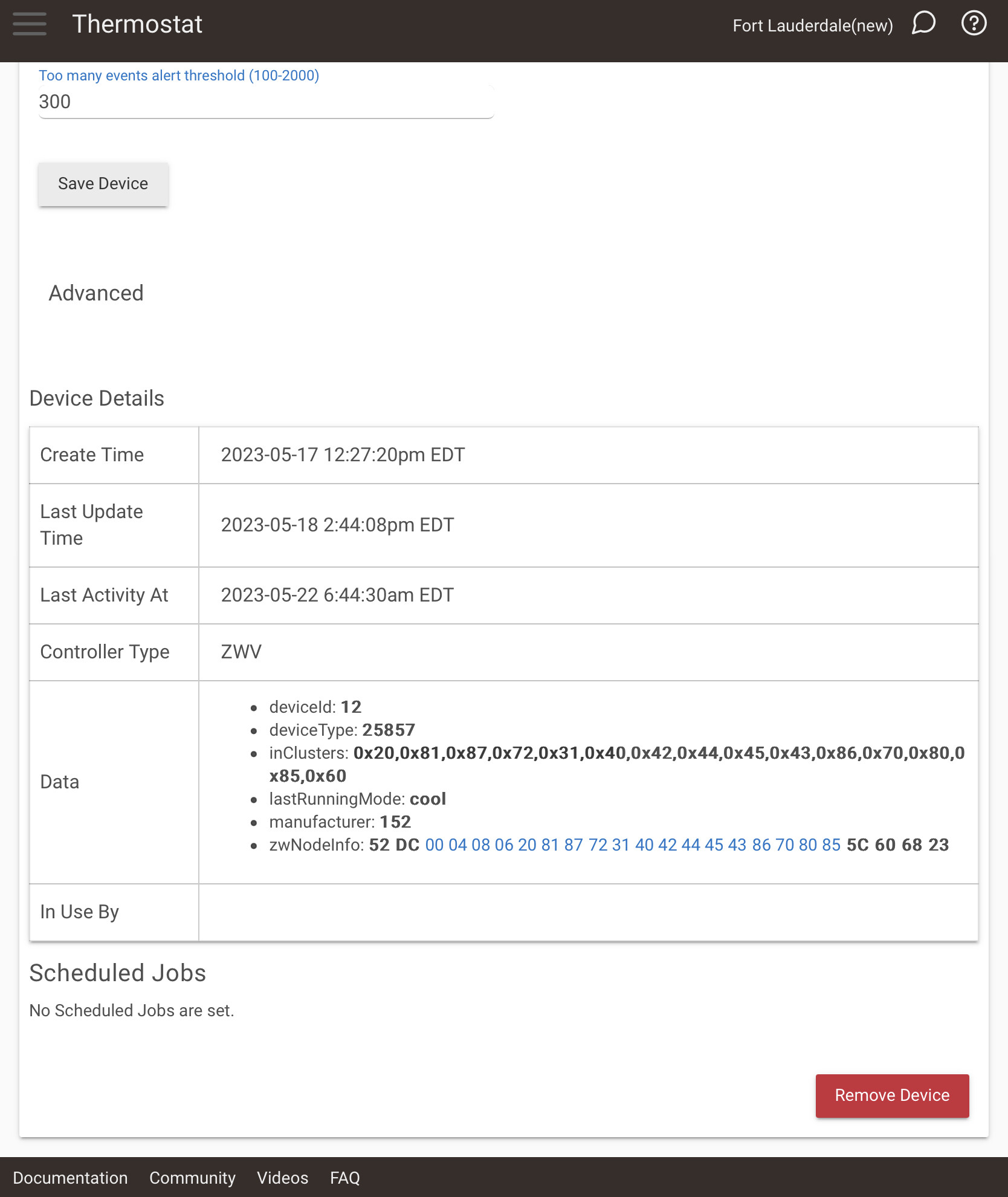
That device ID shown in the data is not what device number is used in the logs. The logs used the unique device number which can be seen in the URL at the top. I suspect that is device 1390
1 Like
Agreed; however, when i click on “error” in the device 1390 line it takes me to “thermostat” which in turn shows as device 12..
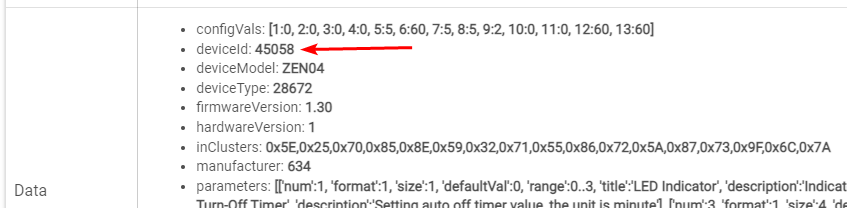
Thats deviceID 12 you see is a number coming from the device itself, it is not unique.
Here is device 4374 from by Hub.

URL of device page when you click "info" box.

This 45058 (below) comes from the device and will be the same value for all devices of the same make/model. It has nothing to do with the device # shown in the logs.
2 Likes
Ok, thanks for clearing that up for me. The URL is showing 1390, so I assume this is likely an error in the driver.. line 644… so I can try re-installing the device, or just turn of the debug logging so it does not bug me…. Or I can ask the drivers author @iris for suggestions..
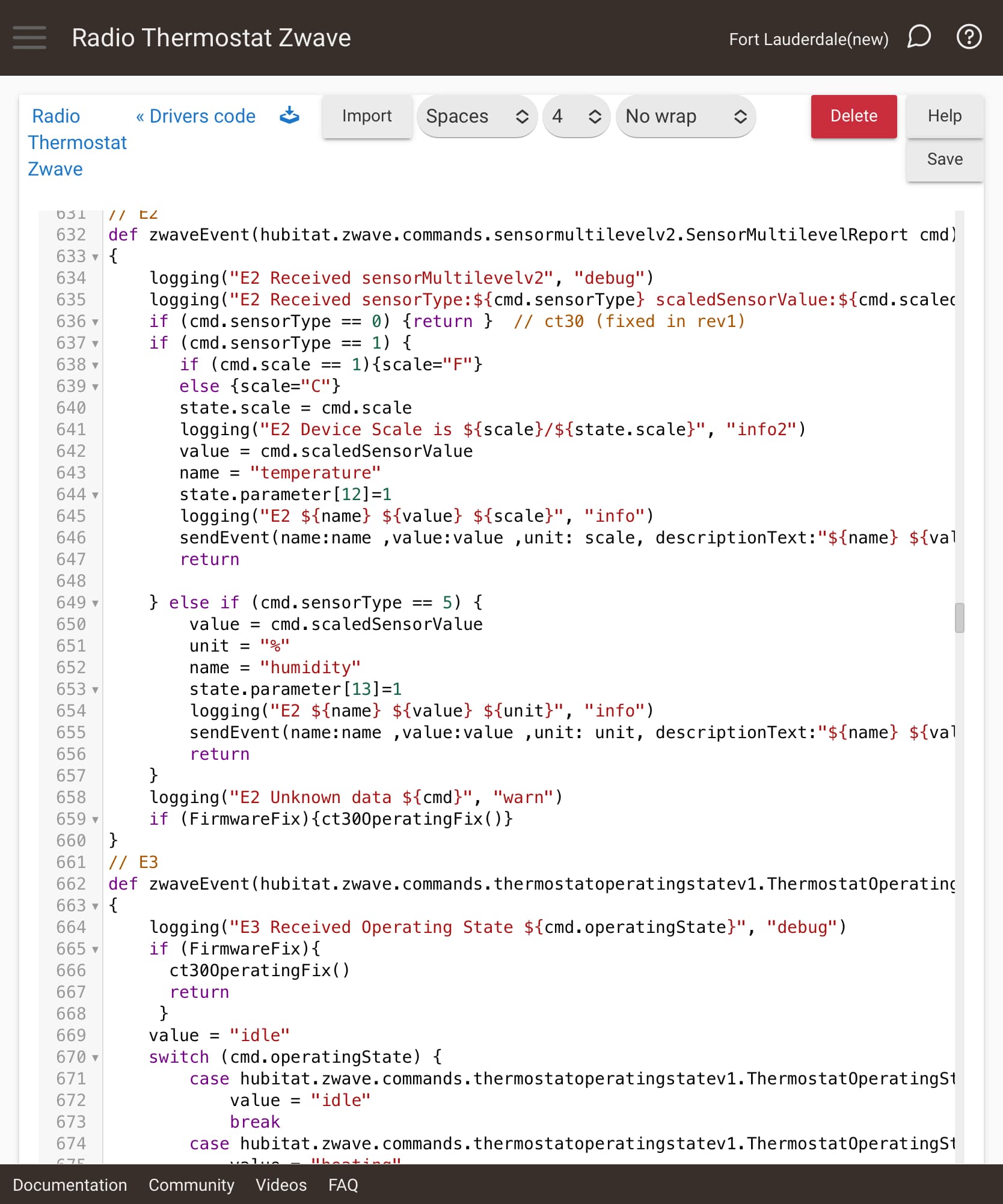
Looks like the state.parameter needs to be initialized.
You could find the configure() block of code and add this line to it:
state.parameter = []
Then after that run Configure from the command button on the device page. I think that will initialize it so it can be set properly.
I did a search and there was no "configure" in the code. I ended up removing the device and re-installing it and all is working well without errors now. Thanks for the education on finding the device and the ID's, it will help me in the future!
This topic was automatically closed 365 days after the last reply. New replies are no longer allowed.

