What is the proper way to pair an Aqara M3 Hub with HE (2.4.1.x)?
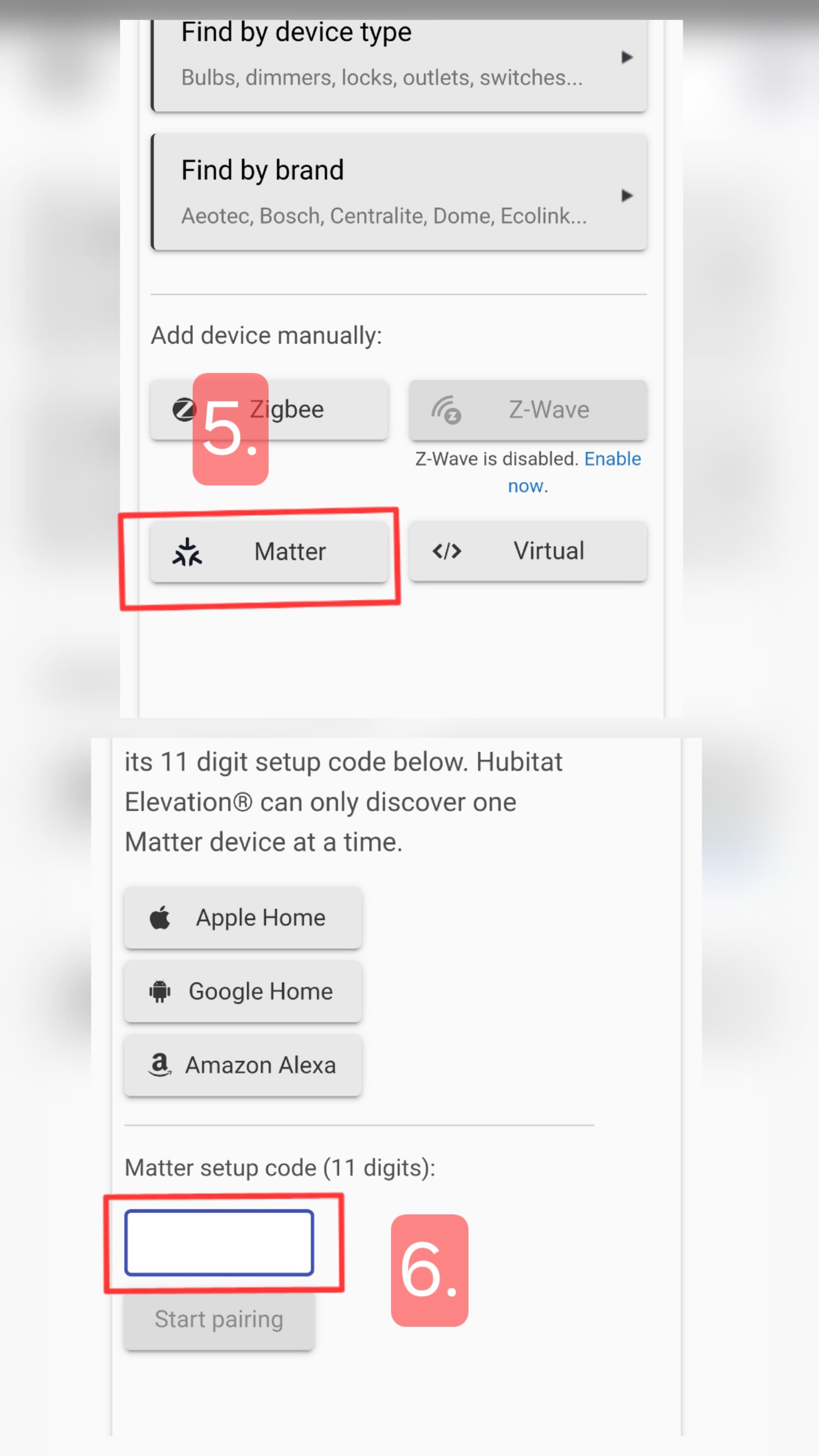
You need to put the Aqara M3 Hub into pairing mode and have it generate a code. You'll then go to "add a device" and select Matter. Enter in the generated code and the process should create child devices for almost everything connected to the M3.
You want to look at:
and
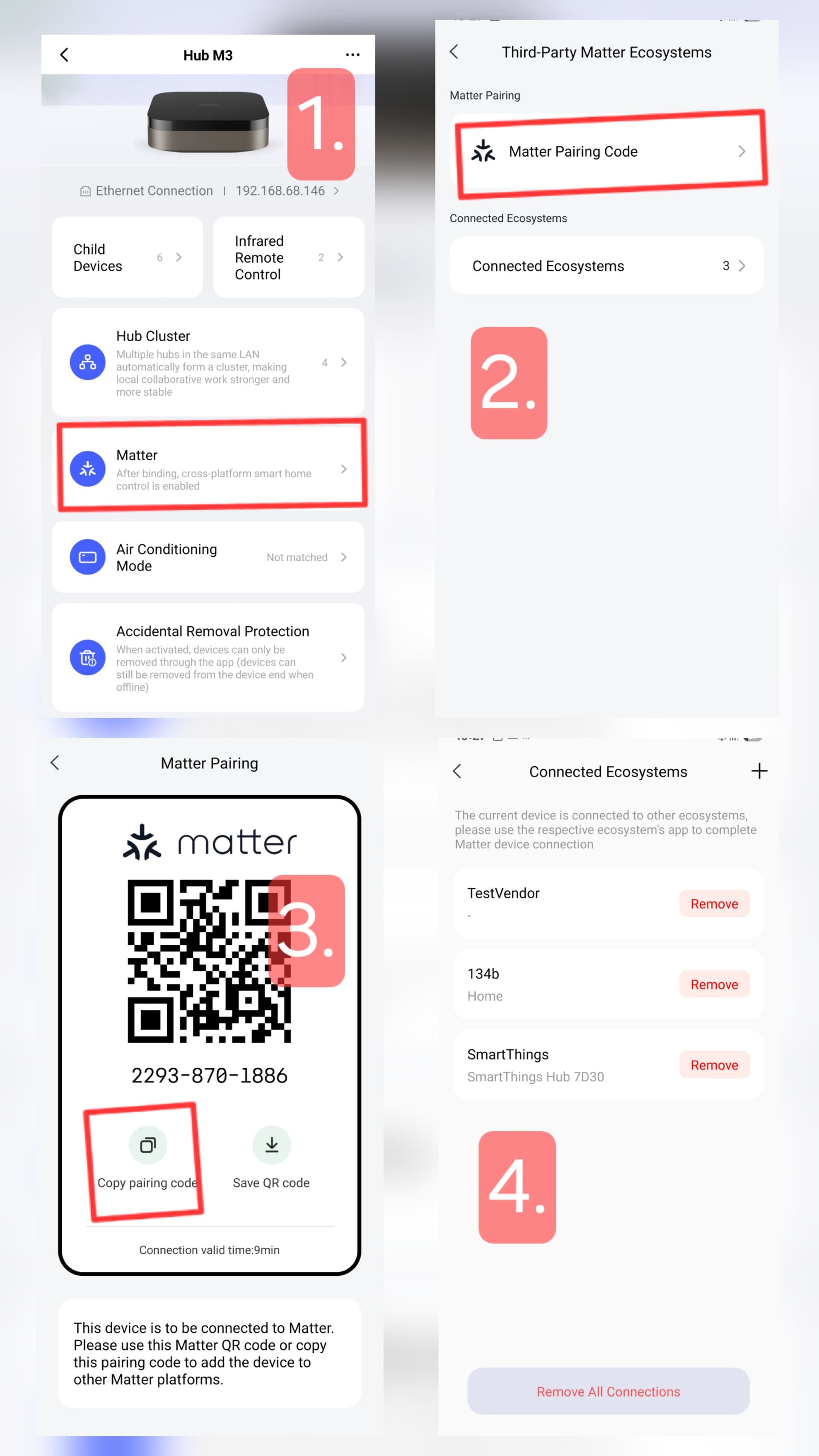
Below are some screenshots, pair the Aqara M3 hub to Aqara Home app first.
Then use the hub M3 Matter code from the app and add to Hubitat.
Once added, change the driver to built in "Generic Matter Bridge" or use the custom "Matter Advanced Bridge" driver.
When I try that, this is what happens:
I have rebooted both hubs just in case. Same LAN.
Thank you! After trying 20+ times, it connected.
are you using the Zigbee on the M3? and how is the other mfg. Zigbee device support on the M3?
I have some Aqara Zigbee devices on the M3 hub which I bring into Hubitat via the Matter Advanced driver.
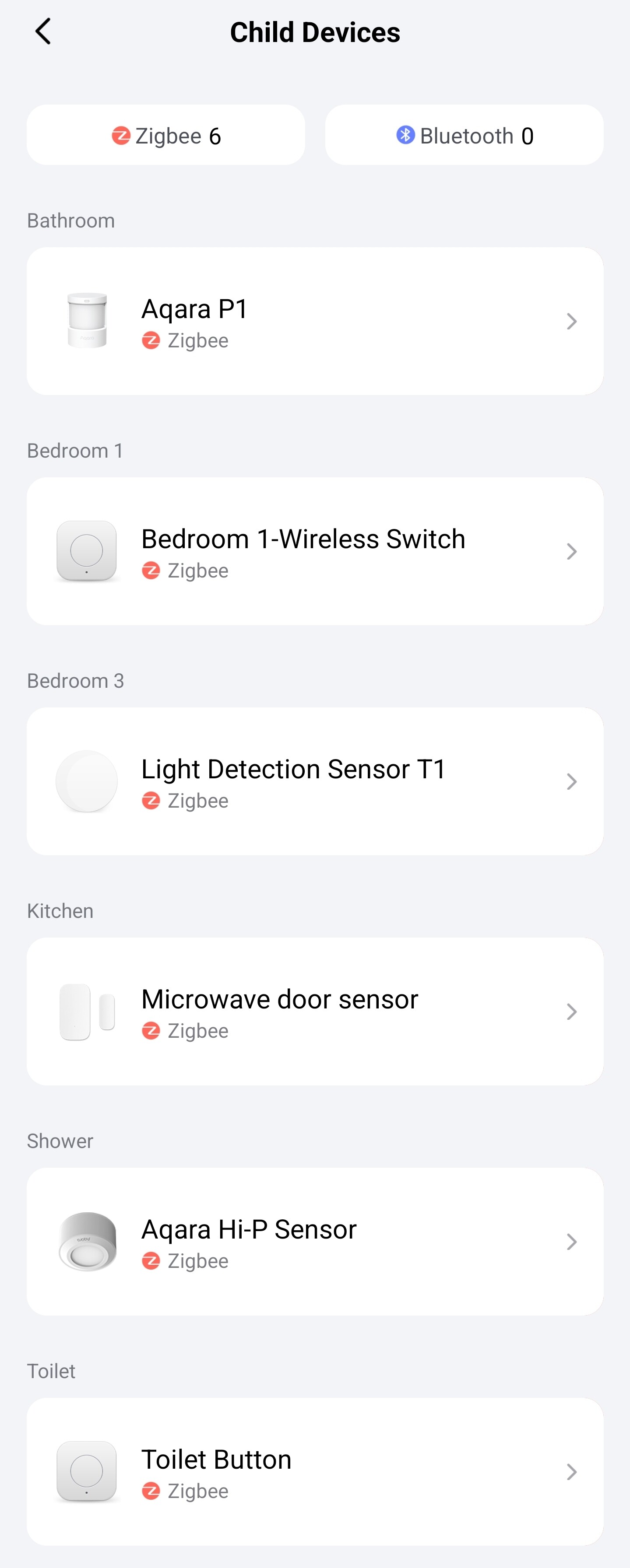
I guess M3 supports only Aqara zigbee devices and all Matter devices.
I use Aqara Hub M3 as a backup system, where the lighting automations continue to run if Hubitat is down (Hue bridge via Matter).
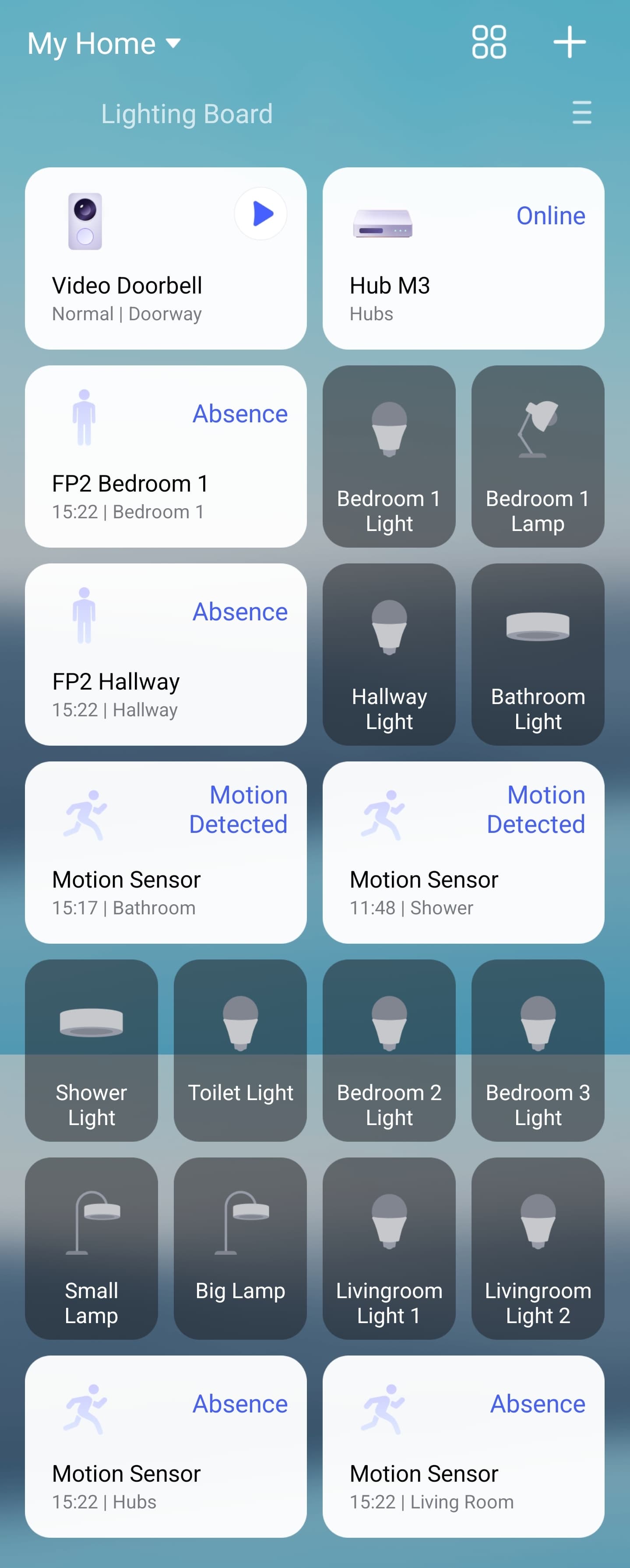
@iEnam using the M3
Can you see your Aqara doorbell in Hubitat. Do you have any automations running from the doorbell and what options does Hubitat offer in terms of triggers? Also, if the answer is yes to most of the above, which doorbell do you have?
Unfortunately, my Aqara G4 doorbell is not supported by Hubitat.
For this reason, I am more dependent on my Aqara Home app to view the cameras.
Aqara Home does have an Live view option showing all cameras, see below.
I also have 2x Aqara G100 which have RTSP support and I view them in HD+ app, I believe newest Aqara G410 doorbell also supports RTSP.
Coming back to your original question, if you are looking to integrate in Hubitat then Aqara doorbell is not the option.
Wow, I thought that the M3 would enable the doorbell to be seen in Hubitat as a motion/presence sensor or even a button via matter. I assumed no video feeds but certainly a presence some visibility of its functions. Have you checked for button or motion/presence sensor in HE?
Yes, you are quite right, the M3 bridge does bring in motion and buttion press for the doorbell G4 (although the doorbell press may not be usuable, see screenshot below), will check again.
Also, I will check if I can add the doorbell via the HomeKit Controller Integration, was unsuccessful last time I tried, and stopped using the HomeKit Controller in the past as it stopped working at some point for the FP2's and I never tried again - will try again when I have some.
Just paired one of the FP2 remotely using HomeKit Controllet integration as I had the code, will try the others.
This is very helpful thanks also can you keep us updated on the progress of the FP2's please. I'm contemplating buying three of them and obviously don't want to waste my money if they are a disaster ![]()