Hi All,
I was following one of the threads on here on how to setup a Slack notification in Rule Machine if one of my doors is left open for more than 25 minutes and to have it send a followup notification once the door is closed. If the door gets closed before the 25 minutes it shouldn't send anything.
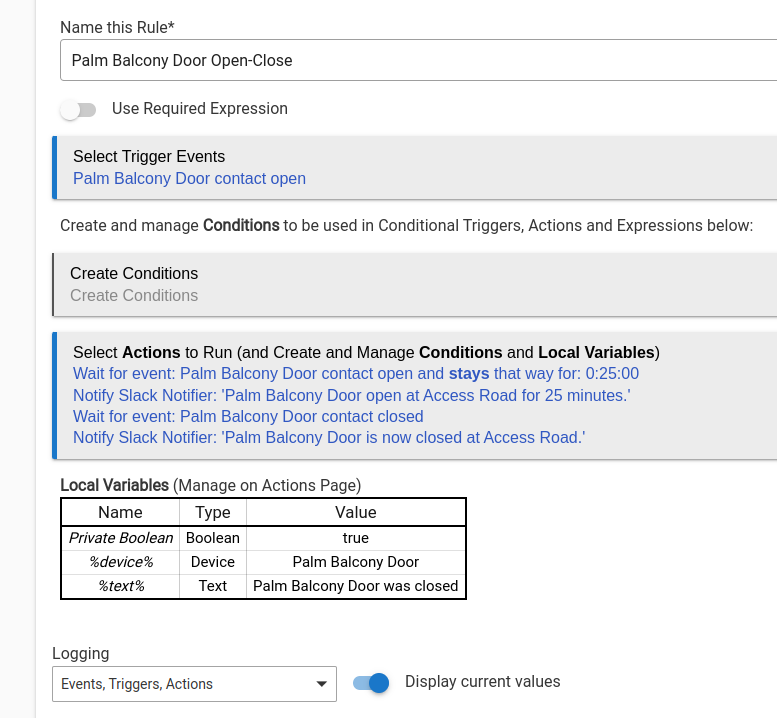
Previously I just used the Notifications app, and it worked great to notify me if the door had been left open for 25 minutes, but it didn't support telling me once the door has been closed. I'm using the following rule in Rule Machine, but it's triggering and sending me slack alerts at the same time/together of "Door has been open for 25 minutes" + "Door has been closed".
Please see my current rule I'm using:

Here is how the alert shows up most of the time in Slack (I have had some instances where it did send the "Door is closed" a few minutes later, but most of the time I receive this double alert.)

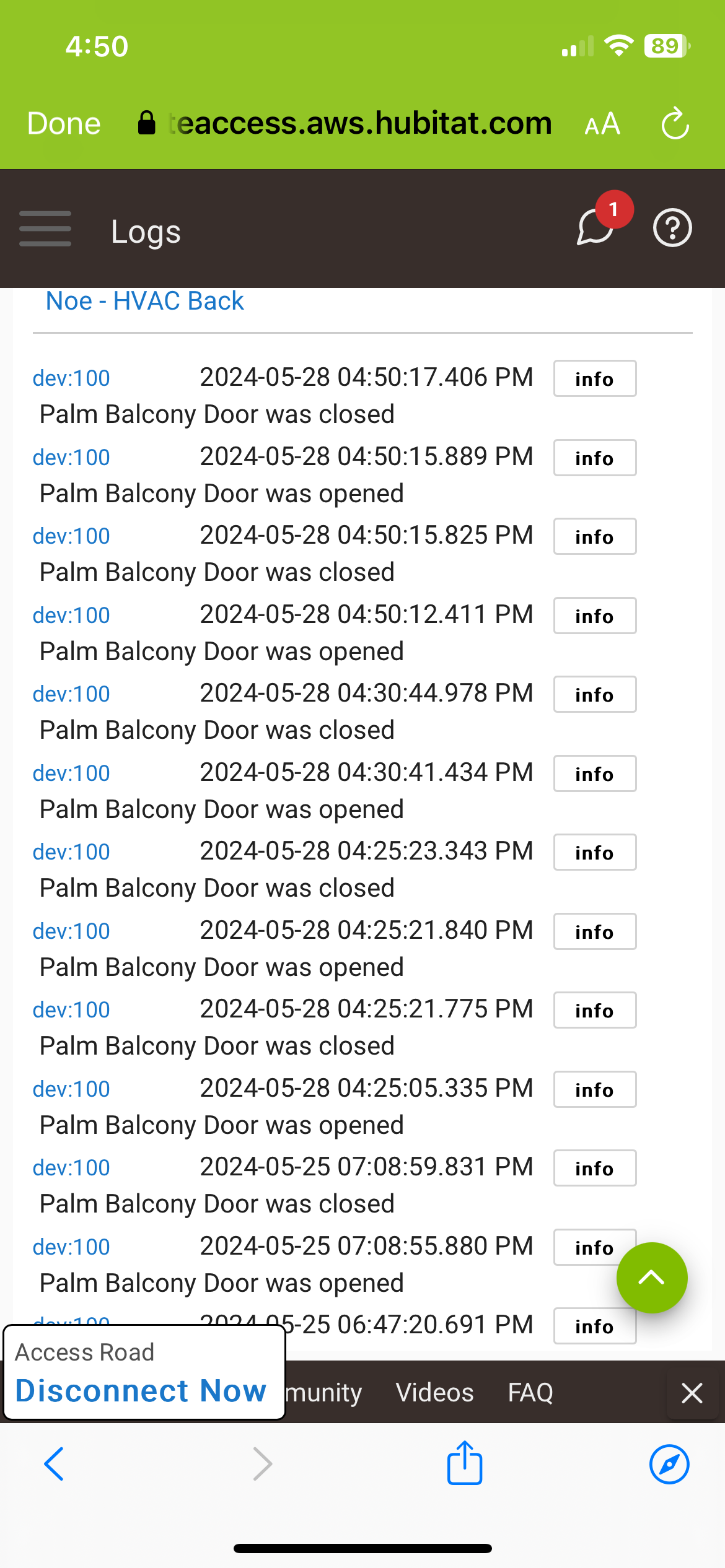
I took a look at the logs for the door contact sensor and it looks like the alert is falsely triggering as the door is open/closed within a couple seconds at 4:25 and had been closed for hours before. Additionally after it was open/closed at 4:25 25 minutes later the door was briefly opened again so I got a single "Door has been open for 25 minutes" at 4:50 even though the door had been closed for the 25 minutes prior. Perhaps a current rule that was in the "wait" period just happened to see the sensor open 25 minutes later?). And then at 5:06 another double "door is open 25 minutes" immediately followed by "door is now closed" alert came through on Slack. How can i update the rule to prevent that?