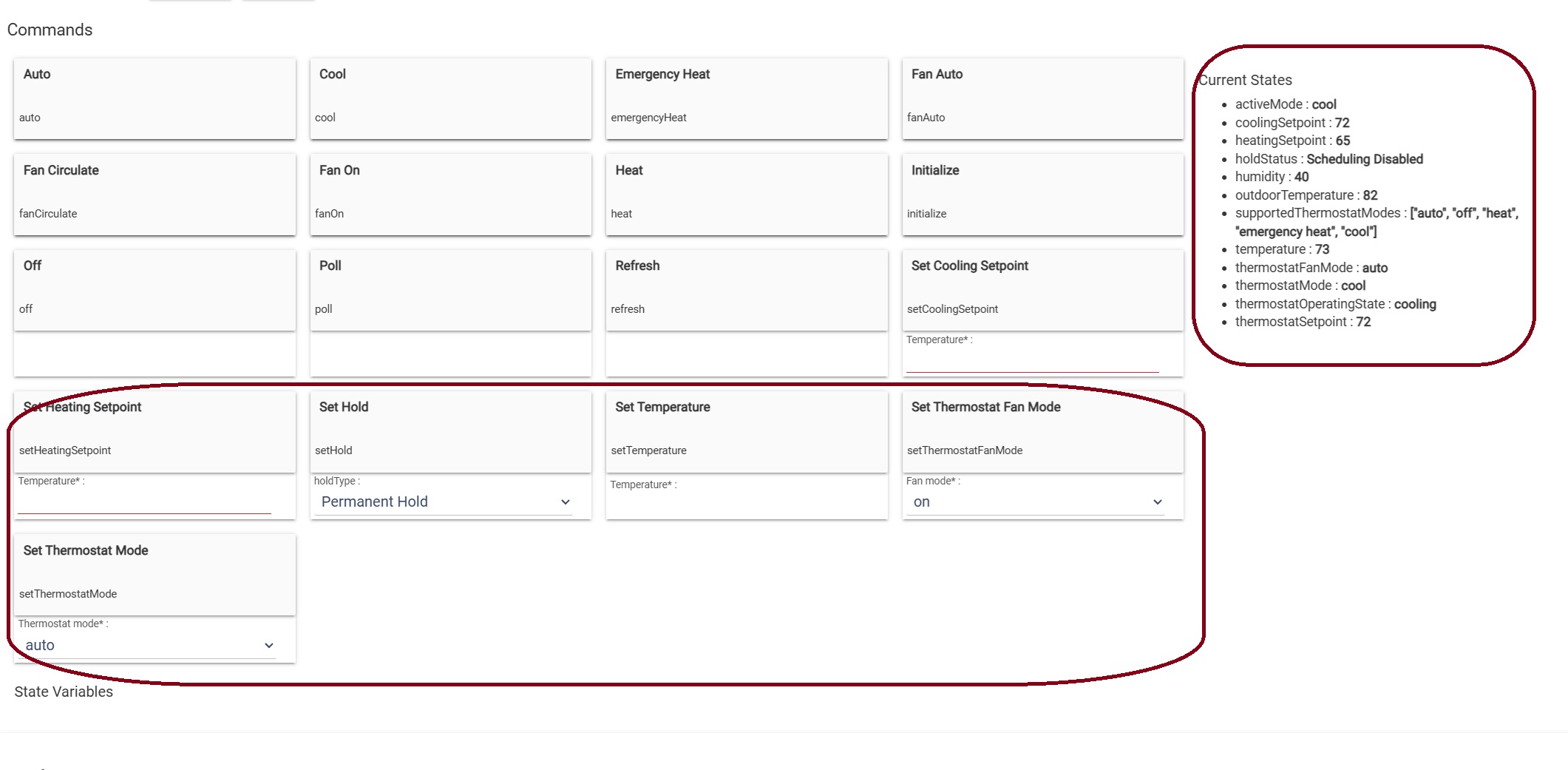
I have two XL1050 thermostats ( one Trane and one American Standard). After installing the Nexia Thermostat Manager and Child Devices for each thermostat, I am able to successfully retrieve all Current States and control all functions on both thermostats by way of the “Set” commands on the device page:
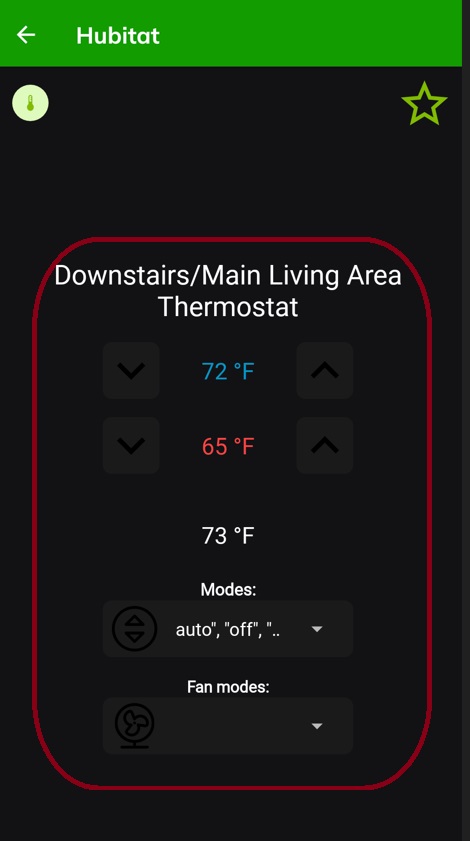
However, when using the Hubitat App on a phone or iPad, when I navigate to “Devices”, I cannot change the “Modes”. The “Fan Modes” is blank. I can change the Cooling Setpoint and the Heating Setpoint on the screen, but it does not send the change to the thermostat.
I realize this program has been labeled as deprecated. However, it seems that this could be a simple driver issue (maybe specific to the XL1050) that I just can’t figure out.
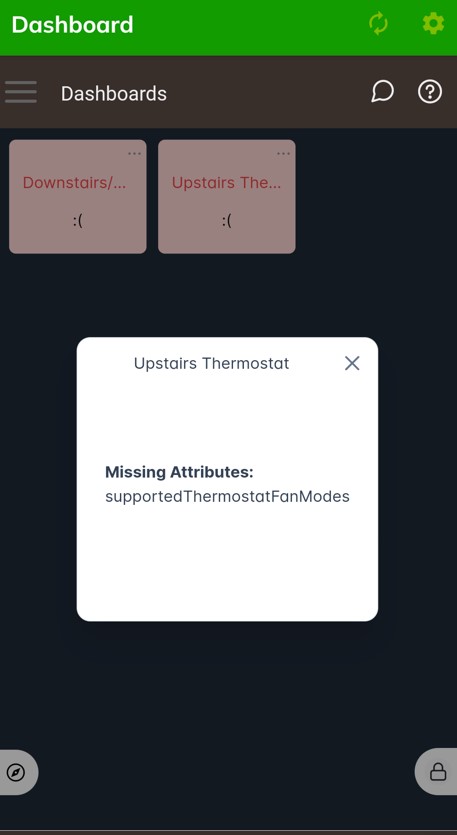
I don't see supportedThermostatFanModes. This is also what Easy Dashboard is telling you. I think it will become a bit less picky in 2.4.0 (unless that already made its way to 2.3.9...i can't remember), although it is technically anseicer problem. To work around this, you could temporarily switch to the Virtual Thermostat driver and use a workaround like this, though just for this particular attribute:
Thanks for the reply. That did sort of fix the UI. Unfortunately, it did not really fix the functionality.
The drop downs now look correct. And the UI will send a command to turn the Thermostat Fan Mode to "On" and the Thermostat Mode to "Auto". That's what it defaults to each time I open the device. It immediately changes my Thermostat Mode from "Cool" to "Auto" and the Fan Mode from "Auto" to "On", requiring that I change it back before exiting the device.
The Heating Set Point and Cooling Set Point change in the UI, but the commands are not sent to the thermostat.
I will keep experimenting and see if I can come up with anything else.
I wanted to update this thread. I ended up getting a Trane XL824 thermostat (the device for which the driver was designed) for a separate, older 24v Trane system in my home.
Unfortunately, the remaining issue persists. Everything behaves exactly as designed when making thermostat adjustment via an EZ Dashboard. However, when attempting to make adjustments via the Devices menu on the phone app, the commands are sent but the attributes are not updated.
Example: open the thermostat device. Change the Fan Mode from “Auto” to “Circulate”. The command is sent successfully to the thermostat but the device attribute does not update. This is true for Thermostat Modes and Set Points as well.