Here is what i got when i asked about mitigation. Not sure i would trust that CVE number though.
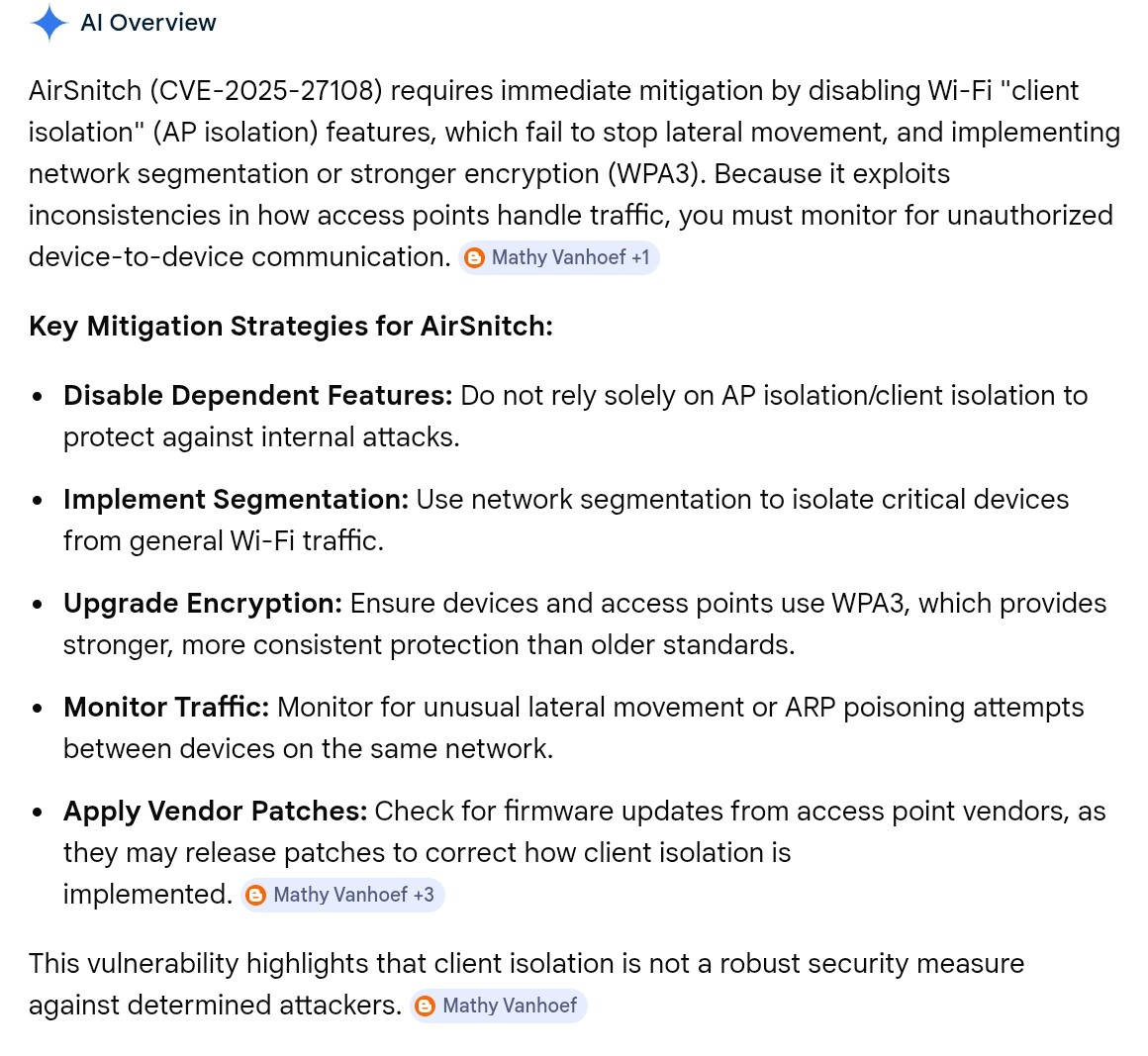
It seems to be heavily related to networking pricipcals vs Wifi, and a issues with how AP's handle MAC address validation.
I am still looking into it though. Allot of the conversation seems to be centered around the idea of a network using Client isolation as the tool for protection.
From just a quick read, the attacker has to be on the network to execute. So some of the usual warnings apply - use strong passwords, avoid connecting to unknown/public Wi-Fi and use a personal VPN if you do. and control who accesses your network (don't assume family or friends are ok).
And sounded like once you have a device that is a bad actor on your network a properly configured VLAN could help if set up and used correctly. 
I expect that there are already discussions about this on the Unifi forums. Lots of concerned folks there ... 
You would think, but no. There is one thread that has 4 posts in it as of now. It would be nice if they posted a recommened mitigation in a security advisory at the least.
Well, their list of compromisable routers was:
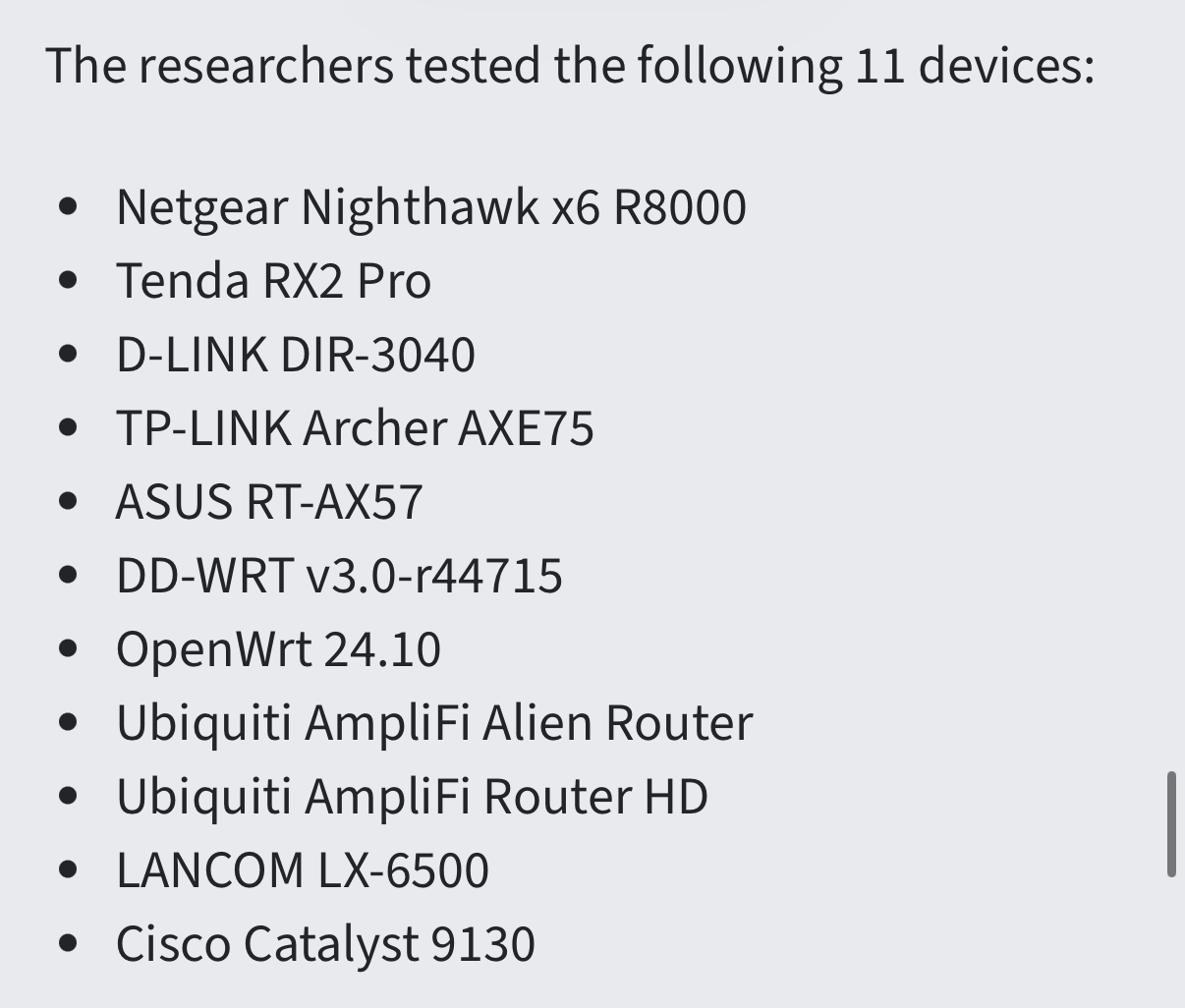
No offense to the Amplifi line, but hasn’t ubiquiti really blown up in recent years because of Unifi?
Why didn’t they test against a unifi router?
Also, this is so very much not in my wheelhouse. But I know a little bit about the scientific method.
These guys published a paper. Is there a peer-review process for journals that cover this stuff? They made a presentation at a conference, presumably demonstrating the issue?
Do other experts also try to replicate their findings before the internet blows up with “WIFI IS FUCKED!!!”?
No, that was their list of tested routers. The implication was that since EVERY tested device was vulnerable to at least one of the methods, then ALL devices must be vulnerable.
We do not know their selection criteria, but a sample size of 11 out of all of the models available would make me skeptical of at least two things:
-Selective choices (aka cherry picking)
-inadquate variability to make a widespread claim
Typically, in a white paper, if one makes a list of tested items, they back it up with justification of why or how they picked what they picked. If this was peer reviewed, it would/should be flagged for that alone.
So, while I can see the issue, I am gonna go with what @danabw said also. It has to be on your network. If you are letting people on your home network that you don't trust, well you kinda get what you get. Enterprise solutions, I can see where that is an issue (yet I have yet to put my personal phone on ANY of my work networks and I don't put my work phone on my home network). I rarely use public wifi (I carry a hotspot with a VPN back to my home network), and if I DO get on a public network, I use a VPN.
Not saying this isn't a security issue. Just saying that there are lots of asssumptions made for a sample size n=11, which is well below what I would use for a valid sample size in my line of work.
my interpretation is that u don't have to let them on your network they can just get your wifi signal
Reads to me that they have to be on the network to start the attack...
So how bad is AirSnitch, really?
...At the same time, the bar for waging WEP attacks was significantly lower, since it was available to anyone within range of an AP. AirSnitch, by contrast, requires that the attacker already have some sort of access to the Wi-Fi network. For many people, that may mean steering clear of public Wi-Fi networks altogether.If the network is properly secured—meaning it’s protected by a strong password that’s known only to authorized users—AirSnitch may not be of much value to an attacker. The nuance here is that even if an attacker doesn’t have access to a specific SSID, they may still use AirSnitch if they have access to other SSIDs or BSSIDs that use the same AP or other connecting infrastructure.
This is the key. Once on the AP any connected device reguardless of ssid used is vulnerable.
So this just takes us back to do not let anything on your network you dont completely trust. Even guests.
Just isolate guests.
Best practice is network segmentation, and let the firewall handle every cross segment trafic.
I have 8 network segments in my home, and every cross network traffic is defined in firewall rules, and inspected.
Airsnitch is all about defeating this concept of protection though. It is an attack at the OSI Layer 1 level as explained in the article. It isn't clear to me that segmentation by vlans and seperate subnets is enough based on what I have read. It is probably part of thr strategy, but you also need to consider what vlans are associated to the wireless radio as well. Based on the concept of how it works if you have a AP that allows a wireless connection to a secure vlan, then a device connected to the same AP but on a wifi ssid associated to a untrusted vlan could access the secure vlan's traffic.
That is why the only foolproof mitigation is to keep any questionable device off the AP completely and not just the secure vlans.
I would also add the segmentation with Vlan's is not something everyone has access to do. Some of us with prosumer gear like unifi do, those with typical consumer gear likely dont have that ability. Most consumer gear is going to give a user at most 4 ssid's. One form each radio frequency attached to normal home traffic and another set for a guest network. The guest network may have the ability to perform client isolation. Everything on that device is now vulnerable with Airsnitch.
Ofcourse that is if you believe the article.
This points back to the old saying "a lock will only keep the honest man out".
This is just proof regardless how big or how well you lock something (anything) down if someone with bad intentions truly wants in, they will find a way to get in.
All we can do is protect everything the best that each of us have the ability to do and wait. Goes for basically everything.
Looks like one of the authors (Profile: vanhoefm | Hacker News) may be contributing to this discussion (at least he says he's one of the authors and none of the hard-hat geeks there are challenging him) and he says they didn't test VLANs efficacy in blocking this attack.
We didn't test with VLAN separation
And confirmed did not request/create CVEs (and why):
We don't have a CVE number. Whether devices/networks are affected also highly depends on the specific configuration of the device/network. This means that some might interpret some of the identified weaknesses as software flaws, but other weaknesses can also be seen as configuration issues. That's actually what makes some of our findings hard to 'fix': it's easy to say that someone else is responsible for properly ensuring client isolation
Hence also hard to really assign CVE(s).
One of the main takeaway issues, in my view, is that it's just hard to correctly deploy client isolation in more complex networks. I think it can be done using modern hardware, but it's very tedious. We didn't test with VLAN separation, but using that can definitely help. Enterprise devices also require a high amount of expertise, meaning we might have missed some specialised settings.. So I'd recommend testing your Wi-Fi network, and then see which settings or routing configurations to change: GitHub - vanhoefm/airsnitch
Here is Ubiquiti's current response to it.
Seems to lean down the path of keep everything encrypted on your local network.
Thanks for the link. For the lazy (like me) - televant (& only so far) response from UI in the thread, (emphasis added).
Ubiquiti is actively working to address the reported issues. At this time, we do not have a confirmed timeline for when a fix will be available. We are collaborating closely with our WiFi chipset vendors to ensure an appropriate and comprehensive resolution.
In the meantime, the potential impact of the AirSnitch vulnerability should be evaluated on a case by case basis. This issue is relevant only to unencrypted, plain text traffic such as DNS, HTTP, and other non encrypted protocols that may carry sensitive information.
> Encrypted traffic, including HTTPS, DNS over HTTPS (DoH), DNS over TLS (DoT), and traffic transmitted through a VPN, is not affected and remains secure.
We will share updates as soon as additional information becomes available.
This reply on the UI forum in the AirSnitch Attack topic seemed pretty good...was concerned after his opening senctence (halfway through comment) but he seemed to make some good points.
jetdog
I had some early thoughts after reading halfway through the research paper...The overall angle of the AirSnitch attack(s), are about reintroducing elements of what would previously have been "ARP spoofing" from the early 2000s: Into parts of the Wi-Fi stack that is connecting an AP's built-in hardware switch, and that same AP's bridge to its physical Ethernet port. In essence client isolation and VLAN isolation are not necessarily safe anymore, in situations where (A) Client Isolation is required within a single ESSID (e.g. Guest Network), or (B) the same hardware AP is responsible for hosting multiple ESSIDs (e.g Guest Network + Corporate Network)
There are two mitigations that come to mind:
- Avoid hosting multiple ESSIDs from the same hardware AP, if any ESSIDs being hosted on one hardware AP are each responsible for bridging to different VLANs.
2) Consider enabling WPA Enterprise, of any version. (<-- I'm still exploring how much this helps, after recommendation #1 is followed).(<-- Edit: Doesn't help mitigate any better than any other aurhentication)Overall, it is likely somewhat healthy (at least tentatively) to structure your network and thinking under anticipation that this new AirSnitch style class of "ARP Poisoning" will likely be going on among already authenticated WiFi clients connected to the same hardware AP, and that any such attacks will not necessarily be logged by Ubiquiti if they were to occur within the AP's built-in switching/routing alone.
This is the entire reason why Ubiquiti is saying "Use Encrypted DNS and HTTPS when accessing the public Internet" while they continue to analyze their software/hardware stack. Ubiquiti is saying from a security standpoint to doubt ARP, so -- that's precisely why I'm thinking "Isolate your ESSIDs exposing different VLANs, to different Hardware APs"; so that your clients don't accidentally open themselves to these new methods of ARP Poisoning while sending non-encrypted application-layer traffic as a connected WiFi Client.
Basically we're back to a world where ARP poisoning is more common... So the thought is to build smaller circles of trust, and don't accidentally assign what you intend to be separate ESSIDs (in content) to the same hardware AP.
My 2 cents
