I have just recieved my C-7 in the UK (ordered Friday, arrived Monday - not bad) but perhaps mine is a return that's already been set-up?
I went to portal.hubitat.com and did the searching with no results. Entered the MAC and it find a hub on 192.168.10.x when my home network is 192.168.234.x - and DHCP has assigned an address on the latter to the hubitat device too.
Is this normal? Is it a hub that's been out to another customer and returned without being defaulted? How do I factpory reset it, if so?
I found port 8081 open on my LAN, and I have a menu. Anything I try prompts me for a login with the MAC address but it doesn't accept the MAC from the unit (box, device and router DHCP entries all the same) with or without colons.
I see SSH is also open, but I am assuming I get the same result there - trying next.
I've now beed reading threads on here that show very similar issues, going back years. Looks like Quality Control doesn't actual exist and it's a bit of a crap shoot if you get a hub that works first time.
I have raised a support ticket and live in hope that someone can fix it soon.
This does not inspire confidence in the Hubitat experience however
I’m sure that this is a frustrating initial experience for you, but that seems like an unfair statement.
Certainly, people report problems they have here, and occasionally it’s due to a bad hub. But people rarely take to the forums to confirm the initial setup of their hub worked without a hitch. So without a denominator of all hubs shipped (I don’t know what it is, neither do any other users here), for all we know the DOA rate is infinitesimally small.
And I’m not sure the only potential explanation here is a bad hub anyway. Or a refurbished hub that they repackaged as a new one and sold without disclosing to the buyer, which kind of implies a level of deceit on their part that also feels unsubstantiated at this point.
Tagging @bobbyD so he can take a look at your support ticket and help get your problem straightened out, whatever the underlying cause.
You cannot set a fixed IP address on the actual hub.
I'm not trying to be confrontational but are you sure you have connected on the correct network.
Something must have 'talked' to the hub to assign an address to it.
Most new customers, like me, only ever see one hub. So my experience is 100% negative. This is consumer products sadly. My day job is customer support and I see similar but on a different scale of (non consumer) product.
I would also note I saw almost identical issues on a thread from 2018 where a hub had been shipped while still registered to an in-house test network. Even one instance like that should have resulted in an added check-box to the packaging and shipping process.
Maybe try setting a static ip address for the hub on your router. (Its advised to do this anyway) and see if this gets things going for you.
Do a power down/up of the hub after you set the static address.
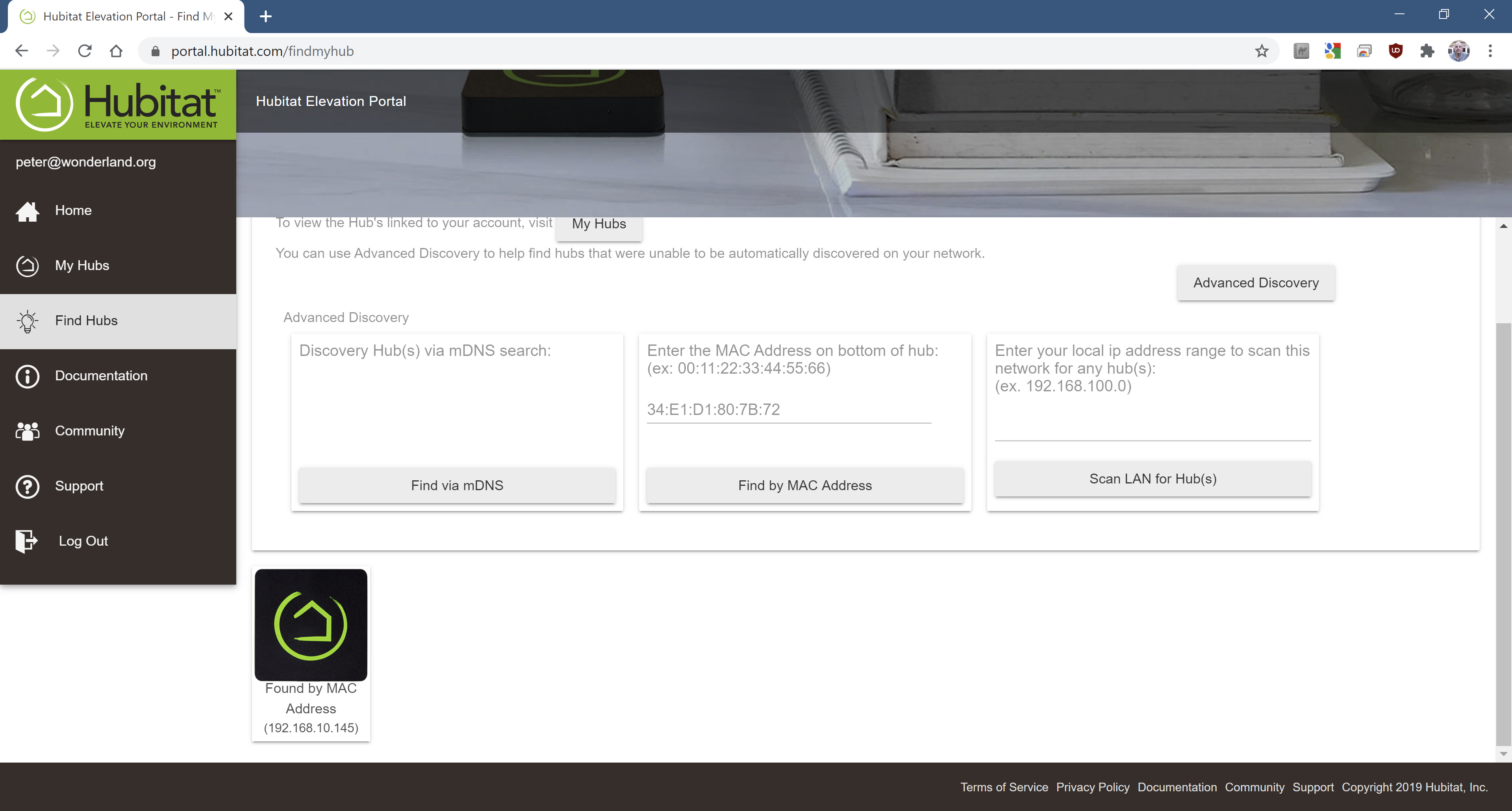
 .
.
