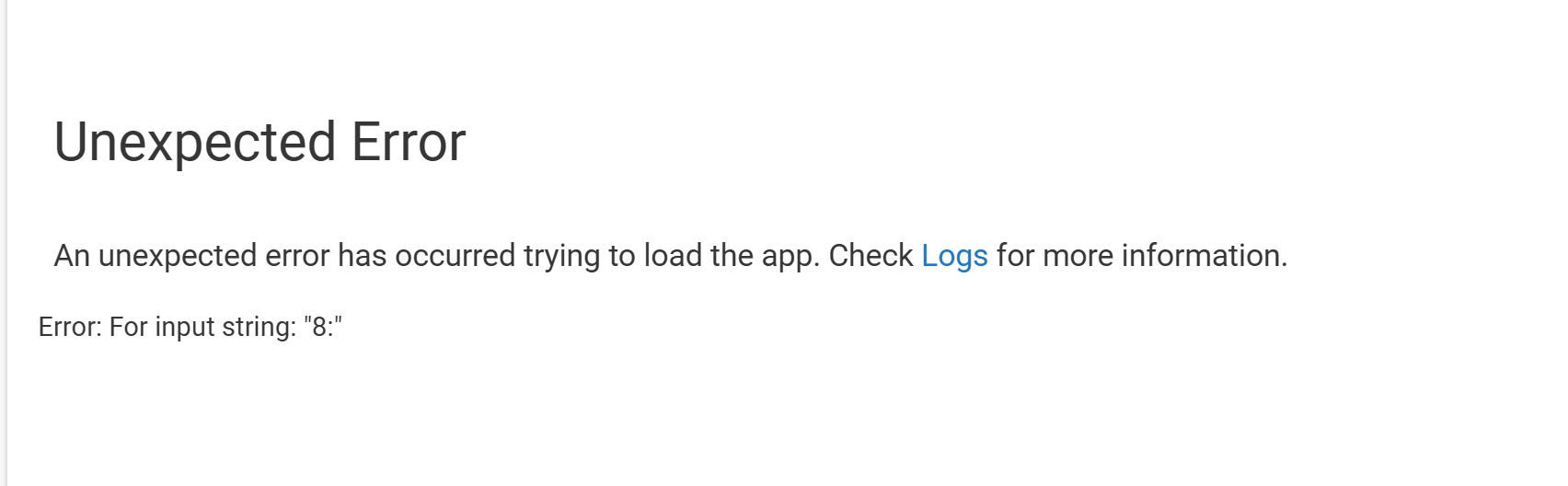
I have a DateTime variable. All I want to now is if that value is within the current time minus 6 hours. I can't seem to find the right rules and conditions that does not break the rule and make it not editable any more. I'm hoping someone knows before going down the path of extracting every field into numbers.
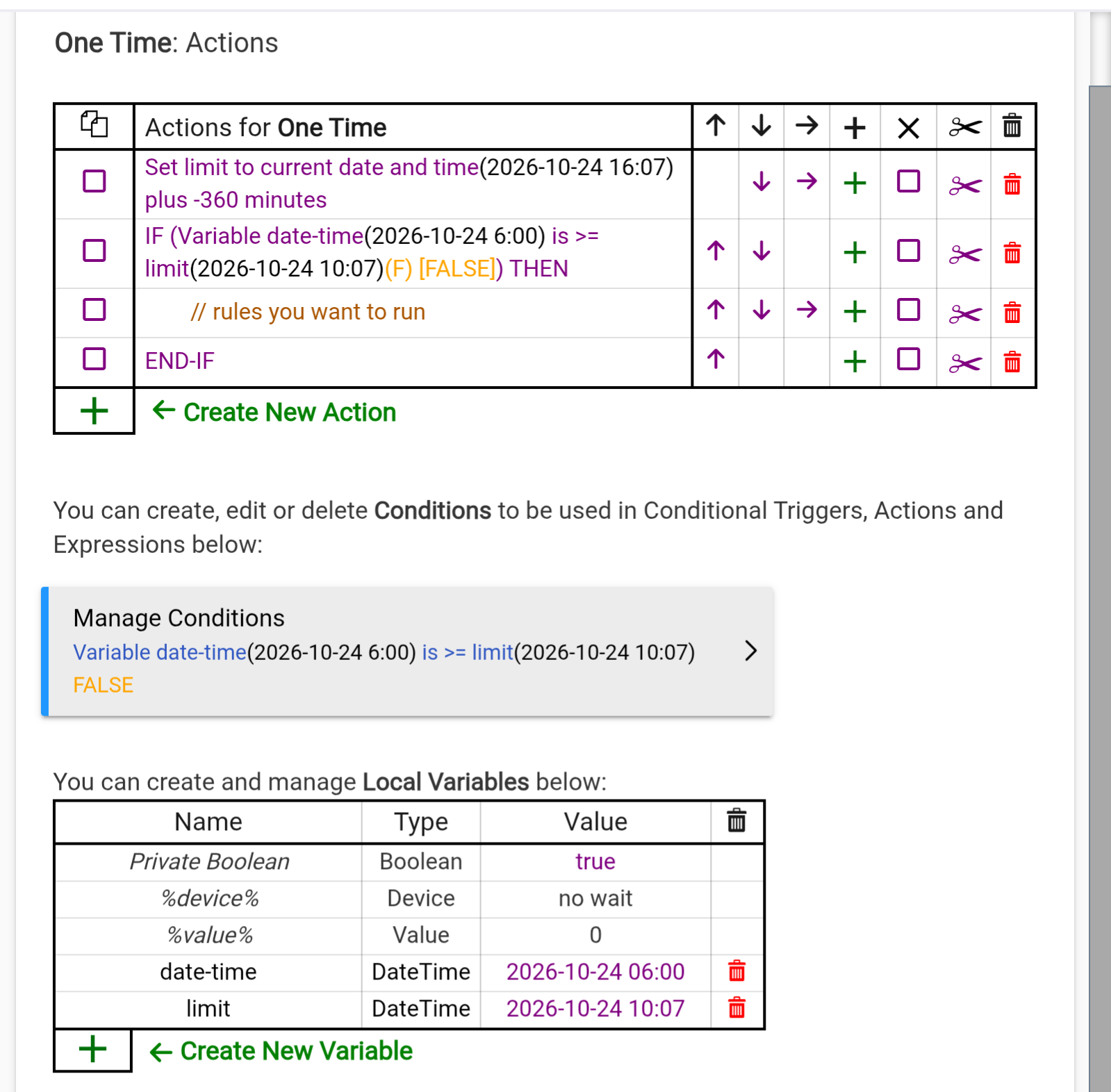
JimB's approach is the clean way to avoid splitting the timestamp into fields: compare your stored DateTime against a cutoff set to now minus six hours. Just make sure that cutoff is recalculated each time the rule runs, otherwise an old cutoff will keep giving stale results. It is also worth testing the boundary case, since a timestamp exactly six hours old will behave differently depending on whether you use greater-than or greater-than-or-equal.
That helped me sort this out. Now I am able to describe what is happening.
@bobbyD can you look at this?
As described above, I can make a rule.
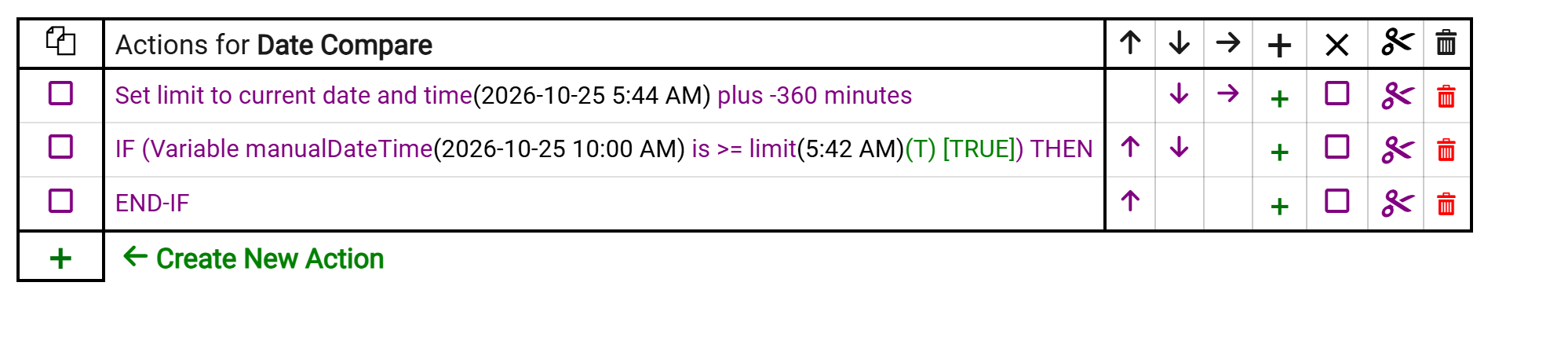

Now the date I am working with is not a manually entered date. It is coming from a device as a string. There is a way to convert a string to a DateTime.
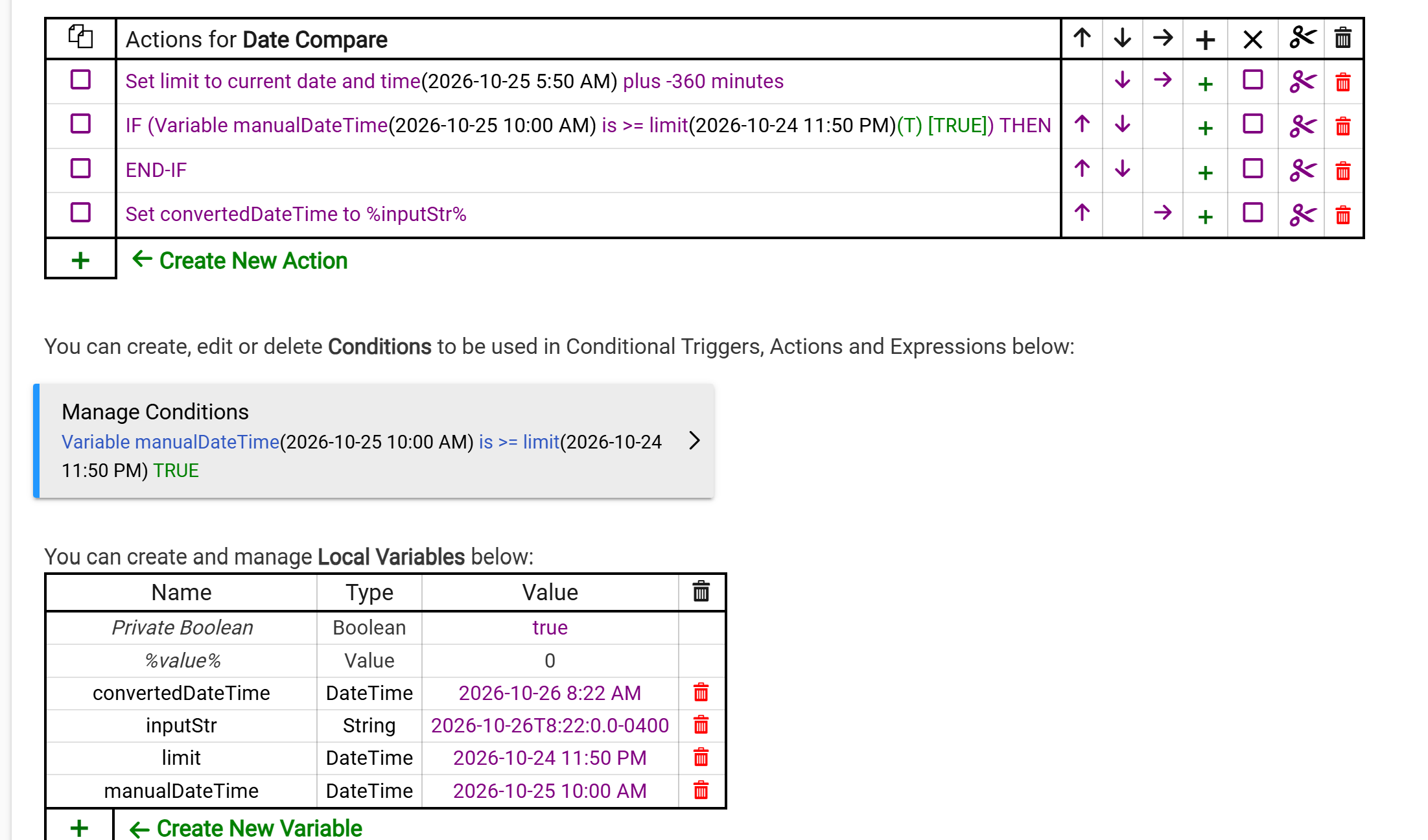
Note the format of inputStr. The conversion will not accept any other format and will result in an error.

Which I understand, it is a rabbit hole trying to support every possible date time format. So far so good.
The next step is to use convertedDateTime in the condition.
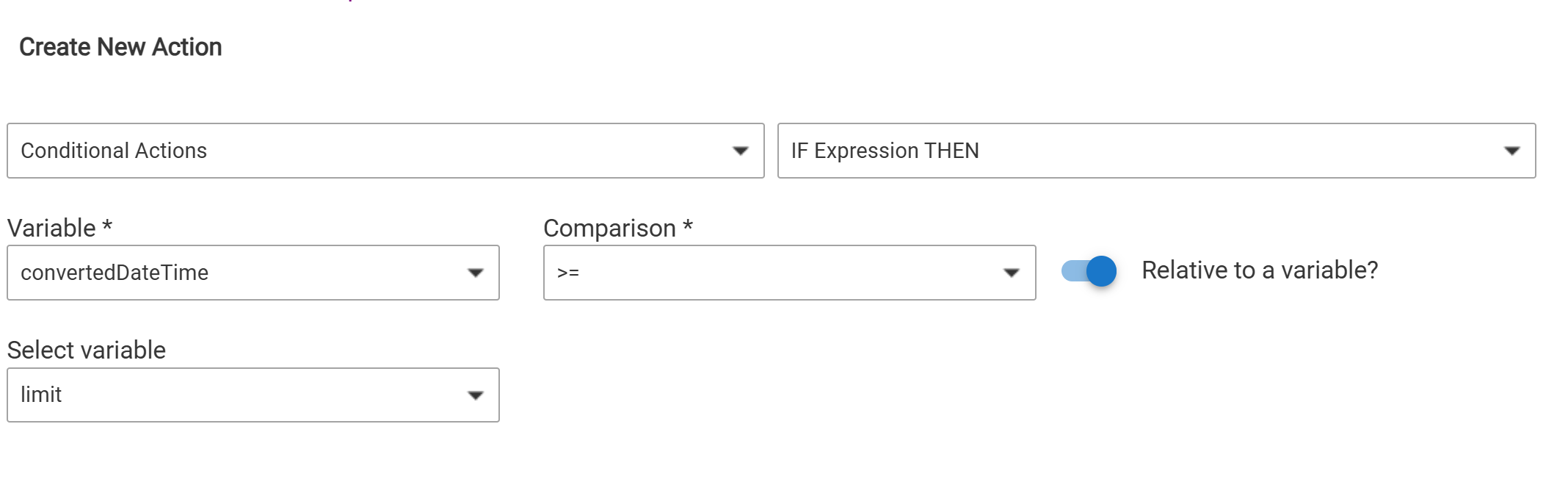
Pressing OK on the action.