All,
I purchased my first Matter Device, the TP-Link Tapo Light Switch. I commissioned it with my Alexa, and it works fine through the Alexa App. However, when I go through the Matter Pairing Step with Hubitat, it won't pair. I have confirmed and entered the 11-digit pairing code several times. I attached a picture for review. TP-Link Tapo devices seem to be compatible with Habitat, as far as I know.
I would appreciate any advice. I am also trying to pair it with a C8 Hub. Thanks for your help!
The 11 digit code you are using. Is that the 11 digit code you are getting from Alexa or are you using the original code? You will need to use Alexa to generate a new code and use that code to get it into Hubitat.
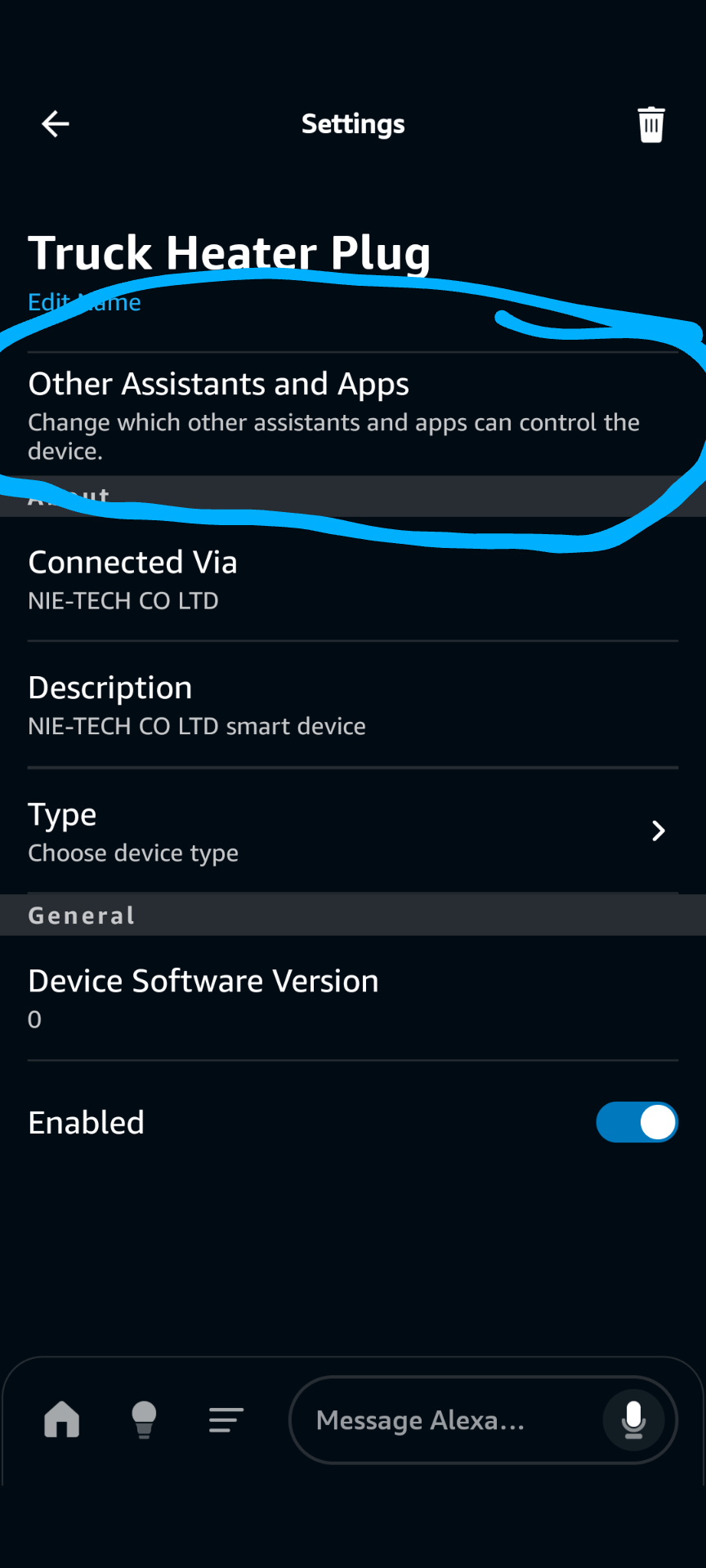
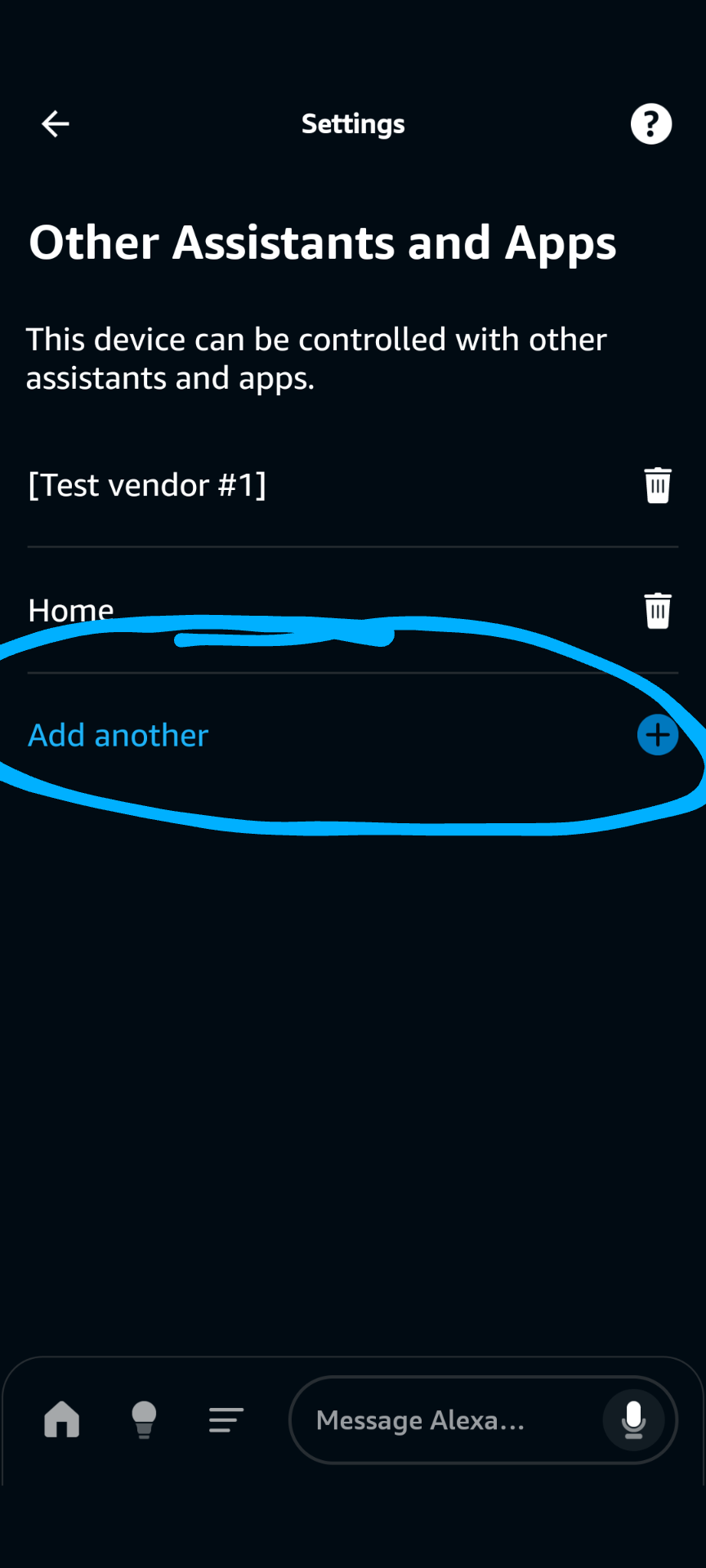
Go into the Alexa app and the settings for the device. Choose the area I have circled in the screen shot below.
I will and thanks for responding. This matter switch is only $10 and if they work, that’s the route I want to go. I’m tired of paying $30 or more for every device I need.
The new 2.1 Mobile app (might still be beta) paired with Hub platform 2.4.1 can also directly commission Matter to the hub, but I think I saw someone say there is no way to put it back into pairing mode so you can pair it with other systems after that.
Thank you for your response and supplying the link. I appreciate it. I went straight to ADD Device and commissioned the Device with Alexa first. I then used the QR code that was supplied. The instructions in the Add Device steps are not as clear (although there) as the link you provided. It makes sense now that I need a different code. If it helps, I was not using the mobile app to set this up. I was using the desktop version. I'll let you know if I need more help so thanks for your quick response.
You can use the web admin to add the device to Hubitat as a secondary controller. But you have to generate a pairing code from the hub the device was commissioned on (Alexa in your case).
The mobile app is only needed for direct Matter commissioning.
Matter does require IPv6. You do not have to have Native IPv6 from your ISP but you do need to have DHCPv6 running on your router because it will work in link-local mode.