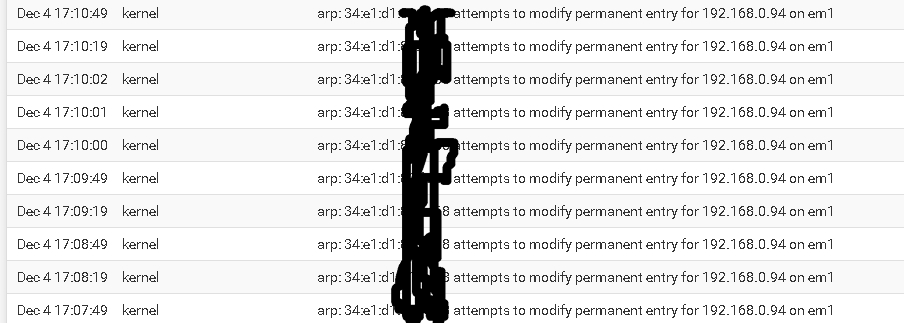
I set 192.168.0.94 for the hub, with a static ARP. EM1 is my LAN port on my Intel 4 port PCI card in the PFSense box. I can access the hub without issue but was curious what was going on. The hub is connected via ethernet cable to my Cisco 2960X switch. I don't know if the same MAC is also associated to the wireless, and if that could be the cause.
Thank You
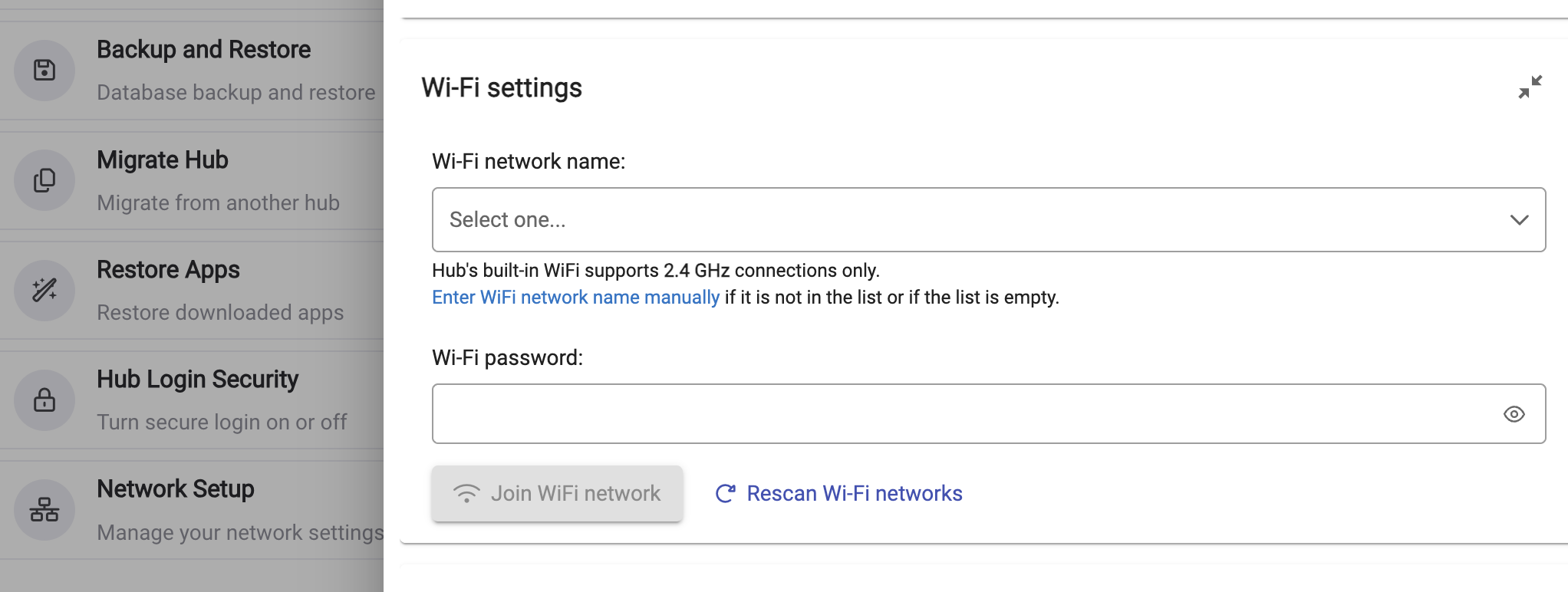
You can't deactivate wifi in terms of completely turning it off or making it go away; you just shouldn't have either of these 2 entries populated with anything -- both should just be blank like this.
Thank you, that's exactly how mine appears. Do we know what the "attempts to modify permanent entry mean" Is the hub sending a DHCP request even tho it already has a static & reserved IP address.
Sorry, all the rest of that is greek to me... I run the flattest of flat networks at home -- the fanciest thing I do is set DHCP reservations. I wouldn't even have a clue how to set a static IP.
I'm not an expert, but I think that the message means that you have a device on your network with MAC=abc reporting an IP=192.168.0.94, while you have a DHCP reservation for MAC=xyz assigned the same IP.
Try pinging 192.168.0.94, and then unplug your Hub. If the ping continues, then you have a duplicate address on your network.
Or, as already mentioned, you may have assigned that IP to both the Hub's Wi-Fi and Ethernet NIC's. Possibly one is set as static on the Hub, and the other is set by DHCP reservation.
The MAC given in the error message should be the device that is attempting to use the IP that you have reserved for another device.
I have a C7, so no Wifi on mine. But, in the settings ->hub details, it shows the MAC of my ethernet adapter. For those that have the Wifi capability, does it not show both MAC's? I would think that would be an easy way to identify if the attempts are coming from the hub?
Unfortunately it does not show the WiFi MAC address. And the .94 has always been my main Hubitat hub, and the offending MAC address belongs to the C8pro ethernet, which has a static IP on Hubitat and a reservation in my router.
And the plot thickens, the warning is only displayed when the hub is rebooting. Looks like even tho the hub is set to have a static IP within its settings, there is occuring a DHCP request when the hub boots, probably to prevent some other network issues. @support-agent any idea?
Thanks Mark, I'll give it a shot. I would have expected setting the hub to a static IP would negate its DHCP request generation, although it's been about 20 years since I read TCP/IP for Dummies
I don’t know anything about running pfSense but I guess I see it this way.
Your router is expecting devices in this subnet to use DHCP, including your hub.
But instead, the hub is ignoring DHCP for IP address assignment and tells the router its static IP settings.
Since you reserved that IP for the hub, you can connect to it as you’d normally expect to.
But your router is still unhappy about this device that appears to be acting up, and trying to tell you about it.
It doesn’t know you configured the device to act that way, of course.
I could be way off. My impression of pfSense is that it’s pretty advanced and meant for people with a lot of background knowledge on IP networking. In other words, not me.
Since the offending MAC belongs to the C8pro, then according to what I said earlier, the C8pro is the device that is attempting to use the IP that you reserved for another device.
I would still suggest pinging that address before and after plugging in the C8pro, to confirm there is not a duplicate address on your network.
As already suggested, you should not configure the Hubitat to have a static IP (configured within the hub settings), as well as assigning a DHCP reserved address on the router.
In fact, it is a normal policy (at least good housekeeping) to create a pool of DHCP addresses, and only assign static IPs that are outside of the DHCP pool.
This is exactly what I do. I have a small pool of DHCP addresses, most are set static in PFSense. The C8pro is the only one with this particular reserved address. If I shut down the hub, ping 192.168.0.94 I get no response.
I wonder if @bobbyD knows this happens. Maybe something to insure connectivity to the hub?
Yes, I have seen problems when PfSense gets involved. There isn't much we can do on our side. I would search the community for network issues in particular related to PfSense, to see how others managed to resolve the connectivity problems.
The screenshot in your OP doesn’t say the hub is requesting an address. It says it’s telling the router what its IP address is.
That seems consistent with a static IP setting as you’ve configured it.
Maybe it shouldn’t be doing it over and over again, which your router sees as an attempt to “change” the address once it’s already been established in your ARP cache.
Is static ARP in pfSense even the same thing as DHCP reservation?
Is there a reason to avoid using DHCP reservations?
I don't think that message is indicating the hub is requesting a DHCP address.
I interpret it as
a new device (the hub) has connected to the network
it is announcing it's static IP to PFsense
PFsense is saying "This IP Is Reserved, I Only Want My DHCP Server To Assign It. This Client Shouldnt Be Telling Me That It Is Using It"
So in fact, PFsense is giving you a warning that you should normally be concerned with.
I believe that your thoughts on the warning message are.......... "Although PFsense is correct in giving this warning, I don't want to see the warning because I am doing this faux-pas on purpose".
As a few others have said, you shouldn't be using both a static, and DHCP reserved address, for the same device. Sure it will work, but it will create warning messages because it's not expected to ever occur.
Do you have a reason for using both a Static and DHCP Reservation. Perhaps if we knew why you were doing it we might have a better understanding.