Platform Version
2.4.3.172
Hardware Version
C-8 Pro
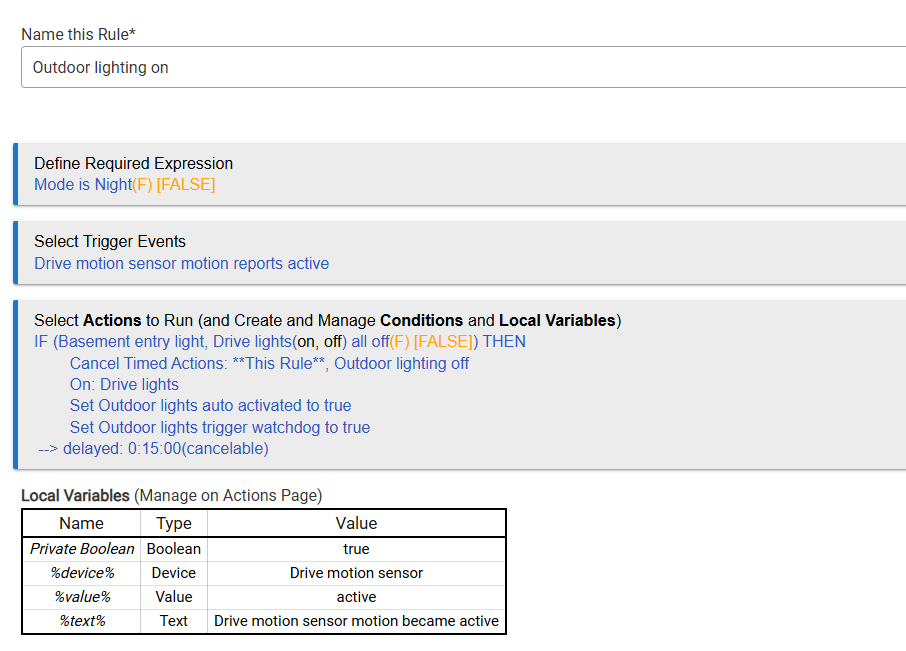
I have a rule that turns on lights when a motion sensor becomes active. Sometimes this works normally, but other times when the motion sensor becomes active no event is generated and therefore the rule does not trigger.
I've had some "dangling" things happen is required expressions and other places. Disable this rule and reenter from scratch as a new rule and see if that clears things up.
The rule shown above is "app: 69", correct? What rule is "app: 70"?
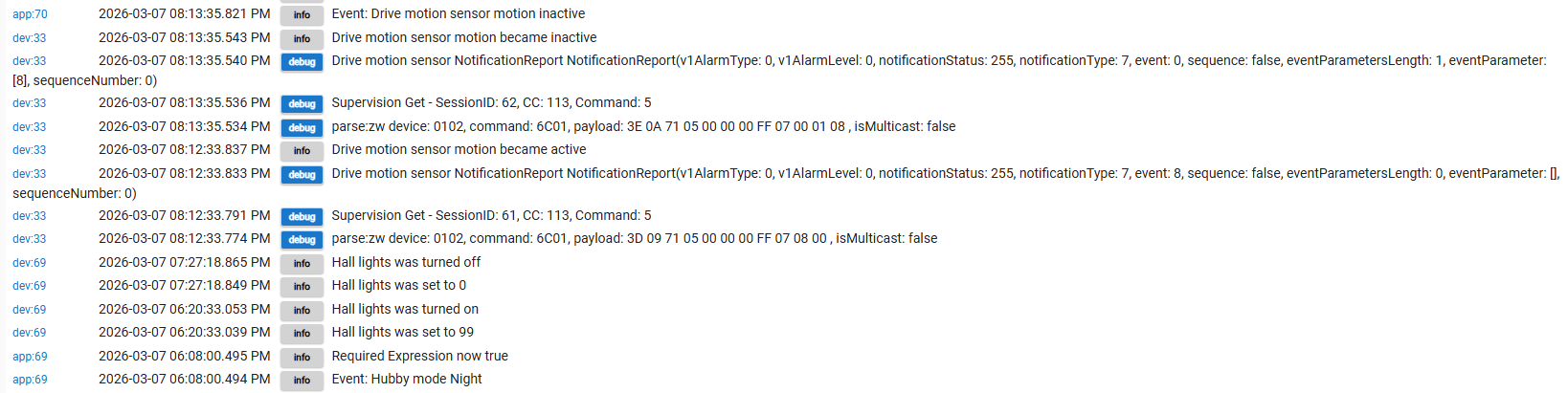
In the Logs screenshot in your last post there, the entry at the top shows app: 70 logging the motion disable as an Event -- does that app:70 rule have any connections to the app:69 rule?
I'm just trying to determine if something else is somehow disabling (for lack of a better term) app:69...
Nuts, I'm at a loss... I keep my rules less complex in terms of variables and dependencies, so I'm admittedly not the best person to help reason through what you have going on here with these two rules.
What is the "Outdoor lights trigger watchdog" that gets set to True in the "Outdoor lighting on" rule (app 69)?
This almost certainly doesn't have anything to do with that rule misbehaving, but it's good practice to always be in the habit of closing every IF with an END-IF... When there's just one IF (like that rule), it shouldn't matter, but missing END-IFs will definitely cause chaos in other circumstances.
That log entry is coming from the rule when it has an event subscription on the motion sensor for the trigger. In the case where the rule doesn't log it, that is because it isn't subscribed to the motion sensor. The most likely reason being:
as you have this condition in your required expression. When the required expression is false, the trigger event subscriptions are removed, which would explain the event not being logged. You should see "Required expression now false" somewhere in the logs prior.
I had some cases where the hub would get the active command from the motion sensor but the inactive command would be missed. So, then the lights would stay on (possibly all night). So I added a "watchdog" to shut off the lights if the inactive event never comes.
Strange thing is that everything seemed to be working (including the watchdog) for a couple months. Then recently I noticed that I would come home in the dark and the lights wouldn't turn on. I assumed that the problem was the motion sensor. But when I looked at the logs I found that the motion sensor is sending active commands but the rule is not using them. I haven't modified the rule at all for quite a while.
I'll try adding the end-if to see if that makes a difference. Thanks.
While there may be no reason you know of why mode is not still night at 8:12pm, you still should not just assume something when troubleshooting. Did you physically check that mode was still set to Night after it didn't fire at 8:12pm?
I'm not saying logs can't be trusted, if anything I am saying maybe you can't trust mode is staying Night. Something else could have changed it again after the log that said it changed.
Maybe add a rule that will log whenever mode changes, to be sure nothing else changed it, or, I was just saying you should check it manually if you can catch an instance of the rule not working.
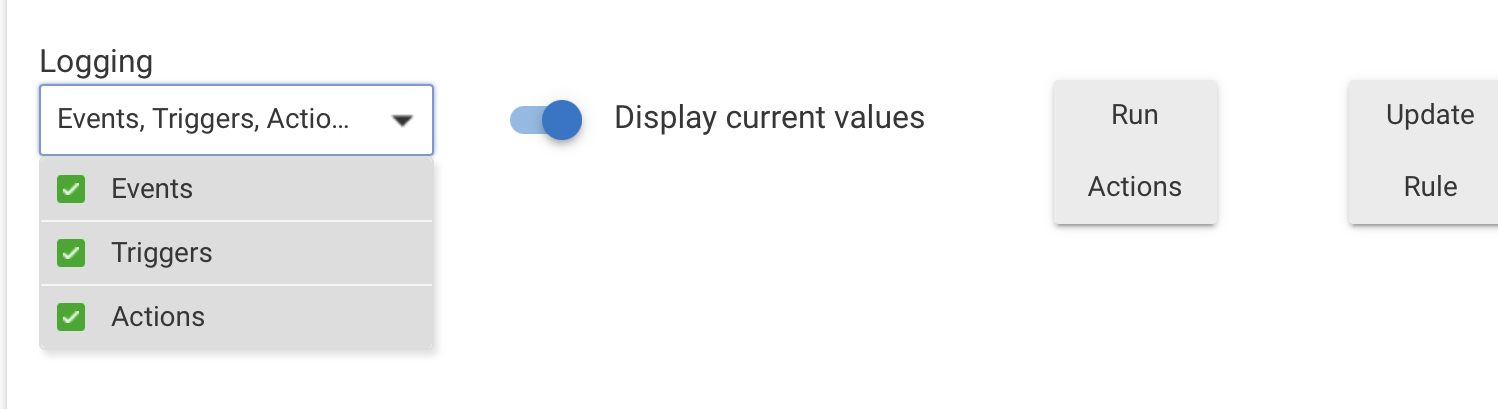
Yes, all of those are being logged for "Outdoor lighting on". If you look at the first log I posted (working case) you will see a log entry for all three.
I might even go one step further and create another rule with no Required expression but with the a conditional trigger. Then look at all 3 (original new with and new without RE). As others have mentioned I have seen RE's act very odd all of a sudden.