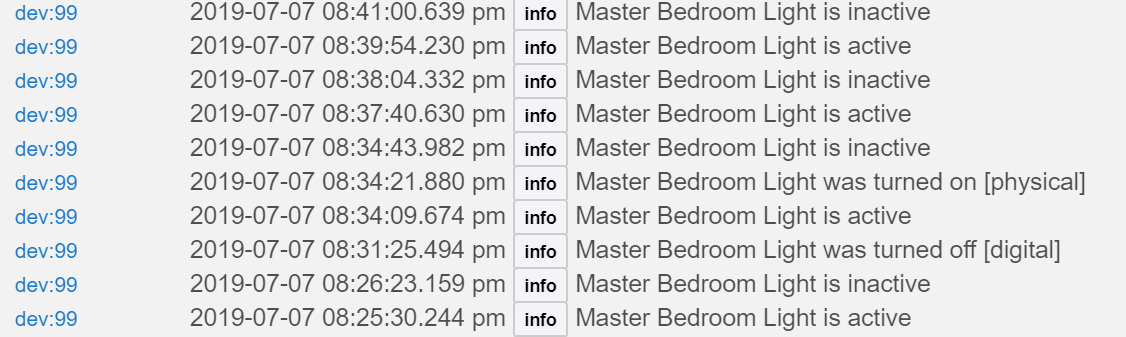
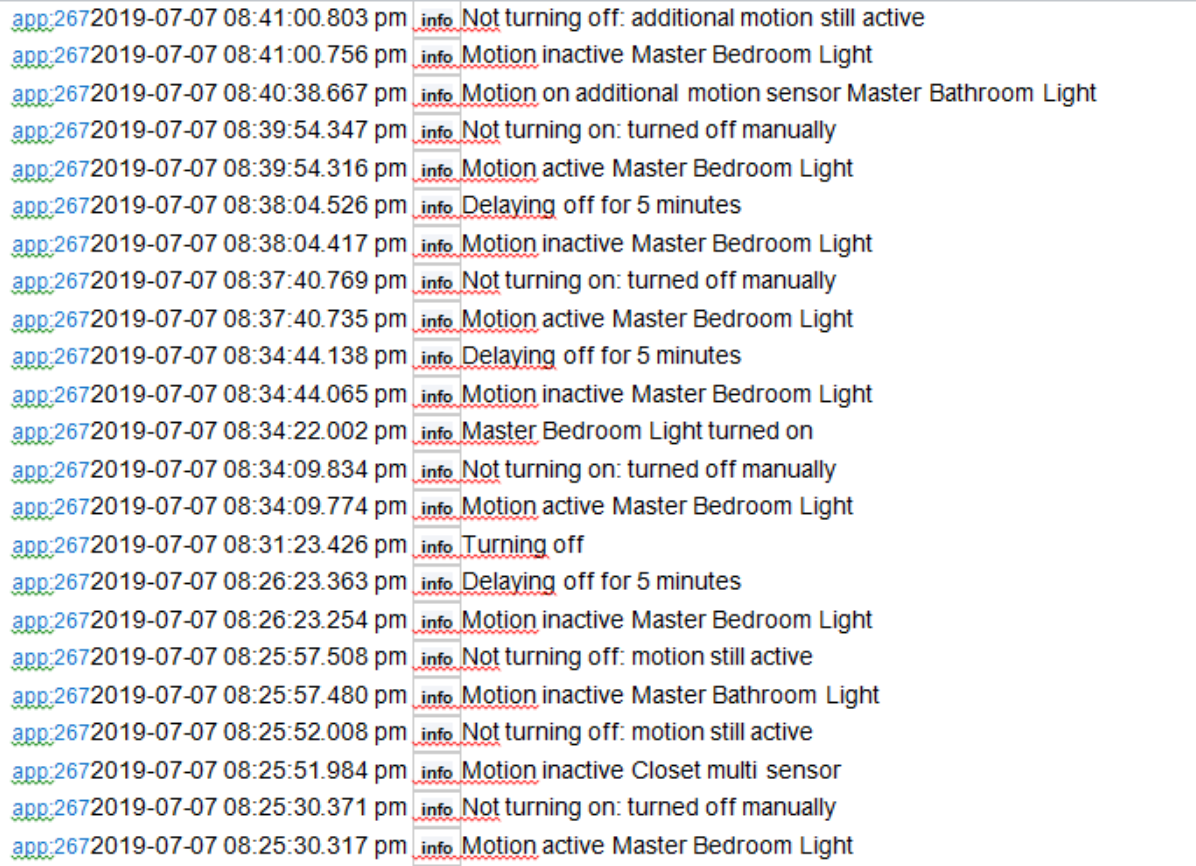
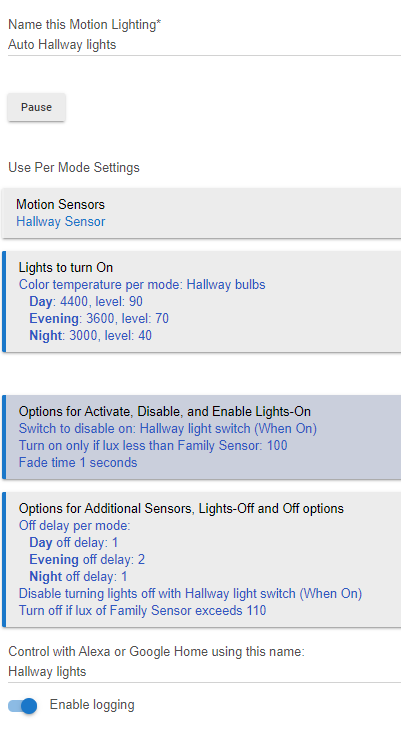
I can confirm this issue still exists. I tried manually turning off the override and turning it back on. That did not seem to help. In the below log, "Hallway light switch" is the virtual switch that handles the override function
Hubitat Elevation® Platform Version 2.1.7.127
Hardware Version Rev C-5
Here is my App:
app:1502020-01-17 11:35:17.094 am infoNot turning on: turned off manually
app:1502020-01-17 11:35:17.044 am infoMotion active Hallway Sensor
app:1502020-01-17 10:53:21.970 am infoNot turning off: lights not on
app:1502020-01-17 10:53:21.943 am infoMotion inactive Hallway Sensor
app:1502020-01-17 10:52:51.298 am infoNot turning on: turned off manually
app:1502020-01-17 10:52:51.244 am infoMotion active Hallway Sensor
app:1502020-01-17 10:52:23.589 am infoNot turning off: lights not on
app:1502020-01-17 10:52:23.553 am infoMotion inactive Hallway Sensor
app:1502020-01-17 10:51:51.003 am infoNot turning on: turned off manually
app:1502020-01-17 10:51:50.936 am infoMotion active Hallway Sensor
app:1502020-01-17 10:50:11.868 am infoNot turning off: lights not on
app:1502020-01-17 10:50:11.843 am infoMotion inactive Hallway Sensor
app:1502020-01-17 10:49:55.080 am infoNot turning on: turned off manually
app:1502020-01-17 10:49:55.024 am infoMotion active Hallway Sensor
app:1502020-01-17 10:47:15.111 am infoLux level for Family Sensor is 59
app:1502020-01-17 10:46:03.698 am infoNot turning off: lights not on
app:1502020-01-17 10:46:03.674 am infoMotion inactive Hallway Sensor
app:1502020-01-17 10:45:01.435 am infoNot turning on: turned off manually
app:1502020-01-17 10:45:01.379 am infoMotion active Hallway Sensor
app:1502020-01-17 10:44:22.344 am infoNot turning off: lights not on
app:1502020-01-17 10:44:22.319 am infoMotion inactive Hallway Sensor
app:1502020-01-17 10:43:46.843 am infoNot turning on: turned off manually
app:1502020-01-17 10:43:46.792 am infoMotion active Hallway Sensor
app:1502020-01-17 10:41:34.650 am infoNot turning off: lights not on
app:1502020-01-17 10:41:34.627 am infoMotion inactive Hallway Sensor
app:1502020-01-17 10:41:04.751 am infoNot turning on: turned off manually
app:1502020-01-17 10:41:04.696 am infoMotion active Hallway Sensor
app:1502020-01-17 10:40:19.111 am infoNot turning off: lights not on
app:1502020-01-17 10:40:19.088 am infoMotion inactive Hallway Sensor
app:1502020-01-17 10:40:03.997 am infoNot turning on: turned off manually
app:1502020-01-17 10:40:03.946 am infoMotion active Hallway Sensor
app:1502020-01-17 10:39:56.397 am infoNot turning off: lights not on
app:1502020-01-17 10:39:56.372 am infoMotion inactive Hallway Sensor
app:1502020-01-17 10:39:37.765 am infoNot turning on: turned off manually
app:1502020-01-17 10:39:37.711 am infoMotion active Hallway Sensor
app:1502020-01-17 10:39:00.599 am infoNot turning off: lights not on
app:1502020-01-17 10:39:00.571 am infoMotion inactive Hallway Sensor
app:1502020-01-17 10:38:11.803 am infoNot turning on: turned off manually
app:1502020-01-17 10:38:11.737 am infoMotion active Hallway Sensor
app:1502020-01-17 10:38:06.349 am infoNot turning off: lights not on
app:1502020-01-17 10:38:06.324 am infoMotion inactive Hallway Sensor
app:1502020-01-17 10:37:33.760 am infoNot turning on: turned off manually
app:1502020-01-17 10:37:33.707 am infoMotion active Hallway Sensor
app:1502020-01-17 10:31:23.679 am infoNot turning off: lights not on
app:1502020-01-17 10:31:23.655 am infoMotion inactive Hallway Sensor
app:1502020-01-17 10:30:46.621 am infoNot turning on: turned off manually
app:1502020-01-17 10:30:46.575 am infoMotion active Hallway Sensor
app:1502020-01-17 10:25:26.954 am infoNot turning off: lights not on
app:1502020-01-17 10:25:26.929 am infoMotion inactive Hallway Sensor
app:1502020-01-17 10:24:38.000 am infoNot turning on: turned off manually
app:1502020-01-17 10:24:37.954 am infoMotion active Hallway Sensor
app:1502020-01-17 10:20:56.065 am infoNot turning off: lights not on
app:1502020-01-17 10:20:56.040 am infoMotion inactive Hallway Sensor
app:1502020-01-17 10:20:40.937 am infoNot turning on: turned off manually
app:1502020-01-17 10:20:40.890 am infoMotion active Hallway Sensor
app:1502020-01-17 10:20:13.665 am infoNot turning off: lights not on
app:1502020-01-17 10:20:13.643 am infoMotion inactive Hallway Sensor
app:1502020-01-17 10:19:57.234 am infoNot turning on: turned off manually
app:1502020-01-17 10:19:57.188 am infoMotion active Hallway Sensor
app:1502020-01-17 10:19:07.219 am infoNot turning off: lights not on
app:1502020-01-17 10:19:07.197 am infoMotion inactive Hallway Sensor
app:1502020-01-17 10:18:46.043 am infoNot turning on: turned off manually
app:1502020-01-17 10:18:45.981 am infoMotion active Hallway Sensor
app:1502020-01-17 10:18:24.632 am infoNot turning off: lights not on
app:1502020-01-17 10:18:24.610 am infoMotion inactive Hallway Sensor
app:1502020-01-17 10:18:04.062 am infoNot turning on: turned off manually
app:1502020-01-17 10:18:04.004 am infoMotion active Hallway Sensor
app:1502020-01-17 10:15:14.162 am infoNot turning off: lights not on
app:1502020-01-17 10:15:14.138 am infoMotion inactive Hallway Sensor
app:1502020-01-17 10:14:59.105 am infoNot turning on: turned off manually
app:1502020-01-17 10:14:59.056 am infoMotion active Hallway Sensor
app:1502020-01-17 09:58:41.482 am infoNot turning off: lights not on
app:1502020-01-17 09:58:41.459 am infoMotion inactive Hallway Sensor
app:1502020-01-17 09:58:24.757 am infoNot turning on: turned off manually
app:1502020-01-17 09:58:24.713 am infoMotion active Hallway Sensor
app:1502020-01-17 09:57:01.533 am infoNot turning off: lights not on
app:1502020-01-17 09:57:01.507 am infoMotion inactive Hallway Sensor
app:1502020-01-17 09:56:44.367 am infoNot turning on: turned off manually
app:1502020-01-17 09:56:44.299 am infoMotion active Hallway Sensor
app:1502020-01-17 09:37:55.598 am infoNot turning off: lights not on
app:1502020-01-17 09:37:55.575 am infoMotion inactive Hallway Sensor
app:1502020-01-17 09:37:23.151 am infoNot turning on: turned off manually
app:1502020-01-17 09:37:23.104 am infoMotion active Hallway Sensor
app:1502020-01-17 09:36:54.625 am infoNot turning off: lights not on
app:1502020-01-17 09:36:54.602 am infoMotion inactive Hallway Sensor
app:1502020-01-17 09:36:39.509 am infoNot turning on: turned off manually
app:1502020-01-17 09:36:39.453 am infoMotion active Hallway Sensor
app:1502020-01-17 09:35:35.912 am infoNot turning off: lights not on
app:1502020-01-17 09:35:35.888 am infoMotion inactive Hallway Sensor
app:1502020-01-17 09:35:13.841 am infoNot turning on: turned off manually
app:1502020-01-17 09:35:13.794 am infoMotion active Hallway Sensor
app:1502020-01-17 09:30:15.895 am infoNot turning off: lights not on
app:1502020-01-17 09:30:15.868 am infoMotion inactive Hallway Sensor
app:1502020-01-17 09:29:11.403 am infoNot turning on: turned off manually
app:1502020-01-17 09:29:11.353 am infoMotion active Hallway Sensor
app:1502020-01-17 09:05:28.913 am infoNot turning off: lights not on
app:1502020-01-17 09:05:28.887 am infoMotion inactive Hallway Sensor
app:1502020-01-17 09:04:54.584 am infoNot turning on: turned off manually
app:1502020-01-17 09:04:54.535 am infoMotion active Hallway Sensor
app:1502020-01-17 09:04:08.975 am infoNot turning off: lights not on
app:1502020-01-17 09:04:08.952 am infoMotion inactive Hallway Sensor
app:1502020-01-17 09:03:45.260 am infoNot turning on: turned off manually
app:1502020-01-17 09:03:45.213 am infoMotion active Hallway Sensor
app:1502020-01-17 09:03:41.361 am infoNot turning off: lights not on
app:1502020-01-17 09:03:41.337 am infoMotion inactive Hallway Sensor
app:1502020-01-17 09:03:18.847 am infoNot turning on: turned off manually
app:1502020-01-17 09:03:18.801 am infoMotion active Hallway Sensor
app:1502020-01-17 09:02:39.295 am infoNot turning off: lights not on
app:1502020-01-17 09:02:39.272 am infoMotion inactive Hallway Sensor
app:1502020-01-17 09:02:03.663 am infoNot turning on: turned off manually
app:1502020-01-17 09:02:03.615 am infoMotion active Hallway Sensor
app:1502020-01-17 09:01:40.109 am infoHallway bulbs was turned off
app:1502020-01-17 09:01:39.970 am infoTurning off lights
app:1502020-01-17 09:00:39.902 am infoDelaying off for 1 minute
app:1502020-01-17 09:00:39.828 am infoMotion inactive Hallway Sensor
app:1502020-01-17 09:00:05.038 am infoNot turning on: turned off manually
app:1502020-01-17 09:00:04.987 am infoMotion active Hallway Sensor
app:1502020-01-17 09:00:03.777 am infoDelaying off for 1 minute
app:1502020-01-17 09:00:03.726 am infoMotion inactive Hallway Sensor
app:1502020-01-17 08:58:10.969 am infoNot turning on: turned off manually
app:1502020-01-17 08:58:10.922 am infoMotion active Hallway Sensor
app:1502020-01-17 08:57:57.682 am infoOff Enabled by Hallway light switch turned off
app:1502020-01-17 08:57:57.675 am infoOn Enabled by Hallway light switch turned off
app:1502020-01-17 08:57:50.024 am infoNot turning off: disabled by switch
app:1502020-01-17 08:57:50.017 am infoMotion inactive Hallway Sensor
app:1502020-01-17 08:57:14.911 am infoNot turning on: disabled by switch
app:1502020-01-17 08:57:14.885 am infoMotion active Hallway Sensor
app:1502020-01-17 08:56:33.347 am infoNot turning off: disabled by switch
app:1502020-01-17 08:56:33.340 am infoMotion inactive Hallway Sensor
app:1502020-01-17 08:55:54.253 am infoNot turning on: disabled by switch
app:1502020-01-17 08:55:54.227 am infoMotion active Hallway Sensor
app:1502020-01-17 08:54:09.413 am infoNot turning off: disabled by switch
app:1502020-01-17 08:54:09.406 am infoMotion inactive Hallway Sensor
app:1502020-01-17 08:53:41.938 am infoNot turning on: disabled by switch
app:1502020-01-17 08:53:41.911 am infoMotion active Hallway Sensor
app:1502020-01-17 08:52:40.993 am infoNot turning off: disabled by switch
app:1502020-01-17 08:52:40.986 am infoMotion inactive Hallway Sensor
app:1502020-01-17 08:51:59.276 am infoNot turning on: disabled by switch
app:1502020-01-17 08:51:59.250 am infoMotion active Hallway Sensor
app:1502020-01-17 08:51:47.297 am infoNot turning off: disabled by switch
app:1502020-01-17 08:51:47.290 am infoMotion inactive Hallway Sensor
app:1502020-01-17 08:51:31.064 am infoNot turning on: disabled by switch
app:1502020-01-17 08:51:31.036 am infoMotion active Hallway Sensor
app:1502020-01-17 08:51:28.913 am infoNot turning off: disabled by switch
app:1502020-01-17 08:51:28.906 am infoMotion inactive Hallway Sensor
app:1502020-01-17 08:51:07.575 am infoNot turning on: disabled by switch
app:1502020-01-17 08:51:07.546 am infoMotion active Hallway Sensor
app:1502020-01-17 08:50:23.457 am infoNot turning off: disabled by switch
app:1502020-01-17 08:50:23.449 am infoMotion inactive Hallway Sensor
app:1502020-01-17 08:50:08.334 am infoNot turning on: disabled by switch
app:1502020-01-17 08:50:08.305 am infoMotion active Hallway Sensor
app:1502020-01-17 08:46:15.020 am infoNot turning off: disabled by switch
app:1502020-01-17 08:46:15.012 am infoMotion inactive Hallway Sensor
app:1502020-01-17 08:46:09.362 am infoOn Disabled by Hallway light switch turned on
app:1502020-01-17 08:46:09.357 am infoOff Disabled by Hallway light switch turned on
app:1502020-01-17 08:46:08.124 am infoHallway bulbs turned on
app:1502020-01-17 08:45:32.565 am infoNot turning on: turned off manually
app:1502020-01-17 08:45:32.516 am infoMotion active Hallway Sensor
app:1502020-01-17 08:44:07.804 am infoNot turning off: lights not on
app:1502020-01-17 08:44:07.779 am infoMotion inactive Hallway Sensor
app:1502020-01-17 08:43:52.699 am infoNot turning on: turned off manually
app:1502020-01-17 08:43:52.648 am infoMotion active Hallway Sensor
app:1502020-01-17 08:43:36.998 am infoNot turning off: lights not on
app:1502020-01-17 08:43:36.972 am infoMotion inactive Hallway Sensor
app:1502020-01-17 08:43:18.456 am infoNot turning on: turned off manually
app:1502020-01-17 08:43:18.407 am infoMotion active Hallway Sensor
app:1502020-01-17 08:39:38.890 am infoNot turning off: lights not on
app:1502020-01-17 08:39:38.863 am infoMotion inactive Hallway Sensor
app:1502020-01-17 08:39:23.127 am infoNot turning on: turned off manually
app:1502020-01-17 08:39:23.074 am infoMotion active Hallway Sensor
app:1502020-01-17 08:33:01.680 am infoNot turning off: lights not on
app:1502020-01-17 08:33:01.654 am infoMotion inactive Hallway Sensor
app:1502020-01-17 08:32:45.729 am infoNot turning on: turned off manually
app:1502020-01-17 08:32:45.661 am infoMotion active Hallway Sensor
app:1502020-01-17 08:32:43.882 am infoNot turning off: lights not on
app:1502020-01-17 08:32:43.856 am infoMotion inactive Hallway Sensor
app:1502020-01-17 08:32:18.600 am infoNot turning on: turned off manually
app:1502020-01-17 08:32:18.550 am infoMotion active Hallway Sensor
app:1502020-01-17 08:26:58.998 am infoNot turning off: lights not on
app:1502020-01-17 08:26:58.970 am infoMotion inactive Hallway Sensor