OK, after hours and hours of frustration with adding Matter devices, I now have a new issue.
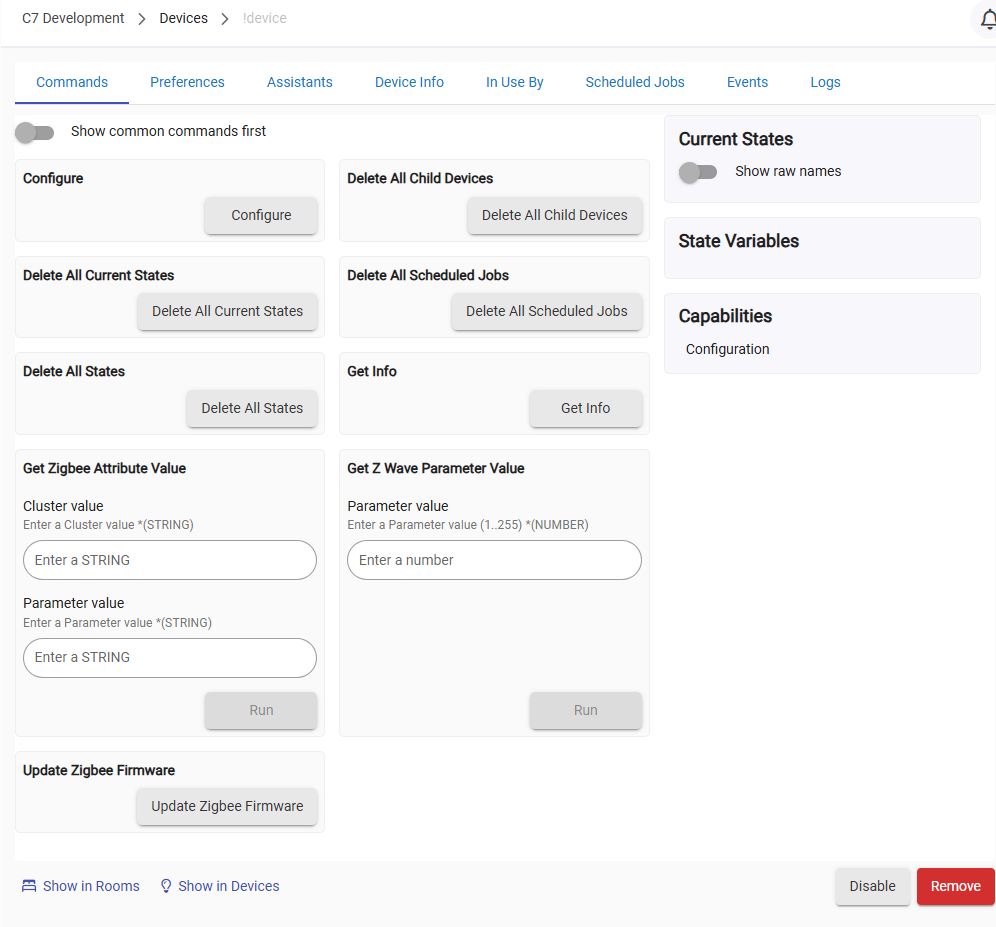
First, the workaround for adding Matter is going back to using Amazon Alexa/Echo to commission the devices and getting a pairing code from the Alexa app to add it to Habitat. It works, but after adding a device, the Habitat has to be rebooted each time in order to add another device. Time consuming but it works. However.....I just added two Linking color bulbs and two issues. Habitat does not see them as a bulb. There is no way to turn on and off the bulb from the device page....no ON or OFF commands are displayed. Second, the devices do not even show up in the Integration page to enable them to be used with Alexa for voice commands. I can find the devices listed for Dashboard, but when I add the devices to dashboard, the dashboard does not see them as a bulb or anything else for that matter so you cannot turn the devices on or off from the dashboard. Again, more frustration with Habitat and Matter devices. Until Matter came along, everything was great with Z-Wave and Zigbee. Matter, not so much.
normally this would leave some sort of message in the join page, having this message would be helpful, there are other threads that have some discussion about an issue we have under investigation that has this same signature.
Matter devices, just like zigbee and z-wave still require a fingerprint in order to associate with the correct driver, if we don't find a match, the hub generally assigns Device, sometimes it matches to a device that has nothing to do with your specific device. So thats why others are asking for that type of information as well.
OK, I never encountered that before. I was able to change the default setting of "Device" to "Generic Matter RGBW Light" and it is now working as expected. Thanks everyone.
I am not sure what you mean by "fingerprint" but I have gone into the device and just changed "device" to "Generic Matter RGBW" and then it worked fine. I guess originally did not know that "device" was a default when it could not find the correct driver. Adding Matter devices is something quite new as Zigbee and Z-Wave devices always added quickly and easily to Hubitat without issue. I will try to add two more Matter bulbs today to see what I can give you to help.