I am trying to run 2 simple automations, but have not been successful.
When Light Switch (zigbee) turns off, my zigbee Light Bulb turns off but its state remains as "On". The Mirror app does not resolve this. Likely, when the power is cut upon turning off switch, the bulb does not have power to change its state. Is there any workaround for this?
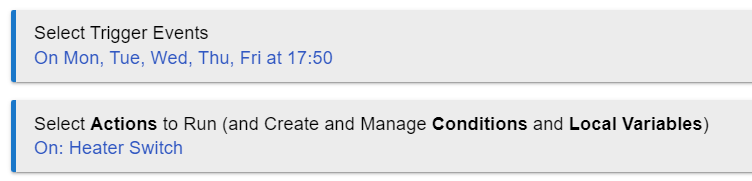
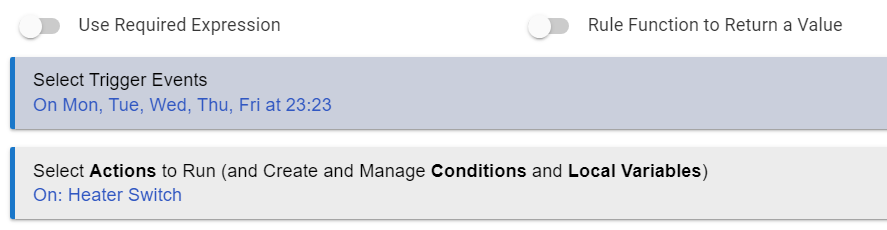
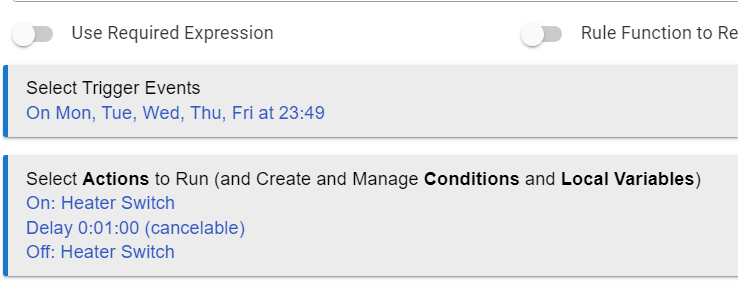
Setting Heater switch to turn on at specified time on weekdays. Added a rule via Rule Machine, clicked Done, but nothing triggers even after time has passed. Am I missing something? Hub's date and time are accurately synced to local time.
Does running a "Configure" on the device help? Sounds like it might not be reporting back correctly. If not, what driver are you using, and what is the brand and model of device? (Wait, I see you're cutting power...different issue.)
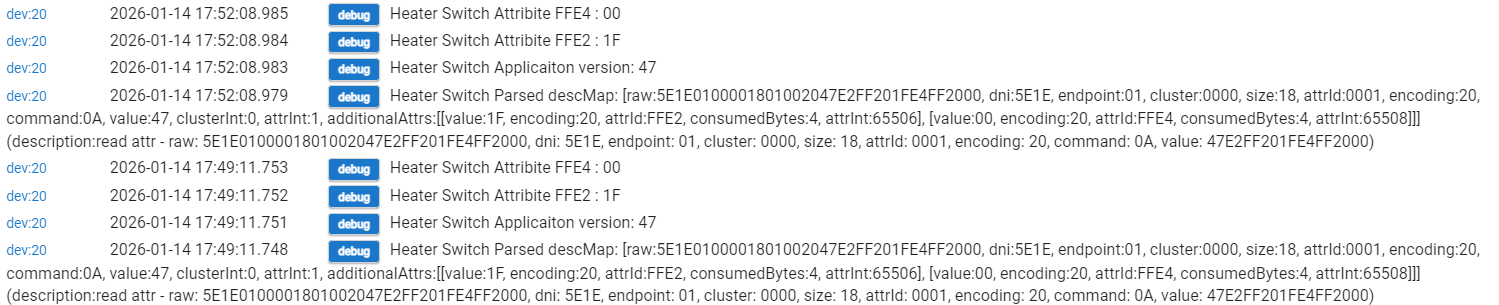
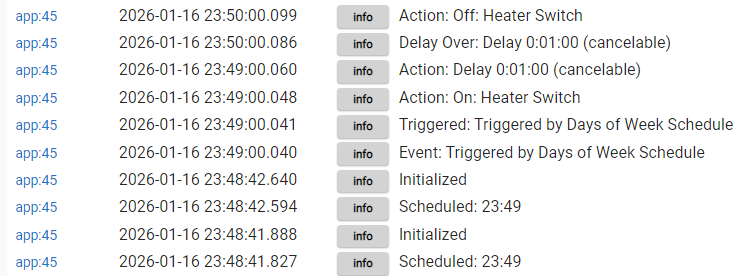
What do Logs for this rule say around 5:50 PM? (Assuming you didn't disable them, otherwise, re-enabling them and waiting is the first step.) Or: what evidence is there that the rule didn't trigger? If it's just that the device did not turn on, that could be another problem, so this will help you narrow it down.
no smart bulbs need power 100% of the time to work.. likely if you turn off switch and power is lost to bulb it will NOT report status nor work. you can get a zigbee or zwave switch that is battery operated to work and keep the switch always on.
Is there a reason you're using a Smart Bulb in addition to a Smart Switch that controls power to the smart bulb? My guess is that you want a smart bulb in order to change color of the bulb?
Most users with Smart Switches/Dimmers will use a 'dumb' bulb in the light fixture. This greatly simplifies things.
Those who want to use a Smart Bulb in the fixture, but still retain some local control via a physical button/switch on the wall will choose one of two paths.
Purchase a Smart Switch/Dimmer that includes "Smart Bulb Mode". These dimmers can be configured to always send power to the smart bulb. This effectively turns the smart dimmer into what Hubitat calls a "Button Controller". When ever the smart dimmer is turned on/off, Hubitat receives that status update and then can run an automation to turn the smart bulb on/off. Since power is never removed from the bulb, the Hubitat hub can then always control the smart bulb and its status will always be correct.
Place something over the original 'dumb' wall switch to keep it powered on all the time. Then, add a battery powered "Button Controller" device alongside on the wall to send commands to the HE hub. It can then use these events to control the smart bulb.
What is important is that the smart bulb always needs continuous power applied to it to allow its status to always be accurate and so it is always ready to receive commands. Since most Zigbee smart bulbs also act as Zigbee repeaters, they really need constant power to maintain the integrity of the Zigbee mesh network.
There was one Zigbee bulb that actually could send a 'last gasp' status update when it powered was removed from it. This was pretty cool. It was a Sengled Zigbee smart bulb. These bulbs were also designed to not be Zigbee repeaters. This allowed the bulbs to be fully powered off without any potential for disrupting the Zigbee mesh network which depends on devices that are acting as Zigbee repeaters to always be powered on.
You can just use exactly what you have now. Keep the Zigbee light switch powered with line and neutral, but remove the load wire and connect it directly to line in. That way the bulb is always powered, the switch is always powered, and switch no longer controls power to the light directly.
Then use the Zigbee switch as just a logical switch. Make a rule that when the Zigbee switch turns off, you turn off the bulb with a command, and vice-versa for on.
You will lose direct physical control of the light by wire, however, if the hub goes down.
This would only really be useful with color bulbs, as otherwise I would just put a standard bulb in the socket and let the switch turn it on and off directly. I have to assume you have a color bulb, or there would be no reason to have a Zigbee bulb in that fixture.
Do your switch and driver expose held and doubletapped? You could make use of those to change bulb colors from the switch. Or, use held to make a rule to dim and brighten the bulb, like an in-wall dimmer would work.
Thank you all for the comments and suggestions. I will consider them carefully. The "on" state is merely distracting to me when trying to see if all selected devices have been correctly powered down when I set a "leave home" automation, but should not be a roadblock in terms of other home automation.
1/ Heater switch routine -
It works with the basic rule but not rule machine, oddly. I am contented with the former so long it continues to work (and it does now, fortunately).
2/ ZIgbee switch with zigbee light -
The bulb allows RGB tweaks. For switch driver, i used "Zemismart ZigBee Wall Switch Multi-Gang" as it is a 4-gang switch, by a local supplier so the brand is not within the ordinary list of drivers. Light is by the same local supplier too; driver used is "Generic ZigBee RGBW Light".
I got both the switch and light without fully understanding the interactions they have (or lack of) in automation. Likely, they are repackaged from China OEM suppliers, but original brand/model are unknown to me.
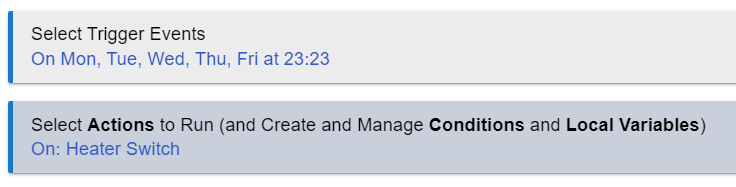
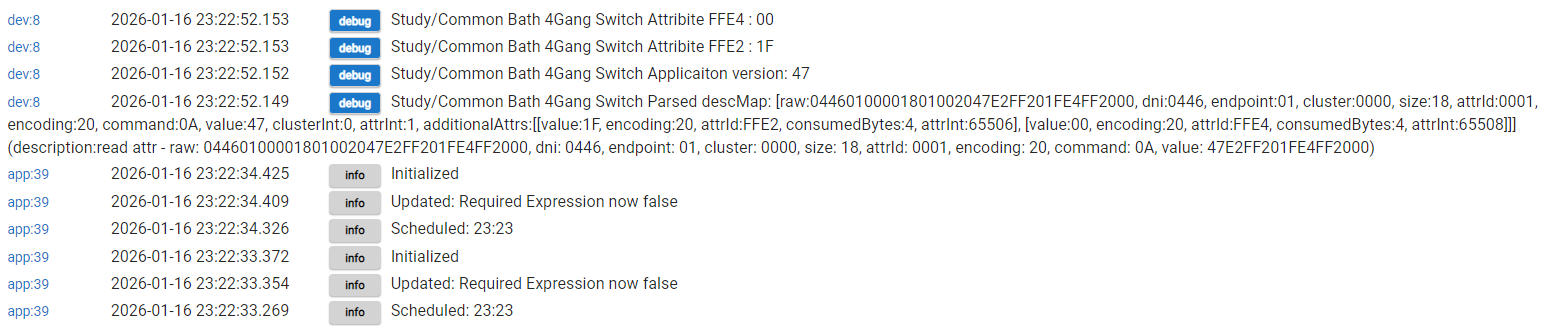
2 & 3) Nothing wrong with driver. When I click turn on / run action at the Rule Machine app page (to test the automation), it triggered successfully. It failed only when put it to real test using specific actual time.
Unusual and not observed in my implementation. So the question is, does hubitat know the correct time? Does it know it's time zone? It is able to time sync?