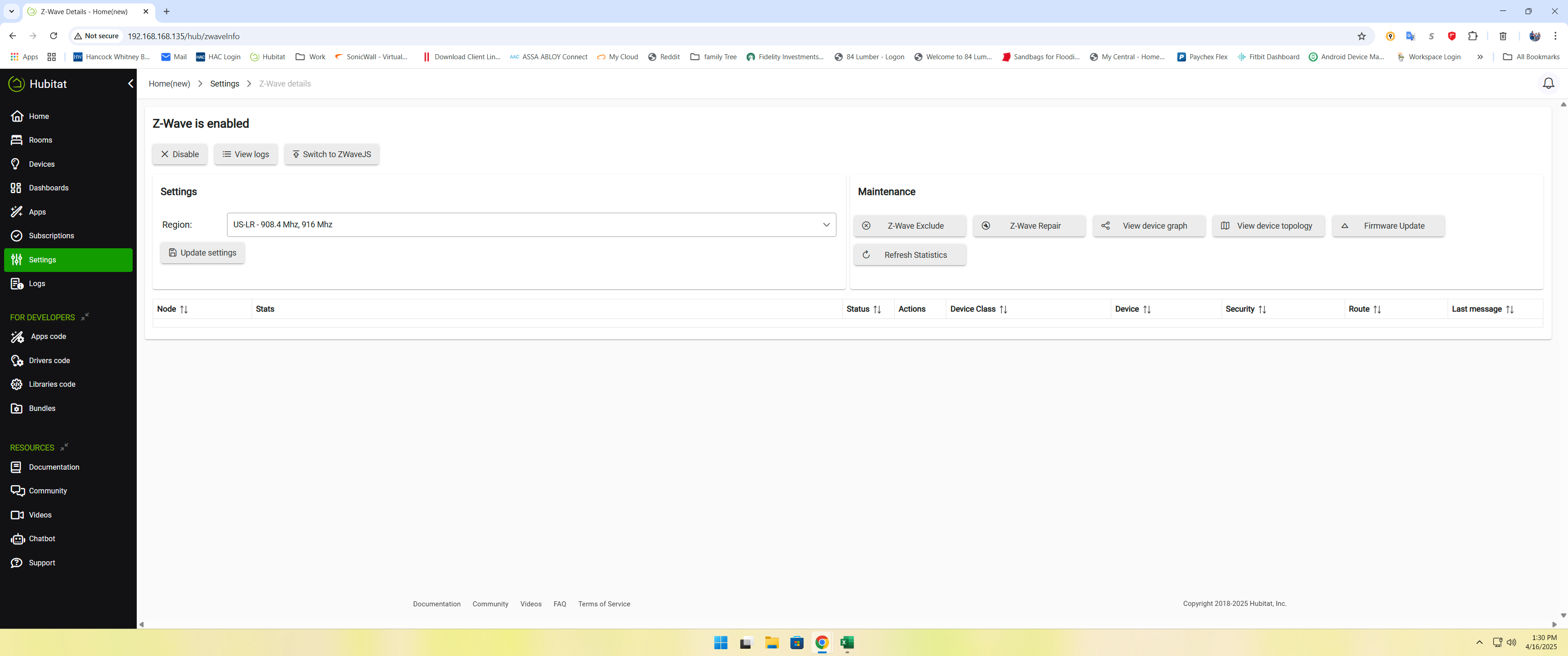
I have been trying to migrate for the better part of a couple days now. I've migrated before from C5 to C7 no issues. All my Rules and devices come over but the Zwave data doesn't come over (device commands do nothing eg: using a switch from the device page).
I have soft reset a couple times and re migrated, I have have let the hub sit after boot for a few min, I have tried shutting down and pulling power for 30+ seconds and nothing gets the Zwave info to populate. I even tried switching to the new Zwave JS stack.
Any Insite on what to try (before I say "F it" and exclude and add all my z-wave devices back which will be a pain (though I only have a couple Dozen at best)
I think the zwave radio is offline. Try this endpoint, if it times out the radio is offline.
http://HUB.IP/hub/zwaveVersion
You need to fill in your hubs IP from the address bar
You could try going to the diagnostic tool and doing a FULL RESET to see if that brings it back online. Just boot up clean and check the endpoint again.
immediately after a migration, if you see that ZWave Details is blank, try a power cycle (Settings: shutdown then remove power for 10 seconds) and it will usually come back. However, the hub is interviewing ALL the ZWave devices and it might take a few minutes to acquire all the data. Battery devices will get interviewed when they wake up next time. (You can speed that by 'touching' each device to wake them up.
I tried the power cycle (have had to do it a couple times in the past with the C7 hub, that was the first though) than let it sit for 30ish min but still nothing so I had to shut it down and plug back in the C7 so stuff worked (got to keep the WAF high)
Does it come back and say it is offline specifically, or does it sit for a few seconds and time out? I think when the radio is crashed/offline that endpoint will stall and then time out.
If you tried everything above then sounds like you got a dead zwave radio. Warranty claim. You can give a link to this thread when you send so they see what was tried.
I have been working on this issue for at least 5 hours. I was logging in to finally ask a question when i just saw this post. I have the exact same issue at all points. I guess I also have a dead Hubitat. Off to Amazon I guess.
If you send it back to Amazon, there is a very good chance some other person gets a dead hub.
It also will allow Hubitat staff to look at the hub and they can see if the engineering logs show whether the radio is dead, and maybe even the root cause.
I am looking for an FAQ for a warranty claim and all links come up dead. I would like to know if I have to pay for shipping, how is it getting shipped, wait times, etc.
Just an update for everyone, Support came back and said it's due to third party code. I call BS but we'll play the game. I have soft reset and removed everything but official Hubitat code and still can't get Z-wave to include or exclude anything. I have updated my warranty case with them (I hope to hear back from them in the next day or so since the Easter holiday I'm sure they're playing catch up, which is understandable.
Cloud backups fail saying zwave couldn't be backed up and Zwave is unresponsive etc, reboot the hub and try again (which I have tried) but strangely the healthStatus comes back True so maybe there is hope it can be saved
I think it says to shut down and remove power, which is different from rebooting because it fully powers off the radio. Probably wont make a difference in your case but need to try it if you have not already.
Since healthStatus is new, I would check both endpoints at this point.
http://HUB.IP/hub/zwaveVersion - returns version info or TIMES OUT if radio is offline http://HUB.IP/hub/zwave/healthStatus - returns true or false