Hi
I have Inovelli Blue Series (Zigbee) switches throughout my house except for a handful of early Red Series ones I use in a few locations that are isolated.
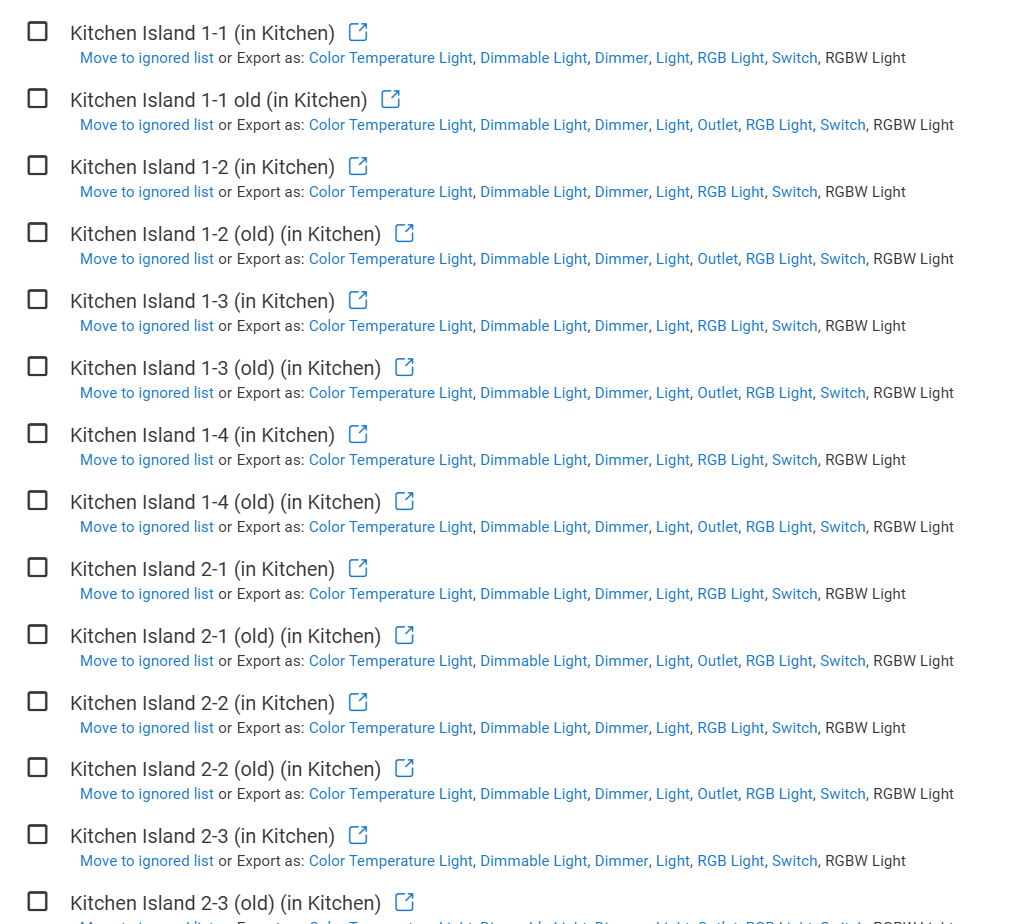
In my kitchen I have 19 Bulbs in 4 Pendant Fixtures. I replaced the wifi Kasa bulbs that were installed pre-Matter wide availability with Matter bulbs. The Kasa bulbs over wifi never behaved together as a group and I thought it was because there were 19 close together.
I commissioned the bulbs with HomeKit and then set them up via the copy code to Hubitat and they were up and running fine. Since I commissioned them with HomeKit they were accessible both in HomeKit directly and through Hubitat. My 8 year old played with them in HomeKit and ever since I have been having issues with them in Hubitat.
I deleted one of them in Hubitat that was not working and tried to recommission it from HomeKit and I am getting an NOC error! I cannot seem to figure out why about half them do not work in Hubitat anymore but work fine in HomeKit? Was I supposed to remove them in Homekit directly after commissioning and then enable them from the Hubitat Homekit App? How can I recover the ones that will not work in Hubitat?
In the end I want a simple setup for my family and extended family that do not wish to learn anything fancy and want the blue series to turn on the lights with the switch and off with the switch. Even better if they dim from the switch but at this point, I just want them to work.
These are the bulbs, and I am using a C-8 Pro hub.
Linkind Matter Smart Light Bulb, WiFi Smart Bulbs, Work with Apple Home, Siri, Alexa, Google, SmartThings, RGBTW Color Changing Bulbs Mood Lighting, Music Sync, A19 E26 60W, 2.4Ghz WiFi 6 Pack - Amazon.com
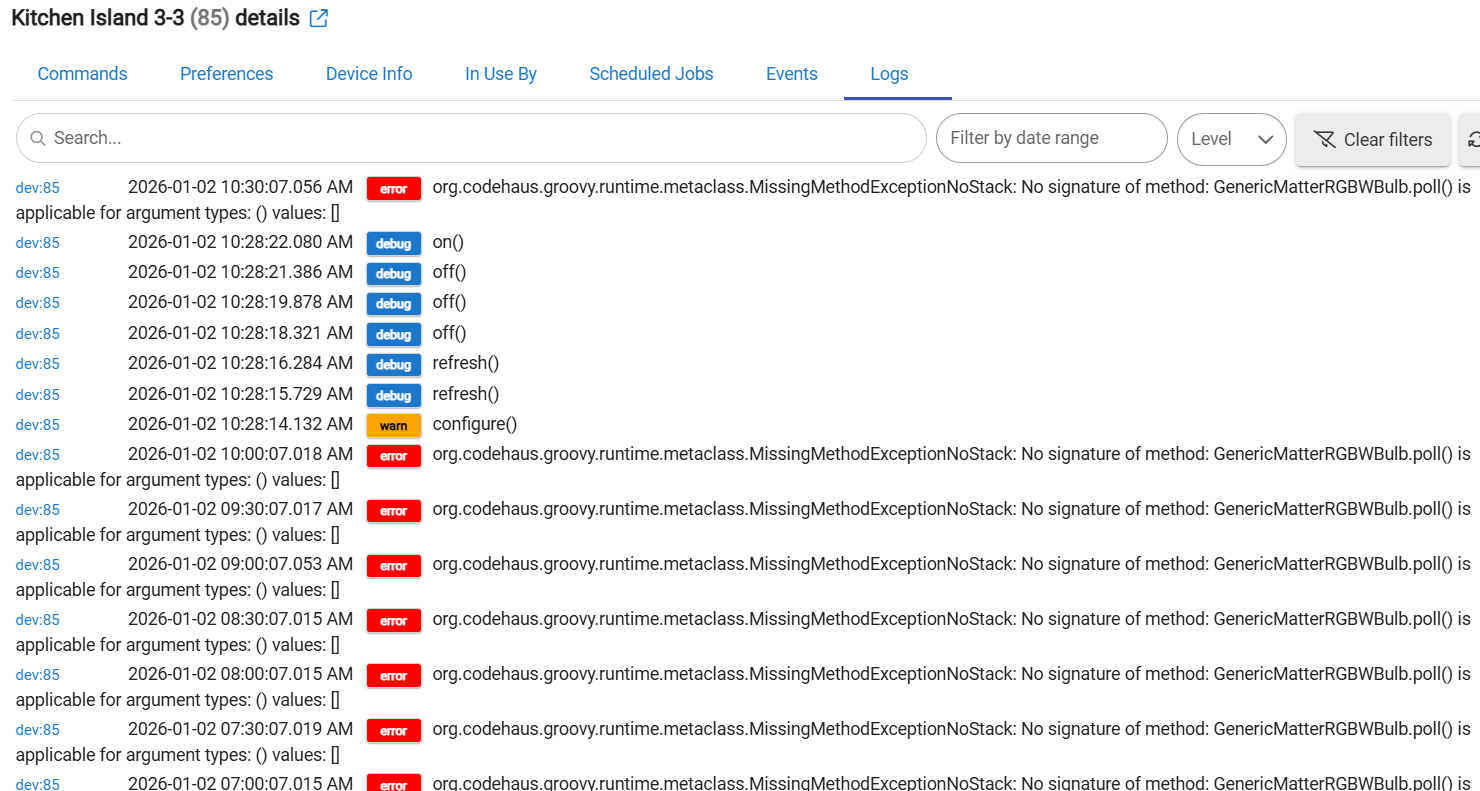
I checked the details for the bulbs that are not responding on Hubitat and the last activity at date was 12/19/2025 for all of them.
It does not seem like removing them from Hubitat and trying to copy the code from HomeKit again will work. Is my only option to factory reset the bulbs?
Here is a screenshot of the logs from one of them that is not responding to Hubitat
Sometimes, the only effective method to connect a non-responsive Matter device to HE is to perform a factory reset and go through the pairing and sharing procedures again.
If I do a factory reset should I commission them with Hubitat directly now that that feature is available? For the existing ones that are working is there something I should do to delete them on HomeKit and then re-enable them through Hubitat or does that not matter?
What I do in similar cases is to first remove the device from both HE and Apple Home, factory reset the device, pair it as a new device to Apple home, put it in pairing mode there and use the new QR code to pair it again to Hubitat.
Thanks!
For the ones that are working now they are available on Apple Home because I commissioned them with Apple Home but they are not configured in the HomeBridge Integration. Should I configure them in this manner or is that duplicate since they were commissioned in Apple Home?
Currently when someone turns on/off/changes any of them in Apple Home it does not show in the logs in HE. I suspect that this is a potential problem since the state of the device is getting out of sync if changed in Apple Home directly.
I use Apple Home for the UI and I have a few devices such as Velux Skylights that are configured in Apple Home but not in Hubitat. The rest of the family uses Apple Home and is happy that its simple and easy to use.
HomeKit Bridge app is for sharing devices from Hubitat to Apple Home (typically - Z-Wave or Zigbee devices, paired directly to HE).
For Matter devices initially paired to Apple Home, do not use the HomeKit bridge after pairing to HE, as it will create duplicates.
When a Matter device is connected to both Apple Home and Hubitat, any change to the device's state, such as turning it on or off from Apple Home, should be instantly reflected in Hubitat. Similarly, if you turn a Matter bulb or switch on or off from Hubitat, this change should automatically appear in Apple Home. This functionality is part of the 'multi-admin' feature of Matter.
1 Like
Thanks
It was frustrating to factory reset and redo almost all of them but I now have 12 of them that are all in a Group in Hubitat now working correctly individually either through Hubitat or Apple Home. And other group of 7. Both groups are then grouped to a single group with all 19 and through Hubitat I can use this device to change the state of all 19.
My question is can I use the HomeKit Bridge App to import this Group to HomeKit? I want my family members to be able to turn them on/off and dim them as a complete set.
Also back to where I started, all of these are wired in a single pole configuration to an Inovelli Blue Series in Smart Bulb Mode currently. Ideally I would like to set this up so that the wall switch will turn on/off the lights like a normal switch and truly ideally that the switch would function as a dimmer and dimmer the entire load just like they do for non-smart loads in other locations.
I have gone into the Automations section of Hubitat but I cannot seem to get it to action the down paddle to turn off. I could get them to turn on with the up paddle.
Thanks for all the help!
Nate
For the Blue setup, Inovelli has a unique button-mapping setup for their Gen3 switches... Whether you use Rule Machine, Button Controller (or whatever else) to set up the automations, you'll need to follow this button mapping.
I use Button Controller for programming automations for all of my Blues (and Zooz switches).
Since the switch is in Smart Bulb Mode (and direct binding/association is not possible in this case), every paddle action will need to be programmed -- on/off, dimming, multi-tap actions, etc.
I think I figured out the problem unfortunately it is not easily solvable, if the bulb loses power it no longer works with Hubitat at all. Factory reseting the bulb solves this but who wants to do that everytime there is a power outage.
These bulbs are the bulbs: Linkind Matter Smart Light Bulb
https://www.amazon.com/dp/B0BHS2JFZC?ref_=ppx_hzsearch_conn_dt_b_fed_asin_title_5&th=1
For the spare bulb I planned to use it in the corner of my office I did the factory reset and commissioned it with Apple Home then did the copy code to integrate with Hubitat. It worked fine then I unplugged it and took to my office and it was at first sluggish on Apple Home then finally worked fine but when I checked Hubitat it is not responding at all.
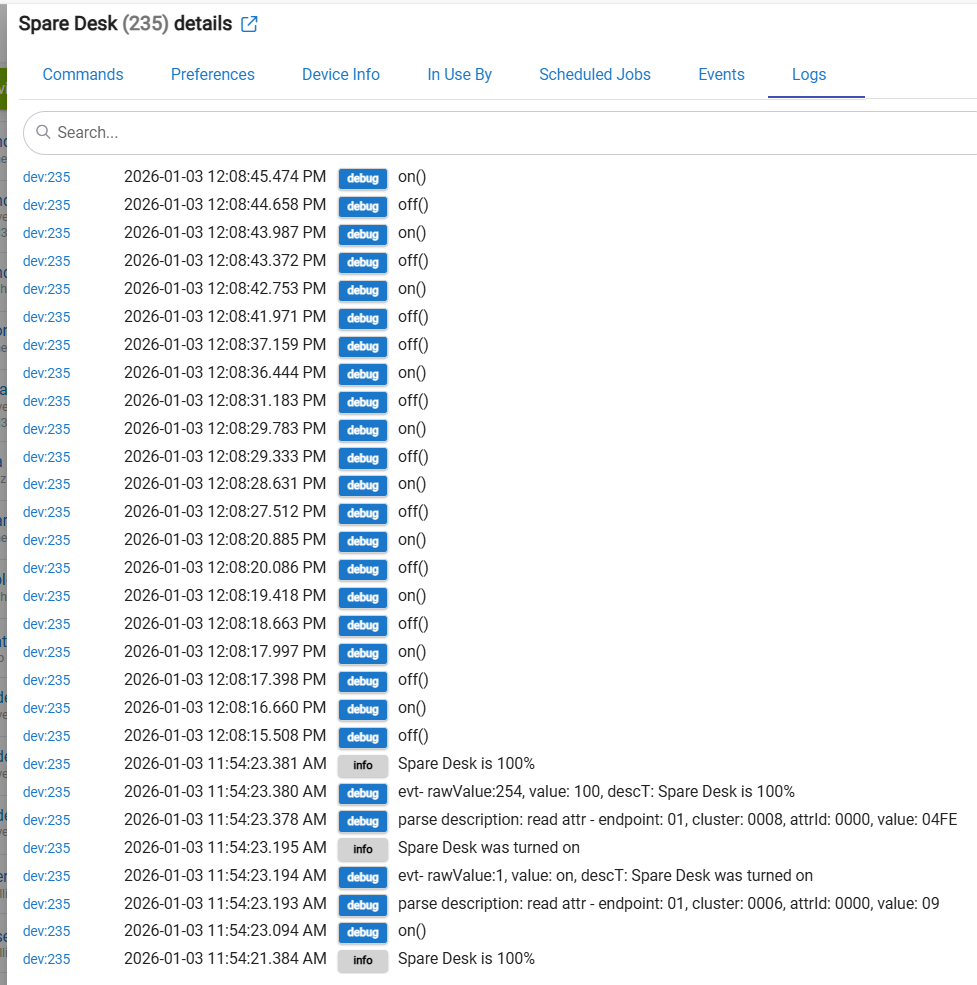
Here are the logs on Hubitat not exactly easy to interpret but it transitioned from working to just sending commands and not getting a response.
Enable the Debug logging. Then click on the Configure button. Any change?
I suppose that the bulb is controllable from Apple Home at the same time?
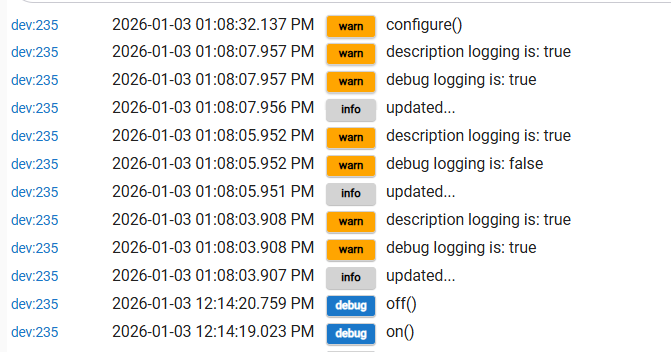
I had the logging on already but toggled it just to be sure.
Then I hit configure it just shows the command being sent and no response from my limited understanding of these logs.
This bulb is controllable with Apple Home. All the bulbs I had to take down and reset from up high were the same.
I tried calling the manufacturer through Amazon and no luck but they are too old to return.
I do have one behavoir I am not sure is normal in HE app on Iphone where it says Reconnecting to Hub everytime I open it even if it's been just a few minutes but I think its the bulbs not the HE.
The logs show that communication with the bulb over the Matter protocol is lost...
I suppose you have already tried rebooting your HE hub?
I am currently facing similar issues with some IKEA Matter over Thread devices I have been experimenting with lately..I was unable to pair the ALPSTUGA air quality monitor with several different hubs that have Thread Border Routers (TBRs), including IKEA's own DIRIGERA hub. The issue was resolved several hours later after I powered off my HomePod Mini !
At this time, I suspect that there is some kind of incompatibility due to the different versions of the Matter protocol being used across the various hubs.
The second suspicion is a problem/instability with my HomePod Mini's Wi-Fi connection to the LAN. I always prefer wired Ethernet connections, but this HomePod mini is an exception. I will keep this HomePod Mini powered off for the next couple of days.
I rebooted HE from my browser and now 4 of the pendant bulbs are not working through HE but still working through Apple Home. No power was lost to the bulbs in this process so I am beginning to suspect it's a Hubitat issue.
It seems that the issue is that if there is any interrupt or reset Hubitat communication is lost for good.
I do have HomePod Mini's but I thought that Apple Home does not use the Mini as a hub only the full size HomePods which I do not have or Apple TVs (I have 4 4k versions of).
I tried commissioning with Hubitat app on Iphone instead of Apple Home which really just skips the setup in Apple Home but uses the same process which is interesting. This process worked to get it up and running but as soon as I switched off power and on again its dead and unlike pair with Apple Home first it is truly inaccessible by any means.
Otherwise, these bulbs are basically useless with Hubitat and I need the Automation capability of Hubitat to get to work with the Switch. They are actually worse than the Kasa wifi non matter bulbs that I replaced with these.
If I can get through to the manufacturer I bet they are going to blame HE because they all work fine with Apple Home.
HomePods mini can be hubs (and thread border routers). In newer versions of iOS/HomeOS/iPadOS (18 or above I believe), you can see and optionally set which device is the main hub. In the Home app, go to the three dots upper right, home settings, scroll down to home hubs and bridges, and at the top you should see which apple devices can act as a home hub. Completely anecdotal experience, I've had really bad luck when a mini is the primary hub. I've been pretty stable when I have my AppleTV 4k (forget which version, but one that has a thread radio) as the primary hub.
1 Like