I will be moving to southern Arizona in about three weeks. It can get a bit warm there in summer, so, I would like to fit some sort of sensor to my mailbox to save going out only to find the postman has not been there yet.
What do I use? What are you folks fitting to your mailboxes to do this. A window or door contactor? A tilt sensor? What?
Where do I mount it? Won't the metal of the box more or less "ground" the signal?
The mailbox is just your standard post-mounted box like you see on most streets in America. They are mounted two to a post; one each for the house on either side of the street. Mine is across the way, so the signal would have to travel about 75 feet to the next device in the system. I am Z-Wave / Zigbee / Matter agnostic so pretty much open to anything. Oh, and, how do I set up a "BOOO-ahh" or other sound to go off? Is it something I can run up in rule machine or do I need to learn to code?
Here is mine, it is appx 200' from my house. Plastic box under post houses zwave ecolink contact sensor and works really well however battery life is shorter than any other device I have. I'm sure it's because of the distance. I do have a couple repeaters outside of the house.
This is a common question. Type of sensor (Z-Wave, Zigbee, WiFi, LoRa) depends on your enviroment and the mailbox distance from your hub or repeater/relay device.
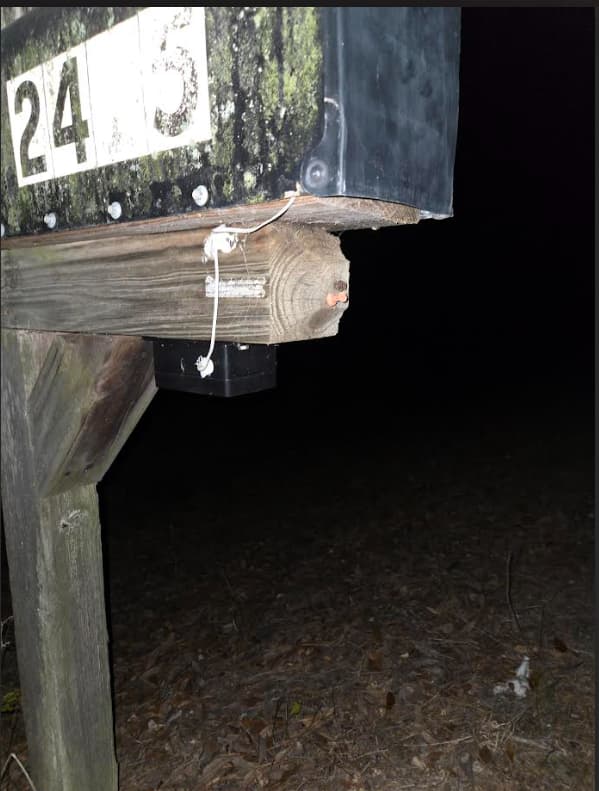
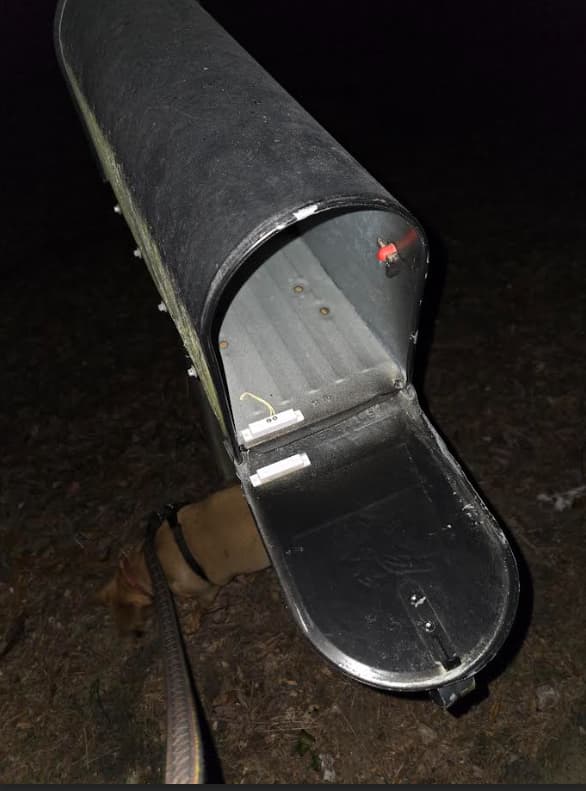
For distance, nothing competes with LoRa, not even Z-Wave Long Range. Of course LoRa is not a directly supported protocol by Hubitat, so I used a Device to Device connection between a Yolink LoRa motion sensor, and a Yolink LoRa Relay. When the relay contacts close, it signals a Zigbee button push, but you could use almost any Hubitat compatible input device for this, such as a Z-Wave or Zigbee contact sensor.
Most with mailboxes at their homes probably won't need the range of a Yolink LoRa sensor, but for those that have range issues, the LoRa contact sensor, motion sensor, or tilt sensor cannot be beat, and their D2D connection is completely local. One caviat to using the Yolink motion sensor for this purpose is that it only reports motion active. So when it's joined via D2D with their relay, it can either turn the relay ON or it can turn it OFF. It cannot do both. The answer is to configure their relay for "Pulse Mode", but to do that you have to have their hub. The contact sensor and tilt sensor do not have this requirement since they can be joined to turn the relay ON in one state, and turn it OFF in the other state (i.e. contacted/not contacted or tilted/not tilted.
For those needing the range of LoRa, and a rural type mailbox where the door tips out, the Yolink Garage Door kit has just what you need. Simply connect a Z-Wave or Zigbee button or contact sensor to the "sensor" contacts on the Yolink garage door relay. The Yolink relay included with the garage door kit is almost the same as the regular Yolink Relay, but it only has low voltage contacts, and is limited to a 5v DC supply voltage.
I use a contact sensor with the magnet mounted on the door. I have read that others use a motion sensor. That might work well since the sensor can be placed out of the way in the back of the box.
I tried a tilt sensor originally and found it did not work well, as the mailman would not always open the door far enough to get it to trip.
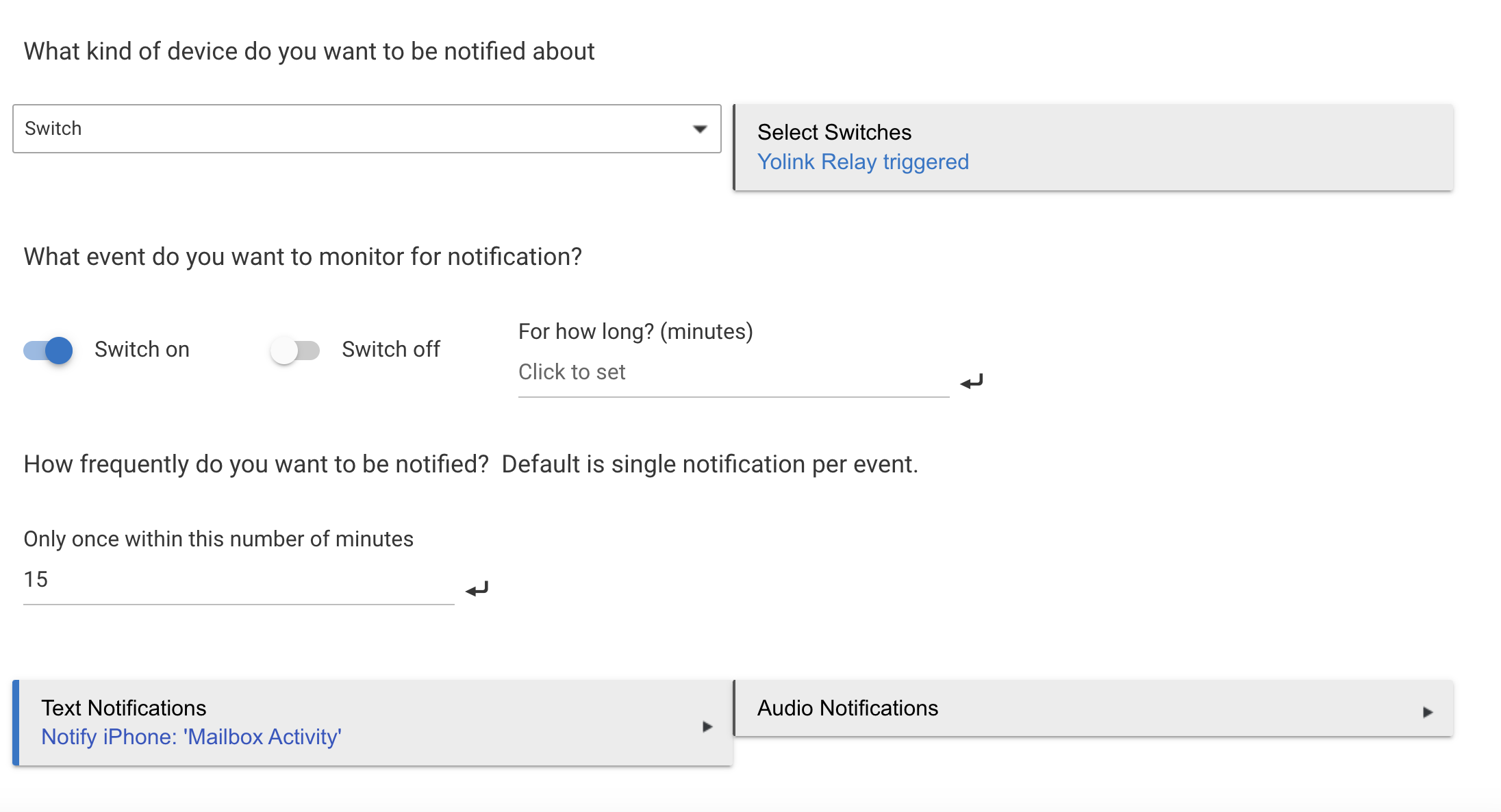
I'll add that if you use a motion sensor for this purpose, you may need to add restrictions to the notifications. This is easily done in the Hubitat Notifier app. For those with a mailbox at their home it's probably not an issue, but for my situation it is.
Our community mailboxes are in banks of three or four, with multiple mailboxes in each bank. When the postal worker has many letters or packages required in a single bank of boxes, they can open the entire face frame, exposing all the openings at once. In this situation, the mail carrier will be hanging out in front of my sensor for around 10-15 minutes, and that would cause multiple notifications, so they are restricted to no more than 1 notification every 15 minutes.