According to @bravenel, this is not the case with the RA2select. The occupancy can be paired to that bridge ...which is one of the reasons I'm considering the upgrade.
I thought that discussion was about Caseta? I would think it could pair to the RA2 systems.
So if I understand correctly, Caseta devices and Picos pair to the Smart Bridge Pro. Maestro, Picos, occupancy sensors, and a few other things pair with the RA2 Select Repeater. I believe the two systems are not interchangeable, but it shouldn't matter since HE can manage both systems. So if you want to use both, you need both bridges.
Components that work only with the Smart Bridge/Pro:
http://www.lutron.com/en-US/Products/Pages/SingleRoomControls/CasetaWireless/Components.aspx
Components that work only with the RA2 Select Repeater:
http://www.lutron.com/en-us/products/pages/wholehomesystems/ra2select/components.aspx
Caseta is marketed as a "single room" system, whereas RA2 Select is marketed as a "whole home" system.
Not true. Both RA2 Select and Caséta use the exact same mobile app with the same Room features. But, in their infinite marketing wisdom (or lack thereof), Lutron built a wall between these systems, enforced by software. The only thing that works with all of them are Picos. They would all work together but for these marketing decisions to disallow that so as to preserve their marketing channel distinctions. Very old world thinking.
Lutron is a family owned and controlled company with no bank debt, no real outside influence. They do things their way, like it or not.
1 Like
Thanks for clearing that up - I assume part of said marketing strategy is to make things intentionally confusing.
Expensive, but a lot of nice options with RA2 devices vs Caseta alone. HE sure makes it nice not to have to decide between the two.
2 Likes
For those considering RA2 with dimmers: my advice is to skip Select and go to Radio RA2 Essentials. One key difference is the ability to use multi-button keypads. The other big difference is more control of programming via PC software. To get Essentials it's a couple hundred $ more for the main repeater + connect bridge hardware (if you don't have a good local lighting store then check eBay) and a few hours of on-line education.
My general flow is to create a base lighting scene in the Lutron software. That keeps the base level lights working independent of Hubitat. Then in Hubitat, create a scene that 1) calls the Lutron scene, 2) adds non-Lutron devices to the mix. Lutron does not have very much automation or conditional programming available in the Radio RA2 software. Hubitat adds those capabilities.
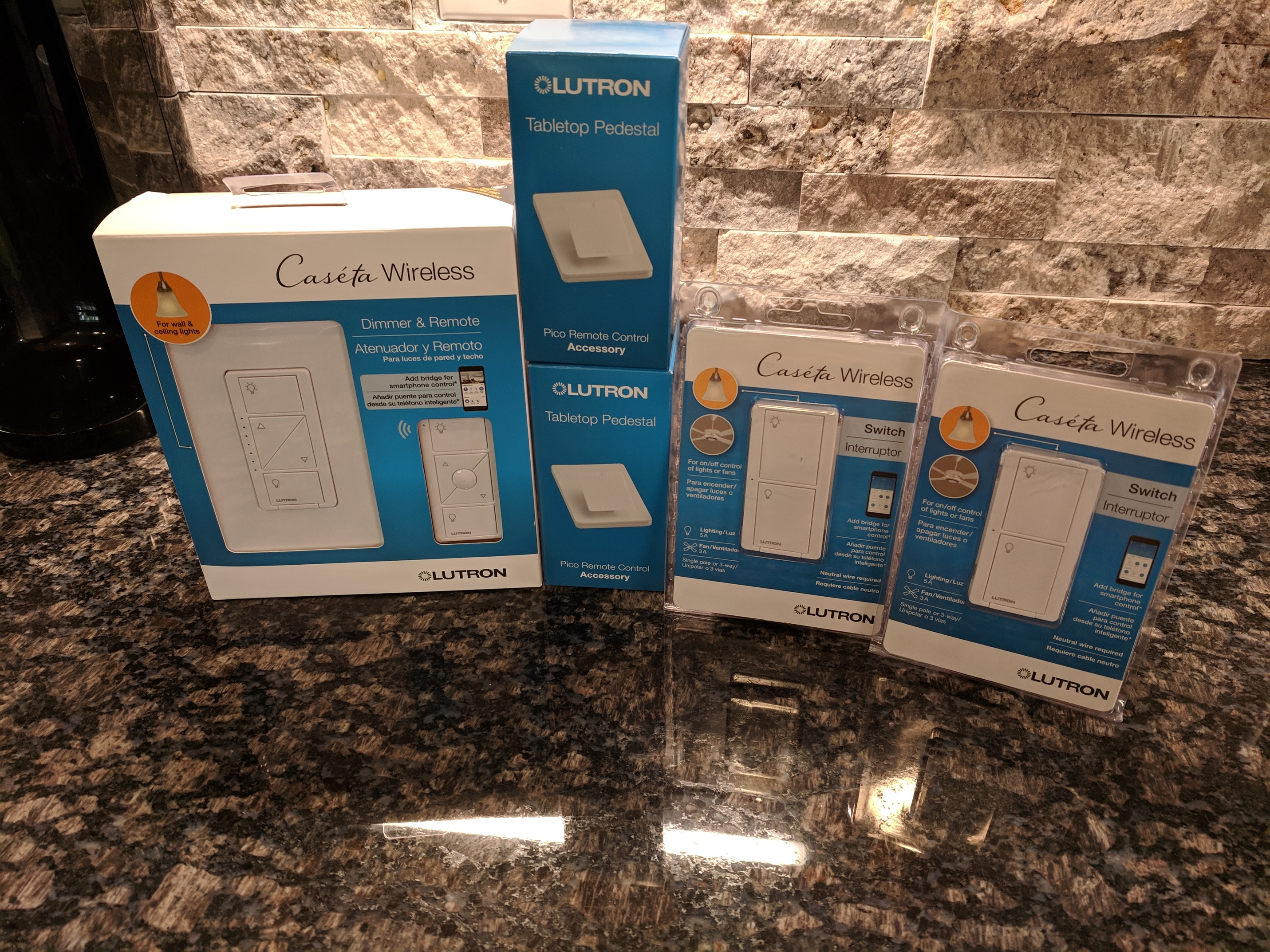
Oh boy, here we go. It always starts with one and next thing you know, you're pawning off your other electronics to feed your Caseta fix.
1 Like
So @destructure00, those Dimmers... Can they be configured to leave load always-powered and have them function basically as a powered remote? (ie: for bulbs that need to be always on)
Maybe, but I'm not sure why you'd want to. Better solution would be to make the light socket always hot, then put a Pico in a wall mount kit over top to cover it up. Cheaper, no configuration needed, no risk of cutting power to the socket, and you can pop the remote out of the wall mount and take it with you.
Please don't tell my wife 
1 Like
Right, I'm just thinking about those sweet LED level indicators 
If you've never had pico's before, your in for a treat!
1 Like
Ah, in that case I'd still wire the socket to be always hot, then just not connect a load to the dimmer. Not speaking from experience here, but I don't see why that wouldn't work.
First timer! I have a kit on the way from Amazon with the smart bridge and another dimmer/pico set, so this will give me 2 picos, 2 dimmers, and 2 switches to start off with. It's all downhill from here.
Then some day, you'll go a step farther and start thinking, "Maybe I should have gone with RA2 so I can use the occupancy sensors."
...i.e., me now.  (If someone told me they were even snappier than ZigBee sensors, I'd think about it even harder than the 10-year battery-life and ceiling-mountable-ness already makes me.)
2 Likes
Ah that would work. So then there'd need to be some way to sync the LED level indicators to accurately reflect the bulb's.
Yeah, probably a couple rules in RM, or I think I remember seeing a community app to keep 2 dimmers in sync.
1 Like
Home Depot’s prices on them are not that bad where I am at. I stood there quite awhile thinking out it too.
1 Like
The switches were $49 at HD, cheaper than Amazon's $54. Pico bases ($10) and dimmer/pico kit ($59) were same price HD and Amazon, so I figured why not.
LOL.
I'm actually on hold right NOW for Best Buy Magnolia (closest Lutron RA2 retail in my area) to get some info.
1 Like