I'm tracking when my Mom leaves home and want to be notified each hour that she is gone.
Currently I have a timer running every 15 mins and check then doing a check against the stored time_left and whether its exceeded the time ....so this is more of a polling approach....
I'm looking for how to do a trigger approach ...where the trigger is 60 mins or car returns but also resets for the next hour(s)
Hoping for some suggestions in case some one has tackled something similar
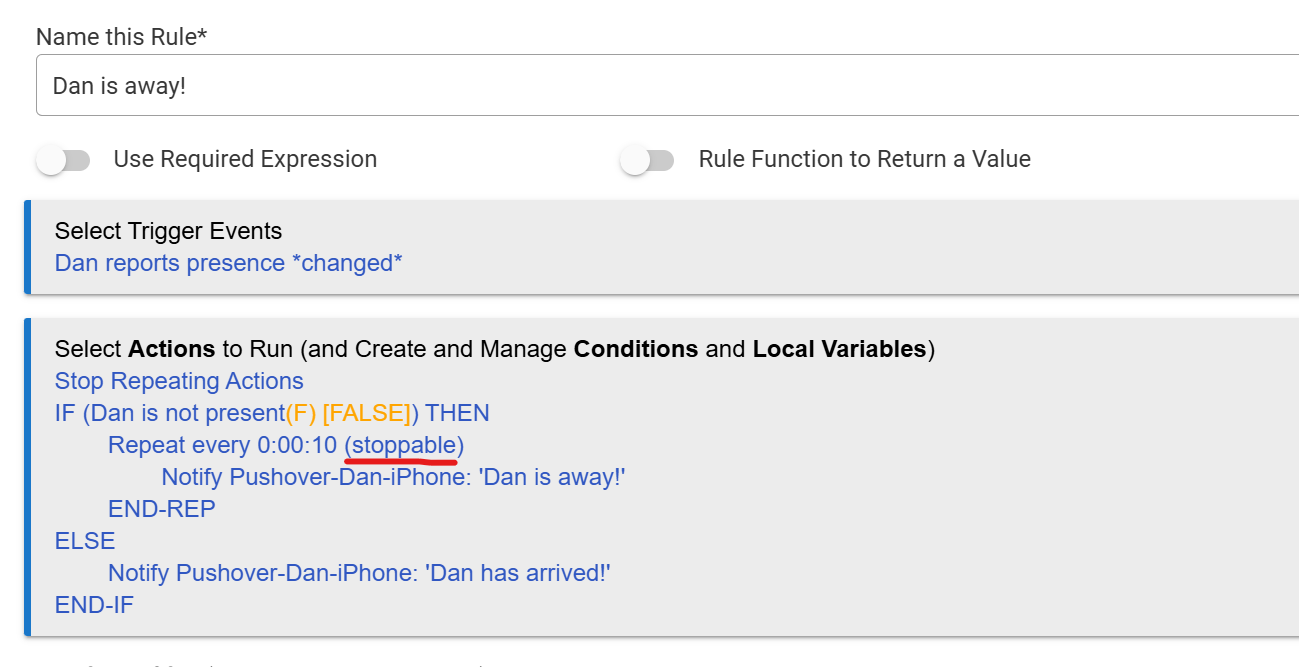
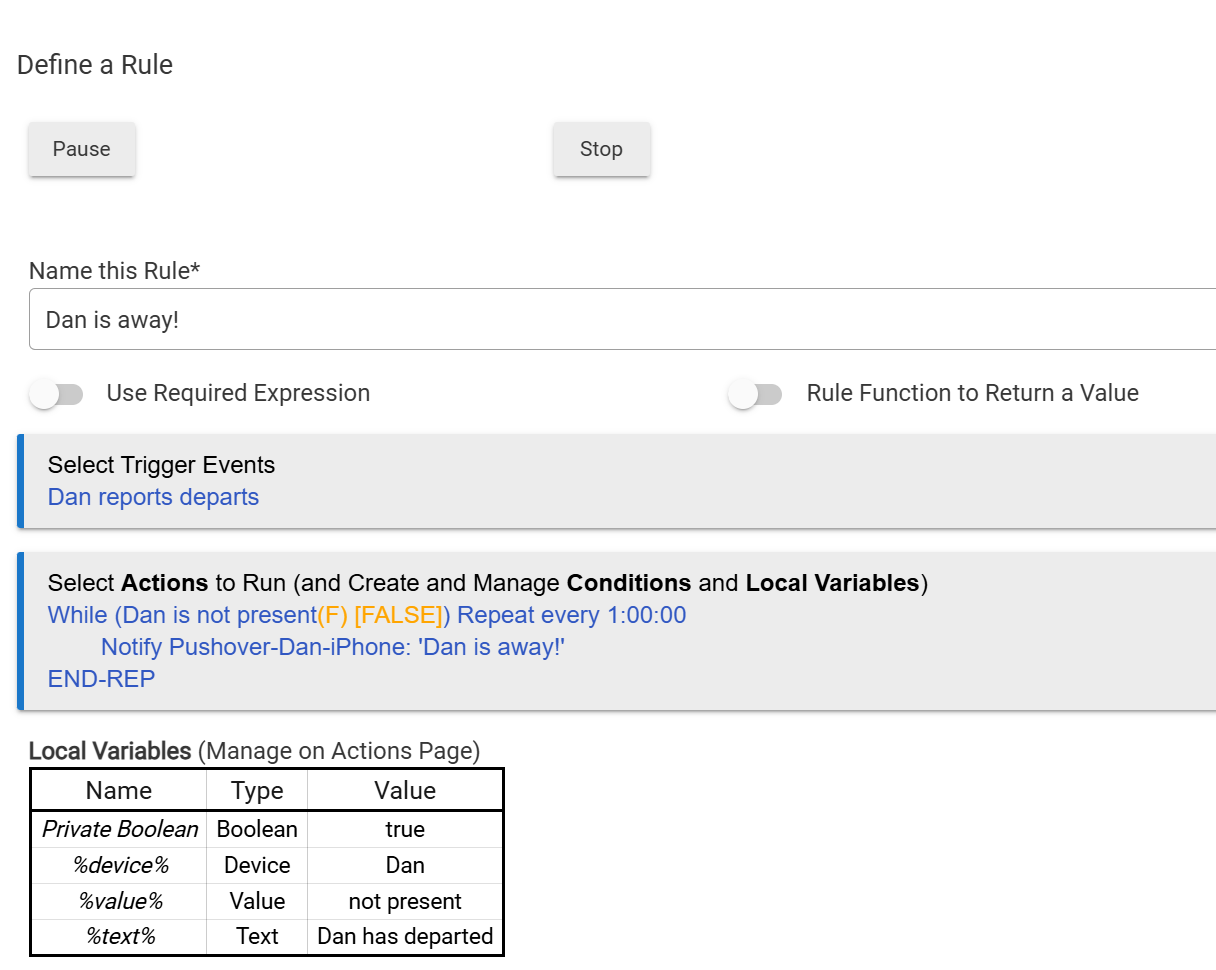
I just whipped up this example in Rule Machine that I believe meets your requirements. I tested it and it works successfully (Note: I used a 10 second repeat interval for testing, but changed it to 1 hour per your requirements.)
Wow, thanks! ...so as part of my webcore, i have a notify go out at the time the car leaves and also when car comes back with a "car returned after 2 hours 34 mins" message ...then had the part about repeated messages for each hour gone....so my question is if I switched to rules machine.... do i take your rule and create 2 more rules, 1 for when car leaves and 1 for when car comes back ? ...I can't incorporate that all in a single rules machine right? Thx again for the amazing help.
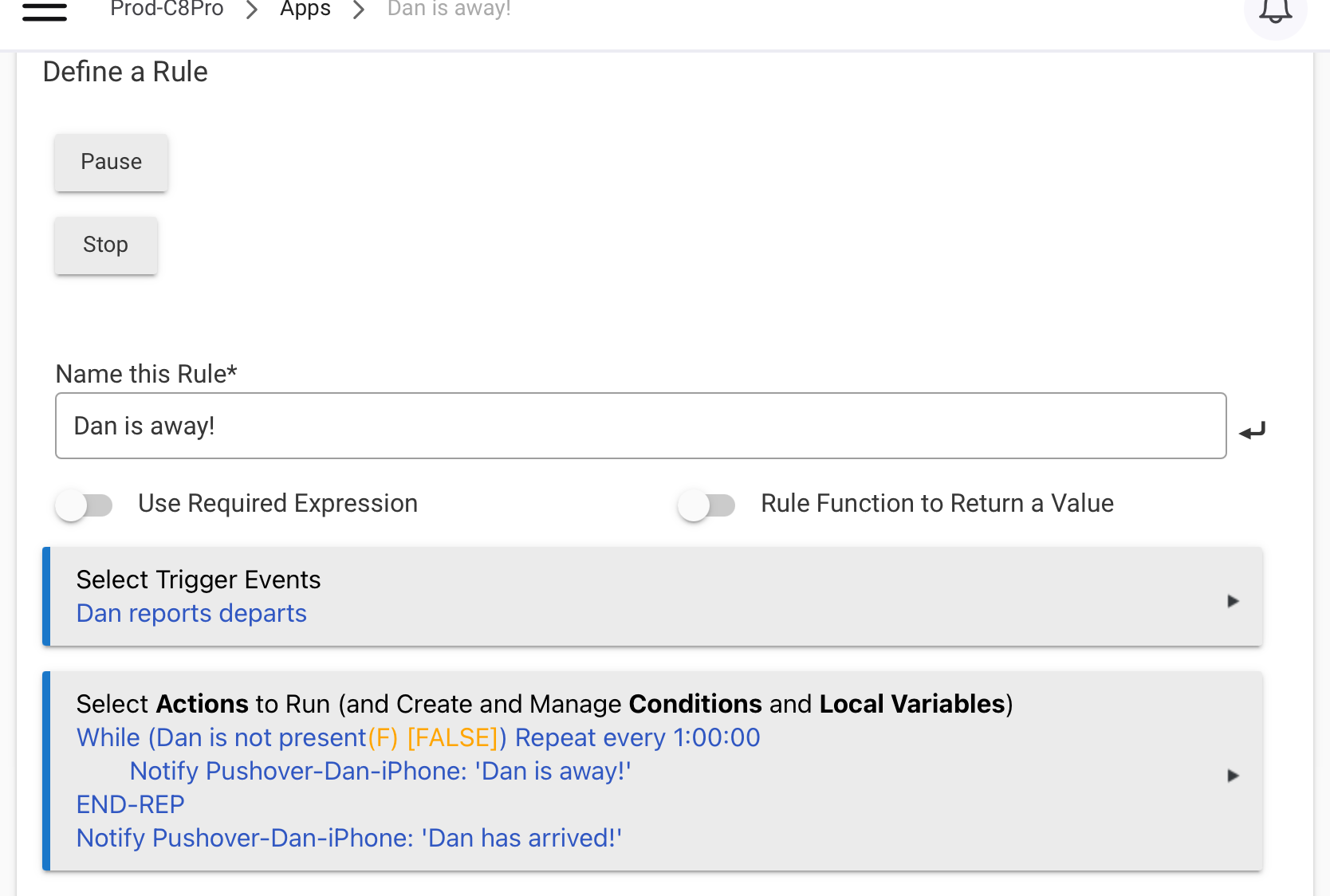
When the car leaves, you will get a notification immediately with the rule I posted above. And the again every 60 minutes, until the car arrives home. To add another notification that the car is back, simply add one more action at the end of the existing actions, after the EndRep. That new action would be to send a notification that the car has arrived.
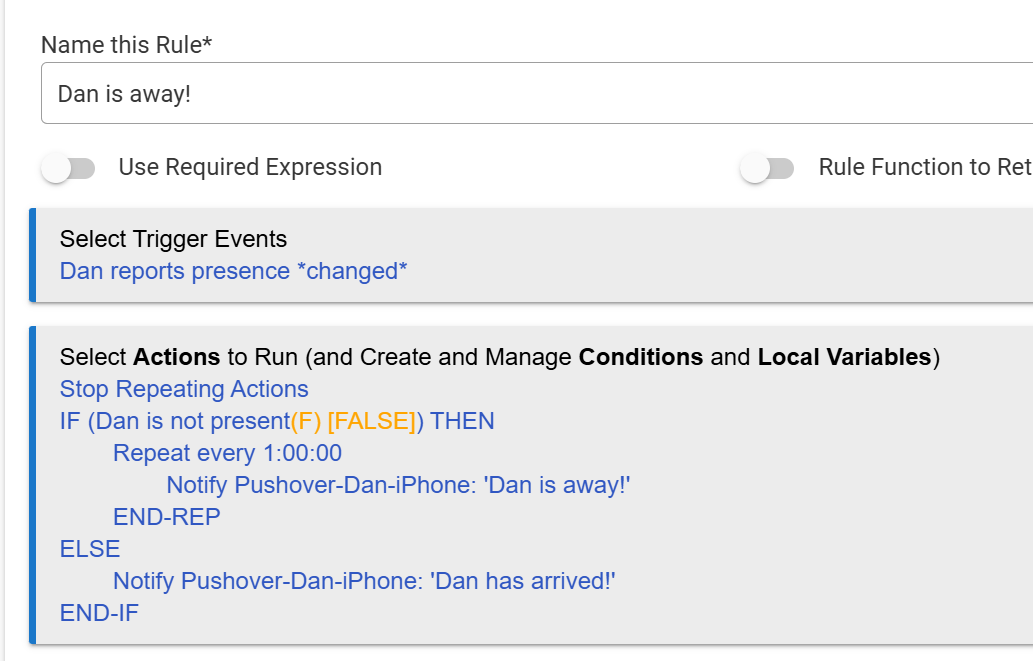
It can be done with one rule by using the opposite trigger (Dan arrives) and nesting the While Expression within an IF-Else. It's a bit messy, but would look something like:
Triggers
Dan departs
Dan arrives
Actions
Cancel Rule Timers: this rule (need this to cancel the away notification)
If Dan departs,
While (Dan is not present) Repeat every 1:00:00
Notify message of away
End-Rep
Else
Notify message of arrival
End-If
Basically, when the departure happens, the rule will notify of person being away and repeat every hour. When the person arrives home, the Cancel Rule Timers wipes out the previous notification. Because the person is home, the rule then skips the IF and moves to the ELSE. This then sends the notification that the person is home.
I am blown away by how many genius's are on this forum.. thanks for the suggestions I will be trying them to get more educated then pick one.. thanks again !!
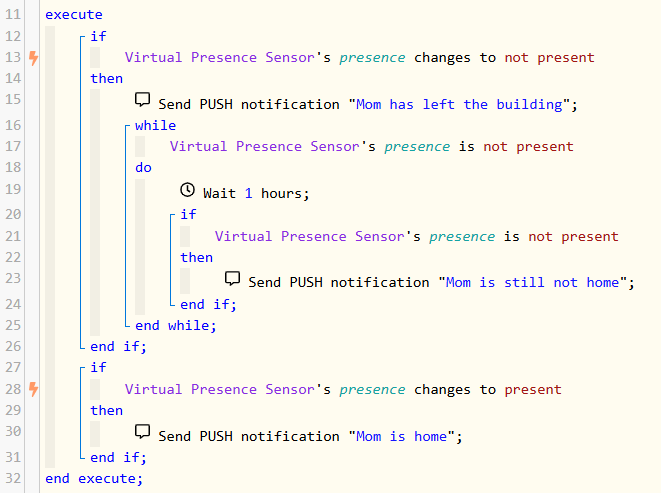
Webcore sets a scheduled job for waits, so it will schedule a job to send that notification, that triggers in the next hour regardless. If mom gets home in the next 15 minutes, that job it scheduled remains, and it will still notify that she is not home after the hour is up even when she is now home. That IF makes sure that if she is now home when the job fires, it will not notify you again that she is not home.
sorry for so many questions .....so does it only drop out of the wait when that hour expires? and when it hits the hour wait ..would it not evaluate the wait and drop out before the if check or after ?
Thanks again for your time!
It is a while loop, so every hour it will check presence again when it reenters the loop, to determine if it should loop again. Each loop takes the 1 hour wait time to complete a loop. It will drop out of the loop only when presence is now not present when the loop restarts after each hour wait.
The check for presence at the end will always report when when the presence changes back to present, so that statement is not part of the loop, it is just to get the instant report that mom is home exactly when it happens.
So as I said, if the while loop is still running when she gets home, it will do the last check of presence when the 1 hour wait task fires, but it not report it that last time because of the if. Then it will not restart the while loop because she is now home, so that is when it drops out of the loop.
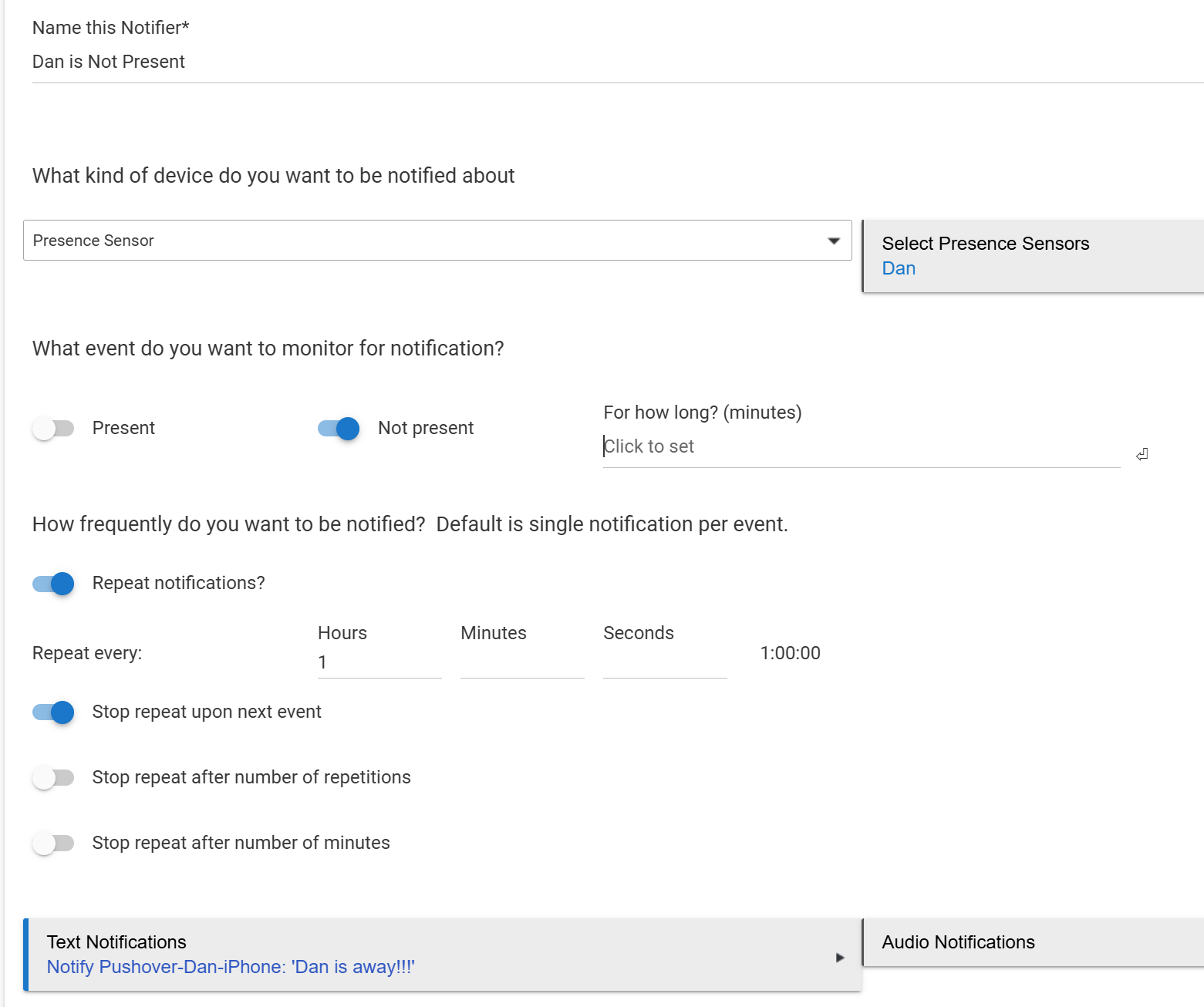
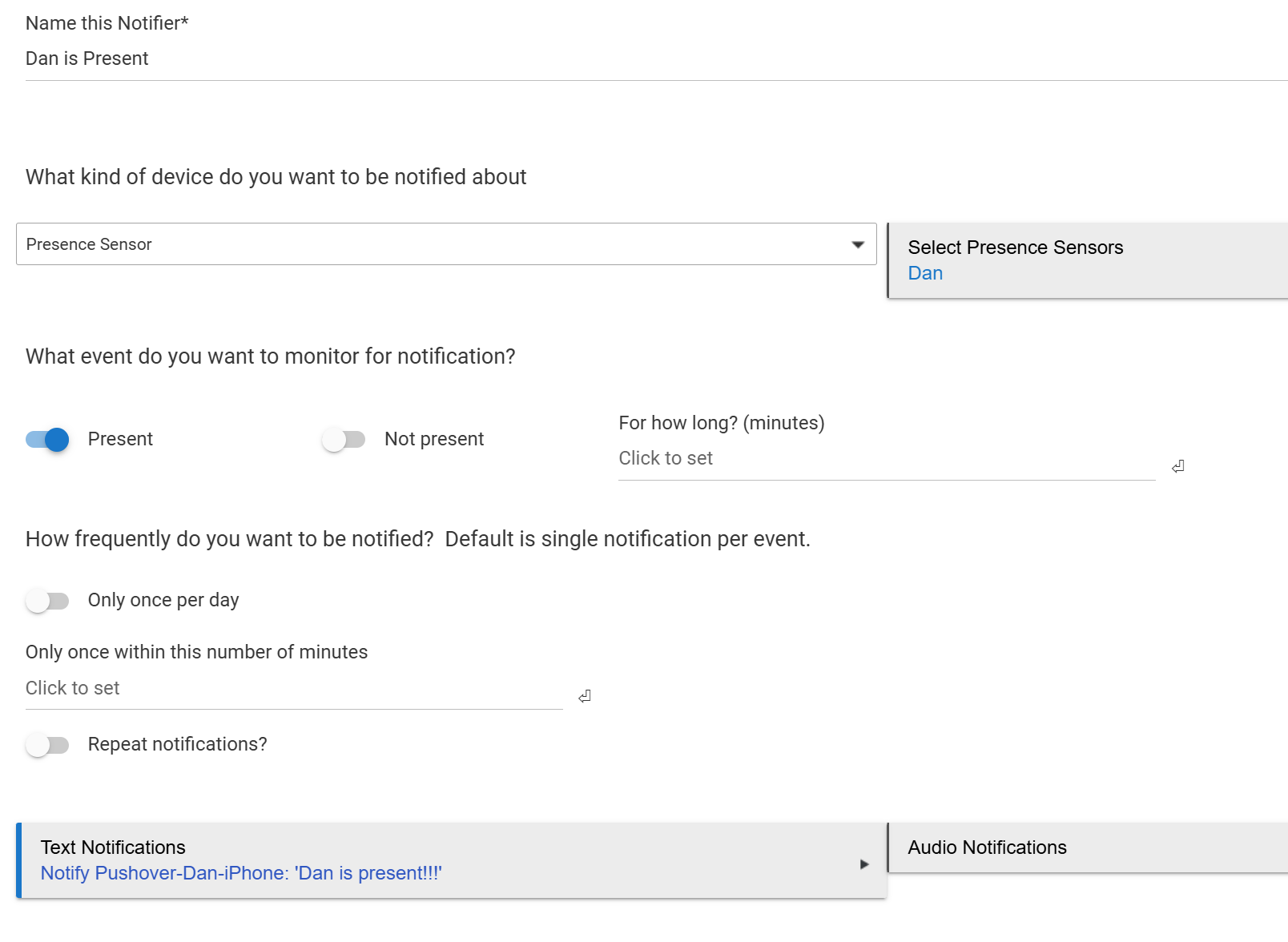
@tim.ocallag - there is another very simple way to accomplish this. Simply use Hubitat's built-in "Notifications" app on the hub. Simply create two "Notifier" instances as shown below.
For departure (note the repeating feature is enabled)
I use this type of Notifier to let me know when we forget to close the garage doors. I have it nag us (repeating notifications) every 30 minutes, until the door is closed.

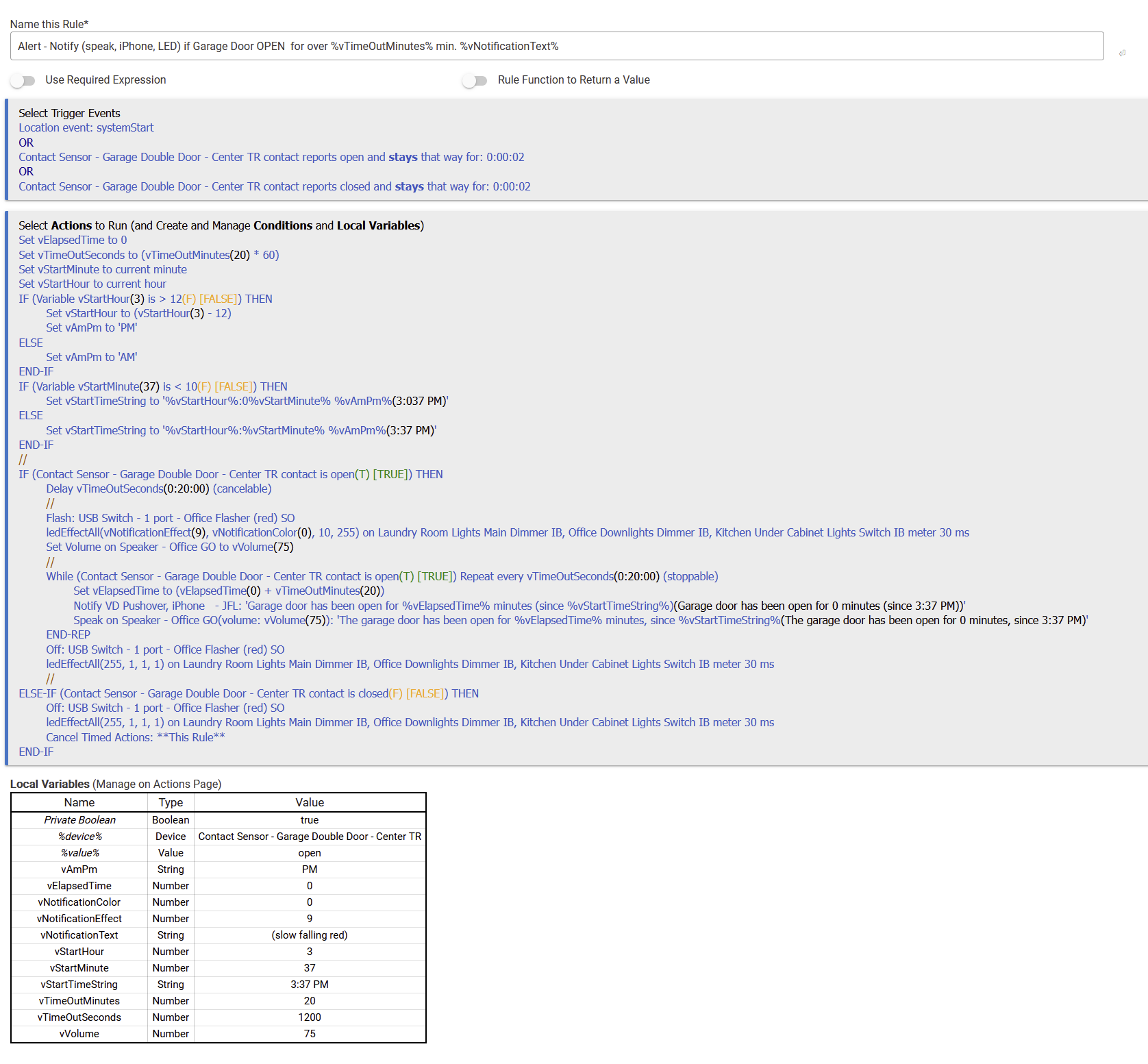
 Needed to make the repeat 'Stoppable', of course!