ok, so I thought i would input 'code #3' instead of a name, and it worked. wow, although would like to substitute a name, especially that we will be starting an AirBnB soon.
yes
ok, it is set to moderate
i also found out if I click somewhere else in the window, it 'takes' then pops up a tab to click. I just added another code, yaay me. but I would like t change these to an actual name for easier identifying
Click on a code and then you can change the name. Then click done and I think it will save. Are you trying to use any special or non-English characters or something? Try something short and basic.
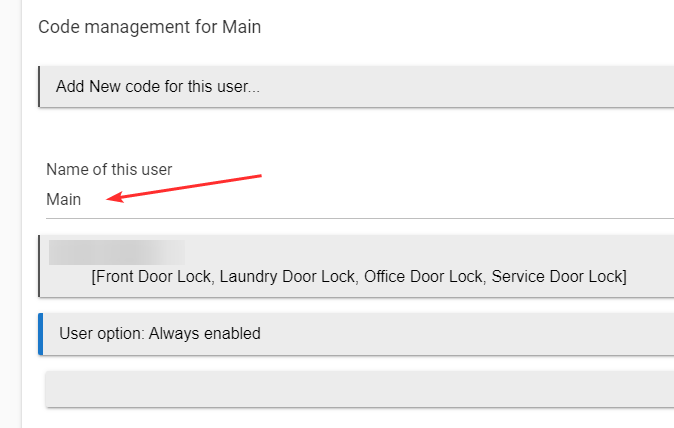
Yes, you have found the single most infuriating UI issue for new Hubitat users.
I sooooo wish Hubitat would fix this. I also almost returned the d--- thing when I ran into that issue, so I feel your pain.
@bobbyD PLEEEASE???
I also almost posted to warn you of it, but then went into LCM to add a (in my case 5th) code, and it seemed that LCM did not have that problem, so I did not want to confuse you. Sorry about that.
Bottom line: If you get to a window with no seemingly way to move forward, just click somewhere in the white space, and the "Done" or "Next" or whatever button will show up. The problem is you get so used to doing this that you forget it is even an issue. I suspect that may be what has happened to the HE programmers...
Oh yeah I did not realize that was what he was saying. They started adding little save / enter icons next to the blanks in the UI in many places. For apps I think it would have to be added specifically to the app. Its actually a trick to make people click on it with the mouse, which gets you out of the box so it saves! The icon does not actually do anything other than entice you to click somewhere else.
Ok, but it's terrible UI design and confuses new users.
I love my Hubitat but this one issue got me VERY close to giving up on it during the first 3 months....
Yeah agreed it is very confusing that you have to click out of the box for it to recognize that you have filled it in. If you ever coded your own app you would see how it is engrained into the core design of the platform. It might be a bit of a challenge to get away from it now unless they add some javascript magic to the core of the UI to get around it.
Thank you all for assisting & coming to the resuce. It is appreciated.
Hello again, I am trying to program a new code and have consistently receive 'failed' messages. Any ideas?
What does it show in the logs?
Did you put codes into the lock before putting it into LCM?
Hi, no, I did it directly on the LCM on my desk-top
A screenshot of the exact error from the app and/or logs would be the most helpful.
Enable all logging on the LCM app and the lock device page, and try to program the codes again. Then post a screen shot (not a text capture) of the logs from the app/lock.
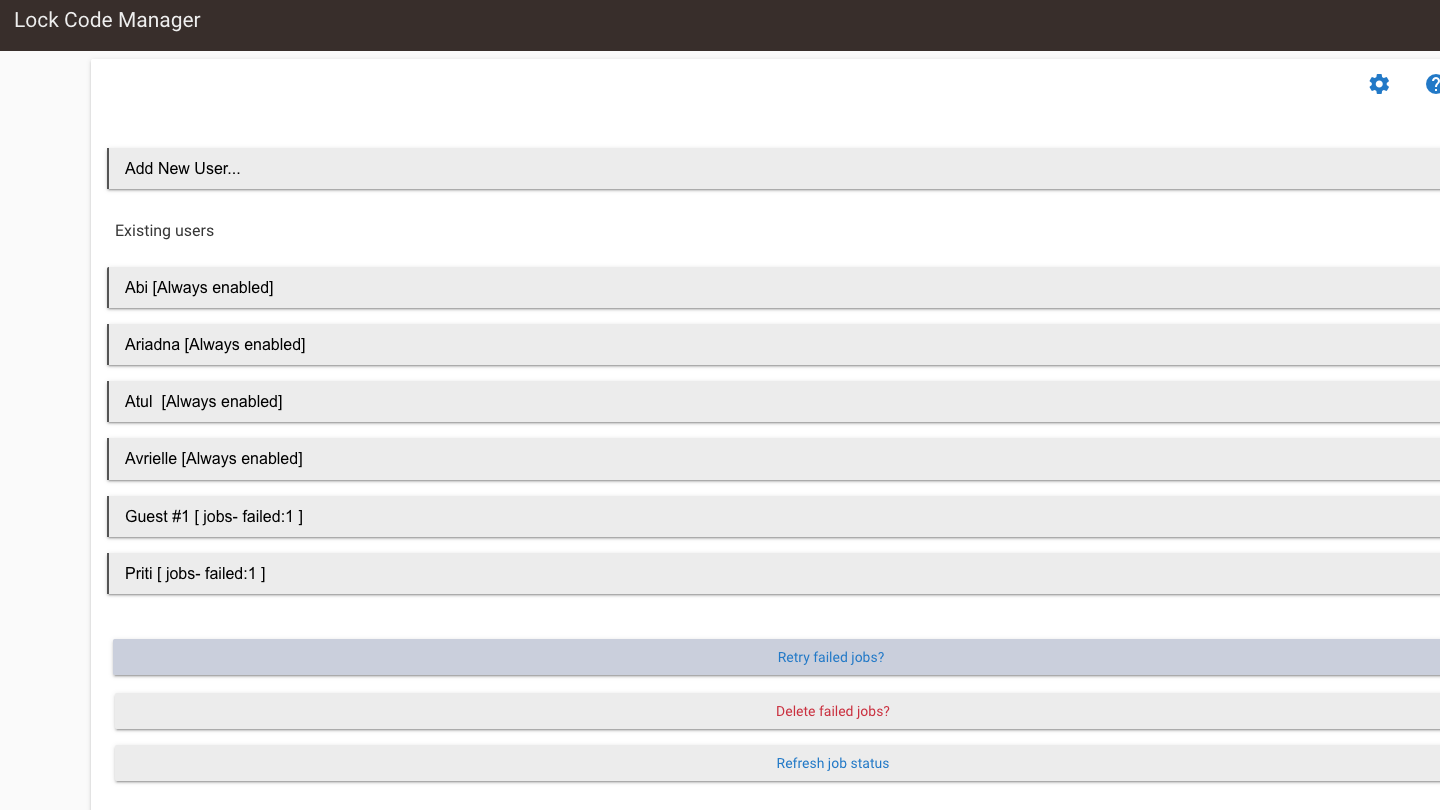
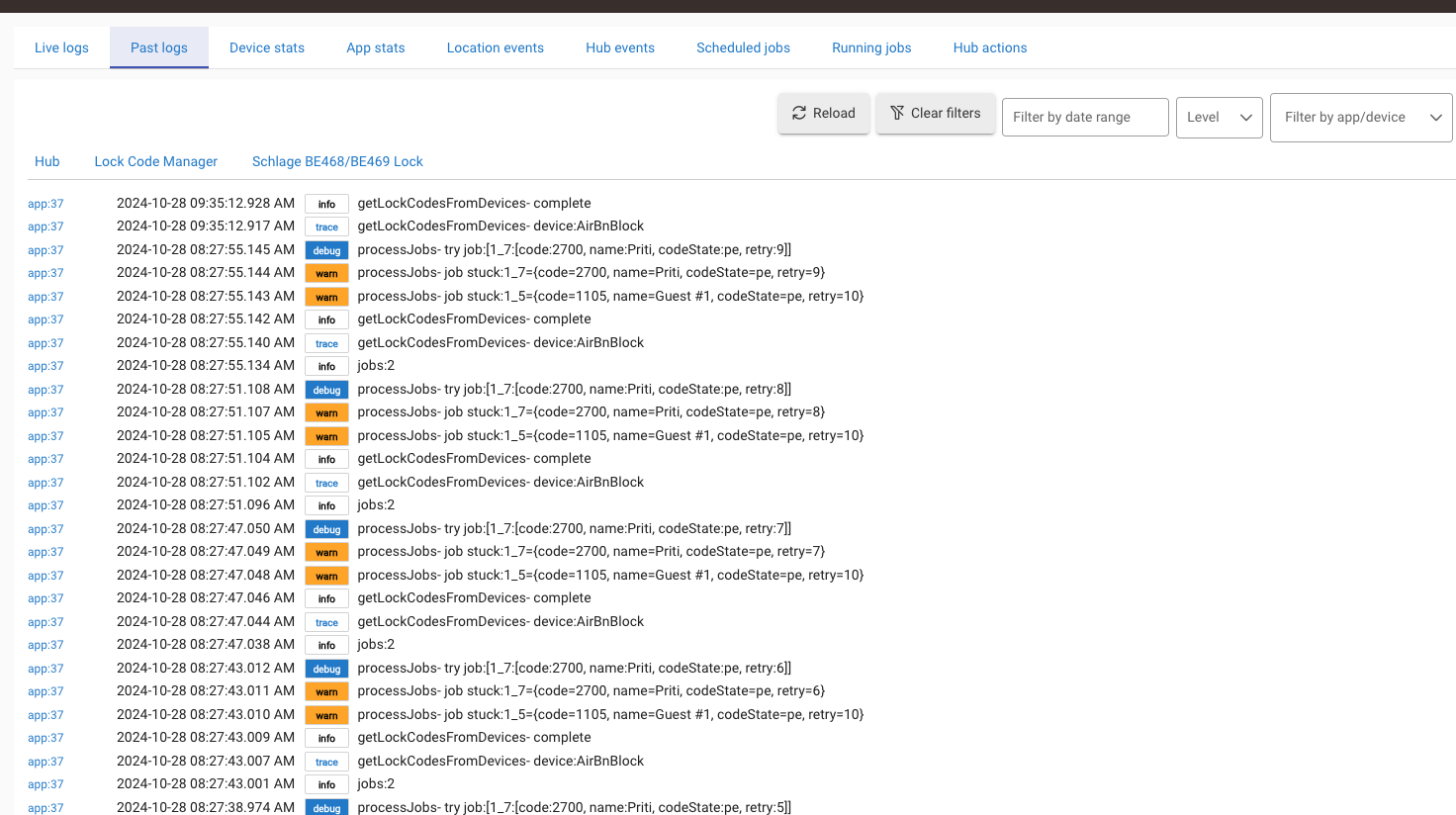
If you look at the lock(s) device page, does it show the codes?
Turn on debug logging for the lock also. If you already have it on and thats all he logs then it looks like the lock is not responding.
In the Device page, "Current States" it shows all 4 names & Codes that worked.
In State Variables* fetchCode : 11 * codeFetchComplete : 0 all status 'A' that failed