I used to run a local Webcore IDE on a raspi but this has since died. I noted the topic found at WebCore Running Locally! which includes info for a docker image. I have a qnap nas so thought I'd set this up to be able to keep everything local again after using the online version for a while.
I can login to the ide using a web browser and my pistons are all loaded but when I try and edit a piston clicking an entry point doesn't do anything, I cannot add or change anything.
Is this due to the version of the IDE being older and no longer compatible with my pistons and if so is there an up to date docker image of the webcore ide anywhere?
Or is this another problem not related to versions?
Thanks for any help anyone can give.
I've never really cared that the editor is in the cloud, it does not have anything to do with the processing of automations on the hub. Have I ever needed to edit a piston when the internet was down? Not that I can ever remember.
Personally, I like the cloud access to the editor, no remote admin needed to change things remotely if needed.
Same here for several years.
Me too.
I used to run locally to a RPi but I screwed the RPi and didn't need to replace it.
Whilst I am happy for you all being happy using the cloud instance it doesn't really help me. Rather than everyone telling me they are happy to use the cloud version I would really like to get this working if anyone can help.
Many thanks.
@darren.rockach I have run a local WeCoRE editor as both a native app and as a docker container. Both are very straight forward. My initial guess based on your description is that you might need to "re-register" your browser if you have a new WebCore IDE.
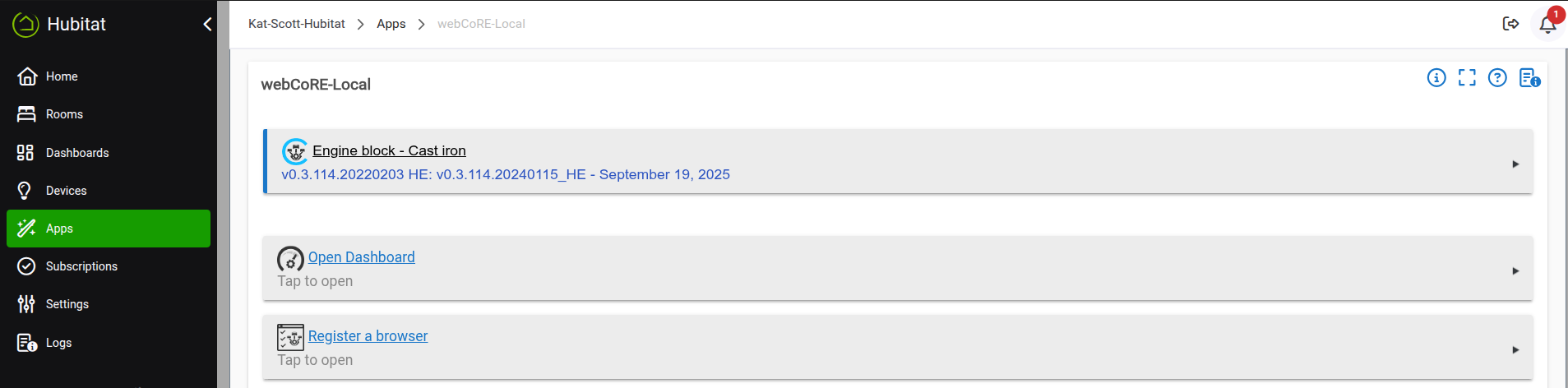
Thank you. I've done that already though aswell as clearing histories etc in both the webcore settings and browsers. I can load the pistons, I just can't edit them, when I click an entry point I don't get any options.
Maybe provide a screenshot showing how you can't edit them. Here's the key point. All pistons are always stored on the hub. That's why webcore pistons work even when your ISP connection is down. All this code does is make the actual webcore editor to edit your pistons local to your Home Lab. So, technically once you register your browser, you should be able to edit your pistons.
The other thing I can think of is that you might have specified the address of your webcore editor to be https.
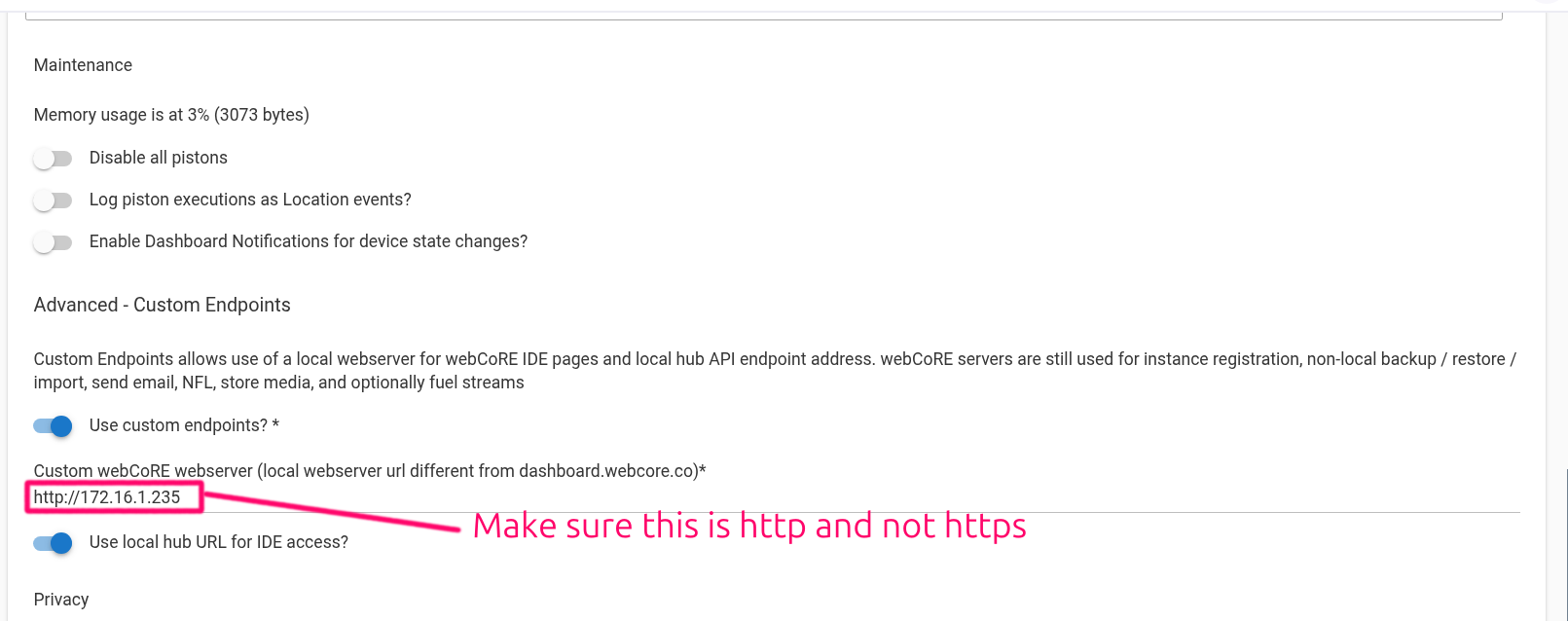
Thanks, I have specified https in the webcore settings as the docker image seems to be set to port 443. There is a way to change it in the qnap container import settings but it doesn't seem to actually work. I'll have a play to see if I can resolve that as that seems to be a likely candidate then.
What does the use local webcore url for access do, should I enable that option too?
Many thanks.