I have 3 outside lights that are scheduled to go off at 6:45 am. Recently they go off at different times. Sometimes 3:00 am or 4:10 there is no pattern. How do I troubleshoot?
Ensure Alexa's "Hunches" feature to totally off/disabled.
2 Likes


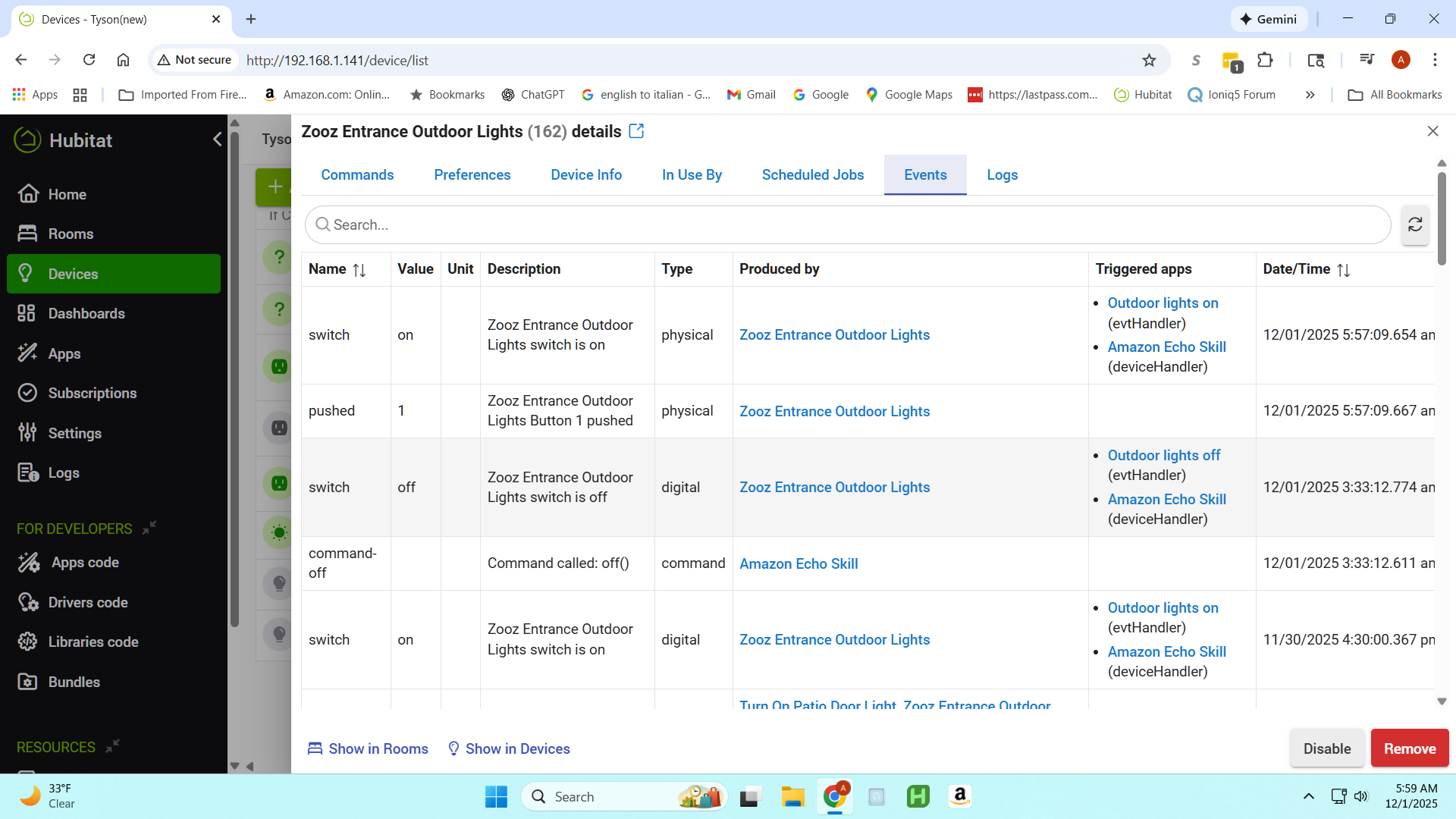
Was this (3:33 AM) one of the unexpected times? If so, it's 100% Alexa -- that's the app in the "Produced by" column, meaning it's the app that sent the command (and this is a command, not an event; the "triggered apps" for events can be interesting, but Alexa there isn't since it needs to listen for these to update the status in the mobile app, trigger Alexa Routines, etc., but it doesn't mean anything happened).
So, either Alexa Hunches or someone yelling "Alexa, turn off Zooz Entrance Outdoor Lights" in the middle of the night (or an Alexa Routine you have set up, perhaps at the suggestion of Hunches, to do the same). Either is possible, but I'd guess the former is far more common if you don't know. 
2 Likes
I turned off Hunches . Hope this is it. Thanks
2 Likes
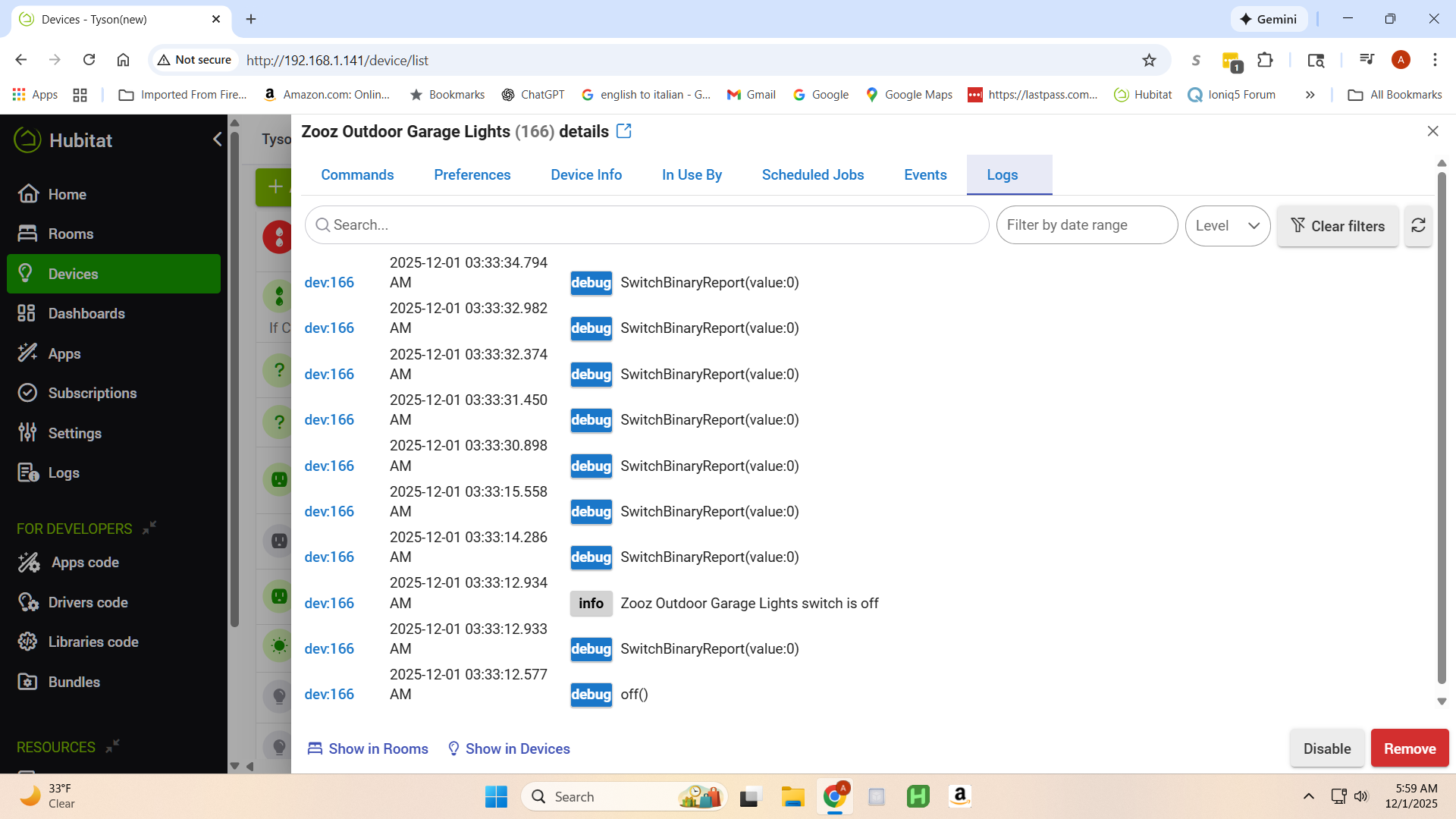
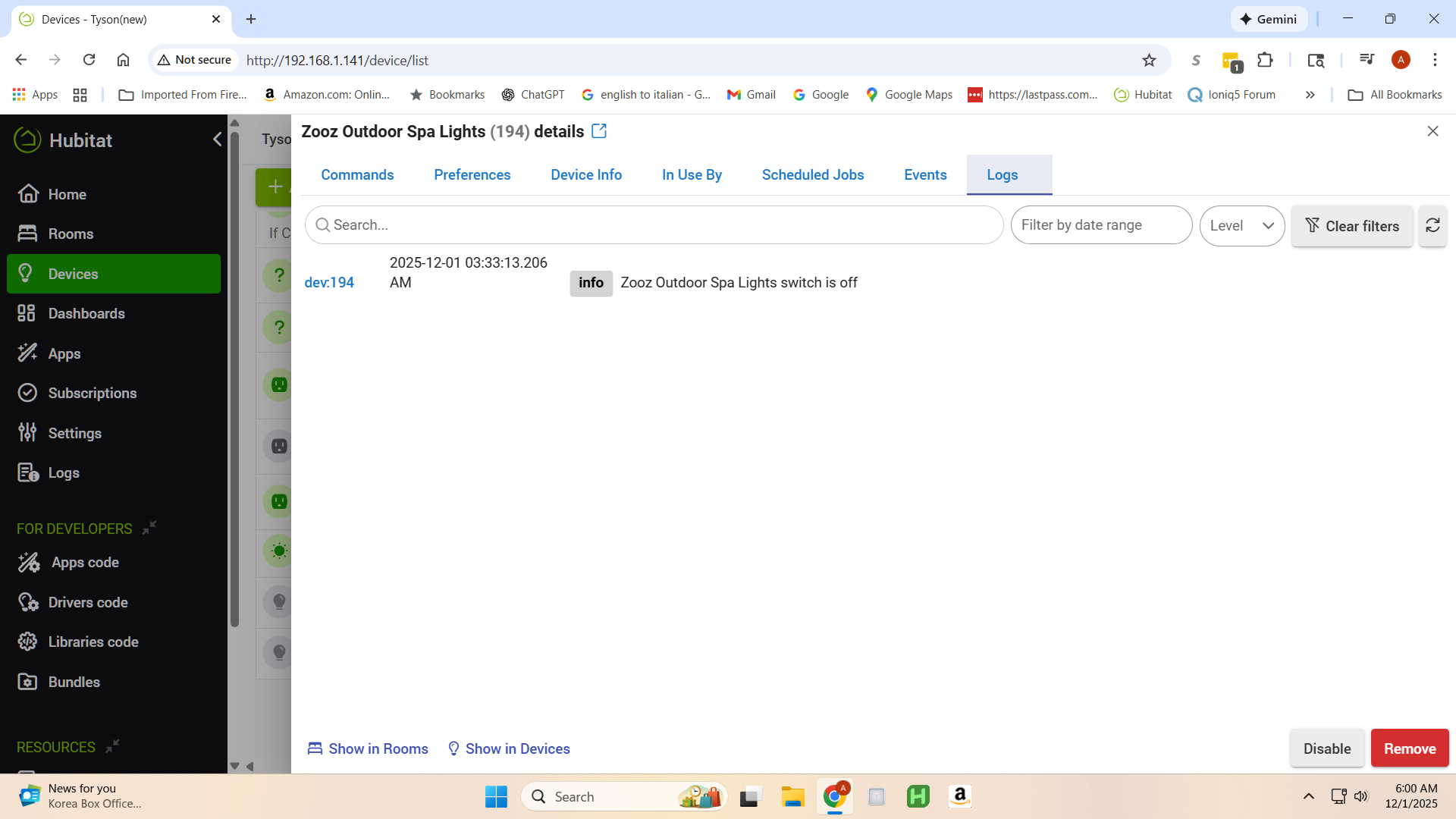
Hunches didn't fix it. Lights went off at 3:17 am and they are programmed for 6:45 am. All 3 lights which have there own Zooz switch. The other two logs just shows lights going off with no errors like the screenshot.
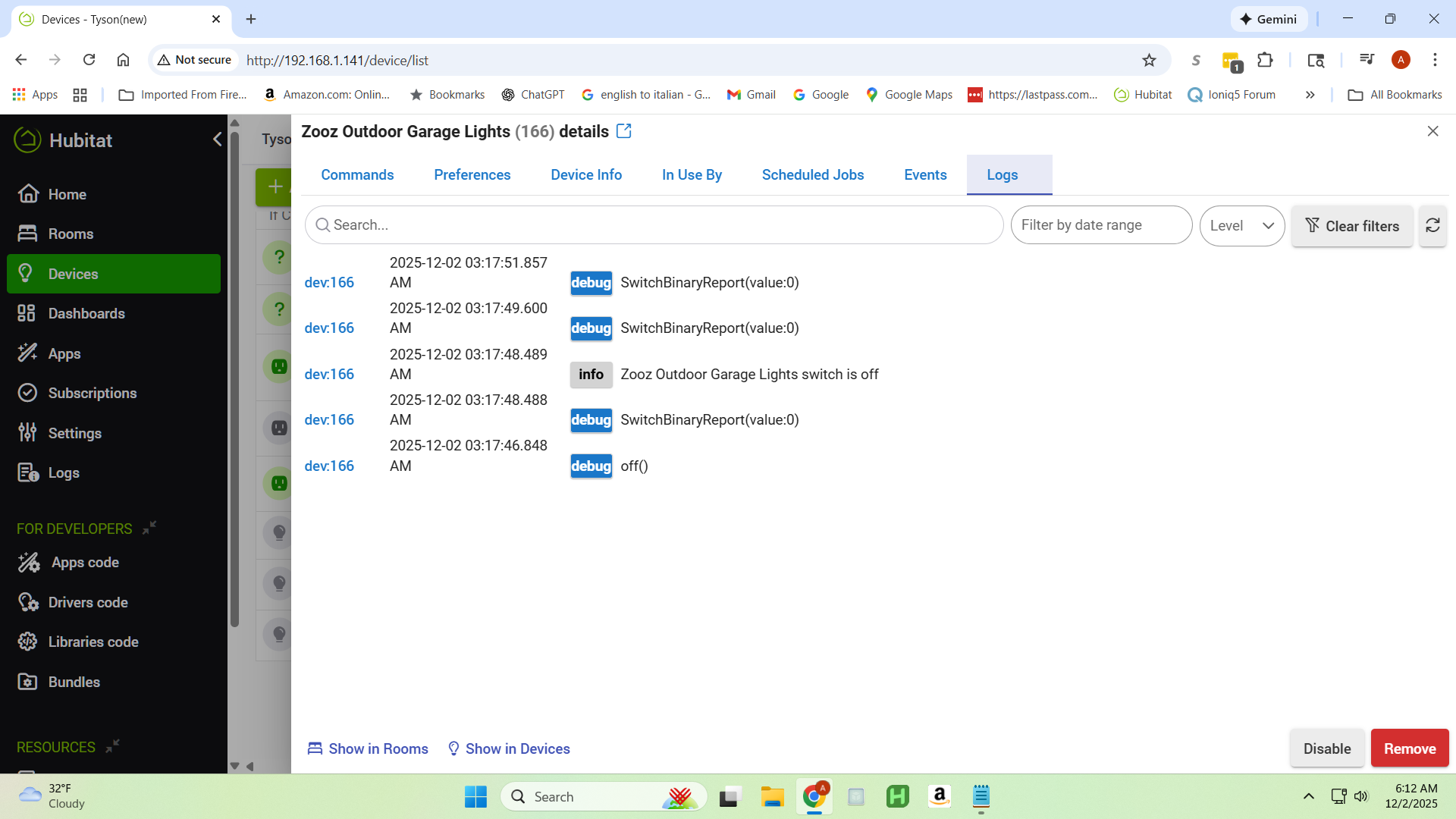
Get us a screenshot of the Events tab from the lights. If it is still showing alexa there (like before), then Alexa is what cut off the lights. If you turned off hunches, do you have multiple Alexa accounts at the house and possibly turned it off on the wrong account?
The events tab will show what app, etc. turned off the device. In the prior instances, it was either Alexa Hunches, An Alexa Routine that someone made (in the Alexa app) or as someone else said, someone telling alexa to turn off the lights.
1 Like
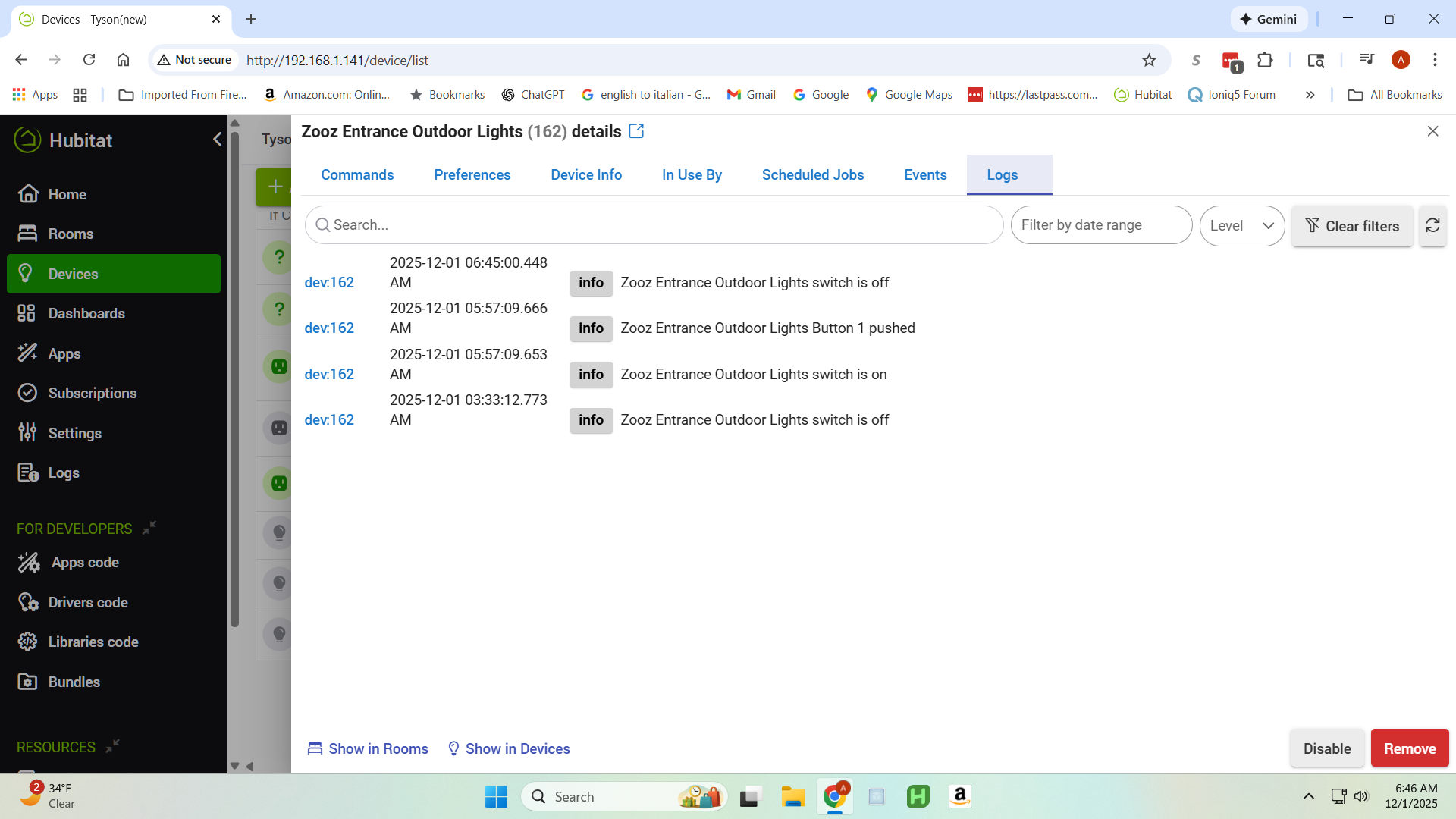
There is only one Alexa account. As stated I turned off hunches on all Alexa devices. Here is the screenshot of events. I do see Alexa skill on those lights. I have skills on other lights with no problem just these outside lights. I have rebooted the hub several times. This morning when I saw lights off I manually through the hub turned the lights on. They turned off at correct time. It only happens on the off cycle and it is around the same time around 3 am.
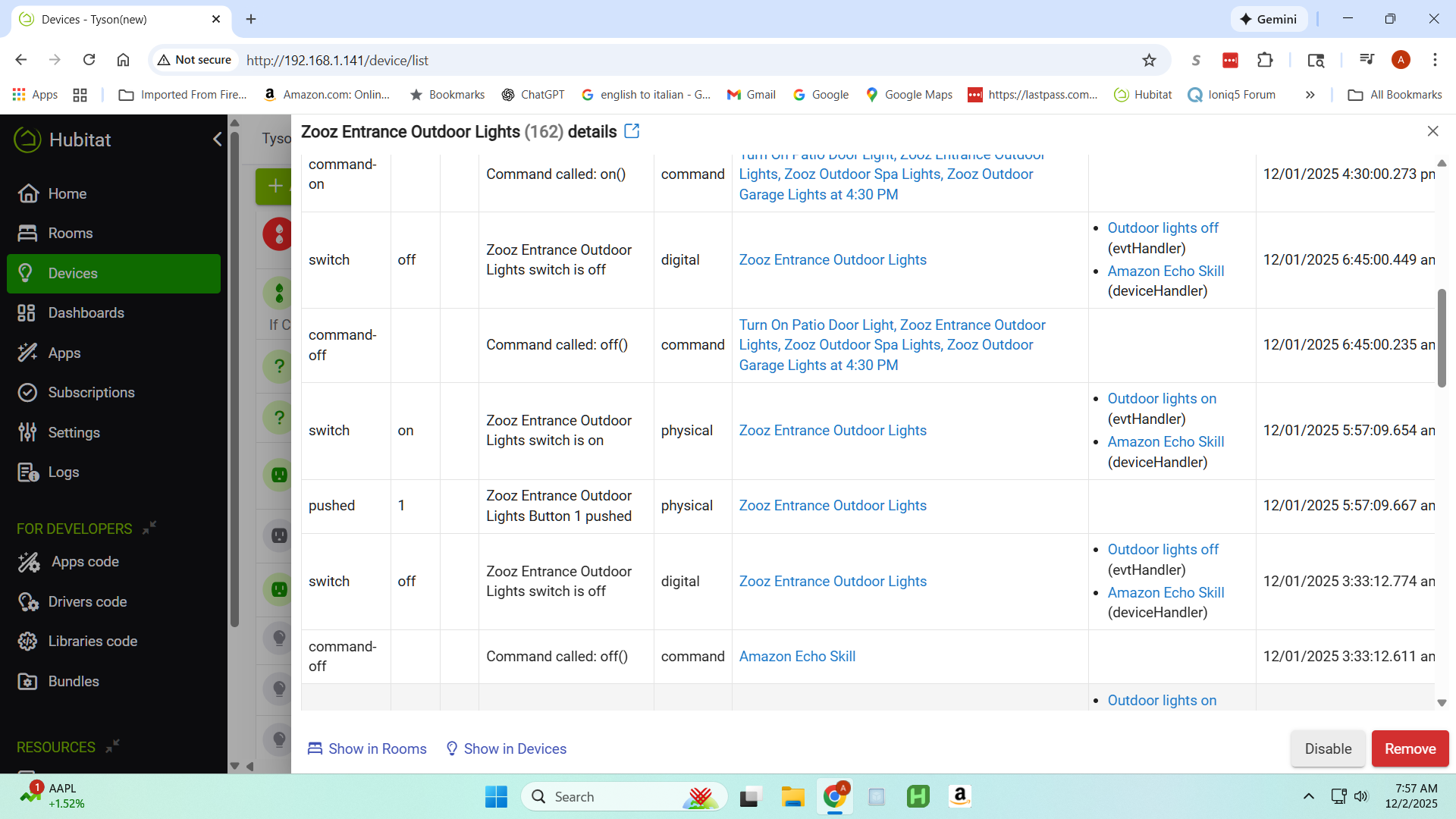
Is that the right screenshot? Presumably it's December 2 in your time zone today, which sounds like when this problem happened, but those events are all from yesterday. If the 3:17 AM "off" was the unexpected one, can you scroll in the Events list to find something around that time?
Note that your screenshot shows an event and the app you've highlighted is under "Triggered apps," which doesn't mean that this is the app responsible for it, just that it's listening for the event for whatever reason. You want commands ("command" under the "Type" column) and are interested in the app under "Produced by," which -- if it came from some app on the hub -- will tell you what app called the command.
1 Like
You are correct. I grabbed the wrong line (fixated on the alexa skil)
However, the command line that was milliseconds before showed clearly it was PRODUCED by Amazon Echo Skill. So 100% caused by Alexa (Either Hunches, an Alexa Routine, or Voice Trigger) This was what I should have grabbed, as I cropped the original shot to the wrong line.
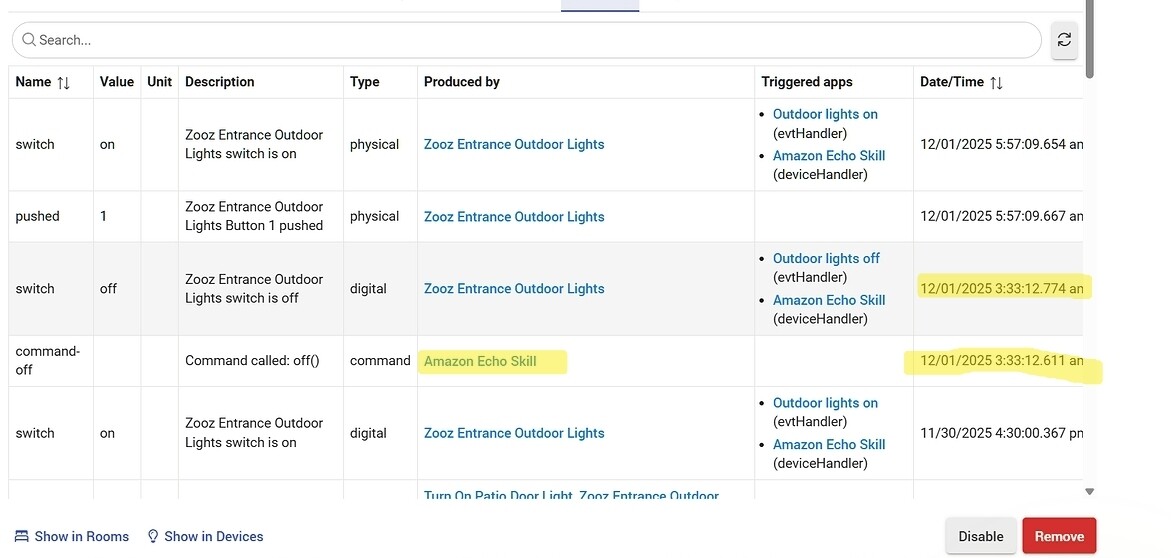
Again, if the OP will look at the events table, it should be readily visible exactly what caused the device to be turned off. Then, they can narrow it down to what specific automation needs to be looked at.
If it is still Amazon Echo Skill:
-Verify Hunches are actually off
-Verify that there are no other automations in Alexa that turn off the device
-Verify that there are no people or ghosts talking to Alexa
(NOTE: I had an issue a while back. Went on vacation and came home to a house that was 80 degrees inside. That was the actual set point. I could see that Alexa was triggering the devices, but I had no idea why. I had already known about turning off hunches. And I only had one routine in Alexa that reacts to a virtual button in HE to make some announcements. We had a vacation automation that turned on our TV so anyone outside might here it and make the house sound occupied. I did not know at the time that there was a set of commercials at the time that had a phrase "Alexa, turn up the heat", or something similar. Had I not been sitting in front of the TV about a week later and heard the commercial and the alexa devices respond, I would not have though to look for it. After hearing that, I went into the voice logs and found where Alexa had been told to turn up the heat several times  so I disabled the mics on the thermostat and problem solved.
Point being, I did not even think this would be the root of the problem. I actually thought that Alexa had been programmed with filters to limit interactions with TV/radio even that far back.
But, the events logs show what triggers the actions, and usually gives you a place to start. Even if it is down a really weird rabbit hole.
3 Likes
Should I delete the Skill for those lights? I use voice commands for other lights but have no problem with them,
You could remove those devices from the Amazon Alexa Skill. But then, you would not be able to control them from Alexa. It also doesn't tell you why it is not working right so you can prevent the same from happening to other devices.
Did it still show the Amazon Alexa Skill commanding it off on the Events tab of the device for your 12/02 incidents? (The only ones we actually saw posted were from 12/01)
If so
Open the Alexa app, click the hamburger at the bottom, go to settings, click hunches, and make sure that no toggles are on and there are none still active. (You can also say, "Alexa turn off hunches" and you should get the response "Sure, hunches are now off")
Open the Alexa app, click the hamburger at the bottom, click the routines tab, click "your routines" at the top and verify the device is not in any of the routines (if you have any)
Click the "activity" tab at the top and look for any routines that ran and verify that none of them turned off your lights.
Open the Alexa app, click on Alexa Privacy:
- Review the "smart home device history"
- Review the "alexa history" (specifically look for the early actions for today), verify that alexa didn't "hear" a command and that there are no activites initiated by routines that you were unaware of
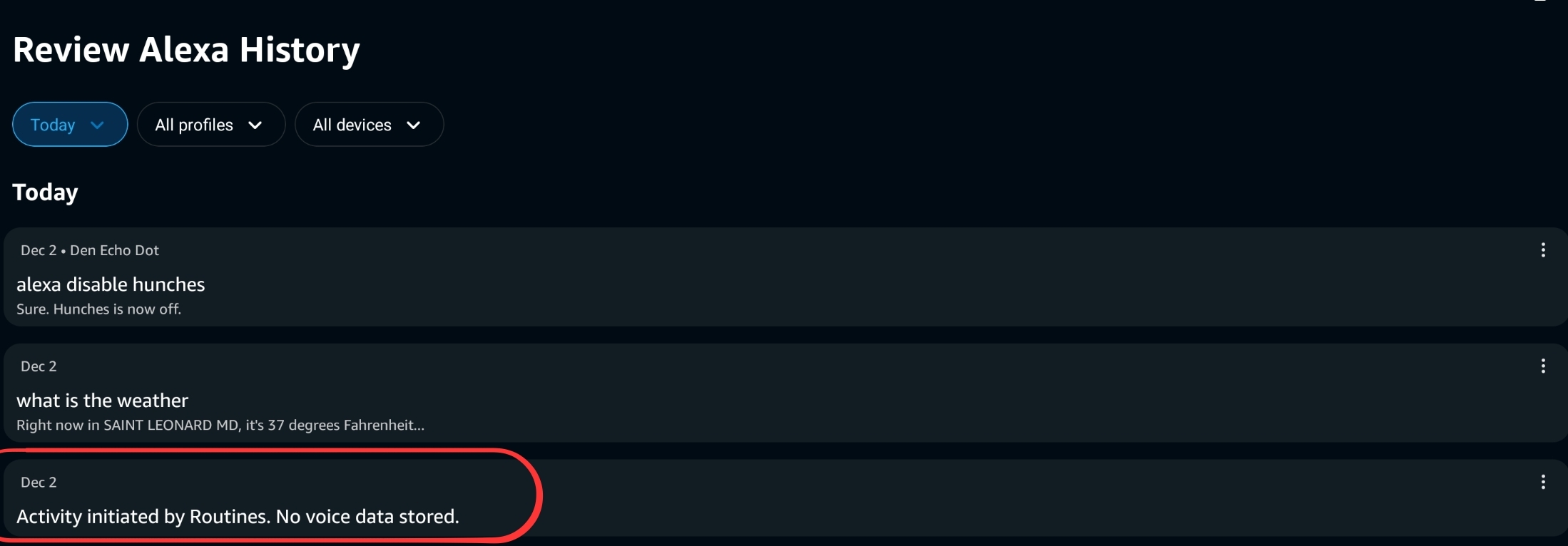
- Scan the list and see if anything else catches your attention that might need review.
1 Like

