People swear by them but I'm skeptical. I have one sitting inside my printer right next to a ZSE44. The el cheapo says 10% but the ZSE44 says 21%. I printed some of the desiccant holders that you can put the hygrometer into the lid. Within a few minutes of putting the desiccant in and screwing the cap on, they were all reading 10% (probably because the hole for the sensor is on the back).
I thought about swapping them all over to smart sensors, but that doesn't scale well economically.
The humidity reported is about 5% higher than the ThirdReality or Lacrosse Technology devices i have.
I use the the orange beads and 3d print desiccant containers that fit in the inner part of the spools.
Spools are stored in ziploc bags placed in gasketted bins from Canadian Tire.
Annoyingly I had my X1C pause at 95% complete in the middle of the night because it thought it detected a spaghetti failure. I tried restarting it in the morning, and while it did successfully pick up from where it paused, those top handful of layers weren’t super strong.
Bummer...hurts the most when you're close. I was talking to a guy on FB Sovol group who does fine detail stuff at highest quality, he had a print fail at 84 hours. [GASP!] Hopefully that makes you feel better.
Had some wonkyness w/Octoprint today - lost connection to it and had trouble getting it back. I had updated my U6-LR AP last night and things were fine then, but I'm thinking it may be related as that's the only thing I've changed recently. A reboot of the pi and things seem to be back to normal, but it wasn't an immediate recovery.
Yeah, I tested some of the humidity sensor pucks today and putting them into the top of a dessicant container is not a good idea. I snapped one into a top I printed that is made to hold a humidity sensor, and the sensor dropped to 10% quickly. Took it off put it on the table next to the basket and went up to 30+. I don't have a calibrated humidity sensor so no way for me to really get an idea of how accurate the sensors are even when you use them appropriately.
OK, so I'll volunteer to put the dummy hat on (wait, oh yeah, already wearing it).
I don't get what that means...if they are shut up in a filament container, what do they have to be relative to? There's just them and whatver humidity there is in the container, right?
Please opine further...open (and mostly empty) mind here.
Relative Humidity is a combo of temp and water vapour.
Relative humidity is the amount of water vapor actually in the air, expressed as a percentage of the maximum amount of water vapor the air can hold at the same temperature. Think of the air at a chilly -10 degrees Celsius (14 degrees Fahrenheit). At that temperature, the air can hold, at most, 2.2 grams of water per cubic meter. So if there are 2.2 grams of water per cubic meter when it's -10 degrees Celsius outside, we're at an uncomfortable 100 percent relative humidity. If there was 1.1 grams of water in the air at -10 degrees Celsius, we're at 50 percent relative humidity.
That makes sense, the relative part. (And it's not very often relatives make any sense.)
The part that I think still is a problem is that the sensor reading 10% humidity when it's integrated into the top of a dessicant basket vs. 30 when sitting next to it. Same temp for each reading, so being too close to the dessicant seems to make the sensor's reading unreliable/not representative of the humidity of the room (or space it's in). Did I at least get that part right?
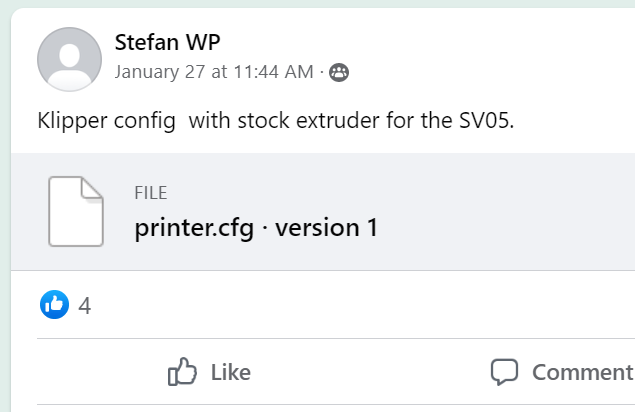
So I'm thinking I don't have enough trouble in my life already and why not find out more about what I don't understand. What do you think...starting w/a working printer config file enough of a boost that I can get up on the Klipper jungle gym w/my wee mind?
Thanks...yeah, I'm hoping if I dive into this that having the printer.cfg file will shave some hours/pain off the learning curve. (Or in my case, the faking-it curve.)
I'll look into KIAUH, thanks for the pointer. I'm planning on leaning on the guy who posted the SV05 cfg file, since he's clearly already at least part-way down the rabbit hole w/the same hardware.
One thing I'm not sure of yet, is whether I can work on Klipper while keeping my existing Octopi setup in place. I have two separate Pi's I can use. One (Pi3-1GB) is what I'm using for my current Octopi setup. I have a Pi4-2GB that isn't doing much and could be repurposed for Klipper/Mainsail.
Would I be able to swap between the Pi3/Octopi and Pi4/Klipper setups at will, or does Klipper require changes to the FW on the printer that would make the printer incompatible w/my Pi3/Octopi setup?
Also wondering if Klipper would affect print via SD card - does that still work when Klipper has been set up on the printer?
Oh, and interestingly, Marlin 2.1.2 has evidently added:
Appreciate it if those of you who know an electron when you see it would look at this post and the suggested cut on the display board, and comment on whether you think he's just a crazy guy, or crazy like a fox.