I did something similar where I would execute a rule, with a required expression out of the boolean switch having to be false. When the rule runs, set the boolean to true. This prevents the rule from running a second time.
Technically with lag and spamming your button fast enough you might get a second instance going before the first rule flips the boolean but it isn’t likely.
Sort of. You can have a single copy of the rule running - as @michael.l.nelson indicated. One option to kill a “running” rule is to add a cancelable delay to all the actions in the rule. And then make the first action “Cancel delayed actions”.
Pushing the button starts the app. Long push also starts the app and tells the app to close things down in an orderly fashion, and return conditions to normal.
If there is no cleaner way, I guess I could have a separate app for the long push. With a separate app name, I could kill the first one. However, I don’t see a rule action that lets me kill an app, just pause it. Can an app be killed from another app?
It might be helpful to see how you have the rule setup and what actions you have running.
Are you saying that button push starts the a rule with say 20 actions with no delay action set? i.e. open 20 blinds which can have some natural lag/delay and while that is happening you long push and you want to stop all of the blinds that aren’t open from opening and close all the blinds?
The system controls a heat pump hybrid hot water heater. It looks at 8 different pieces of state data from the heater, and adjusts the temperature setting and the heating element modes.
When the button is pressed, the app that does the automated controlling of the heater is suspended, and special conditions are set for taking a shower. Once these conditions are set, it stays that way until a 50 minute delay passes, or a person does a long press on the button.
The problem occurs when the 50 minute delay is in effect, and a long press is done. The long press starts a 2nd instance of the app. This second instance cleans up everything, sets parameters back to normal, and restarts the automated app, and exits.
Here we have a problem because the first app is still inside the 50 minute delay. At the end of the 50 minutes the first app wakes up and performs functions that I don’t want to happen.
My thought exactly, with the "1st part" before the 50 min delay setting some Hub Variable, that's effectively a global - Then the second rule, for the long press, can see if you in the 50 min countdown, or not - And take the appropiate actions.
The you can use the standard Private Boolean code or required expression to just allow single threaded entry into each of your rules.
I’m not sure I fully understand the action of the “Private Boolean”. Is it private for each instance of an app, or do multiple instances of a single app share the same “Private Boolean”?
Everything within a particular rule is shared among all instances of that rule, should you have multiples executing simultaneously -- including Private Boolean.
I don't understand this comment, as "Cancel Delayed Actions" is a single addition that affects everything after the delay (see the docs I linked to above); it's the same amount of work regardless of how many actions you have, assuming you have marked any relevant delays as cancelable.
At this point, it would probably be helpful for others to see your rule. But since everyone has been guessing so far, I'll join in and suggest something I haven't seen yet above, that a "Wait for event: elapsed time" -- which as you'll also see in the docs is automatically cancelled on re-trigger (not too different from a delay aside from the fact that you don't have to do it yourself) -- might be a better/easier option than a delay. But, again, sharing the rule would probably be best. That way, people can give you advice that would work for your specific rule, whether it's something like this, using two different rules, or something else entirely. Good luck!
My rule is about 120 lines of code. As I understand it, "Cancel Delayed Actions" will only cancel actions with specified delays, meaning I would have to put a delay on every single action. This is why I did not like the idea.
I believe I fixed the problem with a wait for event with a 1 hour timeout. I’ll have to test to insure this is working as expected.
It won't execute further actions after the delay that are still pending, either (and if they've already run, I suppose it's water under the bridge you can't care about anymore anyway). You don't need a delay on every single action after. The docs, which I'd suggest reading, have several examples of usage and outcome.
But this is another reason why it would be helpful to see an actual rule.
If you really don’t want to share the full rule, how about writing a smaller example rule that demonstrates the overall design of your rule? That would allow the community to understand your requirements and provide simple, elegant solutions.
For example, I had a much more complicated rule for monitoring my washer and dryer laundry equipment. Years ago, @bertabcd1234 shared an incredibly simple design that was much more robust. It hasn’t had any issues whatsoever and I haven’t needed to change it since.
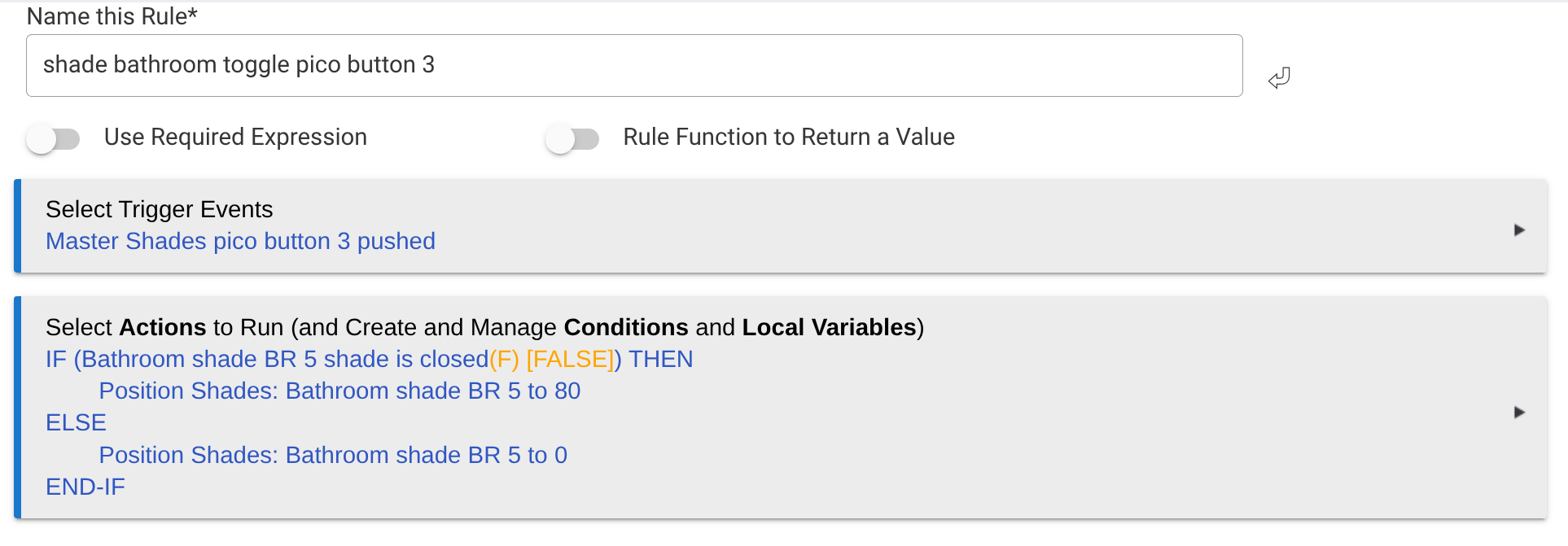
 But, again, sharing the rule would probably be best. That way, people can give you advice that would work for your specific rule, whether it's something like this, using two different rules, or something else entirely. Good luck!