New c8 user on android Samsung s23. Several issues.
The app doesn't seem to actually be an app on my phone. Seems like a wrapper. Am trying to add zwave devices using smart start and cannot find the path to do so. Would appreciate guidance
Second. When i start the app i need to go through an entire process of set up, then search for hubs. The hub does show up and i can connect to it... but do i need to do this every time??
I am not sure if it matters that it is an app or wrapper, as long as it works.
Having to setup each time is not normal. Once you set up your hub, it should remember that selection.
Are you trying to connect while you are in range of your Wifi, or when you are remotely on cell connection? Does it behave differently between the two methods (I.E. shut off the Wifi and what happens?)
I don't recall if or where this is documented, so maybe someone will be kind enough to add the link for posterity.
The startup process you mention sounds like the steps to bypass the "app" and access the "wrapper". That is just one layman's perspective, so not even sure if I am using the terms correctly.
Works the same using local wifi or not. The issue is that i am not accessing the app so functions are missing... particularly at this moment, smart start.
So, on the UI that appears on my phone, there is no such thing for some reason. When i click add devices, i can add a device to zwave but only through inclusion.
(And other places, but this is the one where it is specifically needed. Similar documentation for Matter commissioning.)
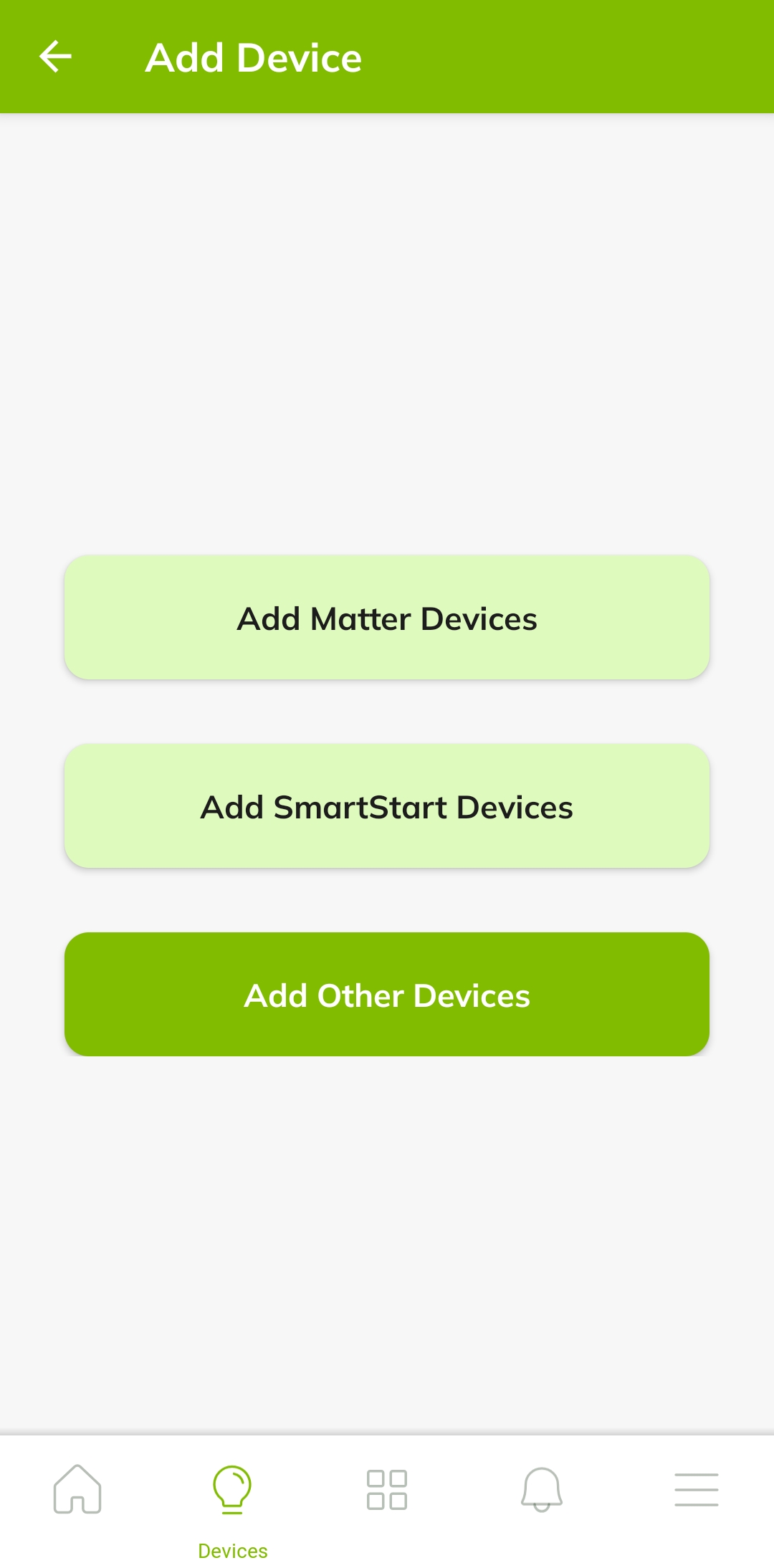
It sounds like you are accessing the web interface for your hub. What does the mobile app look like when you first launch it, before you tap anything? (A common mistake is for users to dig into the menus and do "Connect to hub," which does take you to the web interface, would look just like a wrapper around that, and is not what you want.) It should look something like the screenshot in the documentation, including the tabs at the bottom.
You shouldn’t need to do this every time. When you’re connected to the local network, go to the Devices tab and tap the + icon—you should see an “Add SmartStart Devices” option.
If that option isn’t appearing, first confirm that your mobile device can see the hub on the local network and that the hub is powered on and connected.
If the issue persists, please share the app version (open the More tab → App Settings) and include screenshots showing exactly what you’re seeing.
I would delete the app and reinstall it. Make sure you have the newer 2.x app with the green background icon.
Once you get in the app if you tap the hub name up top then Connect to Hub, that is a wrapper on the web UI of the hub. So don’t do that. Mostly everything else in the app is part of the app itself.
It might be worthwhile for them to add a written section on just how to use the mobile app to add any device or even under a "smart start" section. I would have never expanded the Zwave LR device as the C7 doesn't do LR. As such, I would have followed any of the other sets of instructions that have you going in through the "connect to hub -> Select the devices menu" in the wrapper section of the directions.
Or just make the text more prominent above the video. (Like a heading for "using the mobile app to add devices" or similar. I mean there is a video, but the text doesn't really stand out that signifies it as a different procedure.
PS - I always mistook this, " Alternatively, continue with the instructions here to add a device using the hub interface or mobile app:" to mean, "If you don't want to watch a video, here are written directions".
 Similar documentation for Matter commissioning.)
