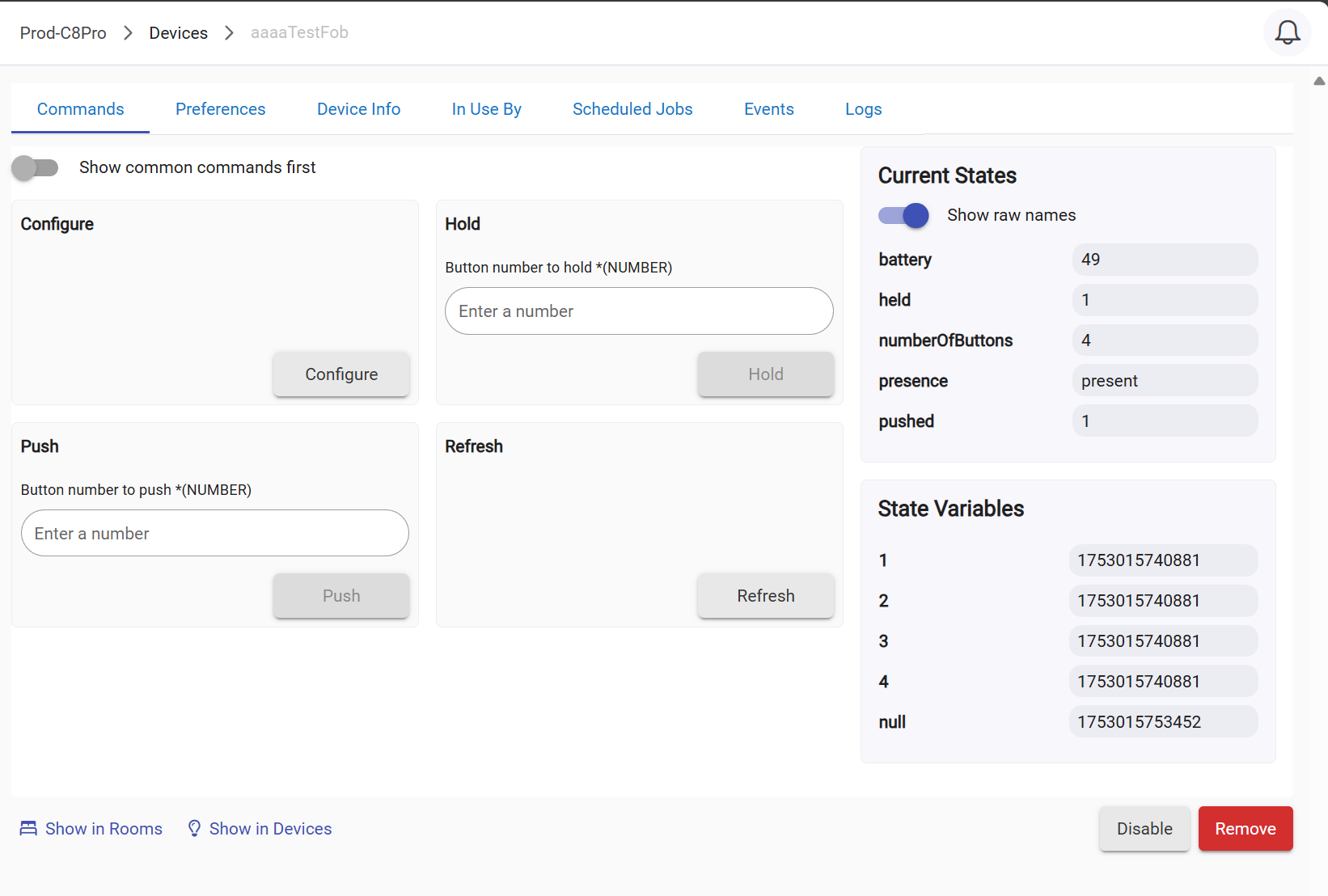
I have had one of these Iris 3450-L fobs sitting in a drawer for years. I saw this thread and figured I would pull it out, factory reset it, and see if it would pair with my C8-Pro hub running 2.4.2.131.
I immediately paired and selected the correct built-in driver. Button pushed and held events are firing without any issues whatsoever.
Full disclosure - my Zigbee mesh is comprised of 90+% Iris v2 zigbee devices, including my Zigbee outlets that are the backbone (repeaters) of my mesh. Perhaps this helps with pairing the key fob? 
Okay. Let me state again, that I had these paired with the previous hub and moved them to the C8 pro hub. If the fob is behaving with 2.3.8.140 and not with 2.4.x firmware, then it does not compute that the issue is with the fobs. It is both fobs, not just one also, so that is also a clue.
If, after a week on your network, it stays connected, then I might have cause to believe that the fobs could be at least part of the problem. I had completely removed these fobs, to include the settings from the C8 Pro and was having trouble getting them to pair and stay operational. Now that I am back on 2.3.8.140, they are behaving normally again.
My house is almost fully Zigbee. I have just a few Z-Wave devices--the First Alert Z-Combo (Z-Wave Plus), the Utilitech siren, and the Utilitech Glass Break Sensor. I recently removed the Iris V1 outlets and shut down the C7 hub that I had been using with them. I have a couple of Iris V2 outlets, some 3rd reality outlets, some GE/Jasco switches, and some other devices that act as repeaters (no bulbs). The mesh is solid and that is why I have been so disappointed that the Smart Fobs started consistently reporting as not present. Now that I have reverted to 2.3.8.140, the behavior is back to what I expect from them.
I do have one more of these that I could pair in place of one of them to see if the device is the issue, but I expect that it will behave the same.
I found my example, working as expected on c8-pro running 2.4.2.131
I will keep an eye on it over the next week to see if it stays connected...
I am wondering if something in my Zigbee mesh is contributing. I have one unknown device which is acting as a repeater. It has a Zigbee address of 6814 and shows up in the Zigbee Network Graph, but not in the Zigbee Details list of devices. The graph shows "Discovered devices: 57/56."
Might a soft reset possibly help eliminate the unknown device and possibly eliminate whatever is causing the fobs to randomly go betwen away and arrived?
If its on the mesh but not in the device database, a soft reset likely won't clear it.
You could try maybe adding another zigbee device, then pulling the battery/power (factory reset it later) then change the DNI to 6814 and changing the driver to Device, then running
the getInfo command, that may spit out a fingerprint to help identify the device.
Thanks. I'll try that. Edit: That did not seem to work. It did not give a fingerprint other than that of the third reality outlet plug that I used.
Edit: Now, in addition to the unknown repeater, I have an unknown device. The IDs are 6814 - unknown repeater; 7DE3 - unknown end device.
I succeeded in getting rid of the end device, but not the unknown repeater. The line linking it to the hub is also identified as unknown.
The fingerprint is directly fetched from the device in the Device driver, the request would have been sent to the device with address 6814 so long as you in fact did edit and save that value.
So this unknown repeater appears to be a third reality outlet.
I am going to have to look at each one that I have paired. If it is paired, why would it not show up in the device list?
the only reason I can think of would be a db restore of a database that didn't have that device included yet.
That is probably it. Is there a way to fix it?
if might just work by changing the driver to the one it should be using, if commands work you're good to go.
Otherwise just factory reset it and rejoin it
The problem is that I can't change it if it isn't in the list of devices. The graph shows 58/57 devices. I recognize 57 of them as I see them in the Zigbee device listing and in my devices list.
I decided to try the 2.4.2.134 update again since the presence seems to have stabilized. I made a backup first just in case. The update is installed, and so far, so good. I still see the unknown repeater showing up in the graph with no device showing up in the Zigbee devices list or in my devices. Only now I also see an unknown end device, Zigbee ID 0000 in addition to the unknown repeater ID 6814
0000 is the hub, so nothing to worry about
Add a new Zigbee device of any type, then factory reset it, do not remove that device from Hubitat
Then change the network device id to match the mystery id, after that, change the driver to Device, and click the get info command. This will spit out info in the live logs. Post that and I should be able to tell you what the device is if you haven't figured it out. Then just change the driver to the correct one
2 Likes
Thanks. I did a slight variant but still finally got rid of the Zigbee phantom repeater.
I followed the procedure and paired a new 3rd Reality Smart Outlet Plug. I reset it and then changed the device ID and driver to match. It still identified as the outlet. When I started the graph again, I not only had the outlet, but two additional phantom repeaters. I deleted the plug and reset it again. Then I started pairing and it picked up the outlet plug again. I don't know how, but it somehow also eliminated the other two phantom repeaters. Now I don't see any "Unknown" devices in the graph. I think that falls under the blind chicken principal, "A blind chicken also finds a kernel."
With the update, my wife's smart fob has dropped off the network again, showing as "not present." So far, mine has stayed connected so I do have one spare to try. If that works, then I guess it is a matter of hers has reached the end of its useful life.
I am beginning to think that having the phantom Zigbee repeater was either the cause of, or contributing to the issues I was experiencing with the Smart Fob presence. Once I was finally able to get rid of it, things have become more stable and the keyfobs seem to be behaving properly again. It will take time to be sure, but I did upgrade to the 2.4.2.134 firmware and I am not experiencing the issues I was having. Perhaps phantom Zigbee devices are not as innocuous as I have read in other topics.
1 Like