I recently moved to a new Apple iPhone and ever since my Notifications from the Hubitat App have stopped coming thru.
I only have 2; it comes from my Ecobee Device Manager and it would pop a notification from the Hubitat App.
With the new phone they’ve stopped.
I went in to the Hubitat Web Interface and sent a test notification to my iPhone device.
It shows up IN the Hubitat App, but it never notifies on the phone itself.
It used to work.
Only change is the new phone.
Any ideas?
Have you recreated the iPhone in Devices?
I think you need to log out of iPhone app, re-logon and select the old iPhone, but you may need to create a new one if that doesn't work.
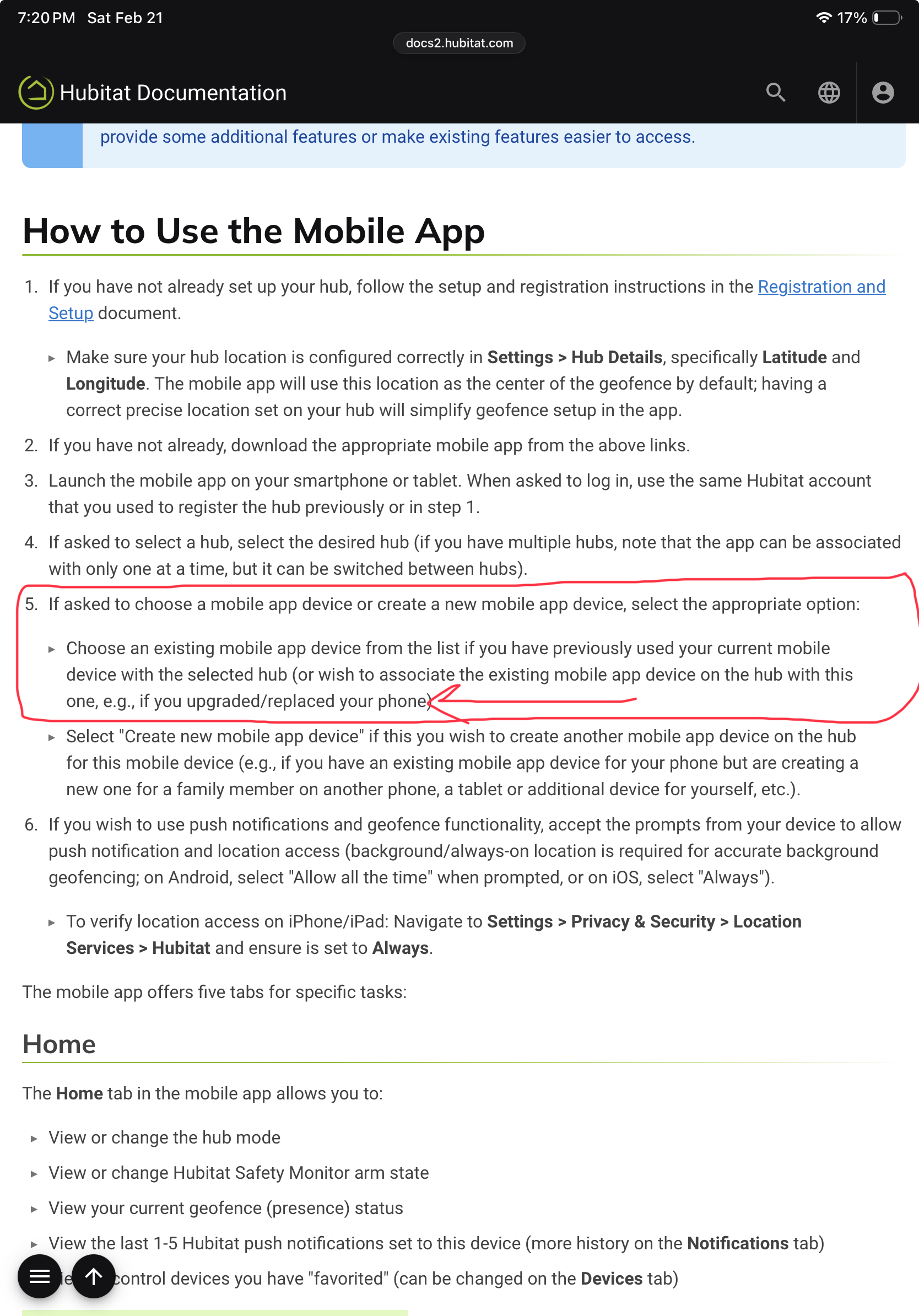
I did not re-create the device.
The Hub detected that my new phone was “Present”.
I did not logout of the App.
Just did that and it said it was “Register new mobile device” when I logged back in, so we’ll see.
Thanks!
Logging out and then back in and "Register new mobile device" did not resolve the issue.
I logged out of the App and then deleted the mobile device via the Web Interface and then had to log back into the App which created a new Mobild Device which now receives notifications!
Thanks All~