OK, this is odd.
I was on the laptop looking into the speed test on two C-5 hubs both on .173
First hub gave me a response with speed data I'd expect. Second hub froze at that first data burst .........line and wouldn't proceed past that. Tried a couple times. Went back to first hub and then it did the same thing. I did not get the fully successful speed data as before on that hub. OK so at this point I'm thinking....hummm.....maybe there's something problematic or being worked on back at HE Cloud Central.
OK then at about the same time I notice I can't get past the splash screen of the HE App on iPhone on 26.2. NEVER have seen this kind of frozen screen before. This has been working fine since upgrading to .26 a couple weeks ago. Tried rebooting the phone a couple times still no go...just hangs on that screen. Meanwhile I'm getting some notifications that I would expect around this time so it appeared the app was handling them?
This went on for a good 5 minutes or more...so I started looking to see if there was some setting in the iPhone that new versions of stuff is maybe not playing well with. I don't use presence but as a shot in the dark I enabled location while the app is up. I don't know that I messed with anything else. But the App finally went past the splash screen and started working as it should, coincidence probably?
I don't recall if it did this before or after the oddity I'm about to describe.
I go back to the hubs to re-run a speed test just to see if that cleared up....and low and behold this HTML specific to the hub shows up in that window when I hit run. Same on both hub speed tests, just a different hub name.
Here is a bit of one up to the point of my hub name. I'll save the rest in case someone in support needs more. At the least this seems like some wires got crossed here ?
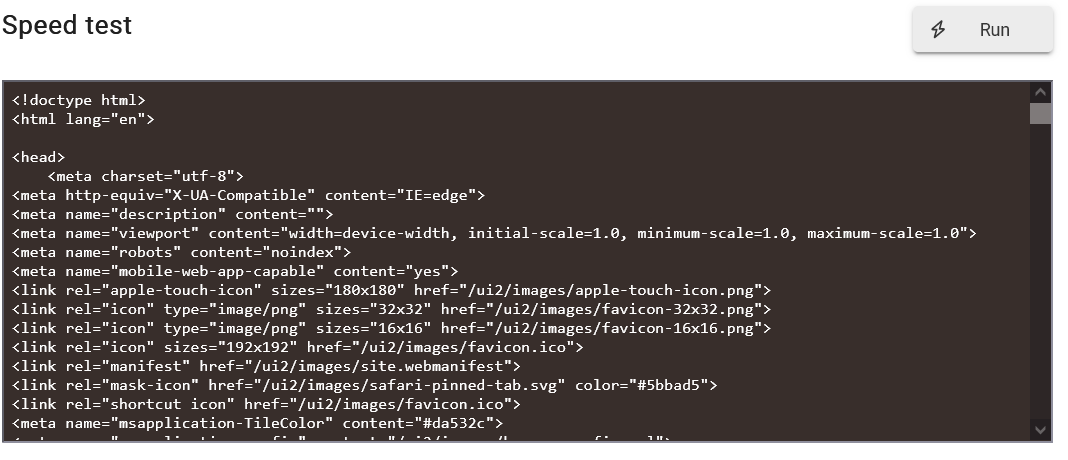
blah blah blah down to
Login - MYHUBNAMEand more.... not posted

