Thank you for the recent changes - very nice... improved my usability!
3 Likes
Version 3.0 (2025-02-02)
Added support for multiple rule machines:
- Room Lighting
- Button Controllers
- Basic Button Controllers
- Motion and Mode Lighting Apps
Moved options panel into new overlay.
Added rule machine type in brackets to rule name (can be hidden with option).
6 Likes
Major releases make me nervous - but the features look so appetizing!
My update didn't go smooth. I can easily delete and reinstall which no doubt will fix it.
but I post this here in case it's smaller quirk:

I believe I see the issue.
I'll get an update fix out later tonight when I return home.
I reorganized most of the code; and that line should be down below the conditional check.
1 Like
Version 3.1 (2025-02-03)
- Fixed java error removeAll() line 515.
2 Likes
Amazing response time! thank you for the effort and work.
The 'fix' worked but didn't - however - that may be a carry forward of whatever state I was already in. Here is the log AFTER I posted in your update via HPM.

I removed and reinstalled the app. I now see RL, and Virtual Buttons! I love how the sort from a fresh start works. Most excellent work.
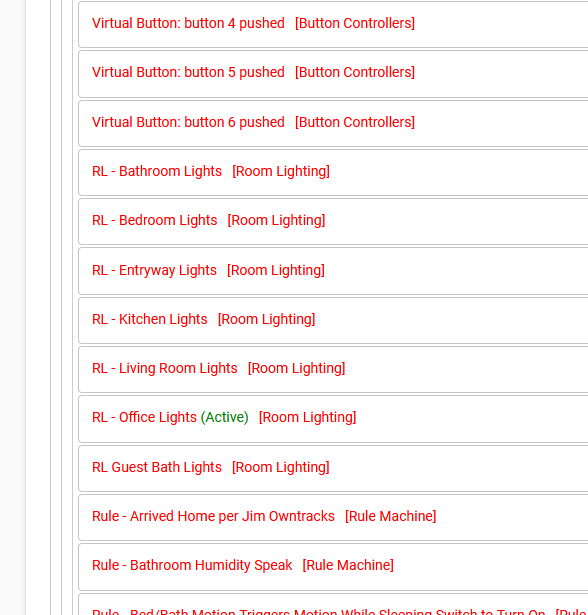
BTW - thought I'd mention in case someone looks closely at my screen cap - the references to 'RL - ', and 'Rule -' are my old technique I used to in my names so I could see in the logs what was going on.
Many thanks!
2 Likes
Yeah.. nothing is jumping out at me glancing over the code. Please let me know if the error persists; and I'll try to replicate and fix. I also think it probably had to do with the previous state.
Absolutely 
1 Like
The latest version is terrific!
Quick question: why the choice of reporting 0 items when a container is collapsed? Makes it seem like the containers are empty.
2 Likes
Well.. you see.. if a container doesn't have any items in it.. then it may start to question its own existence.. at least this way...
Shoot.. I don't know!
Ohhhhhh... I see it now. Lol.
What's happening is I run the "refresh" function anytime something is moved or collapsed/expanded or colors altered. This updates all the inputs for when you save.
Now, in addition, the function to alter the rule counts when you move items looks at whether or not the rule is displayed on the page (css hidden vs visible property). This function is called as part of the page refresh.
So, when the container is collapsed; that effectively "hides" all the rules inside; then the refresh function is executed and it's replacing the count with "0"... because all the rules are "hidden" behind the collapsed container.
GREAT FIND!!
I'll certainly work it into the next release.
Thanks for the suggestion!
Just updated to 3.1, I get a blank config page, with this error in the logs:


For good measure I re-imported the app code, no change. The .js and .css file timestamps indicate HPM did update them.
Let me know if I can provide more debug info.
EDIT: looks to be an upgrade issue with existing app state, a new instance of the app loads just fine.
Ugh... okay, second report.
I'll debug this tonight and get a new release out.
Version 3.2 (2025-02-04)
- Fixed rule counts going to zero when container is hidden.
- Fixed removeAll error for sure this time.
- Fixed ConcurrentModificationException error.
- Added additional help sections to welcome overlay.
3 Likes
This topic was automatically closed 365 days after the last reply. New replies are no longer allowed.
Today I installed the Rule Machine Manager app in common in a thread about my experiences, including some observations and suggested for potential enhancements. It was requested that I supply those observations and potential enhancements on this thread as well. Those are provided below.
Observations:
The only strange observation I noticed after about 5 hours of using the app was when selecting multiple rules. When holding the CNTL key and selecting more than 4 or so rules (no consistent number) the highlighted selections would un-highlight and the rules would be moved all together within the same container I was working in vs. giving me the opportunity to move them to the intended targeted container. Not detrimental in any sense. All was necessary was to re-select them (all now adjacent at this point) and move them to the target container. This was the only unintended consequence that occurred while using all the functions.
Suggestions:
Note: These suggestions comes with me being an early user of the app. Some may or may not make any sense. Some may show my lack of experience, knowledge and understanding of how I should have been doing something
- Provide a way to delete all of the duplicate rules (children) of the parent rule at one time. Currently the duplicate rules are identifiable by a trashcan. You need to look for the duplicate titles of the rule and the associated trash can icon. If the rule has been duplicated multiple / many times this can be time consuming and opens up a margin of error. I believe it would highly desirable if you could select the parent rule (identifiable by a double-page type icon vs. a trashcan), select it, and have the a ability to click on delete all duplicate rules.
02 Have individual options to (1) sort all containers and (2) sort all rules within containers. Although there is an option to sort the rules within a container you have to go to each container and do it individually within each container one-at-a-time. This would eliminate a fair amount of time dragging containers in alphabetical order and having to use the sort option on each set of rules individually with containers.
03 Have the ability to search across all contains the same way you can currently search within a single container
04 Have the ability to toggle on / off the "are you sure you want to delete" message. During setup or mass manipulation of rules during setup this does get in the way pretty quickly (at least with the number of rules for me during my initial configuration). Given the "operator" the option to toggle on / off might be a nice option.
- Don
1 Like
Okay.. let's adress the "observation" first. I'm curious about these things:
- Mac or Windows; or mobile device
- Which browser
Sometimes when multi-selecting and moving... I have to drag my cursor towards the top or bottom of the page (depending on which direction I am moving). Then I have to kind of "wiggle" the cursor back and forth near the edge of the page to get the page to scroll. I'm wondering if this might be related.. and was making you think you could not scroll past the current container.
As for the "suggestions":
- So maybe when you click the trashcan to delete a rule; IF the rule has duplicates or children, a confirmation would appear asking the user if those should be deleted also? Like maybe one checkbox for duplicates and another checkbox for children... and if they are checked, they get deleted?
- I can absolutely add global sorting of containers and rules within containers. Great idea!
- Same as number 2.
- Haha... yeah... after 5 hours I am SURE that became a nuisance after about the 9 or 10 minute mark! That should be a fairly easy addition.
Again, MUCH appreciated on the feedback, and the kind words.
Good morning Josh,
Sorry I should have supplied those data points.
OS is Windows 11
Browser Chrome. Version 145.0.7632.117 (Official Build) (64-bit)
I was getting tired and forgot to add one other item in my notes about container color.
Do you think it would be just as effective to only highlight the container color vs. the entire container? I am including just a small section of one container. See 1st example below. Very large sections tend to be a bit "overwhelming in my opinion for what it is worth". Instead I definitely like the font color change option instead.
In my sample proposal I am suggesting the title bar be colored only. This could be just as effective for calling out the purpose of the container without being as hard on the eyes.
NOTE: I am not suggesting the edges of the container be highlighted around the entire container as shown. I could not get my software to stop highlighting the edges. I suppose it is because the way it is capturing the layout of the screen.
Current functionality:
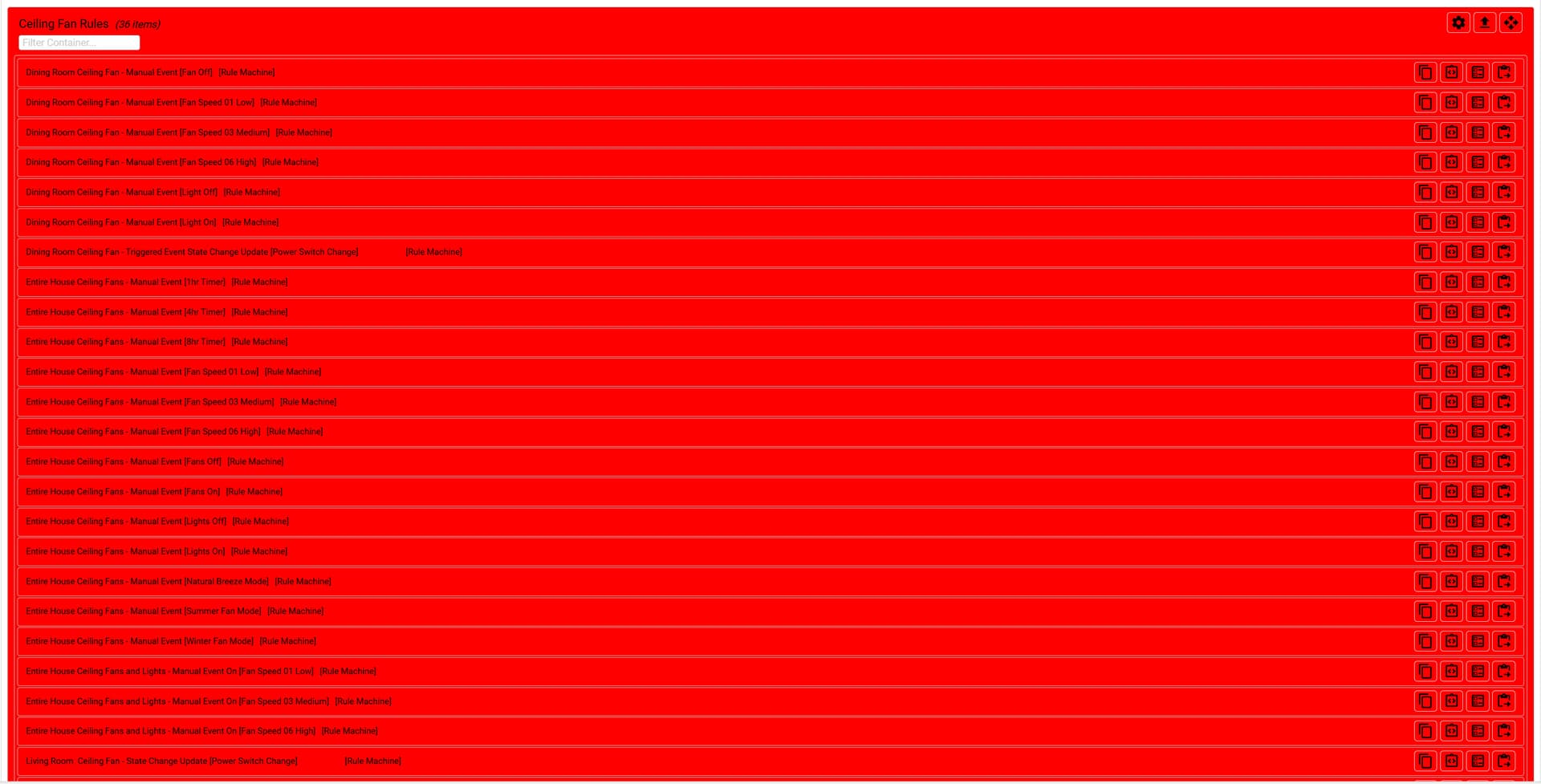
Proposed Functionality:

Thanks again for the opportunity to contribute!
- Don
Very nice app. Thanks.