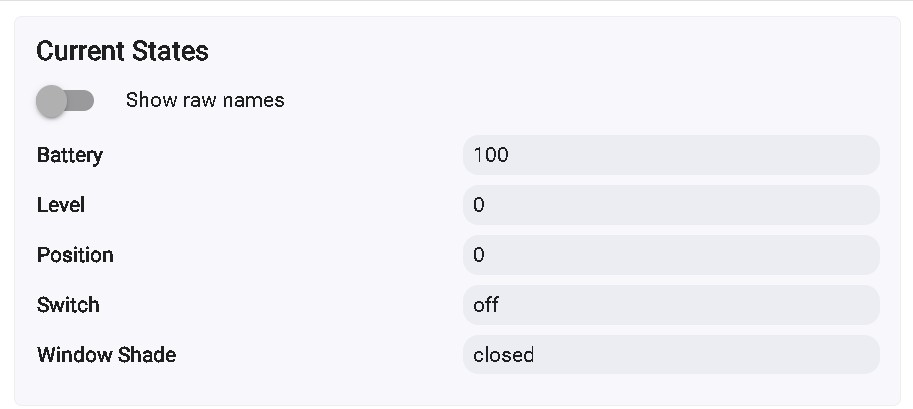
I am using V3 blinds with the latest firmware and the community driver. Both are connected directly to my C7 hub. RSSI looks great thanks to the external antenna hack (radio tech by trade, so this was a no-brainer). They work consistently about 80% of the time. Some days I will come home in the evening / morning to find that one or the other did not close / open. The state in Hubitat shows correctly and the logs show the command was sent. All of my automations are done through webCoRE. The piston sends the command to both blinds simultaneously. I also tried sending the close command separately and they still fail at about the same rate. What's strange is I can manually send open / close commands consistently with no failures. This only seems to happen with automations.
Is this just par for the course with these? Are the radios not that great or maybe they're prone to RFI? Any tips on how to get more consistent functionality? Part of the reason for automated the blinds in the first place was that the SO would complain that I would forget and leave them open. If they don't always close I'm back where I started.
I have 1 that does this, works 90% of the time. I have moved it tried both drivers, etc.
Here is a long thread with lots of ideas on how to try to fix it. In the end for me I set the postion to 1 before sending a close command to all of the blinds. Most of the time it will close but at least if it doesn't and it says it is, it is closed 99%.
I have 4 of these all controlled by WC with the community driver. They work near 100% of the time.
Over the years though I have found many animations in WebCore need strategic delays; iBlinds control is one of them.
I can share some code when I return from vacation next week if you like.
I also have SwitchBot blinds and they need tempering as well.
It's been a while since I've had any recurring problems w/mine not opening/closing reliably, but in the past when I ran into this and things like shut down/pull power/restart (to full restart the Z-Wave radio on the hub) and doing regular refreshes on the blinds from a rule didn't help, I would sometimes go nuclear and remove/re-join them to the hub (replacing them w/a virtual device via Settings>Swap Device so I don't break any automations) and that would typically get things back to normal.
I do space out my daily open/close commands so that all the blinds aren't getting opened/closed at the same time.
I have 13 of the v3's. All work pretty reliably. Recently I did have one acting buggy. It would show has charged but when you pulled the charger it would immediately drop off the mesh. Turned out to be a buggy battery. Replaced the battery and boom. Worked solid again. Just something to think about.
That said things to look for...
1: Ghosts. Do you have any ghosts on your z-wave details page (feel free to post it here in it's complete form. Use windows snip)
2: On the device's preferences page, turn on Enable command Retry logic. This way if state has not truly changed, it will issue the command again..
No ghosts. That's always the first thing I check for.
I tried that, too. I'm not sure this would work in my case since the device state does show correctly. It's as if the motor doesn't actually run.
Out of four sets of blinds, I have seen this happen with three of them and it happens at least once a week. For now I'm sending an open - close - open command with a 5 second pause between each command. This is the only way I've found to be certain they all open. These are all new motors with new batteries that were fully charged before use.
One thing you could do to see if you can identify issues is gather Z-Wave logs (Settings>Z-Wave Details>View Logs. Maybe set up your open or close automations to run when you're home w/the Z-Wave Logs open and provide screen shots of your logs when the automation is failing. You can just leave Z-Wave logs open when you're not home but I'm not sure how long the Z-Wave logging runs before the older logs start to get discarded.
You didn't actually provide any of the Z-Wave locks. They are found it Settings>Z-Wave Details>View Logs.
If you can have that logs window open when you have a failure of your pipelines that may provide the necessary information to figure out what's going on.