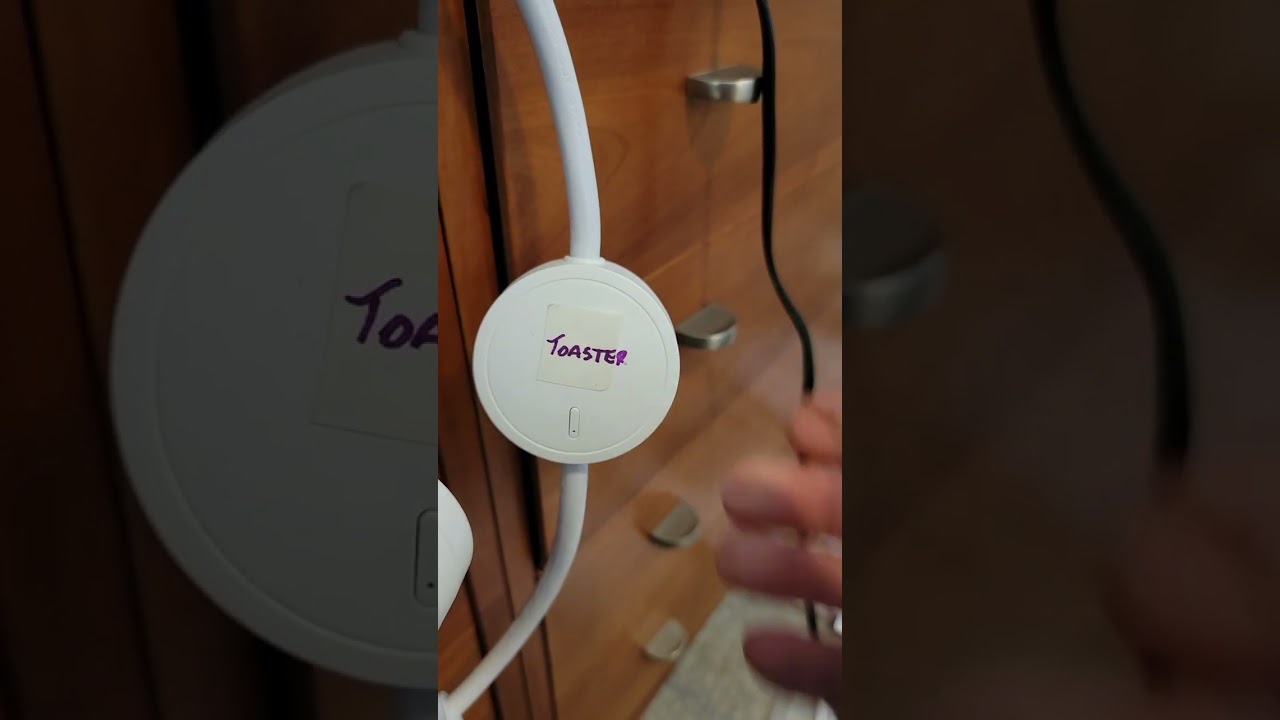
I can't include, exclude, or factory reset a Zooz Zen15 800LR to my C-7 Version 2.4.2.160. Would a C-8 HUB with 2.3.9 work with Z-Wave Long Range (ZWLR) Inclusion?

I have spent a lot of time with Zooz Support without any success.

I have installed Zooz ZEN Plugs Advanced driver from jtp10181.

I tried to get SmartStart to work, but I could not complete the process. How to Add Your ZEN15 Power Switch to Hubitat - Zooz Support Center

The ZEN15 will turn on and off attached devices with the power button.

Cheers, Tom

The C-7 does not support Z-Wave LR. Have you tried a mesh inclusion, whether via the traditional process or Smart Start? Have you tried an exclusion before any kind of inclusion? Do you have any other Z-Wave devices that are (or aren't) working? It may also be helpful to share the steps Zooz has had you try already.

I can’t [...] factory reset a Zooz Zen15 800LR to my C-7

The hub does not affect your ability to factory reset the device, so if you can't do that, something else is wrong.

The driver also does not affect the ability of a Z-Wave device to perform an inclusion, but if you want features from this driver, it can still be helpful afterwards.

Would a [C-8 hub] with 2.3.9 work with Z-Wave Long Range

Yes, but I wouldn't specifically seek out 2.3.9 in favor of the latest platform version.

2 Likes

I have ben going though a lot of troubleshooting with Zooz. One thing that I think it an issue with the Zen 15 is that there is only one on/off button. That means when you are doing any inclusion, exclusion, or factory reset, it can start with the light off or start with the light on. Two buttons seems to work better with other Zooz devices.

I sent them a video of what I did and put it on You Tube

  • I have tried Exclusion many times – the lights blinked some of the times
  • I have tried Factory Reset many times - the lights did blink
  • I have tried Inclusion many times – they always times out
  • I have moved them to different outlets – no luck
  • I have tried them attached to an appliance and not attached to an appliance. – no luck

Zooz Said:
It appears your are attempting to add the devices via the standard mesh. Would you be able to try the long range inclusion? You will not power on the device until the SmartStart steps are completed: How to Add Your ZEN15 Power Switch to Hubitat - Zooz Support Center

If the C-8 would work, I would want to get the latest version. I have had a lot of issues with my devices and automations. I would rather stay with Hubitat since I have a lot invested, but I am not sure another ~$140 is worth it.

Thank you,

Tom

Zooz's LR inclusion instructions are wrong, although probably not in any way that matters for this; you do not need to install any custom code to use it on your hub. You can do it via the mobile app in the same way as what they call mesh Smart Start inclusion. (Their QR code should include all the data to make it do LR if both it and the hub are capable; the C-8 and C-8 Pro are, and the C-7 isn't, but the process is the same for both.) It doesn't hurt to do this, and if you want an easy way to add and remove it from your Smart Start list, it's great -- but I'm not sure why they believe this is the case.

Did the hub UI ever say that a device was excluded, or did you see anything in Logs (keep them open while you do this, in another window or tab)? If not, it was not successful.

In general, looking at Logs would also be good.

I woudl also be curious about the answers to:

1 Like

I'd check for Zwave ghosts.

2 Likes

Good call! I forgot to mention that (though I did ask, unanswered, about other Z-Wave devices...), and really, this whole thing would be good to look at, too:

1 Like

I am following the instructions in the " How To Remove Ghost Devices using hub tools or a UZB Stick" Support. I am down to the section "Using the HE hub's built in ghost removal tool". I am trying to run ZWaveJS on my C-7 Hub.

C8 and earlier hubs: Use the endpoints below. Type them into your browser address bar and press enter. You MUST REBOOT THE HUB afterwards for it to take effect. You can find your hub's IP address on Settings > Hub Details.

Enable ZWaveJS:

  • hubIPaddress/hub/zwave2/enable

Disable ZWaveJS and return to ZipGateway:

  • hubIPaddress/hub/zwave2/disable
  • OR use the button mentioned above to return to ZIP on any hub model

I have entered my ip address (hubIPaddress/hub/zwave2/enable) into my Edge Browser and hit enter. I then rebooted the C-7 Hub. How do I tell if this worked? I don't know how to tell whether I am running ZWaveJS, ZipGateway, or something else entirely.

Here is the device node:

0x0012 (18) PER: 0, RTT Avg: ms, LWR RSSI: N/A
Neighbors: 15, Route Changes: 0 Pending
SPECIFIC_TYPE POWER_SWITCH_MULTILEVEL
None
There are two buttons REFRESH and REMOVE

I followed the instructions to Remove Ghosts: REFRESH then REMOVE. There are now Refresh and Remove buttons and the status is PENDING.

Here are the relevant logs (latest one on the top)

sys:12025-09-23 10:10:46.584 AM

info

Failed node 12 remove status: 0 SDK failure node is no longer in failed node list

sys:12025-09-23 10:09:53.591 AM

info

Failed node 12 remove status: no reply

dev:6392025-09-23 10:09:50.180 AM

debug

parse:zw device: BD, command: 8003, payload: 14 , isMulticast: false

dev:5972025-09-23 10:09:50.069 AM

error

java.lang.NullPointerException: Cannot get property 'displayName' on null object on line 246 (method batteryHandler)

app:8032025-09-23 10:09:49.978 AM

warn

Z-Wave Network responded with Busy message.

sys:12025-09-23 10:09:43.587 AM

info

Failed node 12 remove status: no reply

dev:6392025-09-23 10:09:43.233 AM

debug

parse:zw device: BD, command: 8003, payload: 14 , isMulticast: false

dev:6392025-09-23 10:09:36.751 AM

debug

parse:zw device: BD, command: 8003, payload: 14 , isMulticast: false

sys:12025-09-23 10:09:33.594 AM

warn

Z-Wave Network responded with Busy message.

The Node is currently in PENDING. Can I move onto the next blank Node or is it better to wait for each Node to clear?

Thanks for the support!
Tom