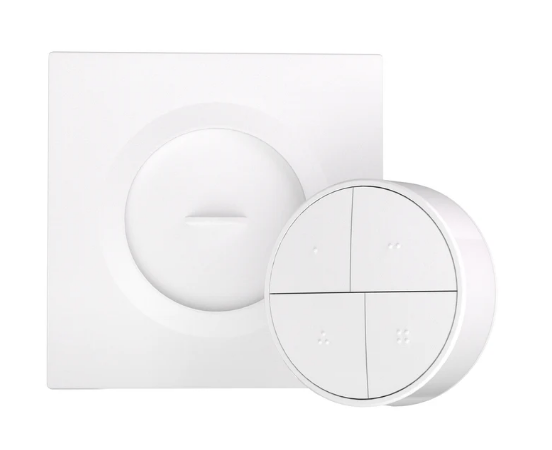
I've migrated a lot of my lights from Fibaro Z Wave Dimmers behind switches, to Hue Bulbs and their Dimmer buttons/Hue Tap Dials. These are all connected directly to the Hue Bridge Pro which is linked to Hubitat with the built in integration. I have some lights that are used in automation that don't really suit the use of Hue bulbs. Ideally I'd like to move all of my lighting onto the Hue Bridge:
1 - To avoid two zigbee networks (Hue and Hubitat)
2 - Zigbee is noticeably faster in my room lighting automations than when I was using Z Wave Dimmers
3 - Keeping all lighting on the Hue Bridge Pro would mean that when there's an issue with my LAN, or the Hubitat is being rebooted/updated, I'll still have local control of the lights (as the Hue Dimmers are paired to the Hue Bridge not Hubitat)
Q1 - Has anyone used Sonoff Zigbee switches and paired them to the Hue Bridge and if so do they work ok? I'm wondering what limitations there might be and whether they can be configured at all from within the Hue app. I'm looking at the Sonoff MINI DUO 2.
Q2 - Secondly has anyone has successfully used the Sonoff Orb? It looks very much like the Hue Tap Dial but is half the price and does not have the rotary dial for dimming. In SmartThings it will support single, double, triple press and hold. I'm guessing it couldn't be added to the Hue Bridge but wondering what commands might be supported by Hubitat.
Hi @kkossev - I've got the Sonoff Orb now, Amazon delivered a day early! Does the below from the logs give you the info you need? The Orb has just paired as 'device' and I can see events logged when pressing buttons 1 -4 (endpoints 1-4 in logs):
I've actually managed to get a driver working with Chat GPT and have it working for single, double, triple-push and held on all four buttons. There are two anomalies I need to fix:
1 - The driver commands pane only shows Push, Double Tap, and Hold. Ideally it would show Triple Tap too
2 - In the device page > events table, the "Name" for triple-pressed is showing as "pushed" (the description is correctly showing "triple-pressed"
I've started another thread regarding the driver here: