I am unable to get hubitat to connect to the yolink local hub via matter, scan the qr code and it fails instantly people can get HA to connect but not hubitat. (even tried manual entry)
Try @kkossev’s Matter Advanced Bridge integration.
no luck
The Matter Bridge must be successfully paired to the HE hub first; the drivers used do not matter if there is no connection.
Are the YouLink and HE hubs located on the same LAN?
Do you have any other Matter devices connected to Hubitat?
Do you have any voice assistant hubs from Apple, Google, or Amazon Alexa?
@kkossev Yes the Hubitat and Yolink hub are on the same network (no vlan) matter is turned onwith both hubs and yoli k provides a qr code and actual number. I have tried both ways to add them as a matter device under matter but no luck, no other hubs (I have alexas but the old ones)
Almost all Alexa hubs should support Matter over WiFi devices. Try pairing the YouLink hub to Alexa first, then use the secondary generated QR code for pairing to Hubitat.
That would defet the purpose would it not of being local. And i dont allow alexa to connect to my hubitat (has issues with lights turning on and off randomly and hubitat was showing they we being triggered digitally. Disconnected alexa and issue went away so, not she only gets access to a few vertual switches for a few routines i created.
No, I believe that’s not how it works.
If you can onboard their hub over Matter with an Amazon echo device, that secondary QR code @kkossev mentioned would then allow the hub to join directly to Hubitat’s Matter fabric.
Alexa isn’t involved after that point.
@marktheknife and @kkossev is correct. Connect the device via matter to Alexa. Then generate a code through Alexa and use that code to join to Hubitat.
This makes the device local to Hubitat and Alexa is not connected to Hubitat. If you want you can even go back and remove the device from Alexa and it will still work in Hubitat. All Alexa is doing is commissioning the device to your home network.
This in no way makes the matter device not local.
Ok Alexa does not give the option to generate a code to share the yolink devices, I was able to add them to Alexa, but no option to reshare them
If you joined then to Alexa via matter then it should give that ability. Go into the Alexa app and choose the device. Then in the upper right corner click on the gear icon for settings. Then there will be a section to allow you to generate a new code. I have circled it in the screenshot from my phone. Select this and follow the instructions and you will get a code to use in Hubitat.
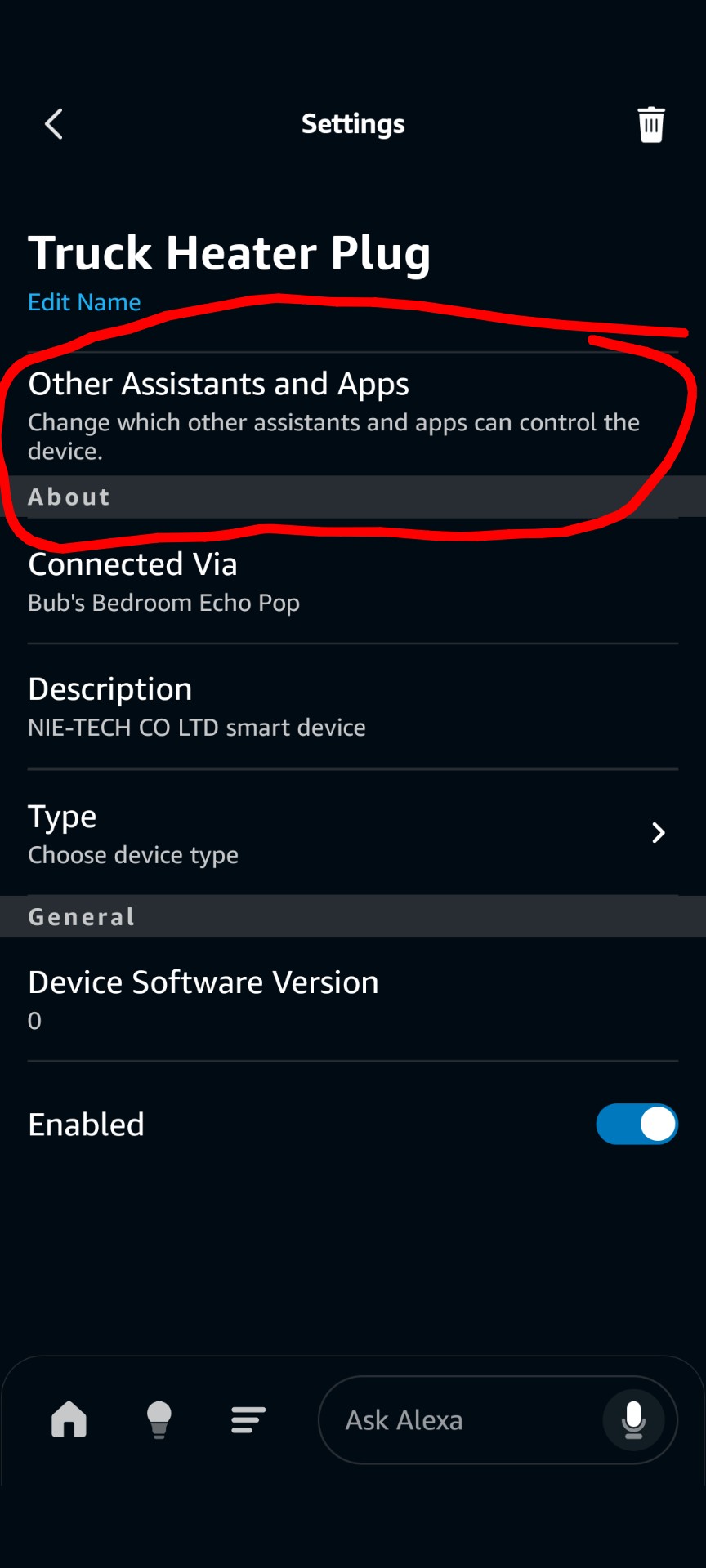
ya option is no there. its possible they block sharing as I found out its not a matter certified device hence the issues, I dont think they are following standard matter protocalls is the issue
If the device is not labeled on the packaging as a matter device and does not have a matter QR code / matter number then no Alexa will not generate a matter code. It isn't that they are not following the matter standard. It is the device was never developed and programmed to be a matter device.
The device must be a certified matter device with the QR code and number for it to be shared via matter. Not all devices are matter devices.
It does have matter and generates a code and alexa can connect and import them via matter, but it does not allow shairing from there and is not certified.
I just looked at all my matter devices that were commissioned through Alexa for matter and they all offer the ability to generate a second code. This one is a new one for me. I have no idea why it is not giving you that option.
I just tried this using Apple Home and no joy, in Home it shows the Yolink as unsupported by Apple but it does give me a pairing code. When I go to HE it says it can't find it. Beats me Apple had just paired to it. Not sure why HE can't see it.
Glad i am not the knly one with the issue