Hi -
I'm in the process of programming some Lutron Pico remotes to activate various lighting "Scenes".
It was not obvious within the Hubitat "action" drop-downs as to which functionality to choose to execute a lighting scene:
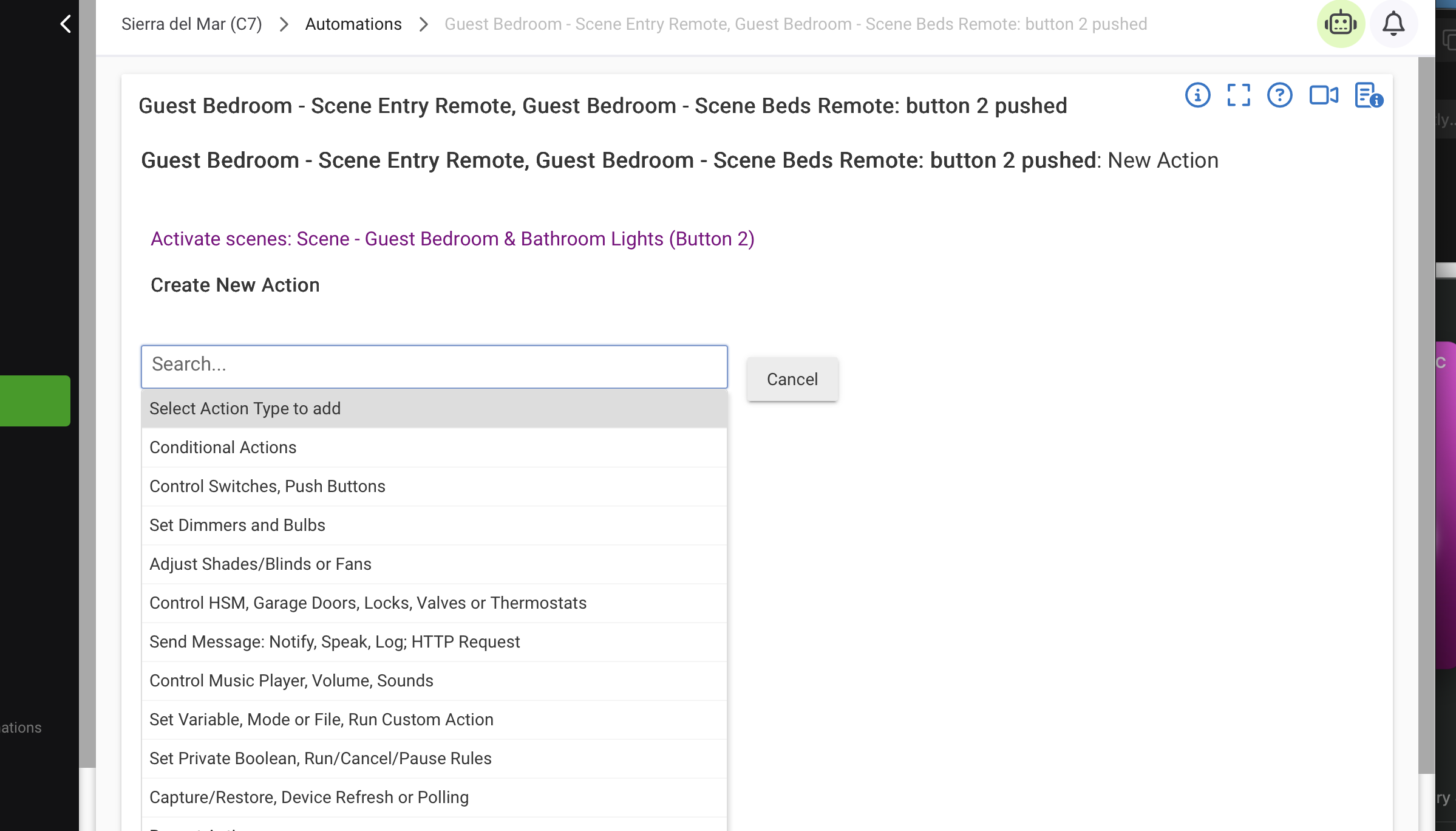
I believe that this was changed in a previous release and moved to: "Adjust Shades/Blinds or Fans" - which isn't obvious. (I can't remember how it was previously presented!)

While a scene isn't specifically a dimmer and/or switch, please provide a better Action option to execute a lighting scene change that can include dimmers and/or switches.
Thanks!
Peter