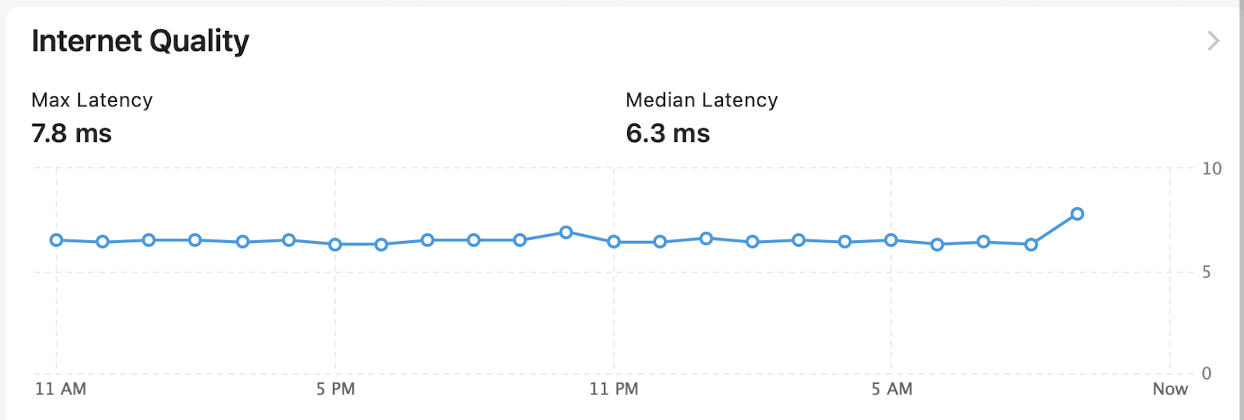
I've got a C-8 Pro and the last 2 weeks the hub has been freezing/unresponsive in the morning. The only way I can recover is to hard reboot (unplug). It'll work again for most of the day and at some point will end up unresponsive again.
The only thing I can think that I've done recently is to update the firmware. I've since updated it 2 more times to the latest hoping something was fixed in there.
I've also done a soft reset - the kind where you rebuild the database.. same thing the next morning.
So next question -- how can I figure out what's happening? I haven't installed any new apps and I don't think I have that many running to begin with.. I also don't see anything too out of the ordinary in the logs. In fact just browsing the logs it looks like the Hub has been running the whole time.
I usually notice the issue initially when trying to use Google Home to turn a device on or off and get back "unable to reach Hubitat". At that point, I try to look at the Hub's web page and it doesn't respond.. so, hard reboot and back working again.
I've since tried to delete some apps I'm not actively using (BHyve, Rachio) but there's not very many left..
Current version: 2.4.4.133, connected via ethernet
When you lose access to the UI, are you sure it wasn't an IP change? You said the logs look like the hub itself is still working, so it looks like just a UI/network issue.
So, it looks like something with the network, if it also loses cloud connection. I would try using Find My Hub the next time the UI does not load, and confirm the device is still connected with the same IP. It could also be some issue with your router dropping the hub, hard to say.
That's just how I first realize the Hub is offline.. I have a few Google voice commands I normally use in the morning. But, I'm also unable to bring up the Hub's webpage locally.
Luckily I have a Firewalla box which monitors the network so that's an easy one to answer.
The only thing I've really changed with the Hub in the last month or so has been to update the firmware (and again a few more times as I noticed more updates). I don't typically update too often but also not more than a few months out of date any any given time either.
The Hub had been running great for months maybe years.. it's just the last few weeks since I did the update.
Since this started I installed this app: Hub Health Monitor & Auto Reboot in the hopes that maybe an auto reboot could at least keep the hub working until whatever is broken gets fixed.
Anyway, I had it set to auto reboot Sunday at 2 AM (last night). I went through the logs around 2 AM and don't see any entries from this app, though other apps were still logging..
So at least it would seem like the auto reboot never worked. I have a feeling at that point the Hub was already 'broken' vs the Health Monitor app not working.. but, just some more insight/debugging.
When you say the hub freezes does it freeze to the point you can't access the UI but your automations still function as normal or does everything stop working?
If it is just the UI, go into settings then network. If your speed is set on auto switch it to 100 or if on 100 switch it to auto. This has been the fix for UI freezes only. If the automations stop working as well this will not have an impact.
I guess I'm not certain if it's just the UI or not but the logs didn't seem to stop at any point -- so maybe?
All I know for certain is the last several mornings I can't open the UI, use MakerAPI or control devices via Google Home.
I will change this setting. It was set to 100 so if it's auto by default I'm wondering if I made this change many years ago for a similar reason.. anyway, I changed it to Auto.
I'll check again tomorrow although right now I have the Hub Health Monitor & Auto Reboot app set to reboot at 2 AM just to keep things going.
When you say the logs didn't seem to stop, does this mean they still show device activity? Also, do you have any rule logging set up? If so are they showing triggers and actions?
If this is the case then the hub is still processing and it sounds like it is just the UI which will make the hub unreachable.
Did you happen to change your internet speed or anything recently? I had DSL and had to change mine to 100 due to lock ups then and when I went to fiber 1G I had to change back to auto due to issues.
just posting an update if at least for my future self who might stumble on it again later..
The Hub's been running for almost a week now without issue. I had made several changes including:
auto reboot every night at 2 AM
changed network speed from 100 to auto
removed Rachio and BHyve apps which were fairly high on the CPU usage list and I wasn't using them at the moment anyway.. FWIW I've had these apps running for years so they're probably not related
I'm now going to disable the auto reboot and see if things keep running. Just trying to narrow the issue down if I can
Sounds like good investigation next step. There do appear to be some issues w/memory leaks on 2.4.4 builds so you might possibly be running into that issue.
Can't remember if/how you're monitoring hub memory, but you can install (if you don't already have it) @thebearmay's Hub Info driver (in HPM) which provides visibility to hub memory levels.