One of my Airbnb guests which happens to be an IT specialist wrote me the attached note.
“I found every connected devices, and noticed that the 2 flats are mirrored (there are the same devices in both appartment). And i Know that because the biggest flaw i found is that the admin interface for the hubitat does not require any logging. Someone with bad intentions can see the doors password, activate/desactivate every devices... I found other smaller flaws as well. Give me a bit of time to redact a small report and i'll send it to you ! With small recommendations as well.
Personally, for a rental property with included Wifi, I would also have the guests using an isolate guest Wifi, on top of passwords for anything that has a web UI. With an isolated guest Wifi they wont even be able to see any of the other devices on the LAN, just access the internet and that's it.
I suppose though they could just connect to an ethernet jack on the router, unless you have it locked up. So to really protect the main LAN there would be additional steps as well.
You need to change all the lock codes and then restrict access to your hub. Finally, you need to put your guests on a guest network and not on your main network.
I cannot believe that you did not have your hub locked down in an AirBnb environment.
Codes may still be visible in app configuration, Logs, and other places, depending on how you set them up (e.g., Lock Code Manager may display them if you used that, or rule or other app logs may contain the data for at least the short-term, depending on the app and your configuration) -- this just obfuscates them on the device detail page for each lock; and
The encryption algorithm is meant to stop casual observers from seeing the codes in plain text, but there is no guarantee as to the complexity of this algorithm (e.g., someone who knows a code or two may be able to figure out the rest).
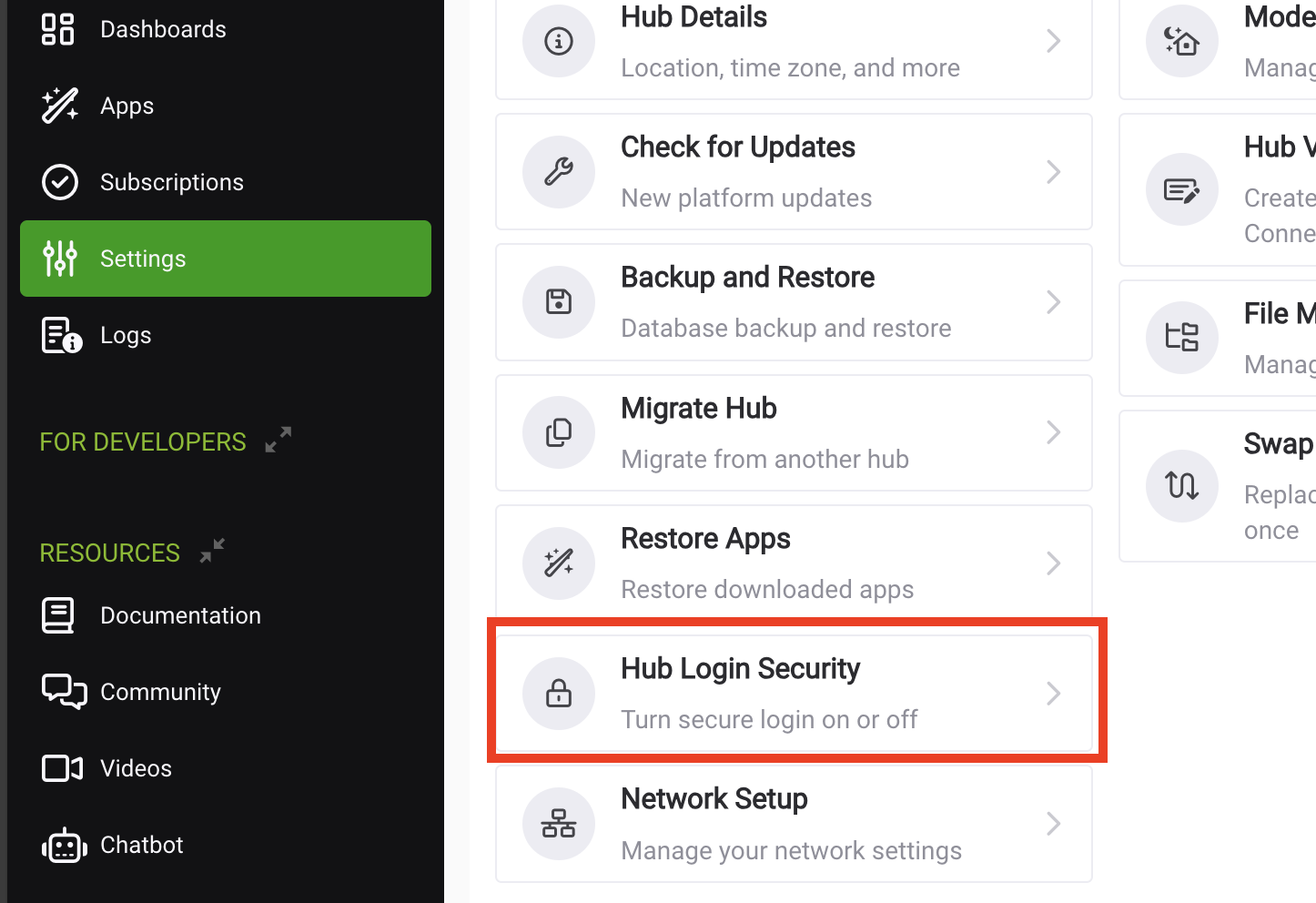
I second the suggestions above to look at Hub Login Security, a feature I would have strongly recommended to be enabled on a network accessible to others. Note that this will not prevent access to the Diagnostic Tool, which a malicious user could probably easily figure out how to get into and use to soft reset your hub or reset the radios. If you have cloud backups, these are recoverable (and having it registered would prevent a true full reset, not that there would be much difference beyond the registration afterwards).
So figuring out a way to restrict access to it from your guests' devices at all is probably a better approach, though as Jeff mentioned above, possibly one that is outside the ability of your current network equipment's ability. If you don't have a compelling reason to offer wired ports, offering a "guest" Wi-Fi network is a feature many consumer router/AP devices have built in and normally achieves a similar outcome with minimal work or skill required. Obviously, your wired equipment and ideally the hub itself would need to be physically inaccessible to the same users for this to stand any chance of stopping the same kind of people.
I am doing my best in this DIY environment. I am very fortunate that I have managed to get this hub to work. The way you write it's as if only highly skilled technically inclined should be using these hubs. You should possibly put on your website and product information. Only to be used by technicians with a level knowledge on PCs, security and communications.
Just enable the Guest wifi network on your router and that's what your guests use for interwebs. I'm in finance and I don't ever need ethernet. None of your guests ever need ethernet.
There is no reason you should be sharing your main network with guests, and that's exactly the concern that a guest network solves.
Make sure your main network has a strong password on it. Whatever additional steps you want to take to secure your main network (and the devices on it) are up to you, but really shouldn't be too necessary if you keep guests out of it.
No offense. But this was your choice. No one held your feet to the fire and asked you to use a home automation hub in a commercial environment.
And the lack of security pointed out in your setup would remain if you used any other home automation hub in a commercial environment.
There are professional management services available for automation in the short-term rental marketplace. As you find network security challenging, I would recommend you seek an alternative solution for your commercial automation needs.
This is not really a question about the hub, other than hub login security, which can address one (though not all) of the concerns raised above.
It is more a question of how to secure your home network from guests you allow to use it in some capacity. Your Hubitat hub is only one of those concerns.
You may be able to contract that service out if you need help with it (or find someone who will volunteer, and you may also need more advanced networking equipment). But without doing that, a guest network, as several above have suggested, is an easy way to create this kind of security without needing to know anything else about how to do it yourself. This feature is built in to a lot of consumer Wi-Fi routers nowadays, so it's likely doable with what you have or an affordable upgrade if not.
Pretty cheeky of your guest to take it upon him/herself to browse your network like that, but I have to say that it is 100% your fault for allowing unfettered guest access. If you weren’t sure how to protect yourself from your guests, you should have held off on providing them with any type of network access. I don’t care if there is a financial reason behind the decision. A savvy guest, like this one could have done allot more damage such as gaining access to personal data. You need to get this resolved ASAP. Sorry to be so harsh sounding, but it’s the truth and the truth hurts on occasion. Good luck.
I get the frustration, and I'm not trying to pile on. The issue really has nothing to do with the expertise needed for the Hubtiat hub - that is a very low technical hurdle.
The issue is that you are using a flat consumer network for commercial guests/services. I see this relatively often at airbnb's (I also scan almost every network I connect to when travelling [except friends/family]. ).
The issue, in my opinion, is all of these airbnbers wanting to offer commercial services - like in-room wifi - without the knowledge of how to provide actual commercial services. It just kind of is what it is in this space.
Anyway, the other recommendations are sound.
Learn how, or pay someone, to make a guest wifi network that is separate from your main network.
Restrict physical access to the router and network equipment.
If you need physical Ethernet connections for guests, then it gets more complicated as you will need someone to setup vlans/additional firewalls/other to segregate those ports from your main network (can't say one answer, because it depends on how you do it).
Since I created a password per earlier post, my guest no longer has access to the logs. But he can still turn on lights and things, so the password is of limited use. His recommendation which to date seems the simplest and most robust. Put a second router behind the existing router and have that become the guest access, I can connect the Ethernet cables to that router as well.
I’m a guy with a background in sales. I’m retired now and these Airbnb apartments are a nice hobby. I had all my z-wave on Wink, which unfortunately was not reliable, So I researched a replacement that brought me to Hubitat. For a non technical person, Wink is by far more user friendly. Based on your collective opinions it would seem smarter for me to migrate back to Wink as your Hub is not commercially friendly. I only purchased a hub for my home to figure out how to replace Wink in my Airbnbs. Contrary to the technically inclined I can live without my home being automated but not my Airbnbs.
What I do find astonishing is that on numerous occasions when seeking assistance I have mentioned more than once that a hub was installed at Airbnb sites yet no one clued in to ask me if I had set up security. I’m sure I am not the exception and I am certain that many other Airbnb operators are using your hubs and are configured as I am. Contrary to many of your other Airbnb customers, I’m located in the 51st state where we still don’t go lawyer crazy with a situation like this. But I suggest you should put a disclaimer, or have a specific commercial and or Airbnb section that clearly indicates the perils of your hubs in a commercial environment. I’m certain you don’t want the bad publicity or have to shell out legal fees because a customer got hacked. I thank you for your advice and your recommendation to leave your platform.
He already breached the system, he may have created dashboards or saved bookmarks to the dashboards which includes an access token so that you can use them without logging in. He may have generated access tokens which can be used with MarkerAPI as well.
If the Login security password was in place from the start, he would have not had access to any of these things without access tokens.
You can go in and reset all the tokens or remove the apps to revoke access.
Also as for legal things, I would guess you assume all legal risk when installing a consumer device in a commercial property. I would assume Hubitat has this covered in some sort of TOS or user agreement already, but not going to lie, I have never read any of it.
I am honestly surprised ANYONE runs their live production hub with login security off, when I got mine that was one of the first things I turned on. I thought it was odd that myself (or anyone on my LAN) could just go in with no password so I figured out how to enable it. I dont think my kids or guests would go in there and mess with anything, but now I know they can't.
If you do this correctly with the second router in AP/bridge mode, it will probably not gain you anything. Everything will be on the same LAN still, and still have access to everything. If you keep it in router mode you will create a double NAT for the guest router, which will isolate the second network but also may create other complications with connectivity.
Personally, I think that is horrible advice.
Also, on top of that, if this person is already accessing your hub via some sort of access tokens like MakerAPI, then adding the second router would not block them. It would however block them from the diagnostic tool on the hub, which as stated above login security alone does not block.
I would recommend one router, an isolated guest Wifi, and secure the network equipment in a locked cabinet or closet. No ethernet connections available for guests.
They cannot use the diagnostic tool without access to the hub to see the MAC on the bottom, or access to the LAN to scan for and find the MAC. With the main LAN isolated and gear secure I think you are safe.
If they still somehow breached by either breaking a lock or cutting a cable to splice in, then surely you could go after them for damages.
BTW, all the folks responding to you are not Hubitat employees. Our opinions mean jack all, as does our knowing that you're using your hubs in a commercial environment.
The current guest that informed of the breach is from Belgium and is checking out February 9th and probably won’t come back. I went over today to shovel out the outdoor spaces and meet him face to face. I have to believe his intentions were purely to help me or sensitize me to the vulnerability of my installation. A task I would have expected to be advised of by this community, given the Airbnb context. That’s the way I wish to look at this event, no benefit in stressing over the situation. Your recommendations using terms like: MarkerAIP, tokens & bookmarks are I suppose for the benefit of the other techniciens reading this as this is way over my head. The router, modem, hub, Lutron device are all locked in a janitorial closet that guests don’t have access to. All a guest can do is power down and up this equipment from the breaker box, where the breaker is identified, which I do ask guests to do when the z-wave radio fails.
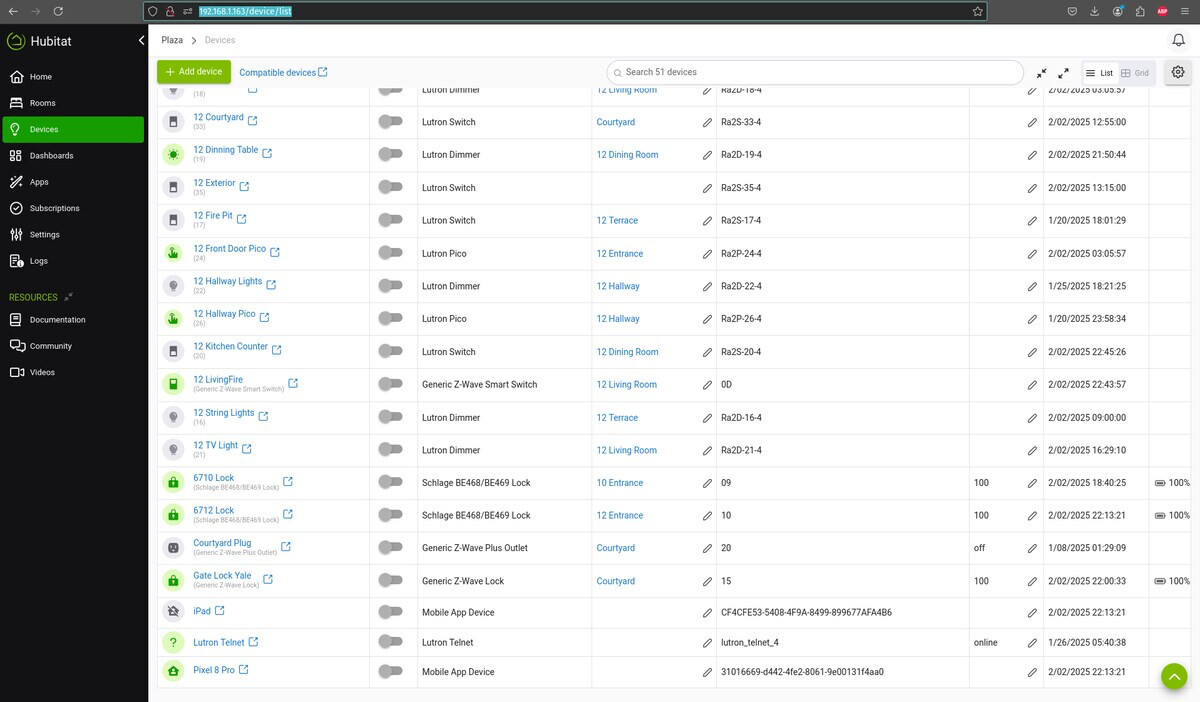
 ).
).
