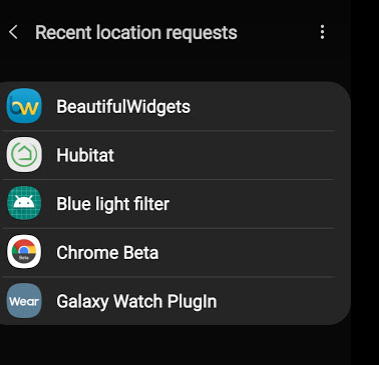
Android 10 on Samsung S10...Hubitat app is repeatedly asking me for location permission. I've tried giving it permission just when using, but it asks me for permission again every time I open it.
I'm not using any presence features of Hubitat at this time, so just want to turn off anything that needs it, and get the app to stop pestering me.
What should I make sure I don't have installed on my Hub that may require presence info, and is there a setting in the Hub settings where I can tell it to stop trying to track me via the mobile app. There isn't anything about that in the hub Settings>View and Change your Location Information and Modes section.
You can't. The app has to have access to device location. However, you can turn off GeoFence in the app settings and it will not access your phone's location services. I used a Galaxy S9 for 2 years and recently got an S20 and Hubitat never appeared on the list of app's accessing the phone's location.
If you don't want to use the feature at all on Android 10 you need to deny the permission. Go into the app info/permissions/location/change it to deny. The next time you open the app click deny permissions and it should stop asking after that.
Thanks, I just turned off GeoFence in the mobile app. It still demands location permission every time I launch it unless it has the All the time option selected. I'll be watching my location request info (below) and confirm it drops off that list.
Thanks. I didn't want to deny it while running as I know that can be important for allowing access to local network info, etc., which is reasonable. If the solution above (turning off GeoFence removes actually stops the location requests then I'll be good.
Thanks for letting me know...this is the first time I've ever seen this issue on my phone, and I choose the option to only allow location access when the app is open (for apps I want to have location access) the vast majority of the time. Unfortunately I was getting the location prompt from the Hubitat app on every launch, so wasn't intermittent for me.
I tried denying the permission, since I don't use the app for presence either. The app wouldn't even let me launch it. It literally went into a loop of requests for location permission until I click "allow".
EEK! Not nice behavior...unfortunate. However, the mobile app is mostly useless for me, I focus on automations rather than control from an app, so fortunately I won't be opening the app very much.
I'm frankly very disappointed w/the mobile app's uselessness for setting up devices. I feel like a fool carrying my laptop around the house as I reset and pair devices to move them from SmartThings to Hubitat. Makes me feel like I've been forced back to live in the early 2000's...
why not just access the GUI on your phone instead? It loads as mobile page so it is appropriately scaled. Works fine for me. In fact, it works much better than the ST interface IMHO.
Well dammit, because I didn't think of doing that!
This suggestion should be in the quick start guide that comes in the box, and in a sticky post in the Get Started forum. Would have 100% improved my OOBE impressions of HE if I had known/thought about doing this from the start. It's obvious in retrospect of course, but coming from years on ST, I was stuck in that mental paradigm where the only mobile access to the hub was via an app. DOH!
I've seen others complaining about the mobile app here (and in the ST forum) - I wonder how many of them didn't think about the direct access option. Since I run a home VPN I can also use direct access when away from home if I need it, so Win/Win for me.
Thanks, I owe you a root beer float, and HE owes you a free hub for significant customer relations improvement!
Oh, and back on the original topic (location) - I looked in the app today, and the Geofence setting had been re-enabled since I turned it off the other day. I'm going to watch it, I'm hoping this was operator error and I somehow accidentally re-enabled it.