I have a virtual switch that is set externally. It tells my hub if I'm awake or sleeping - and is literally called Virtual Awake Switch.
After a hub reboot, it always turns off. How can I make it remember 'last state' on hub update/reboot?
1 Like
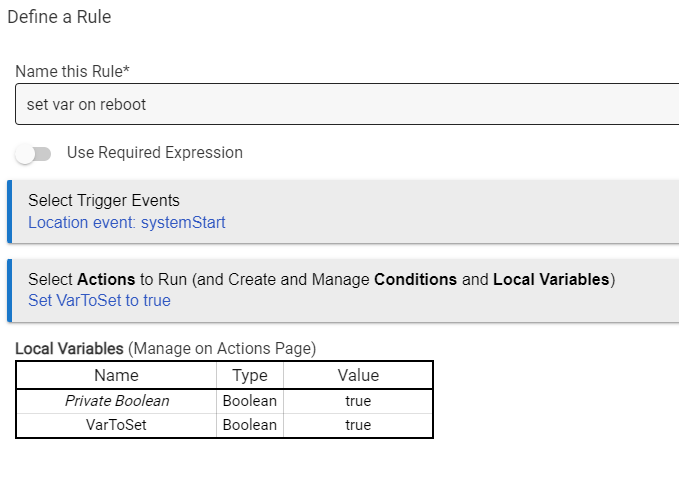
You'd also need a rule that captures its state every time in turns on or off, and puts that value in a Hub Variable. Then, as shown above, the rule triggered by systemStart could turn it on of off as determined by that variable value.
1 Like
It should also be noted that virutal switches do remember their state on hub reboot, so if yours always turns off, then either your external system is doing that when it comes back or you have an automation on Hubitat that is doing so (and that you could probably modify to not).
5 Likes
Thank you for clarifying that.
2 Likes
Thanks - I haven't actually proven the 'remembered state' thing - I just now found what caused my switch to set to off.
The driver for the switch is my very own code work for a virtual - reversable switch! it forces the off state.
Once I set it to the generic Virtual Switch, the rules worked. (they didn't prior).
Now I'll go see if the rules are actually necessary at all ... thanks for the help.
This topic was automatically closed 365 days after the last reply. New replies are no longer allowed.

