Hi
Newbie here I have a C8 Pro and want to send codes I have captured using TomW Broadlink app. But can't figure out how to get the code sent when i use a button to put up shades. Captured the codes to app and they work there but the app is a little confusing maybe its the terminology since I am not familiar terminology.
Thanks in Advance
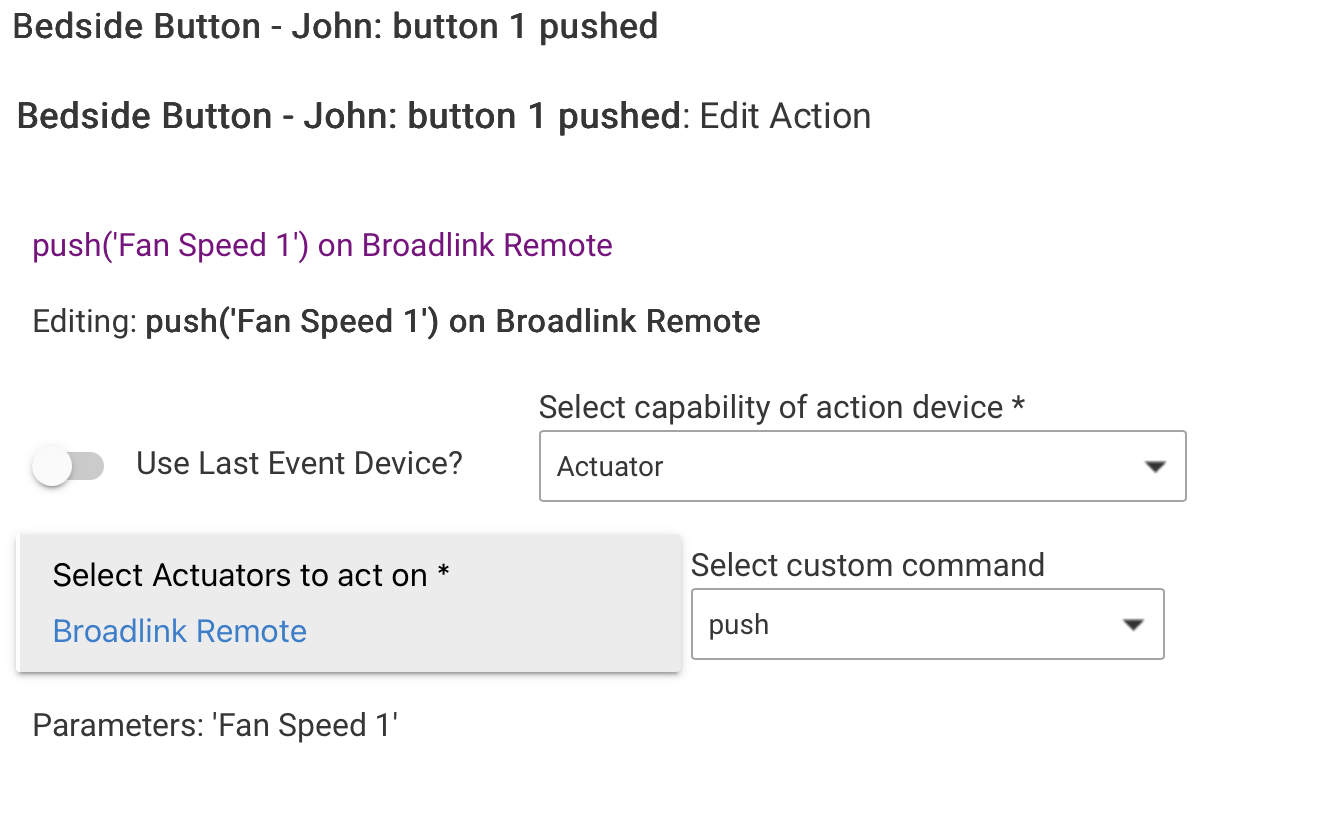
It's a little awkward. You select the action in button controller as 'custom action', then select 'actuator', pick the broad link device, then 'custom command'. You select 'push' then enter the name you saved the command as, as a string in parameters. Here's one of mine. It's critical that when you save the commands in Broadlink, you remember what you named them!:
I created virtual shades and then setup rules to send the commands to the actual shade whenever the virtual shade was changed. It was a little more intuitive than using a button on a dashboard.
As to the command, I used the sendSavedCode command from my broadlink created device.
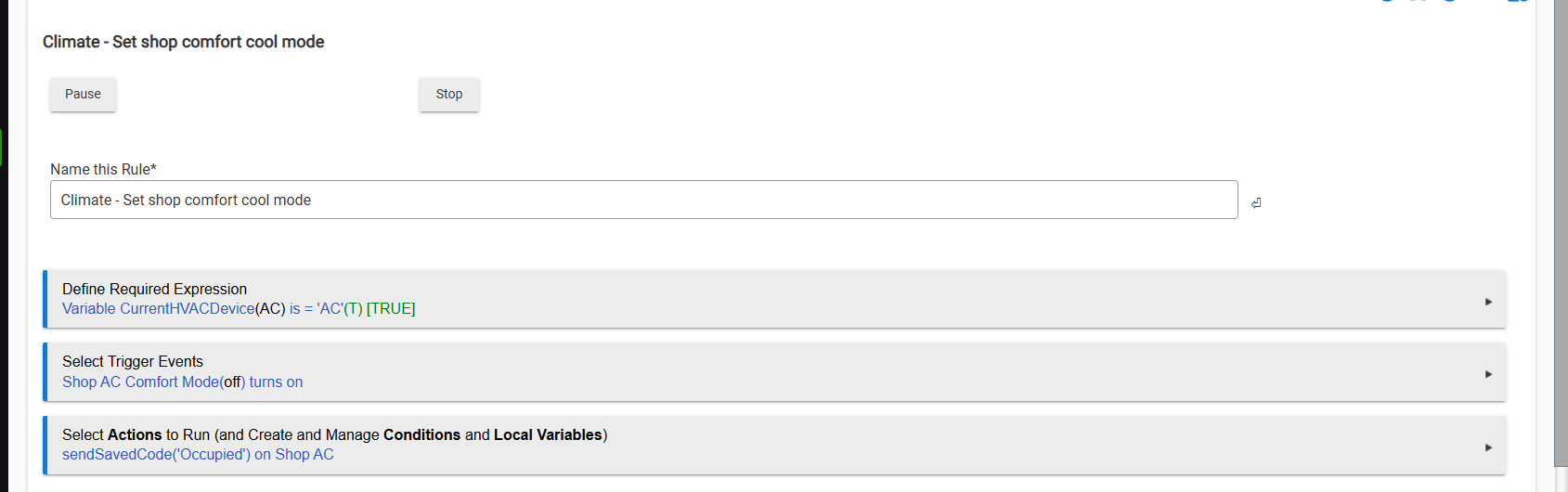
This controls a small window AC unit in my detached shop's office.
2 Likes
As @terminal3 indicated, this is easy to do in Rule Machine. For the action, choose "Run Custom Action". Then pick the Broadlink device, and use the command "sendSavedCode".
Here's an example similar to @terminal3's.

1 Like
Thanks that really helped got it working!
1 Like
Thanks that worked!
2 Likes