Hello everyone. Total newbie here, just getting into trying this stuff.
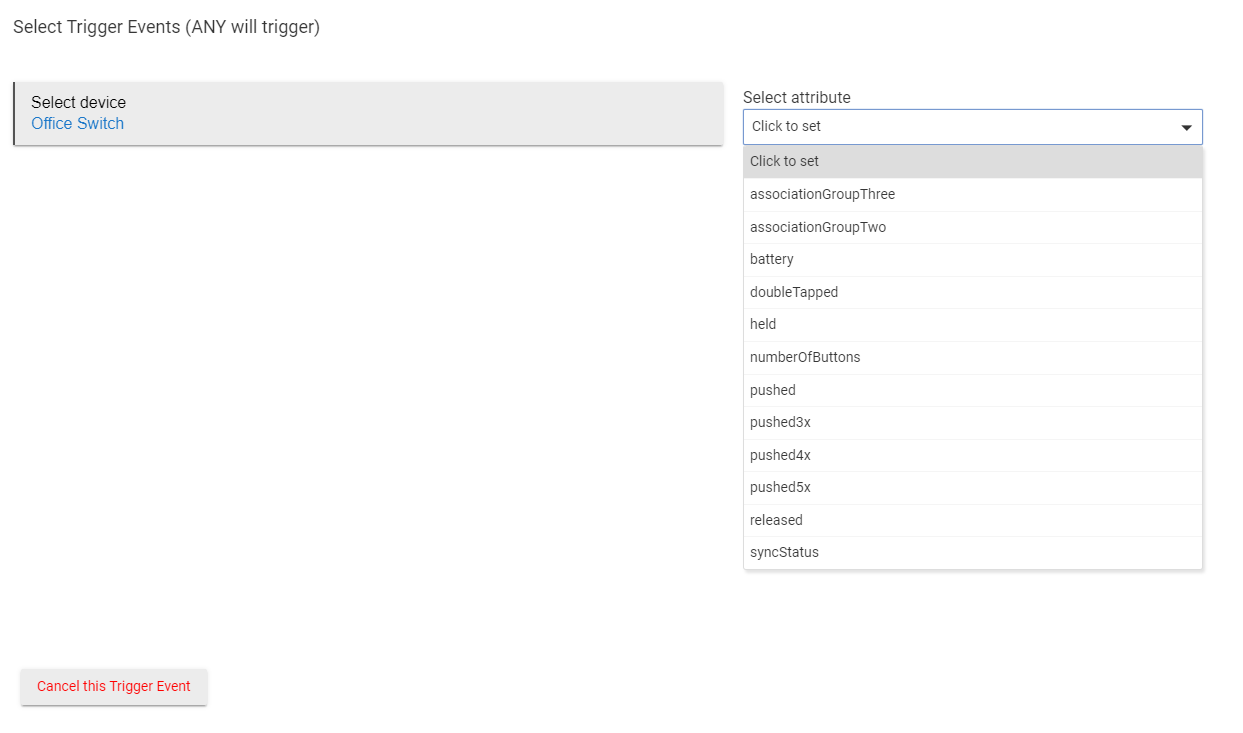
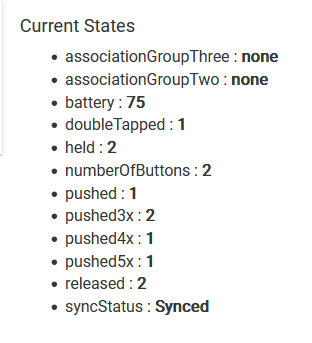
So when I first tried to use my Zen34 switch as a trigger event in RM, I noticed it was missing 3x,4x,5x presses, etc. That's when I saw that it had to be done as a custom attribute for the advanced driver to be recognized. But now I'm here:
First, it doesn't say which button for the double, triple, etc press. The dropdown doesn't say which if those presses are for up or down on the switch.
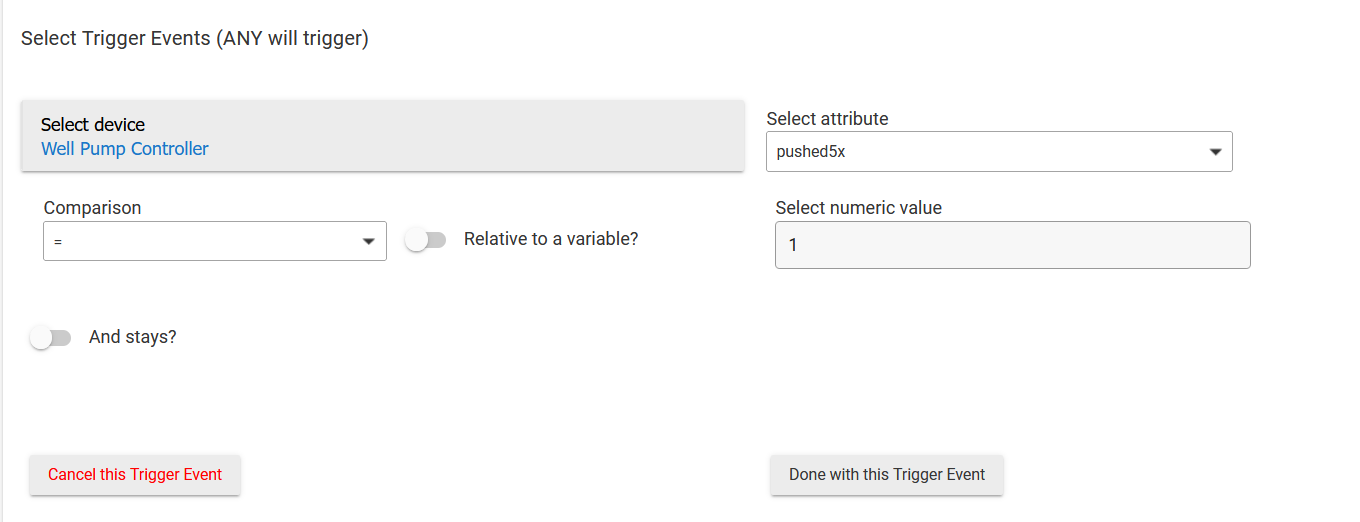
The second issue is when I click one, I don't really understand why there's a comparison choice and am not sure how to proceed from here:
I was just wanting to double tap, triple tap, etc to turn my lights to different scenes or on or off. I was expecting to be able to click 'triple tap up' as an activation, and then I could move on to the effect, but as you can see that's not an option, plus there's more that I need to do, but am unsure what.
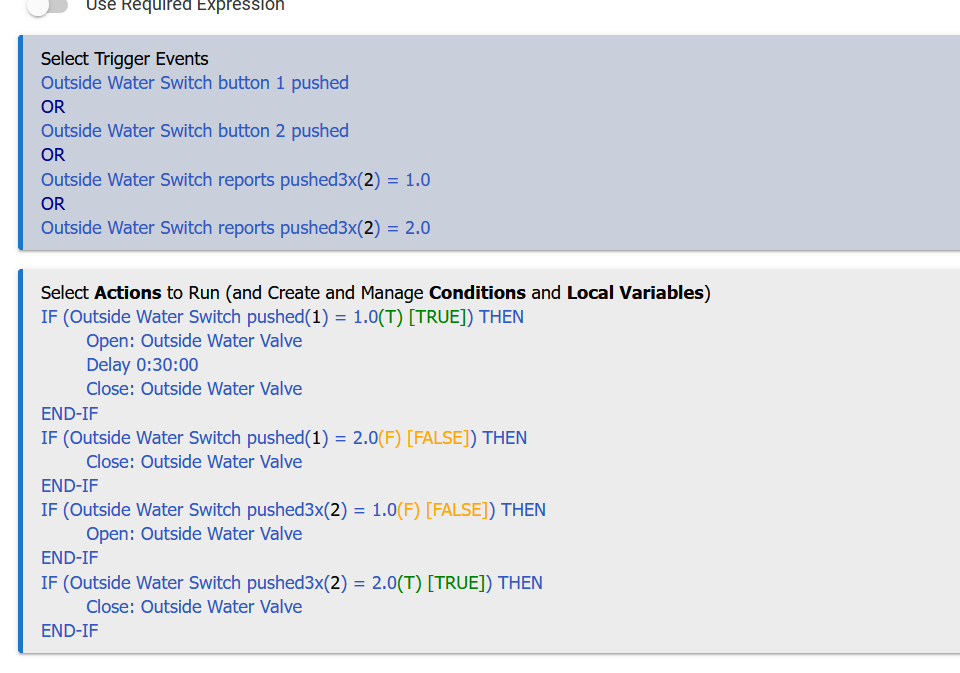
Here's a rule I made for a valve.
One tap on button 1 does one thing.
One tap on button 2 does something else
Triple tap on but. 1 does something
Triple tap on but 2 does something
I'm no genius at making rules. So, not sure if the logic is perfect, but it seems to work.
I probably could've done 4 separate but SIMPLE rules that would've got the job done.
If you are using the custom driver, the number of button presses will show up as different buttons 1-10, not double, triple, etc. ie. 1,3,5,7,9 for the top presses and 2,4,6,8,10 for the bottom presses. So hitting the top 5x means button 9 is pressed.
That's the case with my driver, but I think there's another out there that uses custom events (or attributes, the names above) rather than standard button events with different numbers.