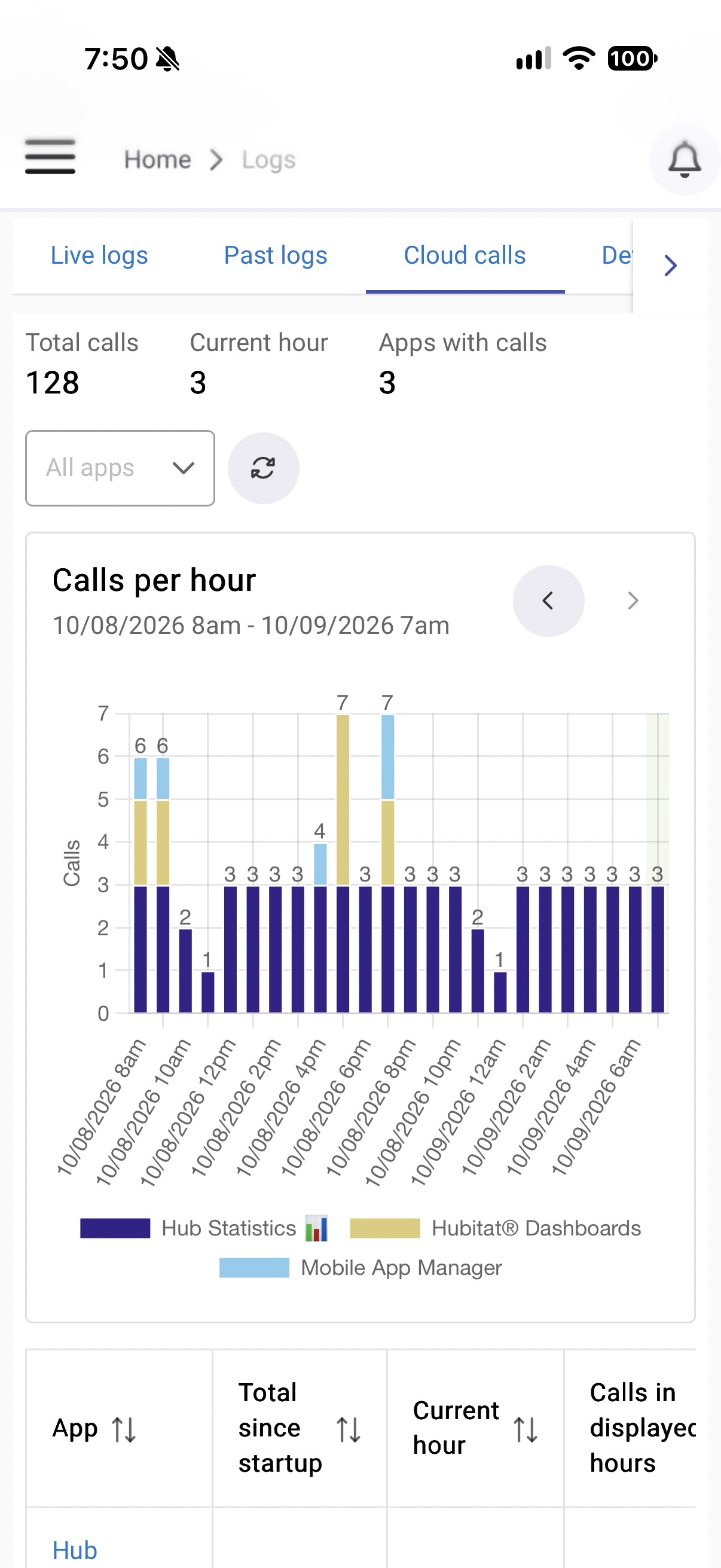
I currently have hub protect. Based on the numbers of cloud calls I am seeing I am going to need cloud extend.
The free hub replacement was never the selling factor for hub protect, it was the full backups. Chances are I would have already ordered a replacement hub before Hubitat looked at the ticket To get myself back up and running.
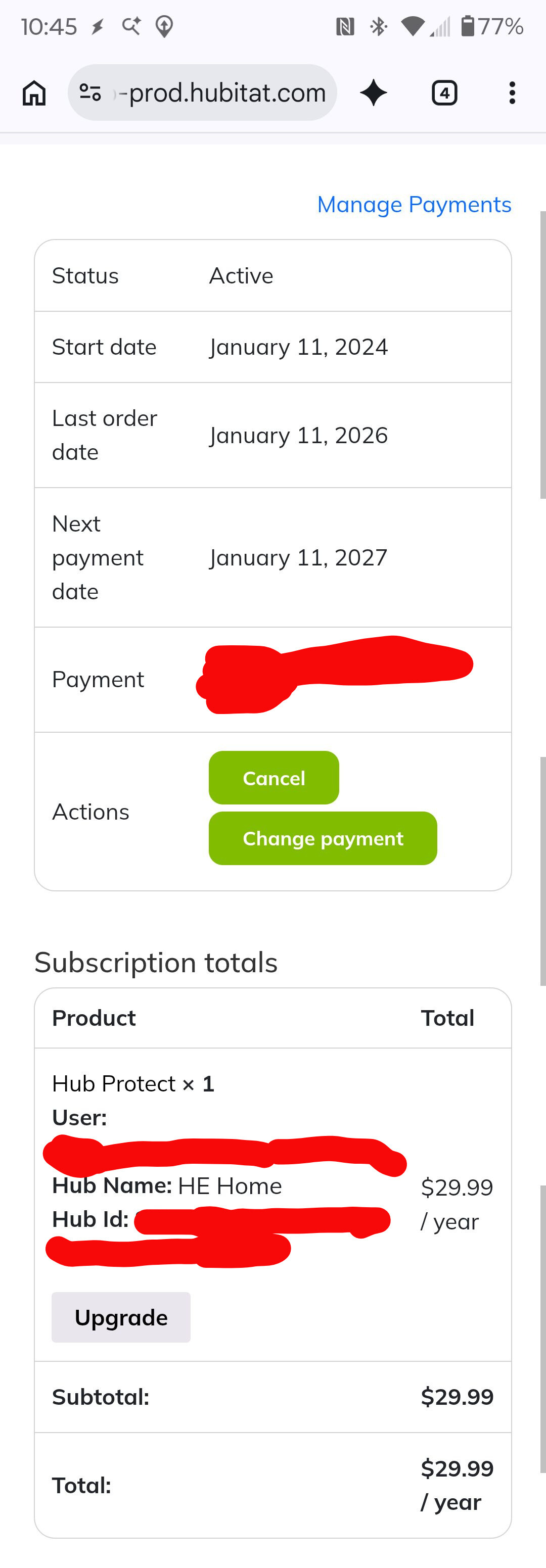
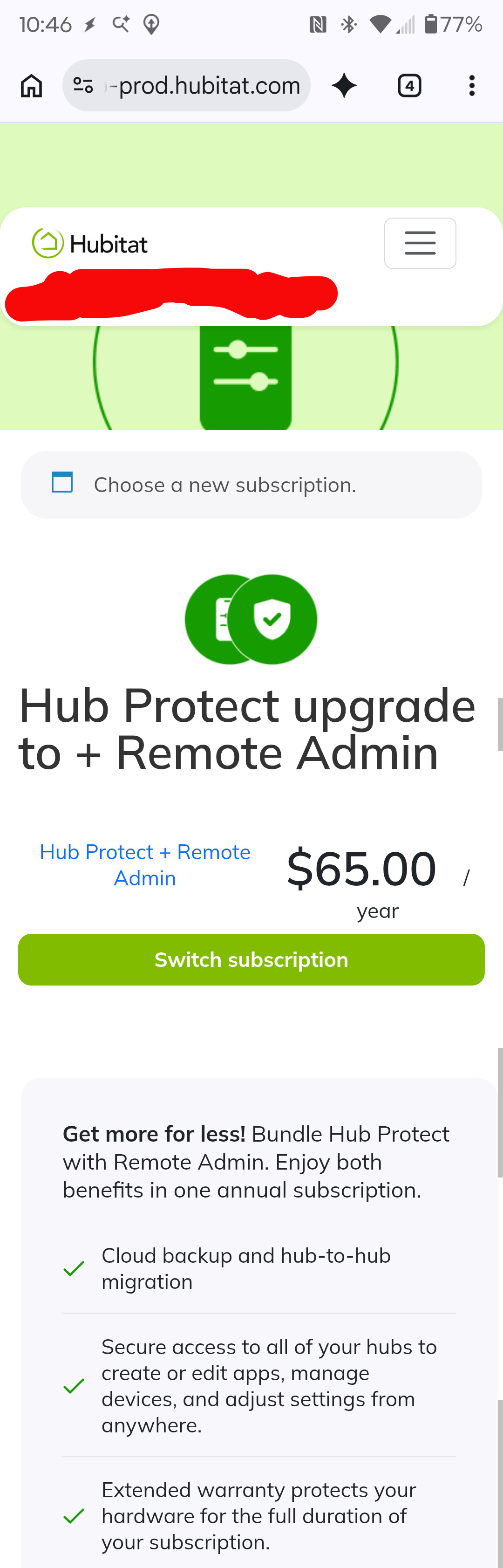
My subscription comes up in January so I figured I would just add cloud extend (cloud backup) now and cancel hub protect in January. The problem, the only option available to me is to upgrade to the $65 everything option which I don't need.
How do I just add cloud extend (cloud backup) since the option is not available to me in the subscriptions tab?
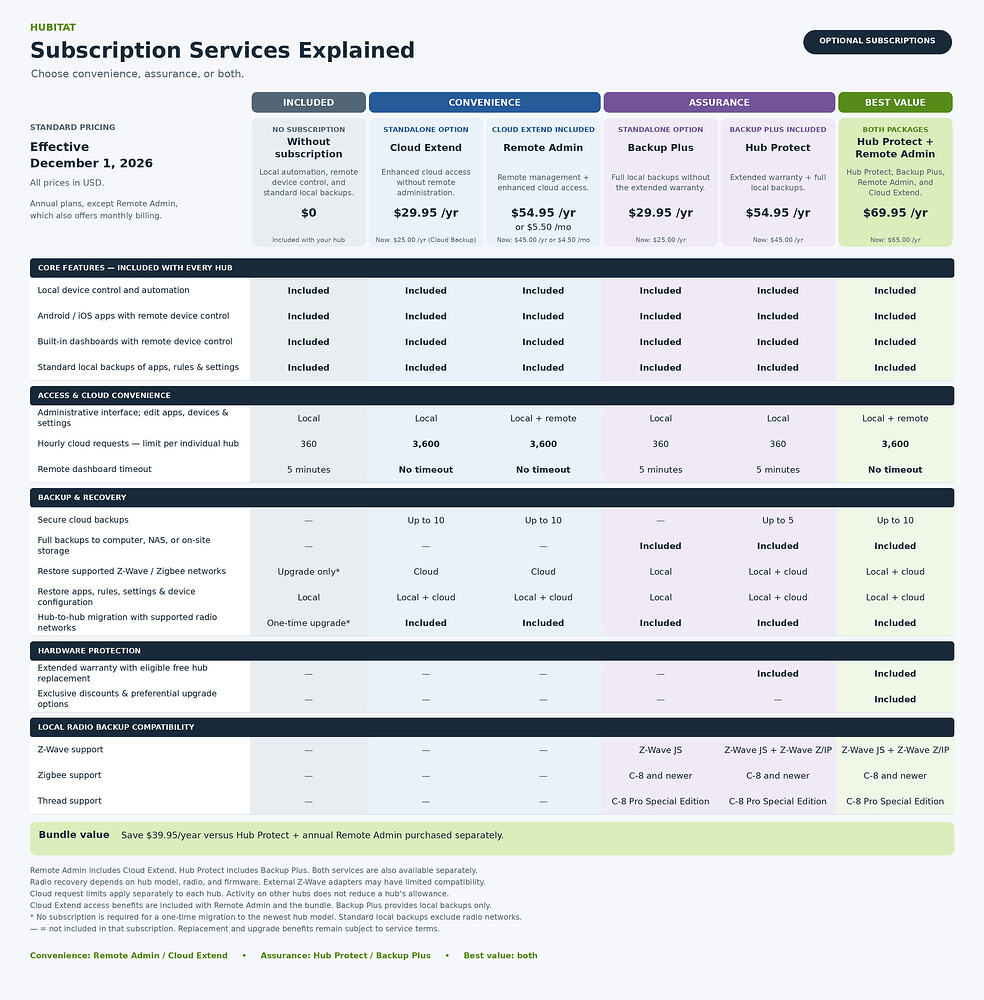
Was thinking along the same lines myself. I have protect at the inital rate and I did get it for the free hub option. So, looking at the price options, the "everything" option looks to be the only one that makes sense. I just don't really need the remote access and not 100% sure I really need the extend. I just thought it might make sense to get the price locked in while it is lower.
Yes, I have looked. It really depends on what you have on your setup. For instance, Google SDMI app has the potential to get out of hand. It sends EVERY notification through the hubitat cloud endpoint. When we were sitting out on our deck, in front of my camera, it spiked due to all the motion events. Note: The app sends the events even though I do nothing with the "motion only" events. That is just the one app.
So, while I have not hit it yet, I can see the potential. These were low traffic days with little wind. Those cameras really start sending alerts when we have storms. Would hate to be limited for something I feel is critical (although nothing is really critical on my hub). When I go out of town or on vacation, I frequently hit the cloud dahsboards. So that is another concern. And to be fair, the cadilac option is ~$5 month if you do the math.
Good question. You can add the stand-alone Cloud Extend subscription from the Subscriptions page. The current 50% bundling promotion brings the initial price to $12.50.
If you cancel Hub Protect, the discount will be removed automatically. And, on the renewal date, Cloud Extend will renew at the active price at that time, which may be higher than the initial price offered today.
I do not see this available to me. The only option I can find says "upgrade" and that only offers the $65 option. Honestly, I found navigating the "subscription" pages to be a bit confusing and a little frustrating.
Okay, how does this work? Anything you add automatically becomes a bundle? The 50% only applies to the added subscription correct? If I have protect at $29.99 (the old price), will that be kept at the old price and still allow the 50% bundle on Extend? Or will the bundle become a collective "new" subscription?
Not complaining either way. Also, not looking to spend more than I have to. Hub Protect gives me 5 cloud backups, which is more than enough. I don't need remote admin. I want (and possibly may need eventually) extend.
We offer a "bundling" discount. If you are already subscribed to Hub Protect or Remote Admin, any additional service added to that hub should receive 50% discount at checkout.
In addition, there is also a multi-hub discount available for Hub Protect and Bundle subscribers. If you add Hub Protect on a different hub, you get $25 off for the Hub Protect on the additional hub.
I updated and was able to purchase extend. Thank you. I'm still waiting for it to show as purchased even after reloading subscriptions but figure it may take a bit for the system to catch up.
I noticed a couple of typos on the subscription screens.
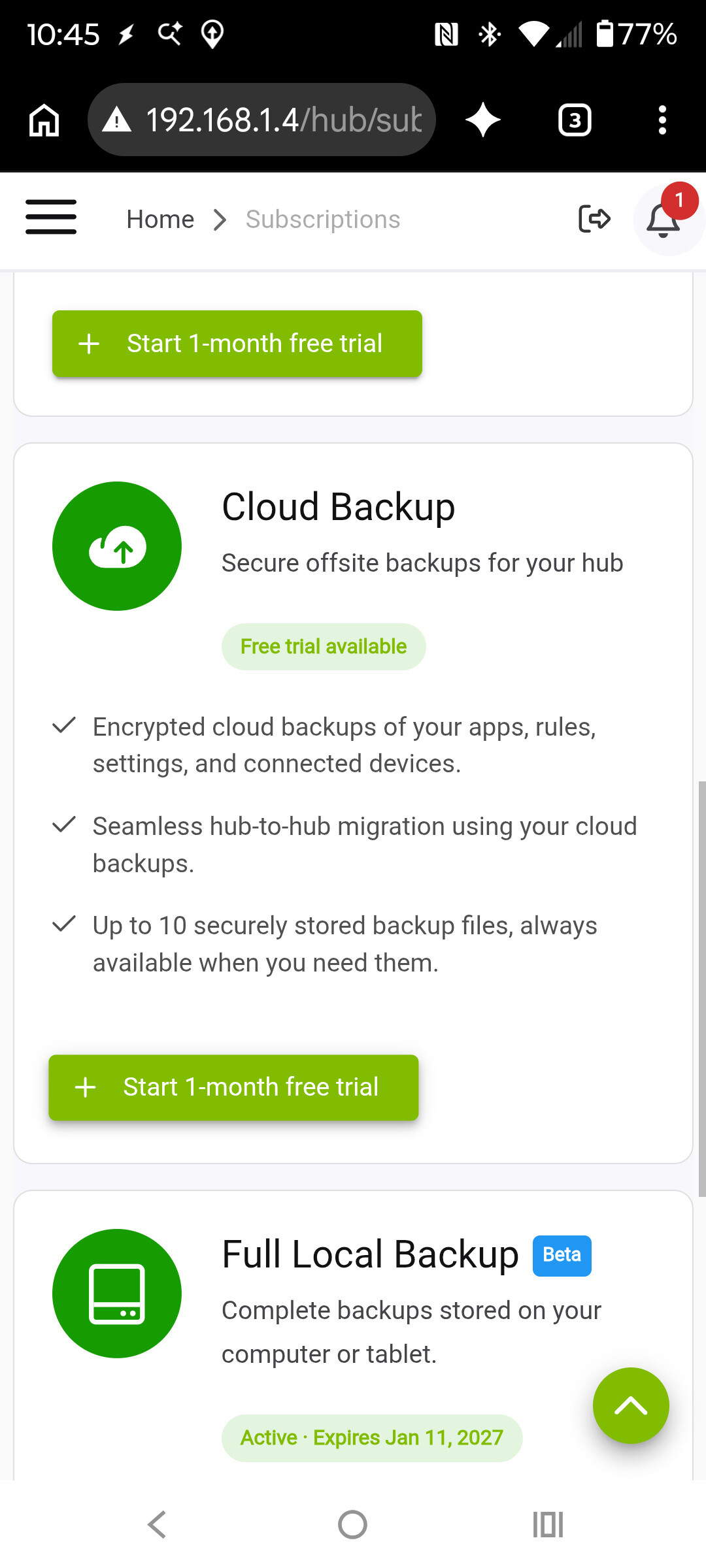
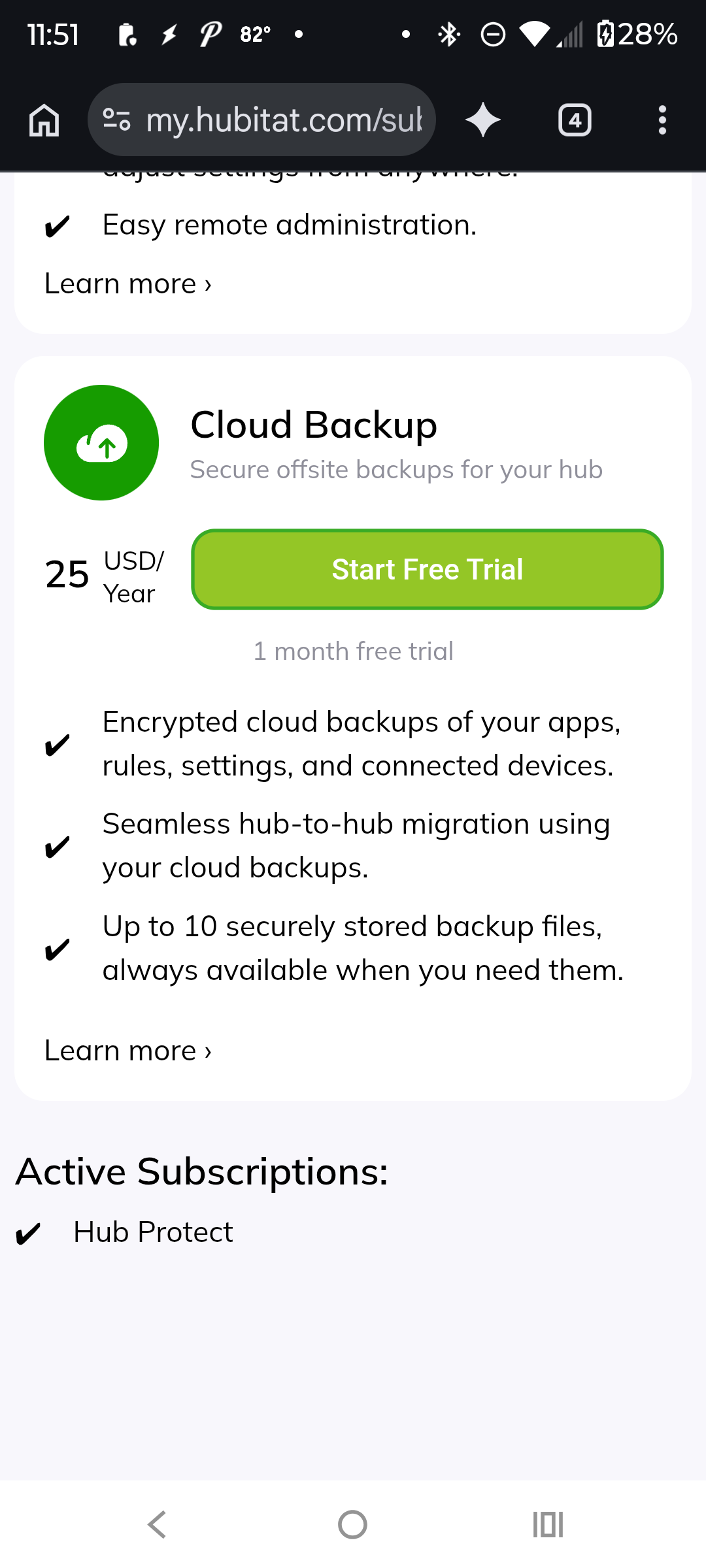
After selecting cloud extend it loads another page that is referenced as cloud backup
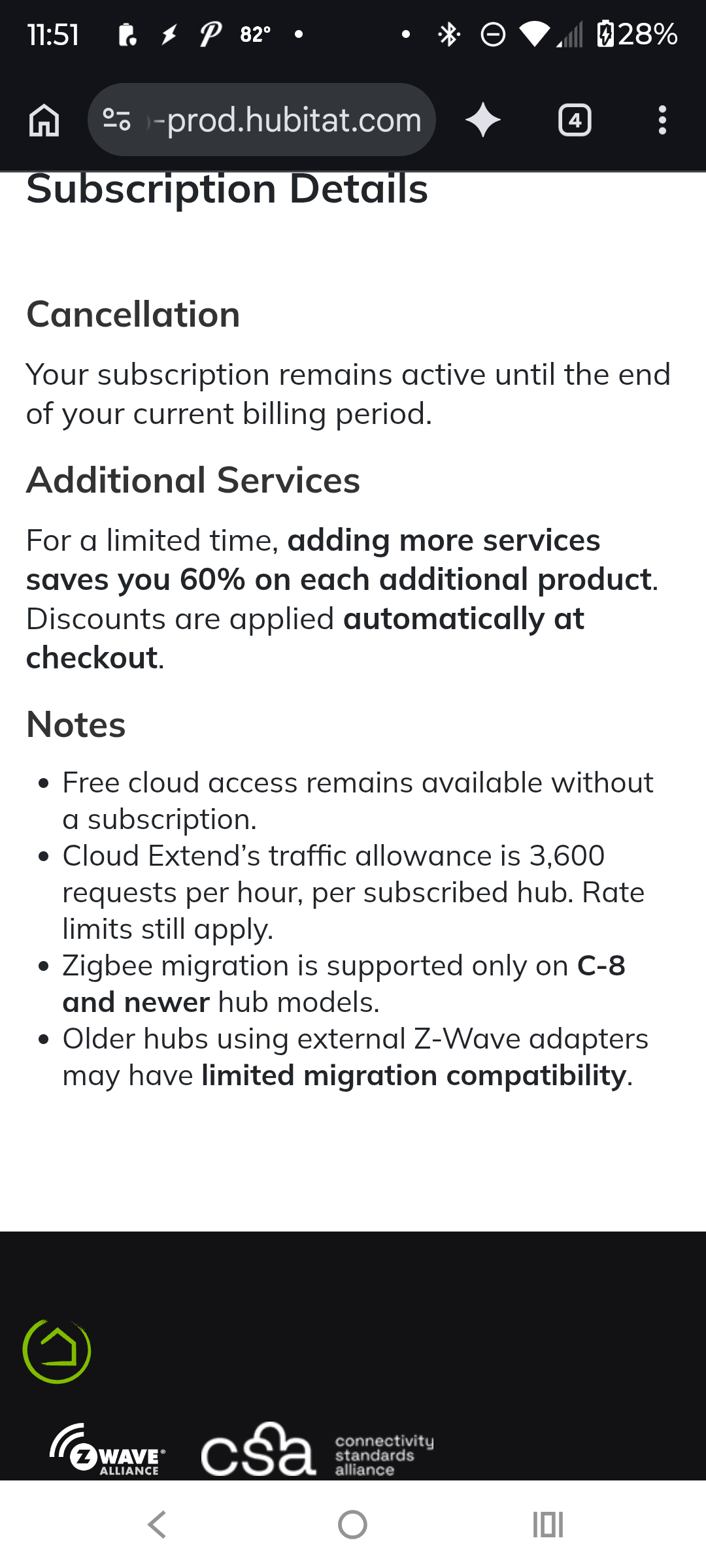
The screen says that additional services generate a 60% discount. You mentioned earlier the discount was still 50% so I'm assuming a typo since the actual discount applied was indeed 50%
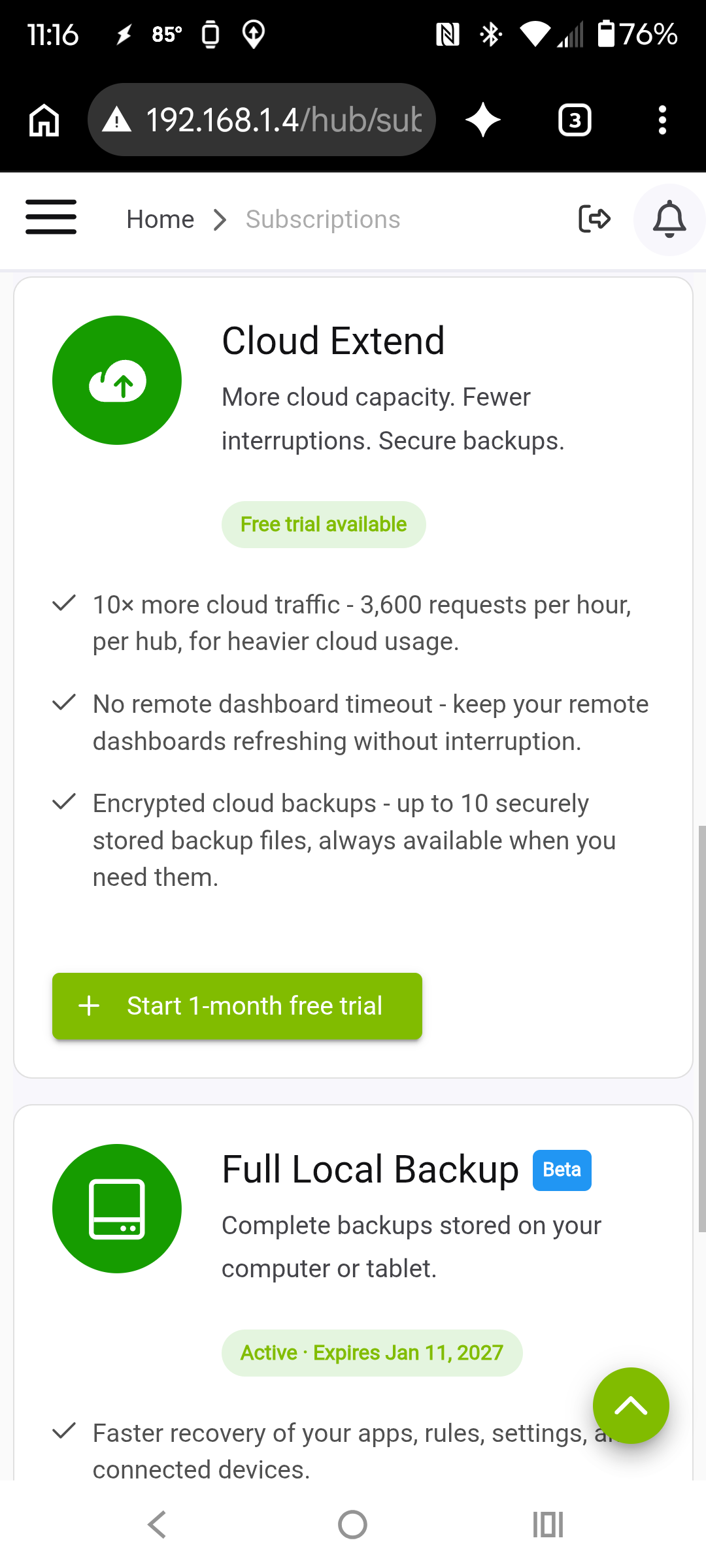
Should Cloud Extend show Active with a pending expiration date like Hub Protect and Full Local Backup do? I've tried refreshing and even rebooted the hub but it is not showing active. The purchase went through without issue and is showing up in my subscription receipts.
I just received an AI generated email from my request that gives me a bunch of troubleshooting steps that I have already tried.
It also appears by the last sentence in the email:
"If you have any further questions or need further details, please feel free to reach out again" that the support request is completed and closed.
Can you please check on this when you get a few minutes.
The AI will continue to suggest solutions until it gives up and escalates to a human. So no, the ticket is not closed if you keep replying. A human will take a look soon as possible, and if a response is needed, it will be addressed.