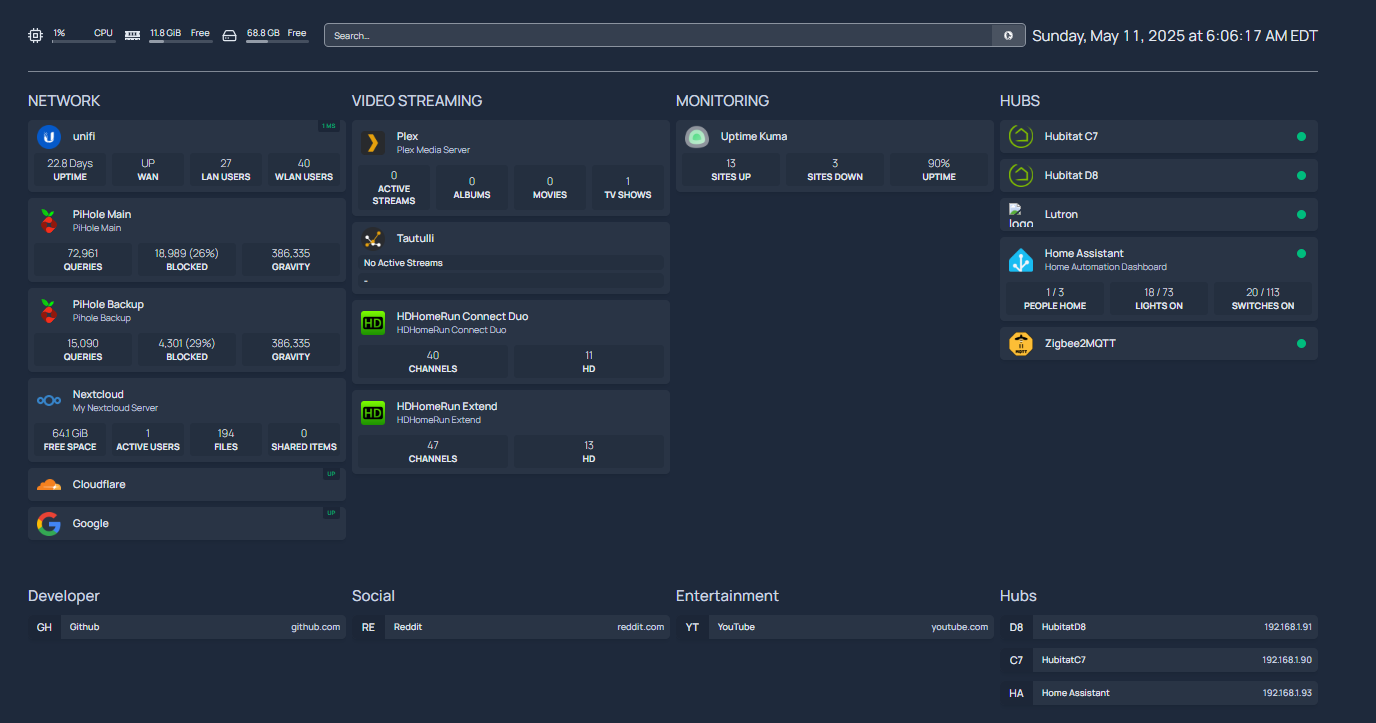
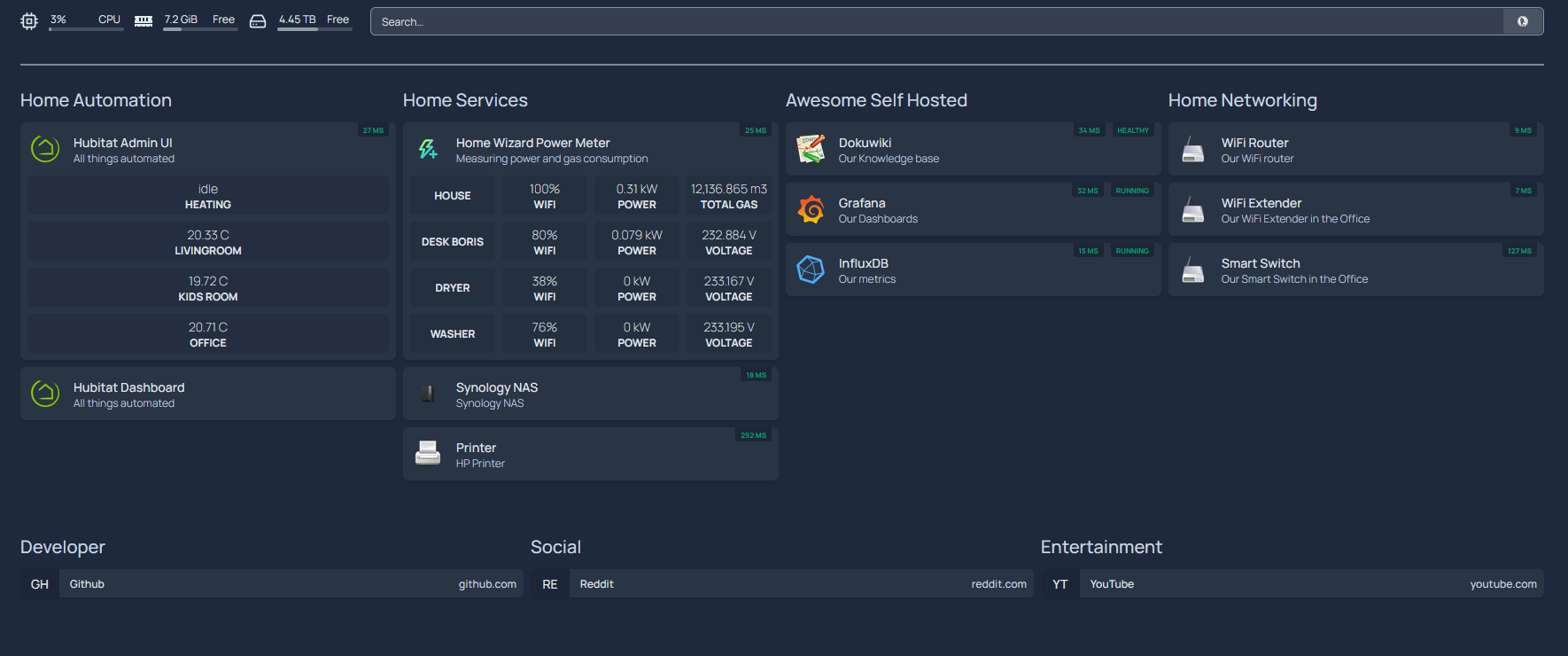
I just started experimenting with Homepage and wondering if anyone else has gone down this rabbit hole.
There are some cool widgets for a lot of programs to aid in monitoring systems incl. Home Assistant. Utilizing the Hub Monitor Community Integration and Maker API, I thought it would be cool to integrate some of Hubutat Hub's statistics into my Homepage. Unfortunately, my AI friends told me trying to create said custom widget is impossible because I am running the Docker version and that doesn't have developer abilities.
However, they gave me a workaround inserting Node Red into the mix. I was able to get HA statistic into a simple HTML document but the iFrame widget from Homepage remained blank even when I changed the URL to a known website so I suspect there is something wrong w/ Homepage's iFrame widget.
I run Homepage on a Xubuntu desktop PC but it is lightweight enough to run on a Raspberry Pi.
Just starting with homepage, i only have grafana added so far and hubitat was my next trial.
So, i found your post 
Any progress since then? I am considering what is better, use native UI of Hubitat or Grafana dashboards in iframes. Thinking of even contributing widgets for Hubitat to Homepage.
I would love to see if there are more people interested.
I haven't done much with it since May.
So far i was able to set up some integrations with Hubitat, but nothing too flashy:
It seems like quite a powerfull yet simple dashboarding app.
1 Like
That's cool! How did you set that up?
I used Maker Api to get the values from Hubitat.
And there is a 'customapi' widget in homepage that is able to make api requests and proces the json it gets.
Cool, thanks for help. I have started playing with it.
1 Like
Can you share your snippet from the services.yaml. I'm able to get the values from MakerAPI using the Hub Info Driver, but not sure how to show it up on the hompage.
- HABITAT MONITORING:
  - Hubitat C7:
      icon: hubitat.png
      widgets:
        - type: customapi
          url: http://192.168.107.90/apps/api/521/devices/884?access_token=xxxxxxxx-xxxx-xxxx-xxxx-xxxxxxxx
          mappings:
            - field: label
              label: DEVICE
            - field: attributes[3].currentValue
              label: Temperature
            - field: attributes[8].currentValue
              label: Heating Setpoint
            - field: attributes[2].currentValue
              label: Cooling Setpoint
            - field: attributes[6].currentValue
              label: Mode

        - type: customapi
          url: http://192.168.107.90/apps/api/521/devices/883?access_token=xxxxxxxx-xxxx-xxxx-xxxx-xxxxxxxx
          mappings:
            - field: label
              label: DEVICE
            - field: attributes[3].currentValue
              label: Temperature
            - field: attributes[8].currentValue
              label: Heating Setpoint
            - field: attributes[2].currentValue
              label: Cooling Setpoint
            - field: attributes[6].currentValue
              label: Mode

        - type: customapi
          url: http://192.168.107.90/apps/api/521/devices/1005?access_token=xxxxxxxx-xxxx-xxxx-xxxx-xxxxxxxx
          mappings:
            - field: label
              label: DEVICE
            - field: attributes[3].currentValue
              label: STATUS
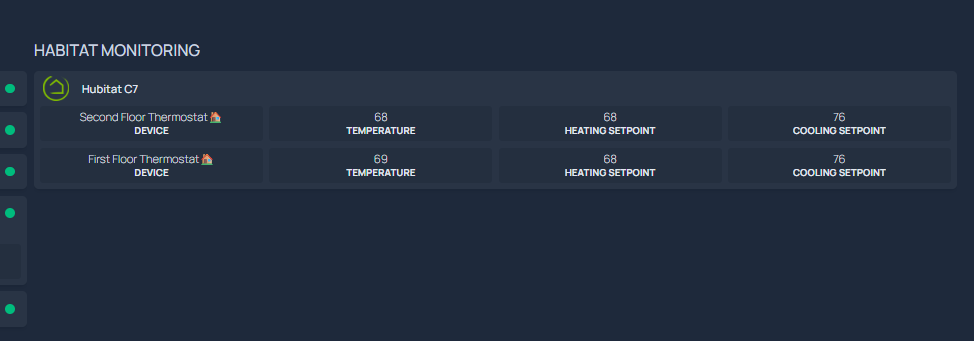
Results in this;
It gets wonky sometimes and the ["on","auto"] will show up on one of the 4 columns. I don't know why and haven't invested any time to fix it. I think it only allows 4 fields and I am trying to show 5.
I have another section just checking if hubs are online:
  - Hubitat C7:
      icon: hubitat.png
      siteMonitor: http://192.168.107.90
      statusStyle: dot
  - Hubitat D8:
      icon: hubitat.png
      siteMonitor: http://192.168.107.91
      statusStyle: dot
That code generates this on homepage:
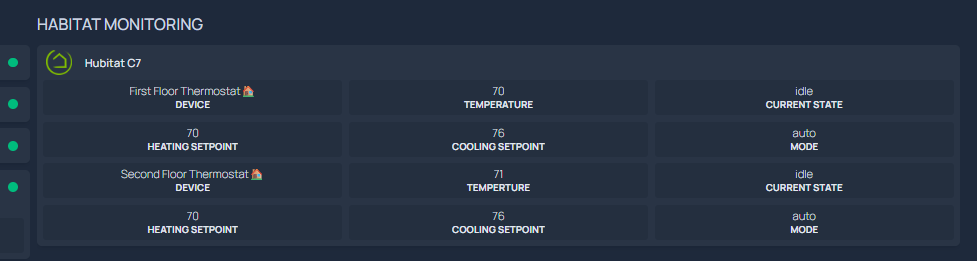
You inspired me to play with it and fix it. Now it is better.
- HABITAT MONITORING:
  - Hubitat C7:
      icon: hubitat.png
      widgets:
        - type: customapi
          url: http://192.168.107.90/apps/api/521/devices/883?access_token=xxxxxxxx-xxxx-xxxx-xxxx-xxxxxxxx
          mappings:
            - field: label
              label: DEVICE
            - field: attributes[5].currentValue
              label: Temperature
            - field: attributes[1].currentValue
              label: Current State
        - type: customapi
          url: http://192.168.107.90/apps/api/521/devices/883?access_token=xxxxxxxx-xxxx-xxxx-xxxx-xxxxxxxx
          mappings:
            - field: attributes[6].currentValue
              label: Heating Setpoint
            - field: attributes[7].currentValue
              label: Cooling Setpoint
            - field: attributes[3].currentValue
              label: Mode

        - type: customapi
          url: http://192.168.107.90/apps/api/521/devices/884?access_token=xxxxxxxx-xxxx-xxxx-xxxx-xxxxxxxx
          mappings:
           - field: label
             label: DEVICE
           - field: attributes[5].currentValue
             label: Temperture
           - field: attributes[1].currentValue
             label: Current State

        - type: customapi
          url: http://192.168.107.90/apps/api/521/devices/884?access_token=xxxxxxxx-xxxx-xxxx-xxxx-xxxxxxxxx
          mappings:
            - field: attributes[6].currentValue
              label: Heating Setpoint
            - field: attributes[7].currentValue
              label: Cooling Setpoint
            - field: attributes[3].currentValue
              label: Mode
Now it looks like this: