Sorry to hear that. I was banking on eventually getting mine to work but I never got it to pair correctly in the Hubitat but it pairs just fine in HA. I guess I will continue to use the HA device bridge if the integration is this buggy.
I'm not having any issues with the integration, but really only using it for normal control, i.e. turn on/off heating or cooling, change temperature set point, hold until next schedule change...
2 Likes
I do not use the Hubitat version of Home kit for control. But, it uses the same API as Home assistant. When setting to away in home assistant, it has been rock solid. There was a quirk at one point on whether the command was "Away" or "away" as sent to the device. One did a permanent away hold, the other did temporary (until the next scheduled change as per the ecobee comfort settings). I prefered the permanent.
Again, using the same API on home assistant, the resume ALWAYS resumed to whatever the schedule was set to be at that time ON THE ECOBEE comfort settings. (I believe the actual command was "ecobee.resume_program," where program is what is set on the device schedule itself.
If you are trying to do custom modes and/or comfort settings, ecobee is not set up to do that.
The ONLY modes programs the API made available by ecobee are the default presets of: home, away, or sleep. Resume will revert to whatever is set on the schedule, regardless of the comfort setting name, as long as it was programmed on the Ecobee already.
I currently use Home, Sleep, and Away on the ecobee schedule. If I want it to be a specific temperature for another reason, then I set the mode and temperature through the hub as a hold. When it resumes, it will resume to the schedule for either home or sleep. It will NOT resume to away unless you are using the built in ecobee presence OR you tell it to put it in away on the hub. (I use presence on the hub and tell it to resume if someone is home, or set away if we are not).
1 Like
I just started playing with the HomeKit integration and discovered that the Thermostat dashboard tile errors with setting the fan to ON.

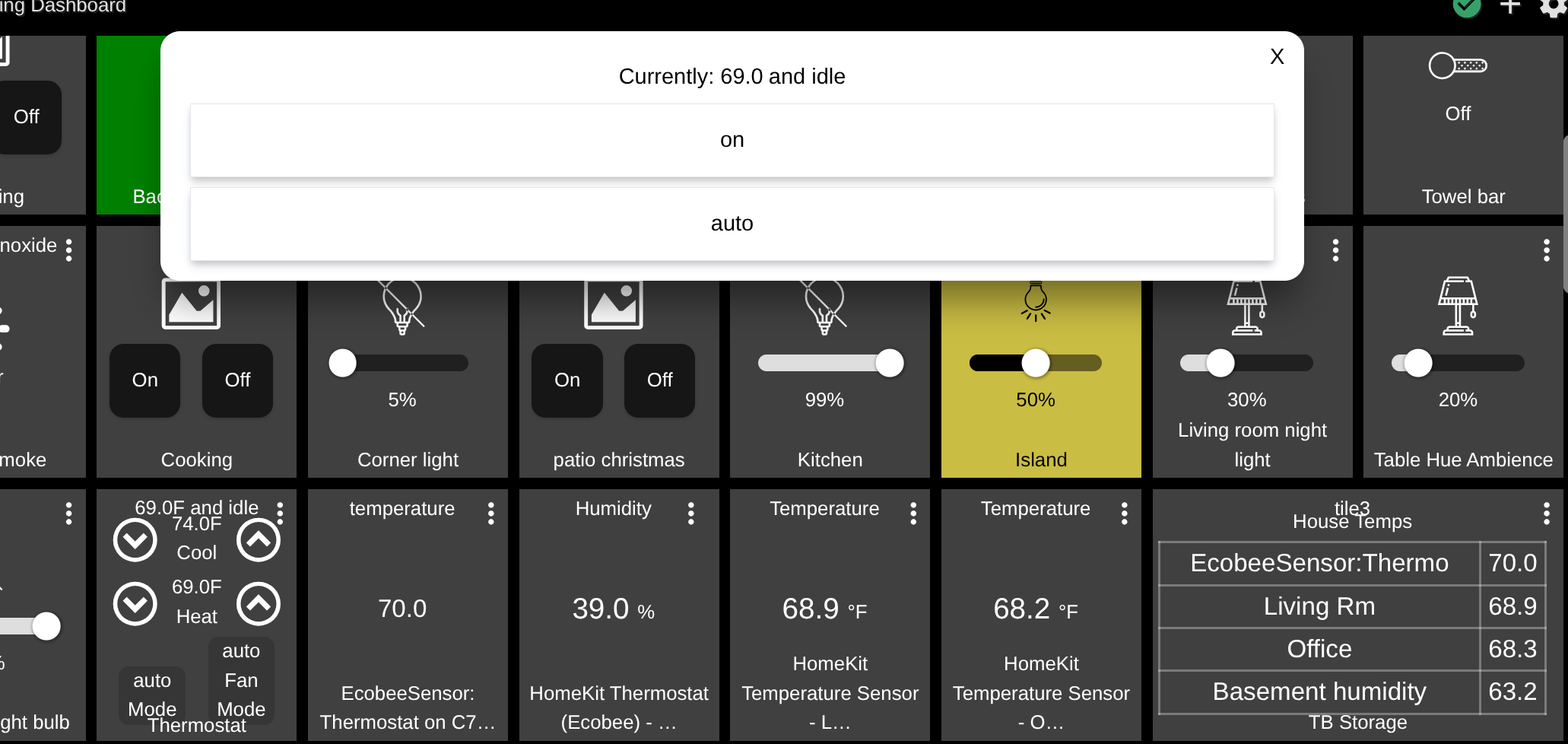
Tagging @gopher.ny regarding above.
1 Like
Noted.
Not the issue at hand but while you are poking around it would be great if you could enable thermostat temperature as a sensor. The local thermostat temp as opposed to the average.
When I looked into that a while back it didn't appear that Ecobee reported the thermostat temperature separately via their HomeKit interface; only reported in their cloud API IIRC.
Bummer. And Hubitat's built-in Ecobee app does not provide Thermostat temperature as an attribute or sensor. The only way to access it is the user Ecobee Suite Manager. I have that installed on my meshed C7 hub of obnoxious devices with that single sensor shared.


Works for me. And you can use setHoldScheduleMode() with parameter "away" as an equivalent to setAway().
Easy to test by monitoring what happens on the Ecobee phone app.
1 Like
Trying again to use this. Ecobee Lite 3 is working fine,
But, Smart Thermostat Enhanced does not respond to the setHoldScheduleMode() with any of the away, sleep, or home parameters.
It logs that it is doing so but never changes from “temp” (although every now and then it is “n/a”.)
If I choose one of those modes at the actual thermostat, then clearholdschedulemode() WILL clear it back to “temp”, which appears to be my current mode (actually “winter home”, but I don’t expect to see that in the HE system.)
Is anyone else successful with the Smart Thermostat Enhanced version?
@gopher.ny Victor, any logs, etc.
C8pro on latest beta
Edit: My goal is to set to Away if everyone is gone or exterior door(s) left open.
Edit 2 1/4/26: I found that by bracketing the setHoldScheduleMode() and clearholdschedulemode() commands with refresh() commands, reliability is better. Will monitor.
What version/model of Ecobee do you have?
Mine is Smart Thermostat Enhanced, Version 4.10.7.46
Ecobee 3 lite with firmware 4.8.7.240
My upstairs thermostat is same as yours and it works fine. My downstairs is the one that has issues.
Edit 1/4/26: I found that by bracketing the setHoldScheduleMode() and clearholdschedulemode() commands with refresh() commands, reliability is better. Will monitor.
1 Like