Help with Schlage door lock/customizing Home screen

This is a minor but irritating problem.

I have 3 Schlage BE499WB door locks. They are connected to an Amazon device via Wi-Fi. I use the “Amazon Echo Skill” to link them to Hubitat by using dedicated virtual switches, such that whenever a lock opens or closes, a corresponding virtual switch changes state to match.

I use virtual switches because apparently Amazon Alexa functionality has a limited range of devices that it can set, with a switch being one such device.

My minor problem: these devices show up in the Hubitat “Home” tab as “lights”, so a late night check of active devices always shows 3 extra “lights“ as being ON (since the doors are locked).

Is there any way for me to continue to have a link through Amazon to these locks to show their locked or unlocked state, without them showing up as lights in Hubitat?

I’m on a C-8 Pro hub, latest beta software, and the driver for each virtual switch is “Virtual Switch uDTH Super +Locks“

I may be underthinking this, but what value does that driver add if the only information you are sending to Hubitat from the skill is whether the lock is open or closed? Could virtual switch driver do the same (or any device that can be turned on and off by an Alexa routine that doesn't show up as a light).

Customize your "Home" screen with one of the options in the documentation. Depending on your needs, you could either: use the option to exclude all virtual devices; or "hide" this device (and keep enabled the option to not include hidden devices in summaries, and keep in mind that there are still ways to see hidden devices in this view if needed),

I picked the “Virtual Switch uDTH Super +Locks“ driver because it behaves like a switch (which the Amazon Echos I have can interact with) AND it behaves like a lock, which means it shows up in Hubitat's Security summary (whereas a switch does not).

At least this is my understanding of how Amazon's product and Hubitat interact. I'm certainly open to enlightenment!

The Home tab doesn't seem to work quite right.

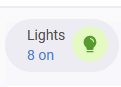
This is shown on the Home tab when "exclude virtual devices from summary" is disabled, and "include hidden devices in summary" is enabled (note: no devices are hidden) :

image

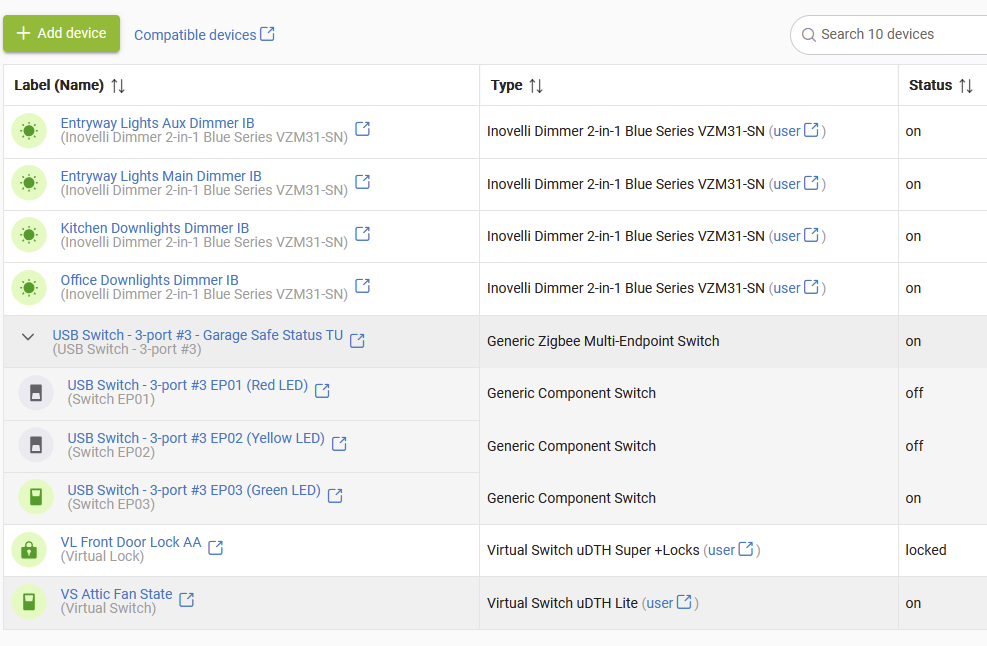
Clicking on "Lights" at this moment shows 8 devices, including 2 virtual devices (VD's) -- a virtual lock and a virtual switch -- which is technically correct (since the 2 VD's are treated as "lights" even though they are switches controlling something other than actual lights):

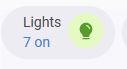
Then clicking on the Home tab again, this is shown when "exclude virtual devices from summary" is enabled, and "include hidden devices in summary" is enabled (the total should be 6, not 7, since there are 2 VDs):
image

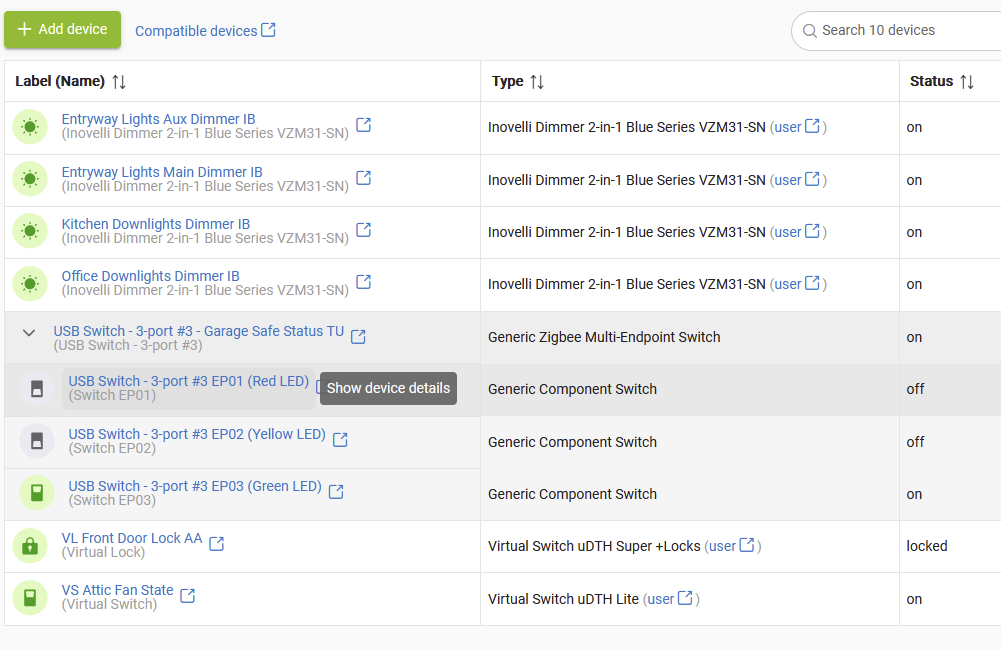
FURTHER, clicking on "Lights" at this moment still shows 2 VD's, which is incorrect:

Another problem is that excluding VD's from the summary hides VD's from all of Home's top-row summaries, not just "Lights". I have some other VD's (other locks) that I want to show up under "Security" that get excluded in this case. Although, interestingly, the 3 virtual locks that use the “Virtual Switch uDTH Super +Locks“ driver do show up under the "Security" summary even when "exclude virtual devices from summary" is enabled -- that's incorrect, they also shouldn't show up.

Using the "hidden" feature is not a solution, since hiding my 3 "AA" virtual locks (the Amazon Alexa interacting locks) means that while they are not visible in the "Lights" summary (desirable), they are also not visible any more in the "Security" summary.

So my conclusions (so far):

  • There is a minor bug in Hubitat since the VD with a stock "virtual switch" driver shows up in the "Lights" summary when "exclude virtual devices from summary" is enabled;
  • There is something about the 3rd party driver “Virtual Switch uDTH Super +Locks“ that makes it look like a switch (and hence a light) and a lock but not like a virtual device (since "exclude virtual devices from summary" does not prevent the device from showing up under the "Lights" or "Security" summaries).
  • The "hidden" features solves my "Lights" summary problem, but creates a "Security" summary problem.

What I'd really like is the ability, on a device-by-device basis, to designate a "switch" as "controls a light" or "does not control a light", with the latter selection suppressing inclusion in the "Lights" summary but not affecting the "Security" summary.

Found a solution, with the help of ChatGPT: I created a custom driver for a virtual device that behaves like a window shade (which Amazon Alexa can interact with) and like a lock (for purposes of showing up in the Home/Security summary in Hubitat).

Whenever one of my Schlage locks is locked, an Alexa routine sets the device position to "0" for an associated virtual device.

Conversely, whenever one of my locks is unlocked, a separate Alexa routine sets the device position to "100" for the associated virtual device.

The VD's show up in Hubitat as locks, but do NOT show up in the Hubitat/Lights summary regardless of state.

metadata {
    definition(name: "Virtual Shade with Lock for Alexa", namespace: "Hubitat", author: "John Land") {
        capability "WindowShade"
        capability "Actuator"
        capability "Lock"
        capability "Refresh"

        command "open"
        command "close"
        command "setPosition", ["NUMBER"]

        attribute "windowShade", "enum", ["open", "closed", "partially open"]
        attribute "position", "number"
    }
}

def installed() { initialize() }
def updated() { initialize() }

def initialize() {
    if (device.currentValue("position") == null) sendEvent(name: "position", value: 0)
    if (device.currentValue("windowShade") == null) sendEvent(name: "windowShade", value: "closed")
    if (device.currentValue("lock") == null) sendEvent(name: "lock", value: "locked")
}

/**
 * Shade Commands
 */
def open() {
    sendEvent(name: "windowShade", value: "open")
    sendEvent(name: "position", value: 100)
    sendEvent(name: "lock", value: "unlocked")
}

def close() {
    sendEvent(name: "windowShade", value: "closed")
    sendEvent(name: "position", value: 0)
    sendEvent(name: "lock", value: "locked")
}

def setPosition(value) {
    def v = Math.max(0, Math.min(100, value as int))
    sendEvent(name: "position", value: v)
    if (v == 0) {
        sendEvent(name: "windowShade", value: "closed")
        sendEvent(name: "lock", value: "locked")
    } else if (v == 100) {
        sendEvent(name: "windowShade", value: "open")
        sendEvent(name: "lock", value: "unlocked")
    } else {
        sendEvent(name: "windowShade", value: "partially open")
        sendEvent(name: "lock", value: "unlocked")
    }
}

/**
 * Lock Commands
 */
def lock() { close() }
def unlock() { open() }

/**
 * Misc
 */
def refresh() {
    sendEvent(name: "windowShade", value: device.currentValue("windowShade"))
    sendEvent(name: "position", value: device.currentValue("position"))
    sendEvent(name: "lock", value: device.currentValue("lock"))
}