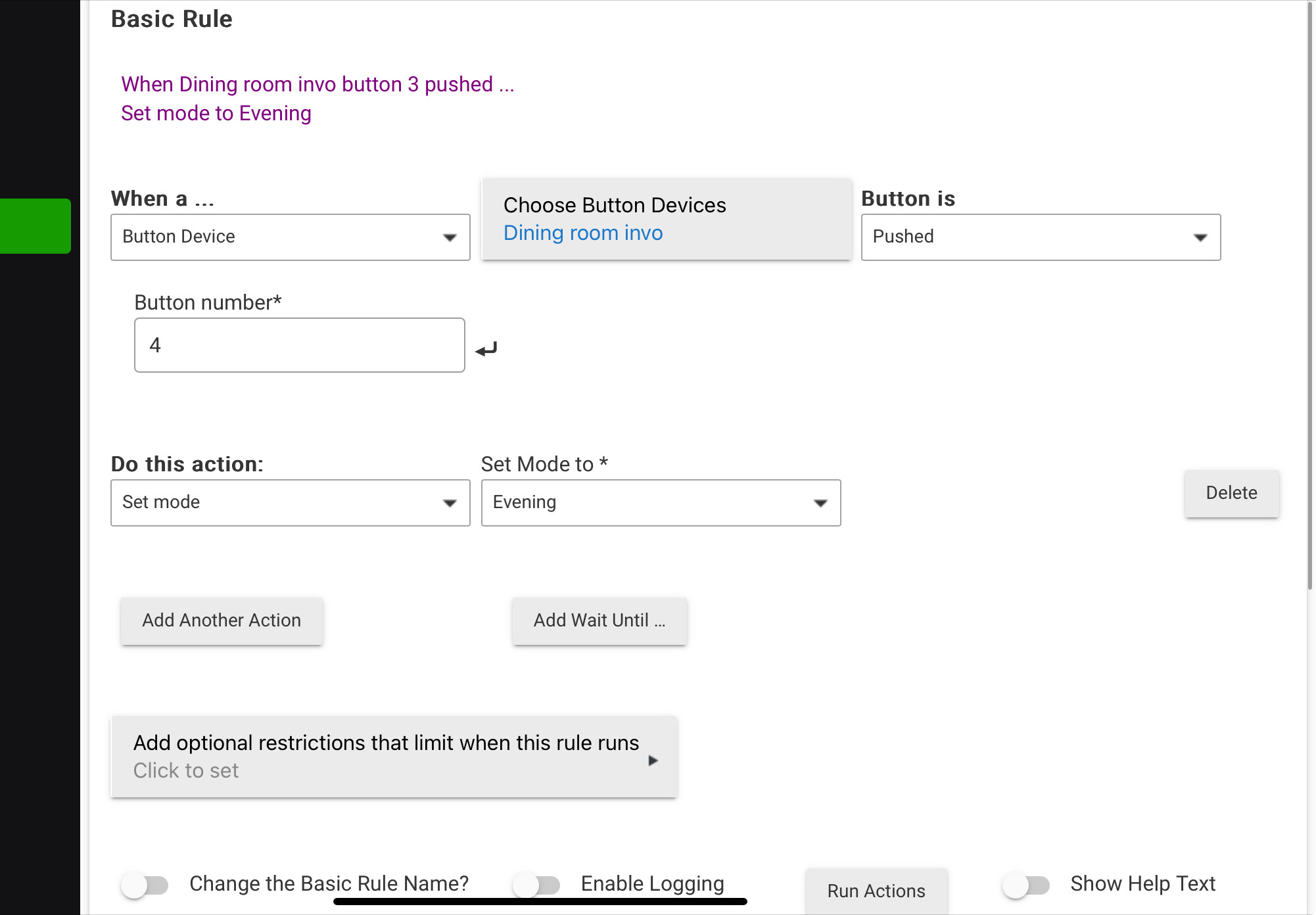
Hello I have a inovelli dimmer red switch . I want to do tap to change Hubitat day,evening and night modes .
Example: 2 taps up goes into day mode
3 taps up goes to evening mode
4 taps up goes to night mode
How exactly can I achieve this?
Hello I have a inovelli dimmer red switch . I want to do tap to change Hubitat day,evening and night modes .
Example: 2 taps up goes into day mode
3 taps up goes to evening mode
4 taps up goes to night mode
How exactly can I achieve this?
I got it !!
There are many ways you can do this. How are you changing modes already? If you're using the built-in Mode Manager app, you can use the "Set Mode with Buttons" section to activate these modes based on the corresponding button events from your devices (the exact events -- event name like "pushed" or "held" and button number -- will vary depending on the driver you're using, but checking Logs or looking at the "Events" tab on the device detail page will show you a history of what happens in response to real-world events if you're not sure).
A more powerful alternative is an app like Button Controller:
https://docs2.hubitat.com/en/apps/button-controllers/button-controller-5-1
This might be useful if you want to use certain button events for something other than setting mode, as it allows you to do pretty much anything, modes being just one of many other automation possibilities.
There's no reason that shouldn't work, but maybe the button event or number is wrong. Have you verified (e.g, using the techniques I suggested above) that "button 4 pushed" is really what's happening on this device in response to whatever real-world multi-tap you are doing? Also, make sure you hit "Done" after creating this app to save your changes.
Hello thank you for the help . Got it figured out .
Download the Hubitat app