Regardless of what I set the columns or rows to, the tiles still look the same. I'm trying to get the last tile to begin a new row. Can someone tell me what I'm going wrong?
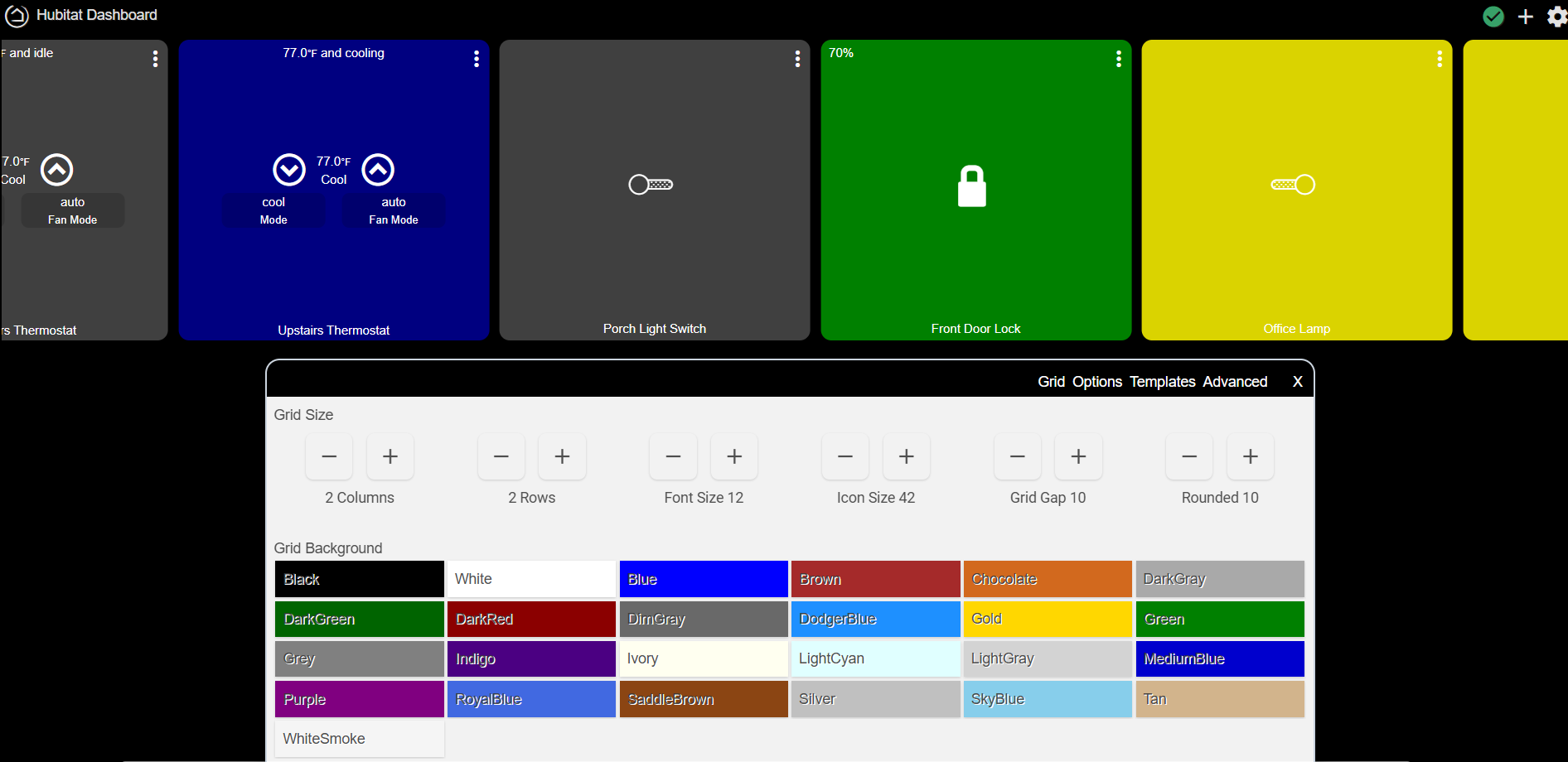
For what you are showing, you would need at least 6 columns to show everything. Then you have to click the green check at the top right to refresh things to see your changes.
If you want that last tile to be in the next row down, you would need to manually move that tile to the next row. The dashboards don't automatically move or rearrange tiles to a next row. You can either drag-and-drop that tile, or click the 3 dots and move the tile down one row, and over a few columns.
1 Like
That was it! You have to drag the tiles to the desired location. Tell me, is there a way to resize the tiles in this type of dashboard?
-Thanks
Click the 3 dots on the upper corner of a tile. You can resize them, or move them from that menu.
Got it thanks.
Now here is a neat trick.
If you want to make tiles have various sizes, you can triple (or quadruple) the columns and rows. Make the large tiles 3 wide by 3 tall, and other tiles can be 2x2, 2x3, 4x2, 1x1 or whatever combination you choose. This works good for status tiles where you might just display something small like a battery value, and you get larger buttons for things like dimmers.
3 Likes
This topic was automatically closed 365 days after the last reply. New replies are no longer allowed.