I'm in the process of reviewing my zigbee network.
Something seems off, but I don't have enough experience in analyzing networks for optimal performance.
There are periods of time, where stuff stops working, and I reboot the hub and all is well, till it's not.
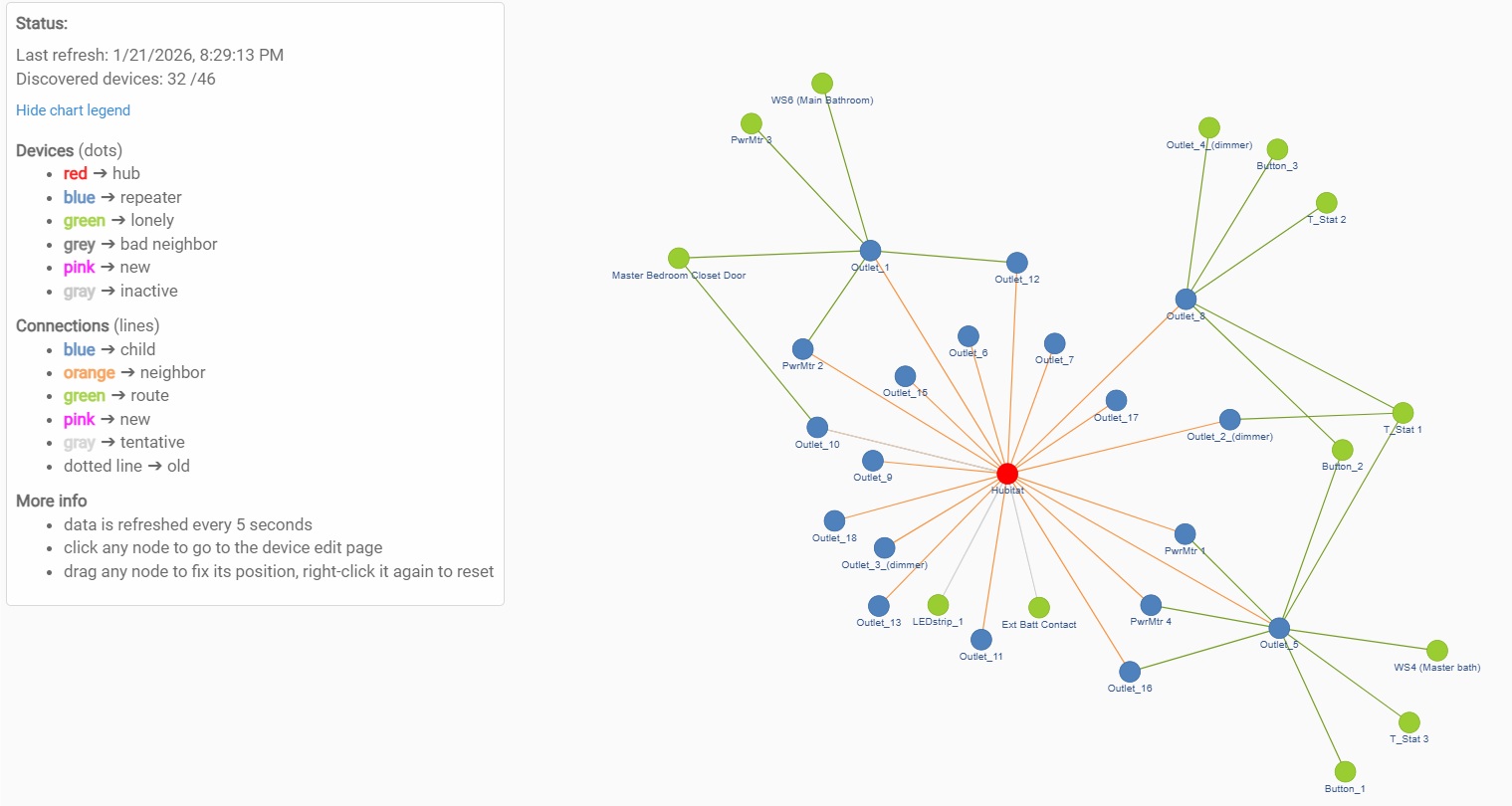
Looks like a pretty solid Zigbee mesh network. Not seeing anything obviously wrong.
Please share details (make and model) of the Zigbee devices that comprise your network. Some brands and specific models of devices do not play well with others.
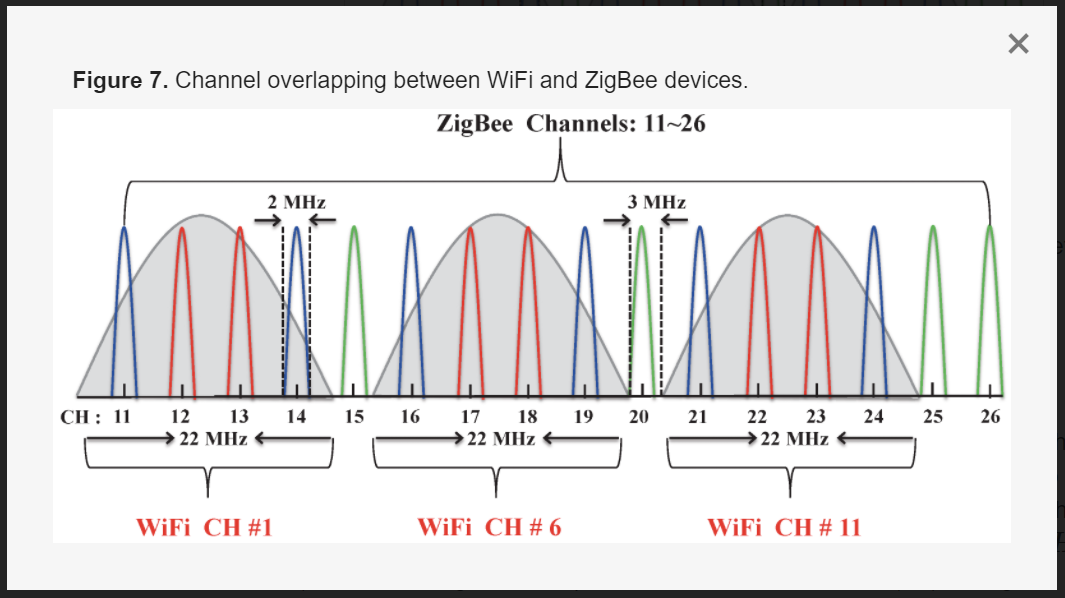
Also, make sure your 2.4GHz WiFi is configured to only use channels 1, 6, and/or 11 with a 20MHz channel width. Once that is sorted, make sure you're using either Zigbee channel 15, 20, or 25 to avoid RF interference with 2.4GHz WiFI.
2.4g wifi channel 4 should not have been affecting your zigbee channel 20 but with the auto setting it could have been a different story tomorrow.
How close are your neighbors? Windows machine now have a wifi analyzer app that you can grab from the Microsoft store but of course that only works if you have a pc with wifi or a laptop. Or from the google play store on an android device. If you are iPhone based like me, well you are SOL.
Are all the 3R plugs current with latest-available firmware?
I may be totally misremembering this, but I thought there were some report flooding issues at some point with those 3R plugs.
But no matter what, I would check each plug's setup to ensure it's not reporting any power/energy stuff beyond just what you need that particular plug to do. If a plug doesn't need to be reporting those things, then disable those reports.
Power reporting can pretty easily get out of hand and has the potential to be a real mesh trasher for both zigbee and z-wave.
This might be the problem. Try disabling the power meter functionality on your outlets as a test to see if they are overwhelming your Zigbee mesh. If so, try to add the power meter functionality back , but limit the frequency of power reports on each outlet to reduce the Zigbee traffic.
Thanks ogiewon & hydro311 for the insights.
I turned off all the power meters functionality to the bare minimum.
I also set the remaining power meters to high trigger values.