Once you get far enough away from home it goes away. That side panel is dynamic. It will show upcoming turn directions (which lanes to use, etc..), music tracks, calendar info, etc...
2 Likes
Yeah, good call -- I learned that lesson the hard way. I'm not a fan of Siri, so I tend to disable any option related to her that I come across.
But that one needs to stay selected!
1 Like
This has been my experience as well.
2 Likes
Yeah now that I think about it Meross doesn’t even have a CarPlay app so it must be baked in to HomeKit. It just pops up in the lower left corner of the screen when I get home, but only on the Split View. As others have mentioned, it goes away once I’m out of the neighborhood.
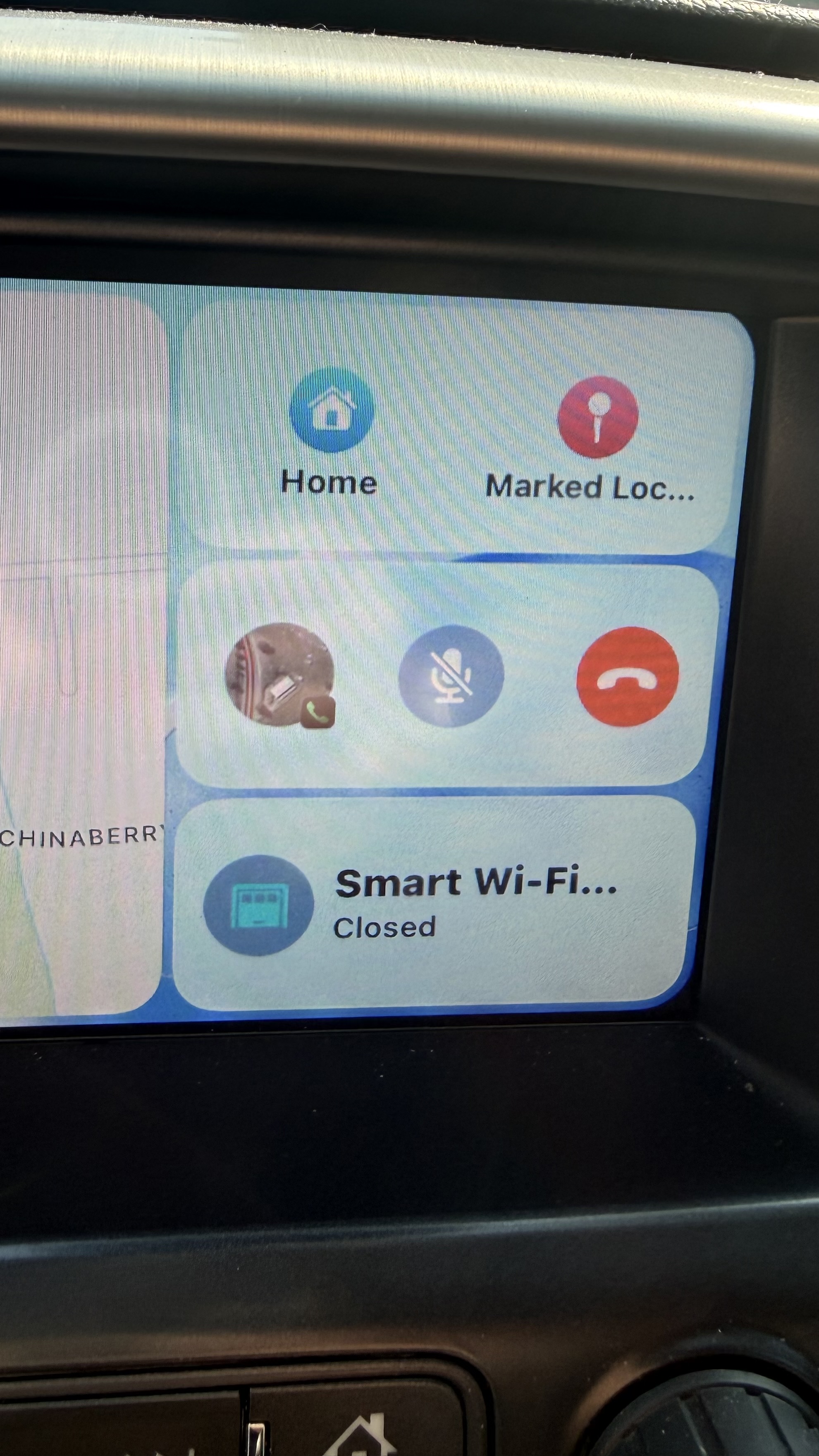
Yup, that's exactly what I was talking about. I get the same thing for my Hubitat integrated "virtual" garage door (via the Zooz GD app, and via the Homebridge integration).
2 Likes
I created an iOS shortcut called “open garage door” and within it I open my garage door and a few other automations. Then via Siri in my car or on my watch I say open garage door and it runs this shortcut and garage opens.
2 Likes
The iOS 26 update for CarPlay includes a new screen that you can add widgets to. Pretty much any widget that's available on your phone can be added to CarPlay. That includes Home controls. I have the public beta on my phone and I've added widgets to CarPlay, but I haven't tried any Home widgets. I can give it a try tomorrow if anyone is interested.
To open the garage door, I use the button on my mirror, or I tell Siri to open the garage door, or as someone else mentioned the garage door shows up on the split screen.
Have you tried standing up close to your living room window and screaming as loud as you can “Hey Siri, open garage door!”? 
That why I have renamed my garage door “Toilet Bowl”.
Nobody is going to stand there and yell “Hey Siri, open the toilet bowl!”

1 Like
Have you and does it work? If it does, it is because it is confident it is you (voice recognition), or the command was used on an PIN/Face protected Watch or Phone. If it has any doubts it will make you unlock the device first. For homepods voice control I think you need to setup a code which you speak to open it (or they just block it, I forget how they do it). It will only require these extra measures for opening / unlocking, not closing / locking. Alexa and Google have the same protections on entry devices.
Is this a phone update or just a CarPlay version?
If I ask to unlock or open garage, my HomePods all tell me that I must continue on my iPhone or iPad, even if they recognize me. And they will run shortcuts for me only if they recognize me.
Since my front door automatically locks, I do have a “funny, punny” shortcut to scream if I lock myself out.
It's iOS 26, which includes CarPlay updates. I don't know of any way to update CarPlay except by updating iOS.
It's not CarPlay Ultra, if that's what you are asking. That's only going to be available on a very small number of luxury cars, and my RAV4 doesn't qualify.
1 Like
Are they jumping from 18 something to 26?
Yep, IOS 26 for [20]26
3 Likes
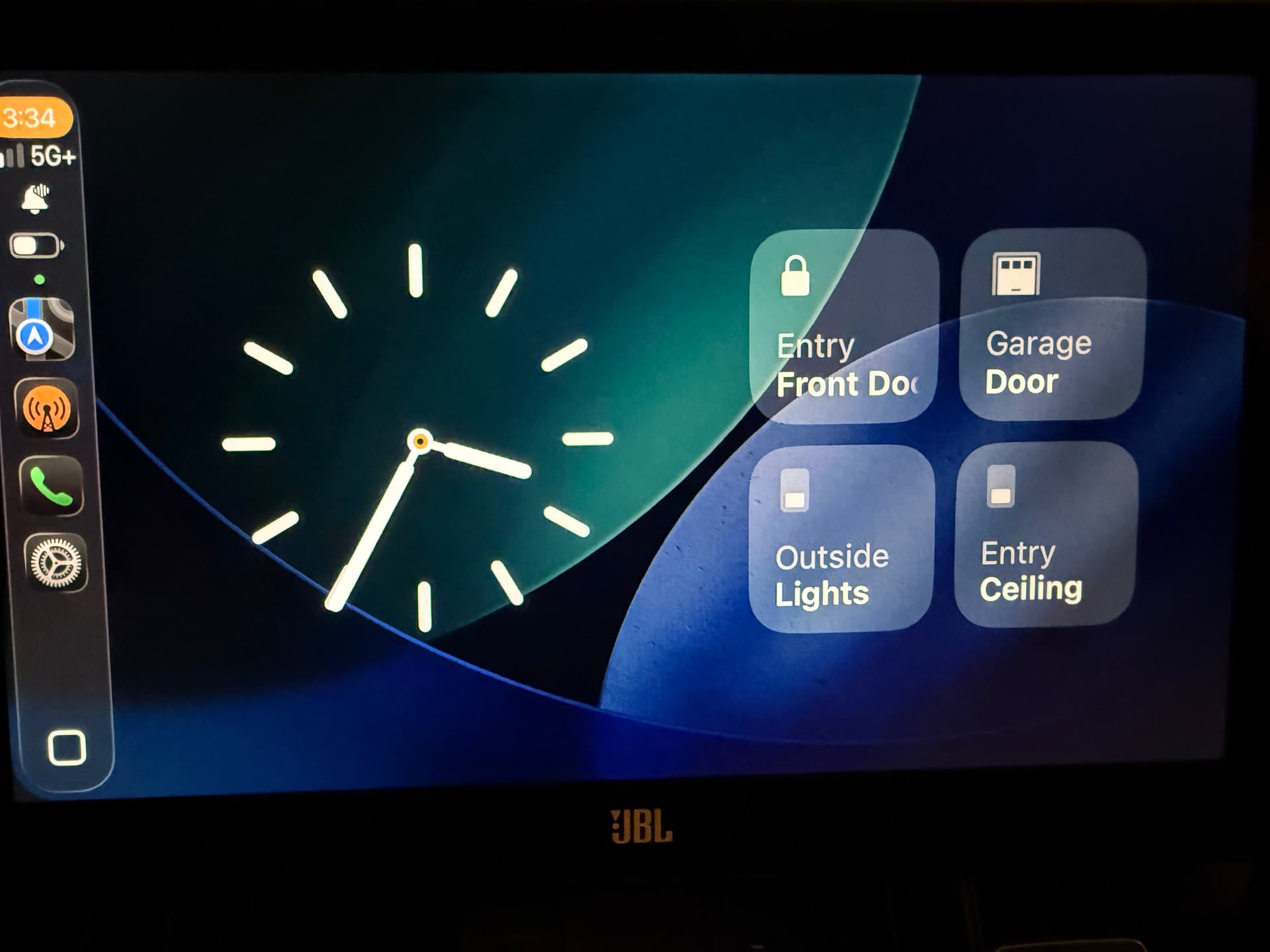
This is what the new widgets screen looks like on CarPlay with iOS 26 installed on my phone. There are two stacks of widgets that rotate. I'm not sure how many you can have in each stack. On the right I added a few miscellaneous Home controls. I can verify that "Garage Door" does work to open and close the garage door.
It uses the new "liquid glass" design, which is why you can see the wallpaper through the buttons.
I have now verified any suspicion of my neighbors that I am insane, as I sat in my car inside the garage opening and closing the door repeatedly. One neighbor waved every time the door opened.
4 Likes
Super cool. So any device in HomeKit could be added as a widget then!?! Love it!
Any device in HomeKit that can be added as a widget on an iPhone can be added as a widget in CarPlay. But I don't know that's every device in HomeKit. There may be some limitations. If in doubt, I suggest trying to add it in a HomeKit widget on your phone to see if it works there. If it does then I assume it will work in CarPlay when you upgrade to iOS 26.
1 Like
Playing around with adding widget on my phone. Only certain items seem to be available to add from Home and they are in groups. Doesn't seem to be any rhyme or reason as to which devices. There must be some setting that determines that, but I haven't found it yet.
EDIT: I think I figured it out. ONce you add the widget you can edit it to add in any of the accessories you want.
1 Like
Yes there are several apps that work that way with widgets. And others don't. It's not very intuitive, I'll admit. When I add a widget to my phone, I usually try to edit it, just to see if I can.
The other thing I found that was really not intuitive... once I updated to iOS 26, I could edit the apps included in CarPlay on my phone settings (General -> CarPlay -> my car -> Apps). But I couldn't add widgets until I had actually turned the car on and started CarPlay. Then the option to add widgets in CarPlay showed up on my phone. (General -> CarPlay - my car -> Widgets). Once I had one widget added, I can add others any time I want, whether my car is on or not. But this is till beta software, so that might change.