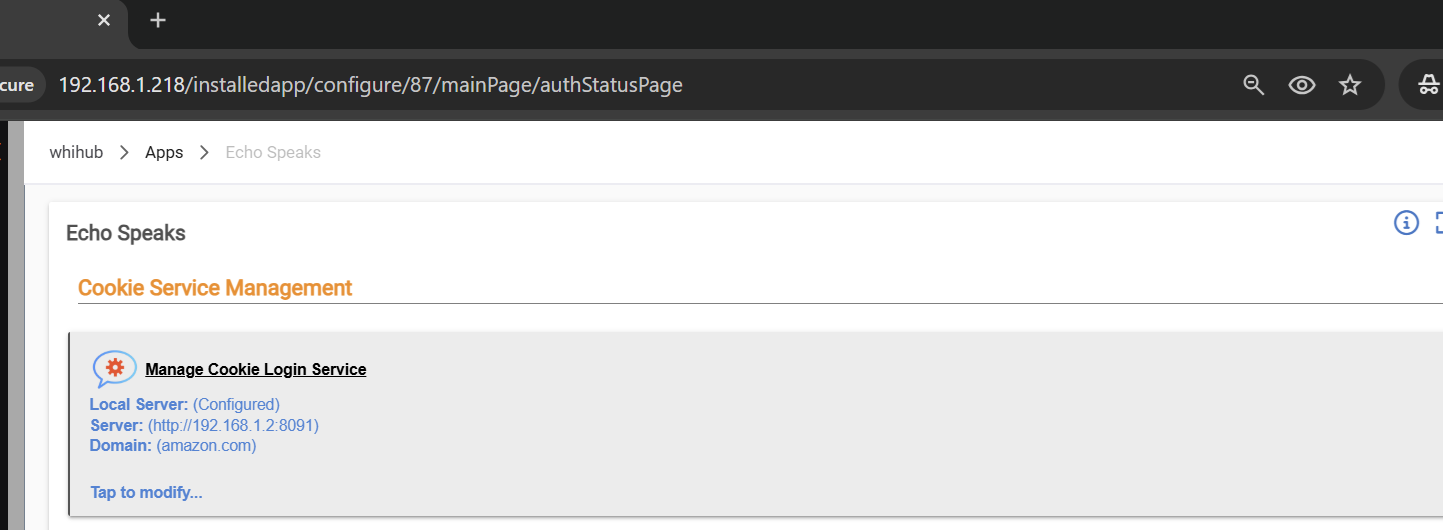
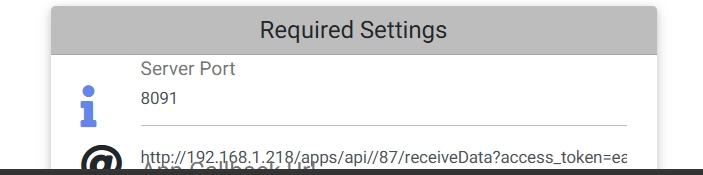
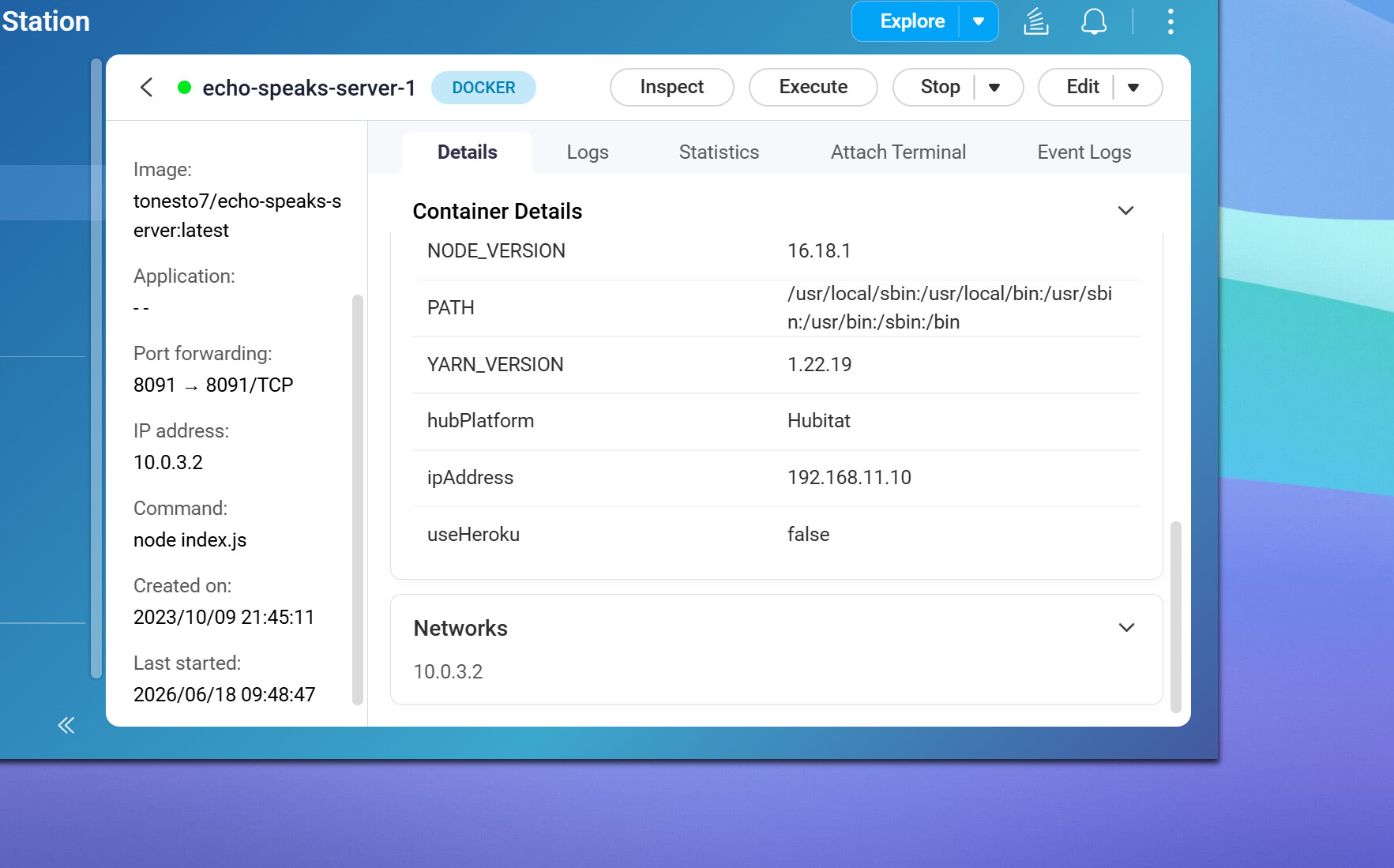
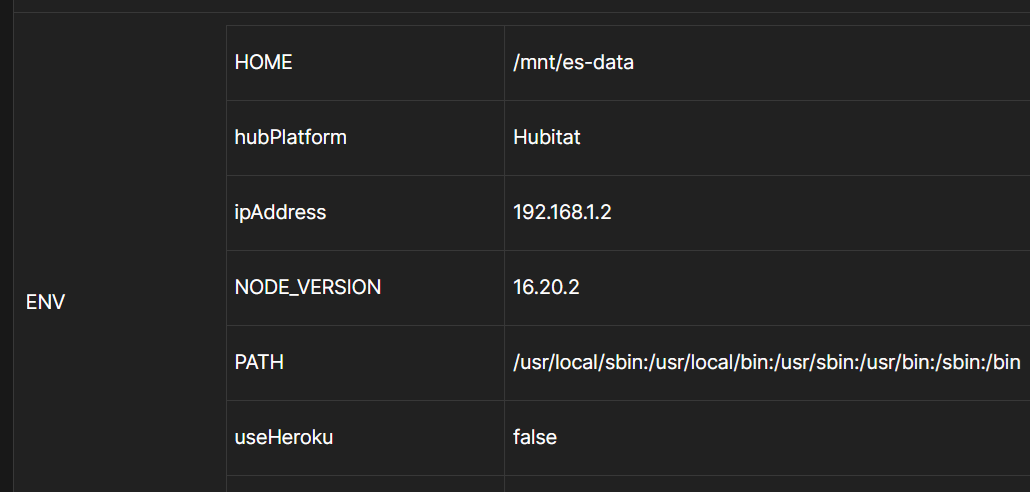
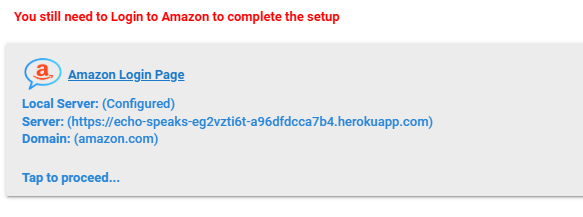
It certainly looks that way, but how? It seems to flip every 6 or 7 iterations. See log below.
Also, I get the same 404 result regardless of phone vs PC, Chrome Incognito vs Edge InPrivate.
6-25-2026 - 2:06:06pm info: -- Echo Speaks Web Service Starting Up! Takes about 10 seconds before it's available... --
getRemoteCookie...
6-25-2026 - 2:06:06pm info: ** Echo Speaks Config Service (v2.8.0) is Running at (IP: 192.168.1.2 | Port: 8091) | ProcessId: 1 **
6-25-2026 - 2:06:06pm info: ** On Heroku: (false) **
6-25-2026 - 2:06:06pm info: Checking for Server Version Updates...
Alexa-Cookie: Use as Login-Amazon-URL: amazon.com
Alexa-Cookie: Use as Base-Amazon-URL: amazon.com
Alexa-Cookie: Use as User-Agent: Mozilla/5.0 (X11; Linux x86_64) AppleWebKit/537.36 (KHTML, like Gecko) Chrome/51.0.2704.103 Safari/537.36
Alexa-Cookie: Use as Accept-Language: en-US
Alexa-Cookie: Proxy-Mode enabled if needed: 127.0.0.1:8091 to listen on 0.0.0.0
6-25-2026 - 2:06:07pm error: generateAlexaCookie: You can try to get the cookie manually by opening http://127.0.0.1:8091/ with your browser.
6-25-2026 - 2:06:07pm debug: Alexa Login Status: There was an error
6-25-2026 - 2:06:07pm info: ** ServerVersion Sent to Hubitat Endpoint Successfully! **
6-25-2026 - 2:06:10pm info: Server Version is Up-to-Date.
getRemoteCookie...
6-25-2026 - 2:06:11pm debug: config(/) page requested
Alexa-Cookie: Use as Login-Amazon-URL: amazon.com
Alexa-Cookie: Use as Base-Amazon-URL: amazon.com
Alexa-Cookie: Use as User-Agent: Mozilla/5.0 (X11; Linux x86_64) AppleWebKit/537.36 (KHTML, like Gecko) Chrome/51.0.2704.103 Safari/537.36
Alexa-Cookie: Use as Accept-Language: en-US
Alexa-Cookie: Proxy-Mode enabled if needed: 127.0.0.1:8091 to listen on 0.0.0.0
Proxy Init: loaded temp data store ■■■ fallback former data
Proxy Init: reuse frc from former data
Proxy Init: reuse map-md from former data
Proxy Init: reuse deviceId from former data
6-25-2026 - 2:06:11pm error: generateAlexaCookie: You can try to get the cookie manually by opening http://127.0.0.1:8091/ with your browser.
6-25-2026 - 2:06:11pm debug: Alexa Login Status: There was an error
6-25-2026 - 2:06:11pm info: ** ServerVersion Sent to Hubitat Endpoint Successfully! **
getRemoteCookie...
6-25-2026 - 2:06:21pm debug: config(/) page requested
Alexa-Cookie: Use as Login-Amazon-URL: amazon.com
Alexa-Cookie: Use as Base-Amazon-URL: amazon.com
Alexa-Cookie: Use as User-Agent: Mozilla/5.0 (X11; Linux x86_64) AppleWebKit/537.36 (KHTML, like Gecko) Chrome/51.0.2704.103 Safari/537.36
Alexa-Cookie: Use as Accept-Language: en-US
Alexa-Cookie: Proxy-Mode enabled if needed: 127.0.0.1:8091 to listen on 0.0.0.0
Proxy Init: loaded temp data store ■■■ fallback former data
Proxy Init: reuse frc from former data
Proxy Init: reuse map-md from former data
Proxy Init: reuse deviceId from former data
6-25-2026 - 2:06:21pm error: generateAlexaCookie: You can try to get the cookie manually by opening http://127.0.0.1:8091/ with your browser.
6-25-2026 - 2:06:21pm debug: Alexa Login Status: There was an error
6-25-2026 - 2:06:22pm info: ** ServerVersion Sent to Hubitat Endpoint Successfully! **
getRemoteCookie...
6-25-2026 - 2:06:31pm debug: config(/) page requested
Alexa-Cookie: Use as Login-Amazon-URL: amazon.com
Alexa-Cookie: Use as Base-Amazon-URL: amazon.com
Alexa-Cookie: Use as User-Agent: Mozilla/5.0 (X11; Linux x86_64) AppleWebKit/537.36 (KHTML, like Gecko) Chrome/51.0.2704.103 Safari/537.36
Alexa-Cookie: Use as Accept-Language: en-US
Alexa-Cookie: Proxy-Mode enabled if needed: 127.0.0.1:8091 to listen on 0.0.0.0
Proxy Init: loaded temp data store ■■■ fallback former data
Proxy Init: reuse frc from former data
Proxy Init: reuse map-md from former data
Proxy Init: reuse deviceId from former data
6-25-2026 - 2:06:32pm error: generateAlexaCookie: You can try to get the cookie manually by opening http://127.0.0.1:8091/ with your browser.
6-25-2026 - 2:06:32pm debug: Alexa Login Status: There was an error
6-25-2026 - 2:06:32pm info: ** ServerVersion Sent to Hubitat Endpoint Successfully! **
getRemoteCookie...
6-25-2026 - 2:06:41pm debug: config(/) page requested
Alexa-Cookie: Use as Login-Amazon-URL: amazon.com
Alexa-Cookie: Use as Base-Amazon-URL: amazon.com
Alexa-Cookie: Use as User-Agent: Mozilla/5.0 (X11; Linux x86_64) AppleWebKit/537.36 (KHTML, like Gecko) Chrome/51.0.2704.103 Safari/537.36
Alexa-Cookie: Use as Accept-Language: en-US
Alexa-Cookie: Proxy-Mode enabled if needed: 127.0.0.1:8091 to listen on 0.0.0.0
Proxy Init: loaded temp data store ■■■ fallback former data
Proxy Init: reuse frc from former data
Proxy Init: reuse map-md from former data
Proxy Init: reuse deviceId from former data
6-25-2026 - 2:06:42pm error: generateAlexaCookie: You can try to get the cookie manually by opening http://127.0.0.1:8091/ with your browser.
6-25-2026 - 2:06:42pm debug: Alexa Login Status: There was an error
6-25-2026 - 2:06:42pm info: ** ServerVersion Sent to Hubitat Endpoint Successfully! **
getRemoteCookie...
6-25-2026 - 2:06:52pm debug: config(/) page requested
Alexa-Cookie: Use as Login-Amazon-URL: amazon.com
Alexa-Cookie: Use as Base-Amazon-URL: amazon.com
Alexa-Cookie: Use as User-Agent: Mozilla/5.0 (X11; Linux x86_64) AppleWebKit/537.36 (KHTML, like Gecko) Chrome/51.0.2704.103 Safari/537.36
Alexa-Cookie: Use as Accept-Language: en-US
Alexa-Cookie: Proxy-Mode enabled if needed: 127.0.0.1:8091 to listen on 0.0.0.0
Proxy Init: loaded temp data store ■■■ fallback former data
Proxy Init: reuse frc from former data
Proxy Init: reuse map-md from former data
Proxy Init: reuse deviceId from former data
6-25-2026 - 2:06:52pm error: generateAlexaCookie: You can try to get the cookie manually by opening http://127.0.0.1:8091/ with your browser.
6-25-2026 - 2:06:52pm debug: Alexa Login Status: There was an error
6-25-2026 - 2:06:53pm info: ** ServerVersion Sent to Hubitat Endpoint Successfully! **
6-25-2026 - 2:06:55pm info: Server Wakeup Received | Reason: (runCookieRefresh)
getRemoteCookie...
6-25-2026 - 2:07:02pm debug: config(/) page requested
Alexa-Cookie: Use as Login-Amazon-URL: amazon.com
Alexa-Cookie: Use as Base-Amazon-URL: amazon.com
Alexa-Cookie: Use as User-Agent: Mozilla/5.0 (X11; Linux x86_64) AppleWebKit/537.36 (KHTML, like Gecko) Chrome/51.0.2704.103 Safari/537.36
Alexa-Cookie: Use as Accept-Language: en-US
Alexa-Cookie: Proxy-Mode enabled if needed: 127.0.0.1:8091 to listen on 0.0.0.0
Proxy Init: loaded temp data store ■■■ fallback former data
Proxy Init: reuse frc from former data
Proxy Init: reuse map-md from former data
Proxy Init: reuse deviceId from former data
6-25-2026 - 2:07:02pm error: generateAlexaCookie: You can try to get the cookie manually by opening http://127.0.0.1:8091/ with your browser.
6-25-2026 - 2:07:02pm debug: Alexa Login Status: There was an error
6-25-2026 - 2:07:03pm info: ** ServerVersion Sent to Hubitat Endpoint Successfully! **
6-25-2026 - 2:07:04pm debug: set host url: 192.168.1.2
getRemoteCookie...
6-25-2026 - 2:07:04pm debug: config(/) page requested
Alexa-Cookie: Use as Login-Amazon-URL: amazon.com
Alexa-Cookie: Use as Base-Amazon-URL: amazon.com
Alexa-Cookie: Use as User-Agent: Mozilla/5.0 (X11; Linux x86_64) AppleWebKit/537.36 (KHTML, like Gecko) Chrome/51.0.2704.103 Safari/537.36
Alexa-Cookie: Use as Accept-Language: en-US
Alexa-Cookie: Proxy-Mode enabled if needed: 192.168.1.2:8091 to listen on 0.0.0.0
Proxy Init: loaded temp data store ■■■ fallback former data
Proxy Init: reuse frc from former data
Proxy Init: reuse map-md from former data
Proxy Init: reuse deviceId from former data
6-25-2026 - 2:07:04pm error: generateAlexaCookie: You can try to get the cookie manually by opening http://192.168.1.2:8091/ with your browser.
6-25-2026 - 2:07:04pm debug: Alexa Login Status: There was an error
6-25-2026 - 2:07:04pm info: ** ServerVersion Sent to Hubitat Endpoint Successfully! **
6-25-2026 - 2:07:12pm debug: set host url: 127.0.0.1
getRemoteCookie...
6-25-2026 - 2:07:12pm debug: config(/) page requested
Alexa-Cookie: Use as Login-Amazon-URL: amazon.com
Alexa-Cookie: Use as Base-Amazon-URL: amazon.com
Alexa-Cookie: Use as User-Agent: Mozilla/5.0 (X11; Linux x86_64) AppleWebKit/537.36 (KHTML, like Gecko) Chrome/51.0.2704.103 Safari/537.36
Alexa-Cookie: Use as Accept-Language: en-US
Alexa-Cookie: Proxy-Mode enabled if needed: 127.0.0.1:8091 to listen on 0.0.0.0
Proxy Init: loaded temp data store ■■■ fallback former data
Proxy Init: reuse frc from former data
Proxy Init: reuse map-md from former data
Proxy Init: reuse deviceId from former data
6-25-2026 - 2:07:13pm error: generateAlexaCookie: You can try to get the cookie manually by opening http://127.0.0.1:8091/ with your browser.
6-25-2026 - 2:07:13pm debug: Alexa Login Status: There was an error
6-25-2026 - 2:07:13pm info: ** ServerVersion Sent to Hubitat Endpoint Successfully! **
getRemoteCookie...
6-25-2026 - 2:07:23pm debug: config(/) page requested
Alexa-Cookie: Use as Login-Amazon-URL: amazon.com
Alexa-Cookie: Use as Base-Amazon-URL: amazon.com
Alexa-Cookie: Use as User-Agent: Mozilla/5.0 (X11; Linux x86_64) AppleWebKit/537.36 (KHTML, like Gecko) Chrome/51.0.2704.103 Safari/537.36
Alexa-Cookie: Use as Accept-Language: en-US
Alexa-Cookie: Proxy-Mode enabled if needed: 127.0.0.1:8091 to listen on 0.0.0.0
Proxy Init: loaded temp data store ■■■ fallback former data
Proxy Init: reuse frc from former data
Proxy Init: reuse map-md from former data
Proxy Init: reuse deviceId from former data
6-25-2026 - 2:07:23pm error: generateAlexaCookie: You can try to get the cookie manually by opening http://127.0.0.1:8091/ with your browser.
6-25-2026 - 2:07:23pm debug: Alexa Login Status: There was an error
6-25-2026 - 2:07:23pm info: ** ServerVersion Sent to Hubitat Endpoint Successfully! **
getRemoteCookie...
6-25-2026 - 2:07:33pm debug: config(/) page requested
Alexa-Cookie: Use as Login-Amazon-URL: amazon.com
Alexa-Cookie: Use as Base-Amazon-URL: amazon.com
Alexa-Cookie: Use as User-Agent: Mozilla/5.0 (X11; Linux x86_64) AppleWebKit/537.36 (KHTML, like Gecko) Chrome/51.0.2704.103 Safari/537.36
Alexa-Cookie: Use as Accept-Language: en-US
Alexa-Cookie: Proxy-Mode enabled if needed: 127.0.0.1:8091 to listen on 0.0.0.0
Proxy Init: loaded temp data store ■■■ fallback former data
Proxy Init: reuse frc from former data
Proxy Init: reuse map-md from former data
Proxy Init: reuse deviceId from former data
6-25-2026 - 2:07:33pm error: generateAlexaCookie: You can try to get the cookie manually by opening http://127.0.0.1:8091/ with your browser.
6-25-2026 - 2:07:33pm debug: Alexa Login Status: There was an error
6-25-2026 - 2:07:34pm info: ** ServerVersion Sent to Hubitat Endpoint Successfully! **
Here is my config file (pardon the odd tab placements, the block quotes option keeps messing up the formatting):
services:
echo-speaks-server:#worked until May 2026 #image: echo-speaks-server:2.7.2 #20260623 attempt to address 404 error when manually logging into Amazon # Build image for non-amd64 systems build: https://github.com/tonesto7/echo-speaks-server.git #build: # context: ../ container_name: echo-speaks-server restart: always logging: driver: "json-file" options: max-size: "50m" # Network mode host allows IP to be automatically detected # Windows MUST change from host to bridge mode and set IP in settings below network_mode: host #network_mode: bridge # Port mappings are ignored with host mode ports: - 8091:8091 # WebUI must match PORT below #env_file: # - './env.echo-speaks-server' environment: - useHeroku=false - hubPlatform=Hubitat #### UNCOMMENT Options to use them (remove the # and keep the -) #### ## Host IP Address Override if needed ## MUST Uncomment next line and set IP when using network_mode: bridge - ipAddress=192.168.1.2 ##was used with v2.7.2 #- IPAddressOverride=192.168.1.2 ## Change WebUI Port if needed #- PORT=8091 ## Set callback URL here if you want #- appCallbackUrl= ## Set amazon domain and locale if need to change from default #- amazonDomain=amazon.com #- regionLocale=en-US - HOME=/mnt/es-data healthcheck: test: "curl -sS 127.0.0.1:8091 -o /dev/null" interval: 10s timeout: 10s retries: 5 volumes: # Data persistency - echo-speaks-server:/mnt/es-data volumes: echo-speaks-server: external: true
Yes, I had pasted the wrong screenshot in the other thread. My hub didn’t change IP’s.
Here is the screenshot: